
Customizable User Interface
Streamlined GUI with pre-defined layout configurations, tabbed windows which can be freely arranged and full drag-and-drop support. Pre-defined navigation schemes allow easy configuration of the mouse navigation mode.
|
|
|
Parametric City Design Tools
CityEngine comes with a comprehensive toolset to design and edit urban layouts with streets, blocks and parcels. Street constructions such as roundabouts or block subdivisions are controlled via parametric interfaces, giving immediate visual feedback.
|
|
|
City Wizard
The CityEngine City Wizard is the easiest way to generate a procedural city. Create and generate whole cities from pre-defined templates with only a few mouse clicks.
|
|
|
Procedural Modeling Core
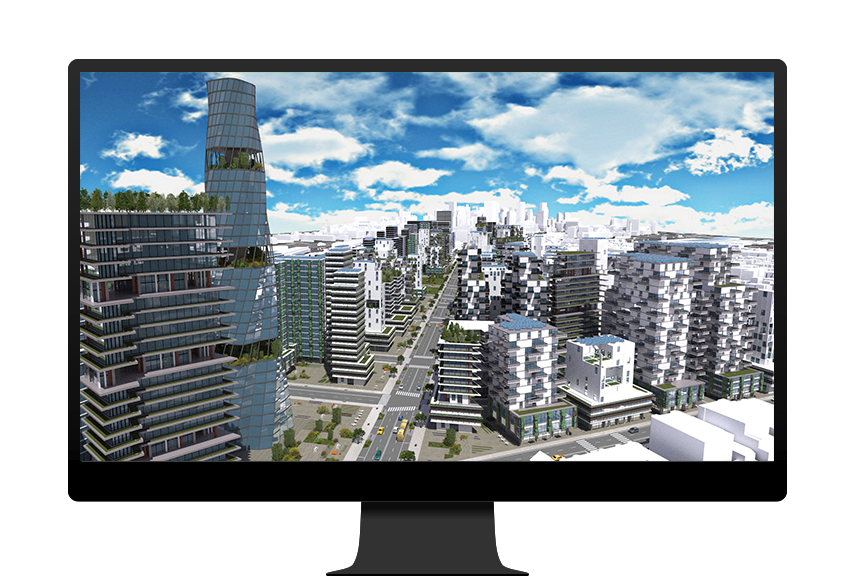
Procedural modeling offers the ability to generate and texture detailed 3D buildings and street geometries out of 2D data. Driven by rules, the procedural modeling core can leverage your own textures and 3D assets, and the use of predefined styles makes it easy to change rule settings in just a few clicks.
|
|
|
|
|
|
|
Rule Editor (Node-based Visual Editing or Scripting)
Rules files (.cga) are authored and modified in the Rule Editor. The scripting editor includes features such as syntax highlighting and command completion. The node-based visual interface also allows exploring and editing rules graphically.
|
|
|
Terrain and Maps
Raster-based terrains and height maps can be imported, edited or exported as a polygon mesh. Arbitrary image/raster maps can be used to control selection, parametric streets and blocks, or the rule-based models generation.
|
|
|
Basic 2D and 3D Format Support
For integration with 3D/CAD applications, CityEngine supports the well-known formats OBJ, 3DS and DXF, as well as VOB for e-on software's Vue. The exporter can collect textures into a single folder for easy re-use and sharing with other tools.
|
|
|
OpenStreetMap Import
Street networks and footprints of real world cities can be imported for free from OpenStreetMap into CityEngine. This allows for a quick generation of urban surroundings based on existing streets or building footprints.
|
|
|
Esri File Geodatabase and Shapefile Support
Import GIS data, such as streets, building footprints and parcels, into CityEngine from either Esri File Geodatabase (.gdb) or Shapefile (.shp) format. Feature attributes can also be imported and used to drive the procedural rules.
|
|
|
|
|
|
|
Facade Wizard
Interactively author building facade rules out of an image or an existing textured model. The resulting facade rules are size-independent and can therefore be applied to other building designs. The rules can be easily extended with more detailed window models, as well as provide summary information for reports.
|
|
|
Custom Report Generation
Customized rule-based reports can be generated to analyze urban designs, including the calculation of important urban properties such as GFA (Gross Floor Area), FAR (Floor Area Ratio), etc. Reports are updated automatically and instantaneously.
|
|
|
KML Support
Import and export of data in Google's Keyhole Markup Language (.kml/.kmz) allows for the exchange of geo-referenced 3D models with tools such as ArcGIS or Google Earth.
|
|
|
Advanced 3D Format Support
The industry-standard formats Collada (1.4.1) and Autodesk FBX (2012.1; export only) allow for flawless 3D data exchange. Supported features include advanced materials, asset instancing, multiple UV-sets, grouping or binary encoding. Constructed 3D content can also be exported out to Pixar's RenderMan (.rib) and NVIDIA's mental ray (.mi). The exporter can collect textures into a single folder for easy re-use and sharing of the generated models with other software packages.
|
|
|
Python Scripting Interface
Streamline repetitive or pipeline-specific tasks with the integrated Python programming interface. For example, automatically create different levels of detail in batch mode, import Autodesk FBX cameras, and so on.
|
|
|
Script-based Export
Allows scripting of complex export processes via Python, such as writing out additional metadata or instancing information for each building.
|
|
|
3D Mouse Support
Experience natural and intuitive navigation with a 3D mouse. Navigate in all three dimensions simultaneously. Available for Windows and Mac OS X platforms only.
|
|
|