The latest release of ArcGIS Earth for desktop focuses on improving the user experience through critical application performance and stability enhancements. These updates deliver more performant KML rendering when working with large, complex files. In addition to performance and stability, greater administrator control for auto-updates, and KML multi-geometry editing have been added. Let’s dive into the details of these improvements and explore how they can boost your workflow and productivity.
Features and Enhancements
Improved KML Rendering Performance
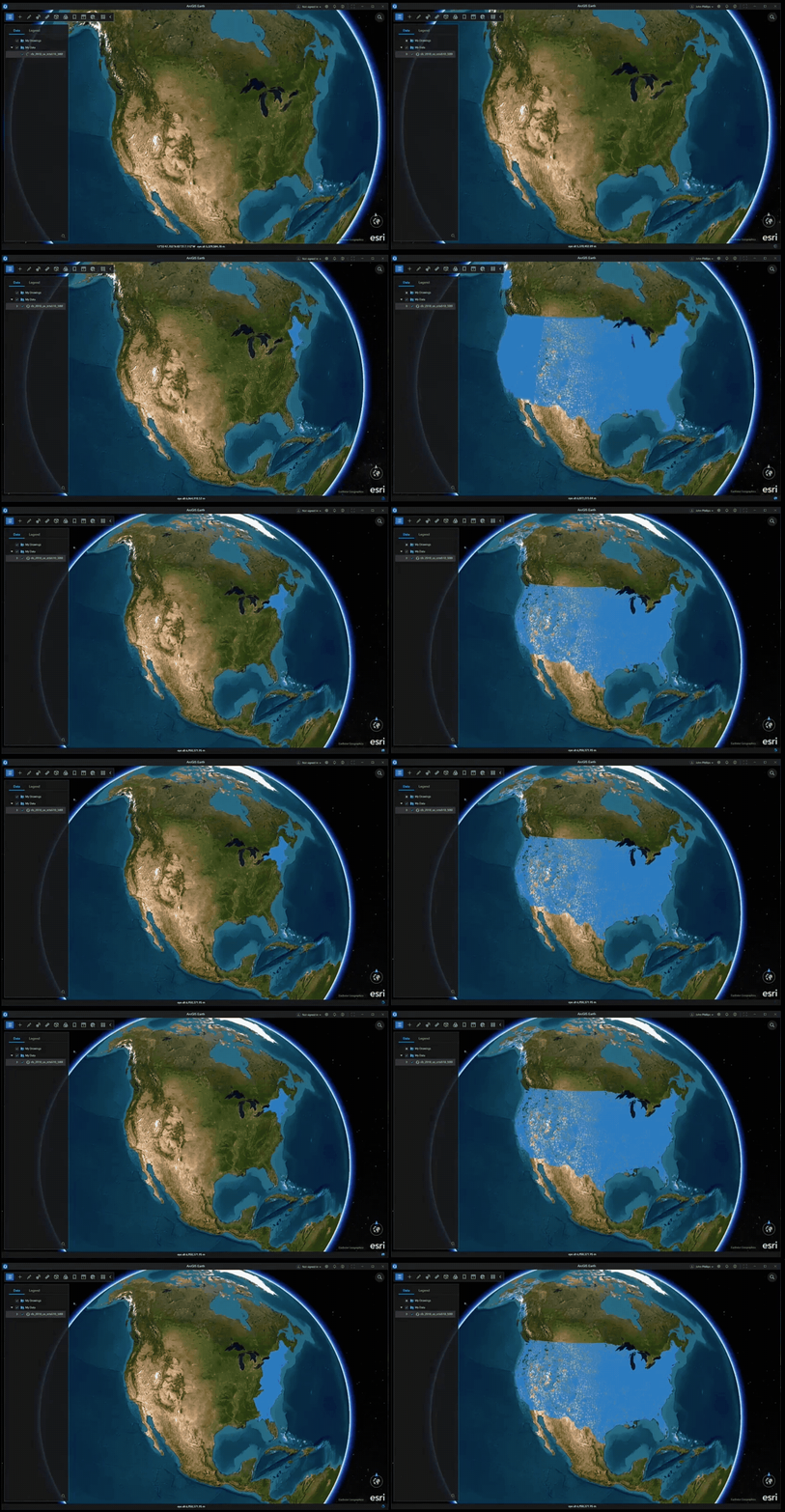
We’ve made significant performance optimizations that result in a better user experience when working with KML data. Users will appreciate the seamless and fluid navigation, whether zooming, panning, or tilting the view, without experiencing any slowdown in the application. The optimized rendering engine delivers rapid display speeds, ensuring that even complex KML datasets with thousands of layers are presented without lag. Across every camera position and viewing angle, KML layers retain a crisp, clean representation, allowing for effortless exploration and precise analysis. This combination of speed and visual fidelity creates a truly responsive environment.
While exceptionally large and intricate KML files may require additional time to initially load, users can expect a best-in-class experience marked by fluid interaction and rapid display performance once these datasets are fully rendered. These improvements build on previous performance enhancements, including greater stability for 2D feature layer visualization.
Enhanced KML Editing with Multi-Geometry Combine and Split Tools
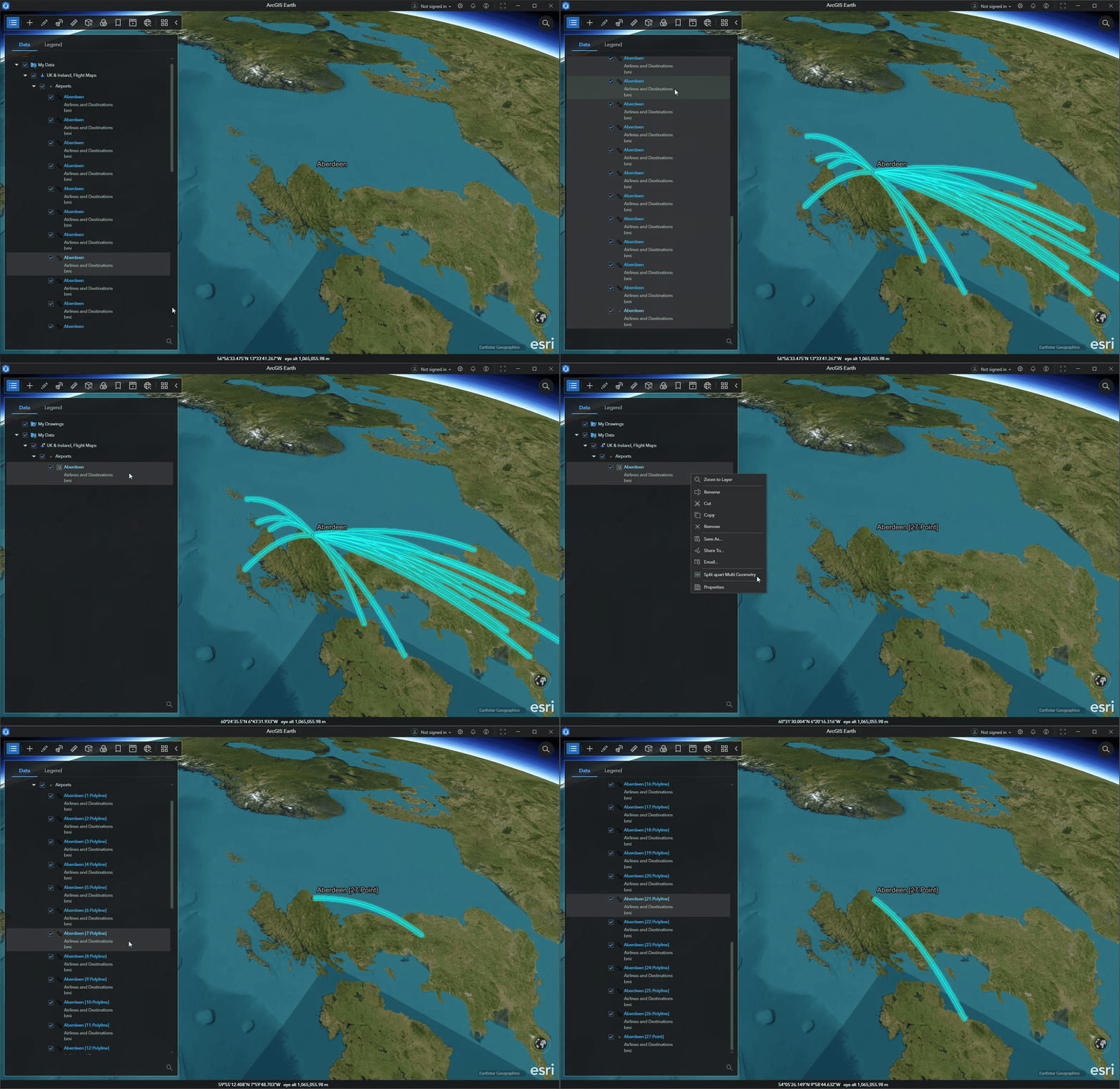
The latest ArcGIS Earth update introduces support for KML multi-geometry editing, including tools such as combine and split. Users can merge multiple placemarks, lines, and polygons into a single <MultiGeometry> to create a unified data structure, or separate multi-geometry layers back into individual KML layers for focused editing and customization. These editing capabilities are designed to maintain the integrity of the original data representation, ensuring that essential KML properties are preserved throughout the process. By closely following established KML conventions, these tools promote interoperability and compatibility with other KML-based applications, allowing for seamless data exchange and workflow integration across platforms.
Fully Disable Auto-Update
Since the dawn of the 2.0 generation of ArcGIS Earth, the application has embraced a philosophy of seamless enhancement, quietly notifying users when updates are available and guiding them through a frictionless upgrade experience. This design was rooted in a simple truth: that timely access to bug fixes, performance improvements, and new features empowers users to work more efficiently and confidently.
Yet, wisdom lies in recognizing that not all journeys follow the same path.
Some organizations, whether due to strict IT policies, bandwidth constraints, or operational stability requirements, prefer to chart their own course when it comes to software updates. In response to this need, we previously introduced a configuration file parameter that allowed administrators to disable the auto-update web call. While this prevented the application from checking for updates, the user interface elements related to updates remained visible, leading to confusion for some users.
With the latest enhancement, ArcGIS Earth now offers administrators the ability to fully disable the auto-update feature, including the removal of all related UI elements from the application itself. This new configuration option reflects a deeper understanding of organizational diversity and the importance of clarity in user experience. By eliminating update-related UI components when auto-update is disabled, administrators can ensure a cleaner, more consistent interface for their users.
Closing Comments
We hope that the latest updates are useful and improve your work. Your feedback on ArcGIS Earth is essential in guiding its continued refinements. Please keep sharing your experiences, and if you haven’t already, consider joining the Esri Community to connect with other users and the product team.





Commenting is not enabled for this article.