ArcGIS Hub revolutionizes how people work together geographically. ArcGIS Hub continues to advance, making it easier for you to share trusted and curated content, collaborate, and engage with your community of practice.
Recent ArcGIS Hub updates include several updates to discussions, an option to download events to your personal calendar, and a new Developers site. Keep reading to learn more about these new features so you can try them out the next time you use Hub.
Discussions are easier to enable, manage, and participate in
We’re introducing the first of several updates designed to enhance discussions. You can now enable discussions on projects, manage and participate in discussions in a new post gallery, and configure additional discussion settings.
Enable discussions on projects
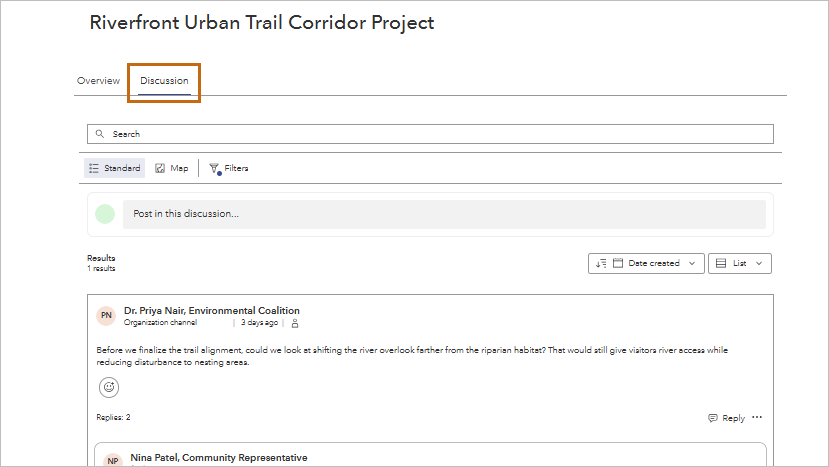
You can now enable discussions on projects. When you enable discussions on a project, the Discussion tab will appear on the project view, displaying the new post gallery. The post gallery is where site visitors can view, filter, post, and interact with all the discussions they have access to. Add a channel to enable discussions on a project.
View and manage discussions in the new post gallery
When you manage a discussion board, project, or other supported item type in the user workspace, you can now view, filter, post, interact, and manage all discussion activity in a post gallery. From the gallery, you can view and filter posts, start conversations, reply and react to others, and manage discussion activity. For discussion managers, the gallery also provides tools for moderation, including reviewing and managing hidden posts and replies.
Find discussion management more easily
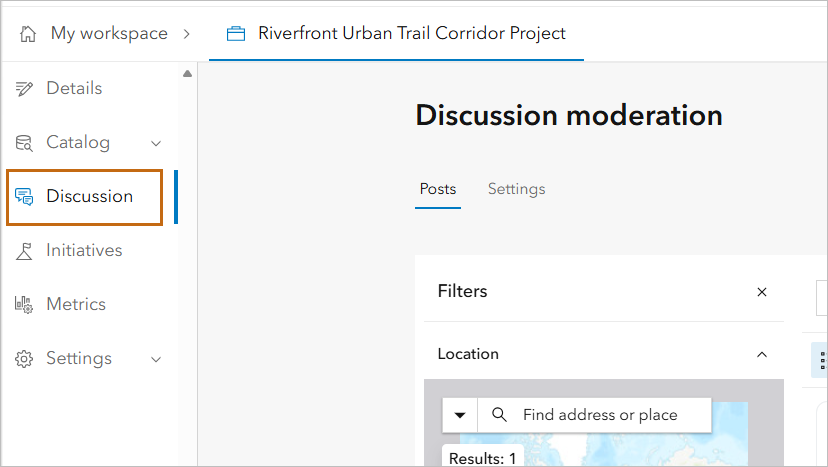
When managing an item in the user workspace, the Discussion tab is now a primary tab, rather than a nested tab under Settings. You can find the Discussion tab below the Details or Catalog tab, depending on the item, which makes it easier to navigate to discussion management.
Set boundaries for location-based posts
On discussion boards and projects, you can now define a geographic boundary for map-based discussions. When a boundary is configured, participants can create location-based posts only within the specified area, helping keep conversations geographically relevant.
Add channels when you create a discussion board or project
You can now enable discussions when creating an item, rather than adding a channel in the item’s discussion settings after the item is created.
Add events to your calendar
Site visitors can now download events to add to their personal calendar. From an event view, click the Add to calendar button to download the event as an .ics file. Visitors can add the .ics file to a supported calendar application, such as Google Calendar or Microsoft Outlook, to save the event information.
Explore the new ArcGIS Hub for Developers site
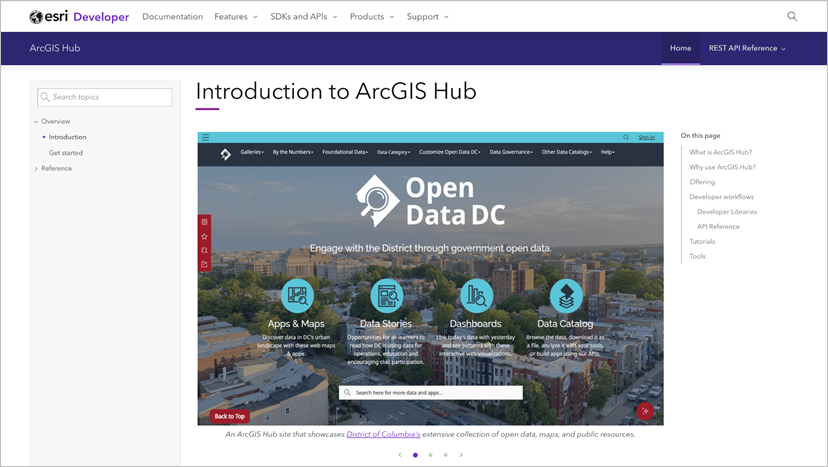
The ArcGIS Hub for Developers site provides a dedicated place for developers to find resources for working with Hub programmatically. Explore APIs, tools, documentation, and examples that can help you build applications and workflows that use Hub content, catalogs, and other capabilities.
Other updates
- ArcGIS Hub has been making improvements to the documentation site.
- ArcGIS Hub now supports DCAT-US 3.0 (beta) data catalog feed. This update enables US federal agencies to federate open data to data.gov using the latest standard.
- You can now share search filters, sorting, search terms, and layout preferences in a search page URL. This enhancement is in beta and makes it easier to bookmark or share specific search results.
- Enterprise Sites has been renamed to ArcGIS Hub in ArcGIS Enterprise. The name change aligns with ArcGIS Hub in ArcGIS Online and creates consistency for users accessing Hub in either deployment. Learn more about the Enterprise Sites name change
- You can now add a location when creating a Hub site, page, project, initiative, discussion board, or event.
- Content and groups now have the My content or My groups filter applied by default in your user workspace. This update saves you time in finding the items relevant to you.
More resources
You can now access these and several other enhancements in Hub. For a full list of new features, visit What’s new in the Hub help documentation and the ArcGIS Hub Changelog.
We love hearing from you! Visit Esri Community to ask questions, access resources, and submit ideas for new features you want to see in Hub.
Stay connected with us
- View presentations, demos, and how-to videos on the ArcGIS Hub playlists
- Sign up for the ArcGIS Hub e-newsletter
- Get inspired by examples in the ArcGIS Hub gallery
- Attend ArcGIS Hub webinars
- Visit the ArcGIS Hub Esri Community
ArcGIS Hub extends ArcGIS Online and ArcGIS Enterprise, enabling organizations to share, collaborate, and engage with their communities. Follow us on the ArcGIS Online and ArcGIS Enterprise LinkedIn Showcase pages for ArcGIS Hub updates and to stay connected with us.
- ArcGIS Online on LinkedIn
- ArcGIS Enterprise on LinkedIn




Commenting is not enabled for this article.