
ArcGIS users around the world rely on Esri content—layers, maps, apps, and tools—that support critical decision-making. From public health preparedness and community engagement to academic research and conservation, we understand that Esri content plays a role in every day work.
To help support this work, Esri has long maintained a Content Life Cycle for our Content offerings which we are now expanding to make it more comprehensive and transparent to users. The goal of the Content Life Cycle is to provide a clear and predictable framework that describes how Esri’s public content is made available, maintained, and—in some cases—eventually retired. This helps ensure that you—our users— always know what to expect from the content on which you rely.
Why it matters
As Esri’s online content grows, we aim to be transparent about status and availability. The Content Life Cycle will help ensure that public items available through Esri’s ArcGIS Online organization(s) are easy to understand, clearly labeled, maintained responsibly, and supported appropriately, based on their life cycle status. The result, we believe, is a more predictable experience that increases your trust in the content and services that you use.
Our goal is for you to easily identify where an item is in the life cycle, the level of support available, and whether you will be impacted by its availability in the future. We aim to bring you clarity and predictability and remove unwanted surprises.
What is included
The Content Life Cycle applies to content available through Esri’s ArcGIS Online organizations, including esri.maps.arcgis.com, esri2.maps.arcgis.com, esri3.maps.arcgis.com, and esri4.maps.arcgis.com.
Statuses
Similar to our software products, public content items are categorized using the following status designations.
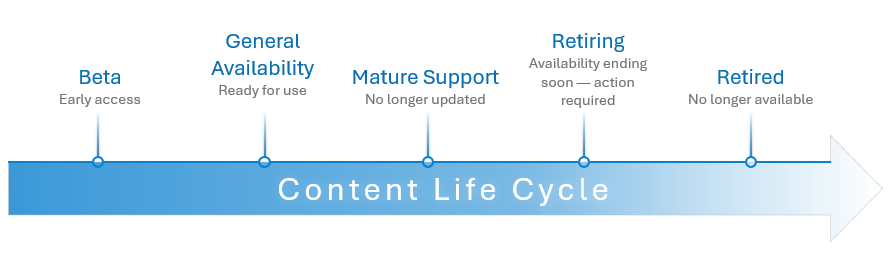
Jump ahead to learn more: Beta, General Availability, Mature Support, Retiring, Retired, and No Life Cycle.
Beta
Some new items are released earlier in the development cycle to give early adopters a chance to explore new content or capabilities while they are being refined. This status is shown on the item details page under Categories.
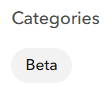
A Beta Notice also appears on the item details page at the top of the item Description.

What to expect
- Beta content may be incomplete or subject to change or retire without notice.
- Users are provided early access to new content or capabilities.
- Beta content is not intended for production use.
- No phone, email, or chat support.
- Feedback is welcome through item comments.
General Availability
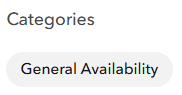
Items and services with General Availability status are supported, receive regular updates, and are ready for production use. We actively maintain and update General Availability content to provide you with improvements—whether that means adding additional detail or coverage, higher quality content, or more recently available data. General Availability status is shown on the item details page under Categories.
What to expect
- Online items and services are actively maintained and updated.
- General Availability is intended for production use.
- Phone, email, and chat support are available to Esri customers with current maintenance or paid support subscriptions.
- The Esri online support center is available at Esri Technical Support.
- Users can find answers to questions and solutions to technical issues.
- Users can reach out directly to Esri Technical Support at any time by submitting a case through the Create a Case web form.
- Users can manage their cases online through the Support tab on My Esri.
- Users can provide feedback about basemaps, geocoding, and routing results.
Mature Support
Items enter Mature Support status when Esri no longer plans to update them, but they remain available for use. If a replacement item or resource is available, it will be recommended. This may happen for a variety of reasons, such as licensing changes, a more recent item has been published, the item is rarely used, or the data supporting the item is no longer available and cannot be updated. Mature Support status is shown on the item details page under Categories.
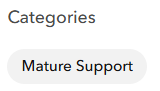
A Mature Support Notice and date also appears on the item details page at the top of the Description.

What to expect
- Mature Support content is still available for use.
- Mature Support content is not updated or improved.
- Minor changes to item details may occur to align with current Esri guidelines and best practices.
- A replacement is identified in the item Description if it is available.
- Phone, email, and chat support are available to Esri customers with current maintenance or paid support subscriptions.
- The Esri online support center is available at Esri Technical Support.
- Users can find answers to questions and solutions to technical issues.
- Users can reach out directly to Esri Technical Support at any time by submitting a case through the Create a Case web form.
- Users can manage their cases online through the Support tab on My Esri.
- Users can provide feedback about basemaps, geocoding, and routing results.
Retiring
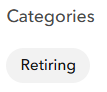
When an item is in Retiring status, it is still available but Esri has scheduled a specific retirement date and provided this date in the item detail page’s Description to alert users when the item will no longer be available. Typically, an item or service will remain in this status for 2 years, with a minimum of 6 months. This timeline is provided to give users time to migrate and update maps, applications, and workflows. Retiring status is shown on the item details page under Categories.
A Retirement Notice and date also appears on the item details page at the top of the Description.

What to expect
- Retiring content is still available for use, for a limited time.
- Retiring content is not updated or improved.
- Minor changes to item details may occur to align with current Esri guidelines and best practices.
- A replacement is identified in the item Description if it is available.
- A clearly published retirement date.
- For items in mature support that are scheduled to retire:
- Phone, email, and chat support are available to Esri customers with current maintenance or paid support subscriptions.
- The Esri online support center is available at Esri Technical Support.
- Users can find answers to questions and solutions to technical issues.
- Users can reach out directly to Esri Technical Support at any time by submitting a case through the Create a Case web form.
- Users can manage their cases online through the Support tab on My Esri.
- Users can provide feedback about basemaps, geocoding, and routing results.
- For items in beta that are scheduled to retire, no phone, email, or chat support.
Retired
Retired status is shown after an item or service reaches its retirement date and is no longer available. To help provide you with the most predictable pattern, we regularly schedule annual content retirements in the month of December.
What to expect
- Retired content is not available for use.
- Retired content is not supported.
- Typically scheduled annually in early December.
No Life Cycle
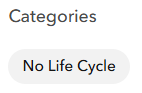
Some public content does not participate in our life‑cycle process. We want to ensure these items are easy for you to identify, therefore these items are categorized with a status of No Life Cycle.
What to expect
- No Life Cycle content may be incomplete or subject to change or retire without notice.
- No phone, email, or chat support.
Stay informed
You can explore our categorized items through galleries for each Esri organization according to their Content Life Cycle. For example, you can find Beta, General Availability, Mature Support, and Retiring items available through esri.maps.arcgis.com. Similarly, Beta and General Availability content available for esri2.maps.arcgis.com; Beta and General Availability for esri3.arcgis.com; and Beta and General Availability for esri4.arcgis.com.
We believe that having clear, accessible information about the Content Life Cycle is essential. We are committed to continuing to improve this experience—making lifecycle details easier to find, simplifying workflows, and helping you stay informed every step of the way.
We want your feedback
We want to hear from you! Please share your input with data_and_location_services@esri.com.

Commenting is not enabled for this article.