Introducing the ArcGIS Notebooks assistant (beta) in ArcGIS Online – February 2026.
We’re excited to announce the beta release of the ArcGIS Notebooks assistant as part of the February 2026 update to ArcGIS Online. This new AI-powered assistant is available to all ArcGIS Online users who work with ArcGIS Notebooks, depending on organizational settings (see Getting started for more details).
The ArcGIS Notebooks assistant is designed to help you move from idea to implementation faster. Whether you’re prototyping an analysis, automating administrative tasks, or refining an existing workflow, the assistant helps you craft Python code and workflows more efficiently. By bringing large language model–based coding assistance directly into the notebook experience, it reduces the time spent searching documentation, debugging syntax, or just getting started—so you can focus more on solving problems and delivering results.
Capabilities of the Assistant
The ArcGIS Notebooks assistant supports several core scenarios that are common in day-to-day notebook workflows.
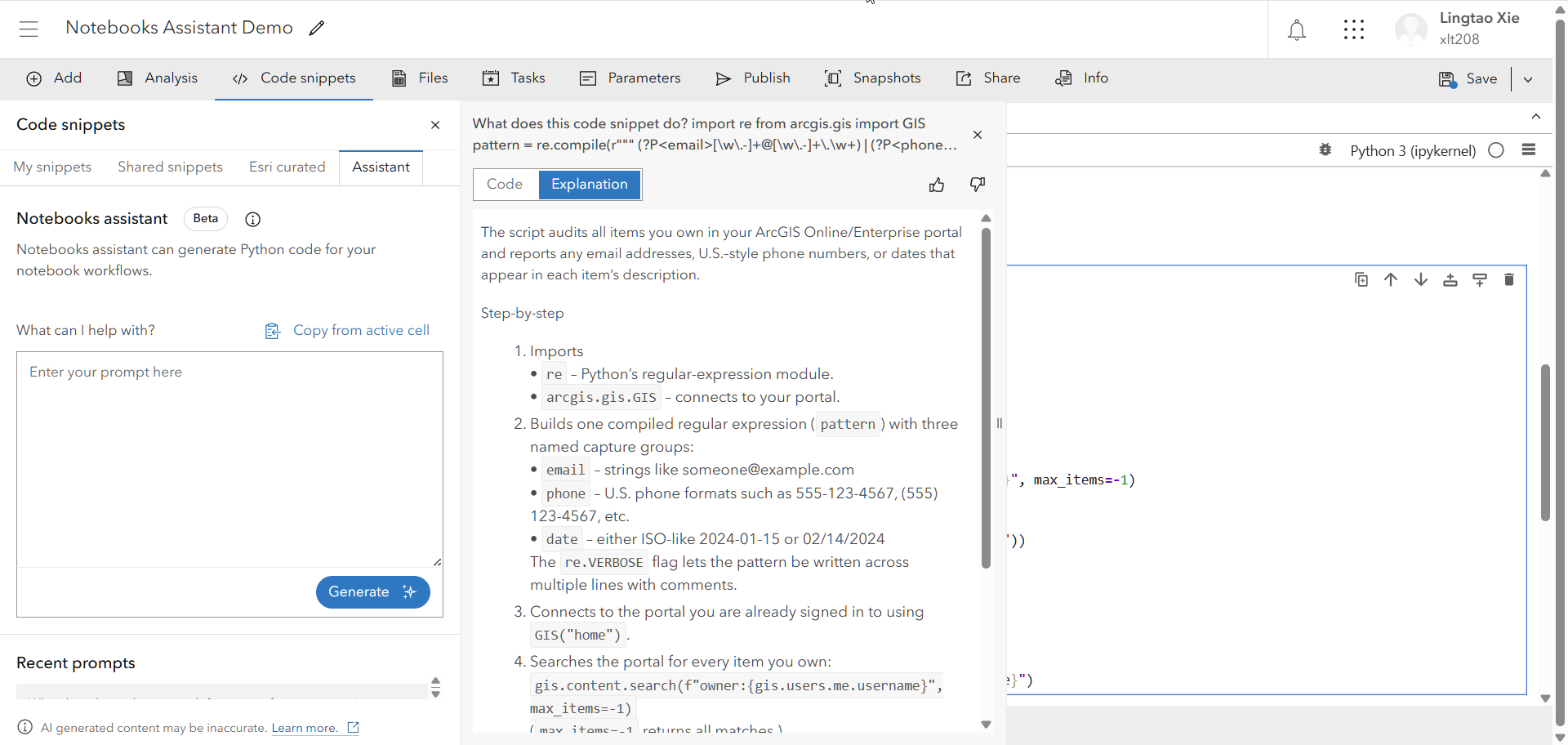
First, the assistant can explain existing code. If you inherit a notebook from a colleague, find a code snippet on the internet, or revisit code you wrote months ago, you can ask the assistant to walk through what a code snippet is doing, line by line. This can significantly reduce the time it takes to understand complex logic or unfamiliar patterns.
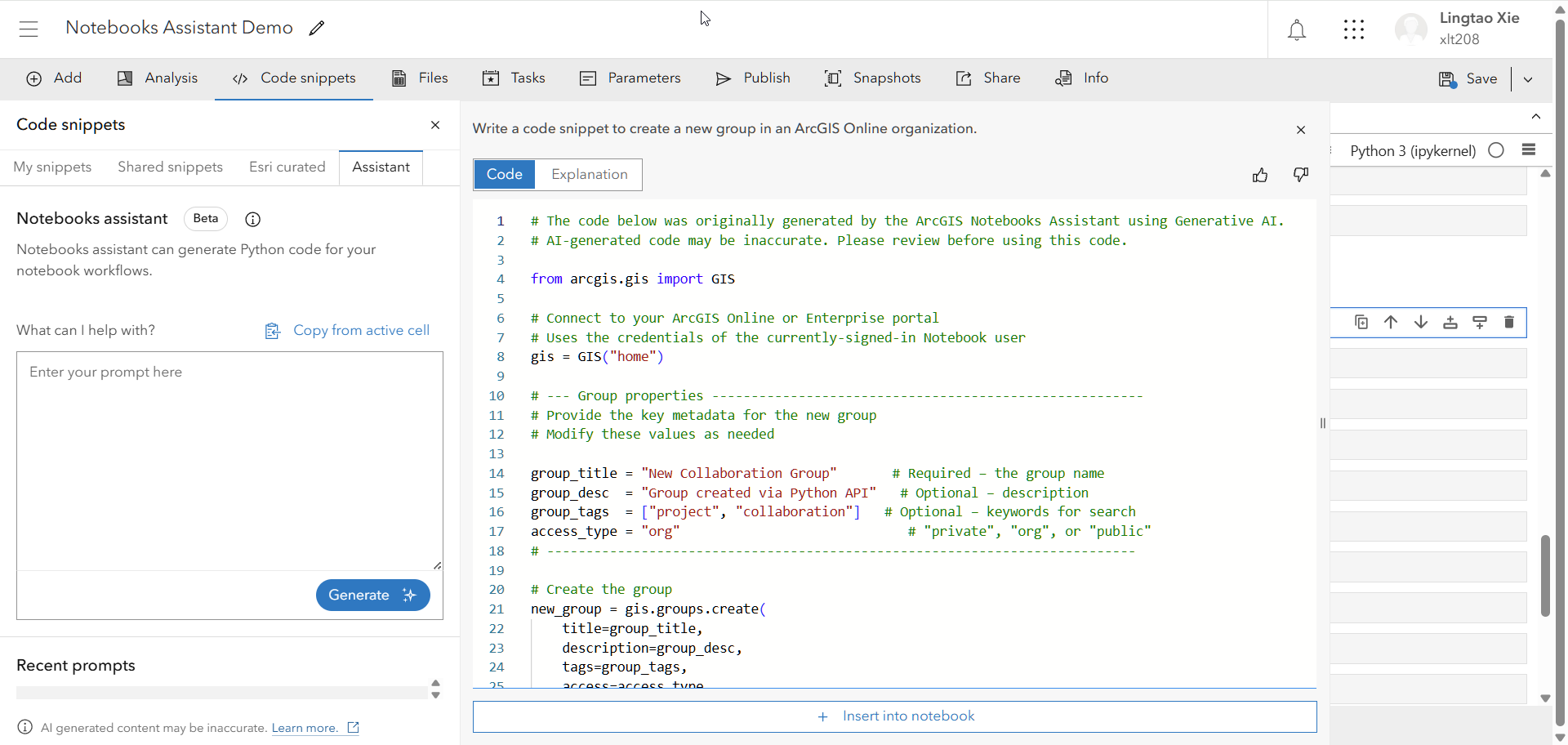
Second, the assistant can generate code. By describing the task you want to accomplish—such as creating or managing content in your organization, working with feature layers, or performing analysis—the assistant can produce end-to-end Python examples using the ArcGIS API for Python or ArcPy. You can then insert this code directly into your notebook and build on it.
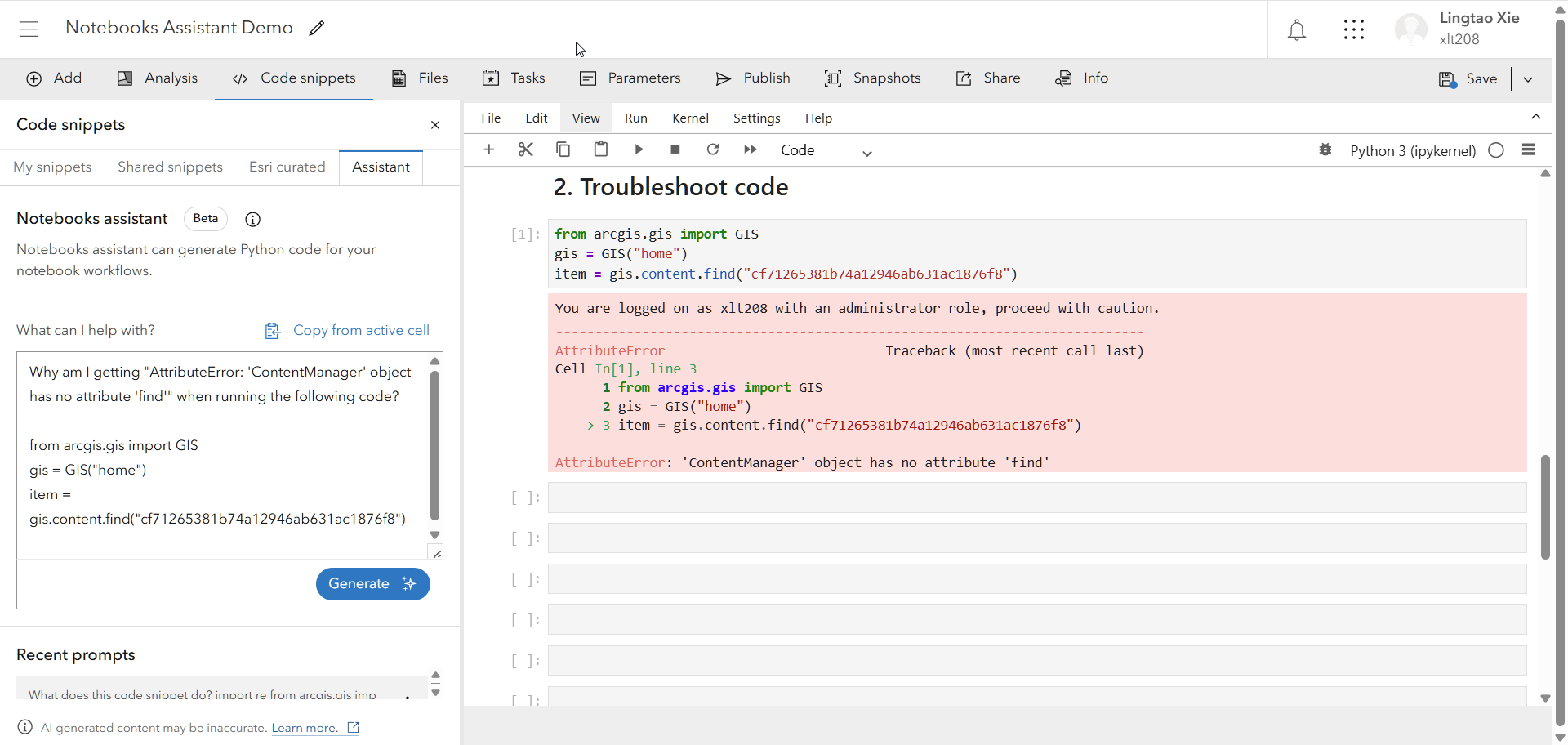
Third, the assistant can help troubleshoot code. If you run into errors or unexpected behavior, simply provide the assistant with the problematic code and the error message. The assistant can identify potential issues, explain what went wrong, and suggest corrected versions of the code so you can get back on track more quickly.
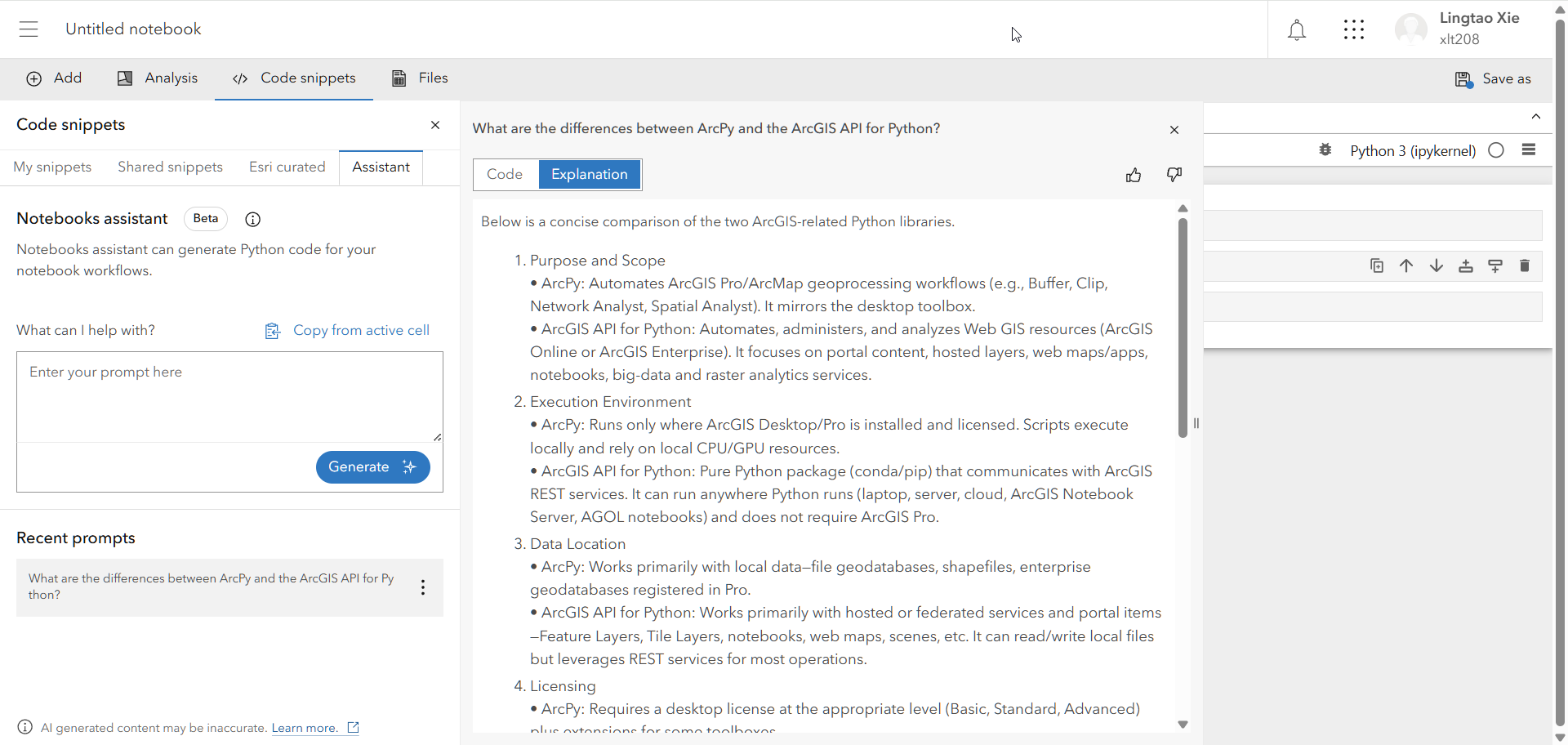
Finally, you can also ask general questions about ArcGIS, the ArcGIS API for Python, and ArcPy. This is useful when you need quick clarification without leaving your notebook. The assistant will clarify if you ask a question outside the scope of its domain.
Getting started with the assistant
To take advantage of the Notebooks assistant, as with all ArcGIS AI assistants, ensure that your organizational settings have both beta features and AI assistants enabled. Users can access ArcGIS Notebooks with Creator or higher user types, and use its assistant if their role has the AI assistant privilege enabled.
To get started, access the assistant directly from the Code Snippets pane within the ArcGIS Notebooks interface. From there, you can open the assistant alongside your notebook and begin asking questions or providing prompts related to your work.
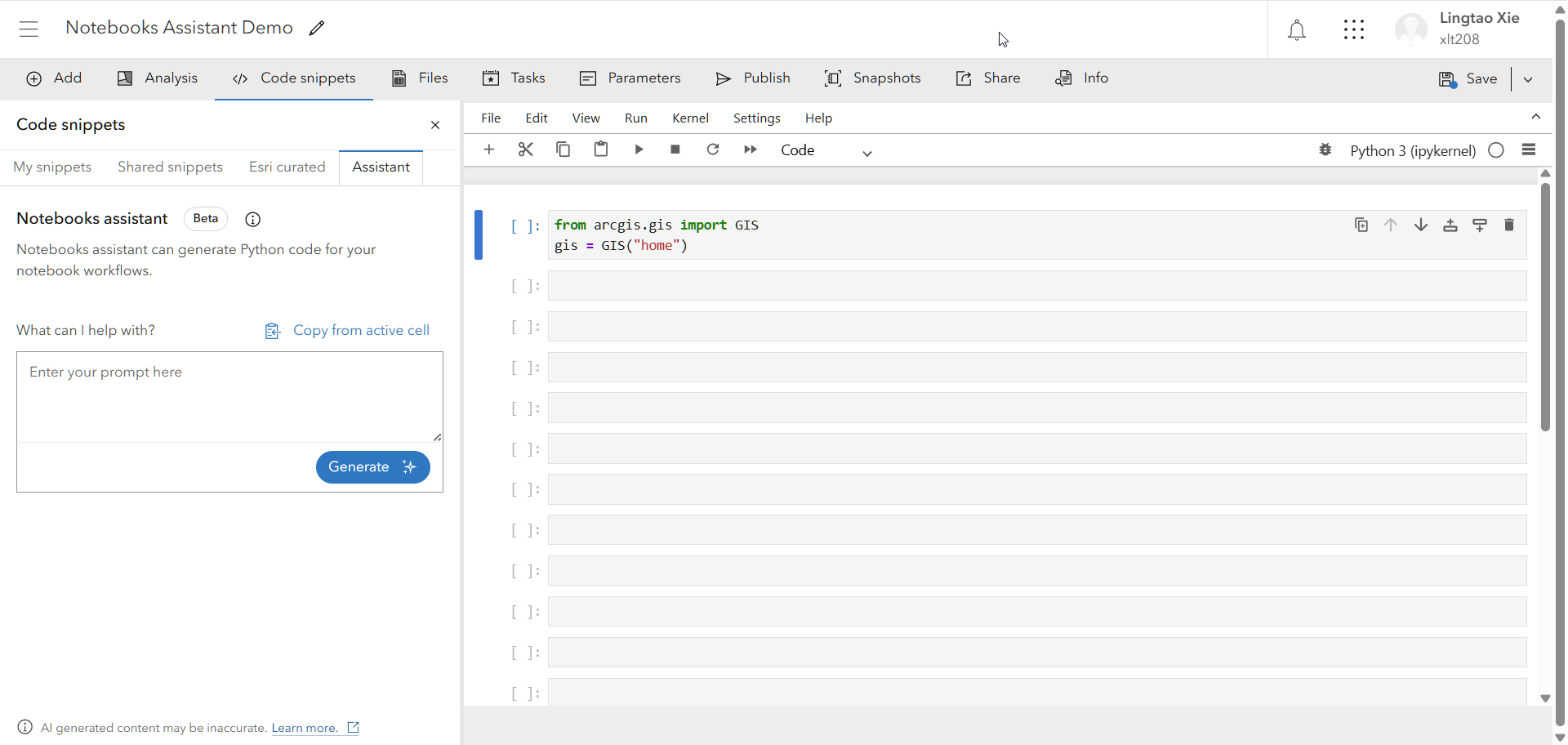
The first time you access the assistant in a browser session, you’ll see a consent acknowledgement screen. This screen provides important information about using AI-powered assistance and ensures you understand how the feature works before proceeding. Once acknowledged, the prompt dialogue box becomes available and you’re ready to get started.
As you experiment with prompts and responses, you can also provide feedback without leaving the app with a simple thumbs up or thumbs down. This information, along with your prompt, will be used to improve the assistant in future releases.
The use of the ArcGIS Notebooks assistant (beta) does not consume ArcGIS Online credits. Depending on the workflow, results from the assistant may include steps that consume credits if the code is run, such as geocoding, routing, and analysis tools.
Wrap up
The ArcGIS Notebooks assistant (beta) is an important step toward making notebook workflows more approachable, efficient, and productive for GIS professionals across all experience levels. We encourage you to explore the assistant, integrate it into your daily work, and see how it can accelerate your analytical and automation tasks.
For more details, including configuration guidance and best practices, visit the Notebooks assistant documentation topic.
To share your feedback, don’t hesitate to leverage the thumbs-up/thumbs-down feedback options within the assistant pane. We also invite you to join the Early Adopter Community, where you can access testing guides, share feedback, and engage directly with the product team. Your input during the beta period is critical in helping us shape the future of AI-assisted workflows in ArcGIS.



Commenting is not enabled for this article.