Print in Map Viewer continues to improve with two key enhancements: Dynamic Legend and Scale bar unit selection. Dynamic Legend means that only the features visible in the current map extent will appear in the printed legend. It is enabled by default to bring focus to features found on the printed map. With this release users can also choose between Feet & Meters or Miles & Kilometers as their preferred scale bar units when printing, resulting in a scale bar that is more relevant to your map scale.
Scale bar unit selection
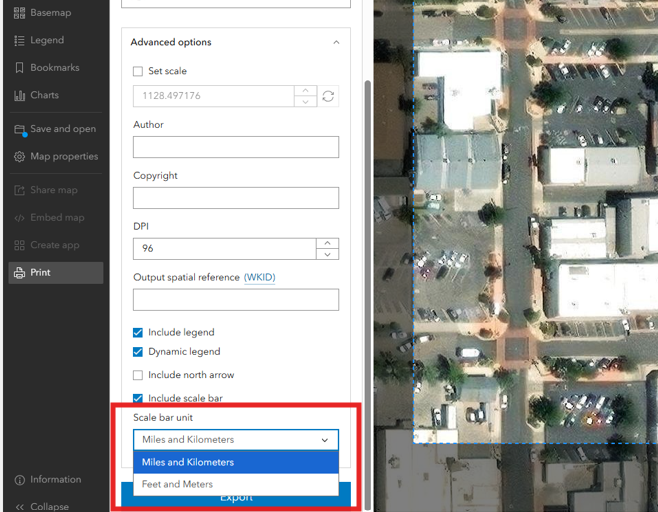
The new scale bar unit selection menu allows you to choose between Feet & Meters or Miles and Kilometers when printing. This enhancement means that you can pick a scale bar that is more relevant to your map scale. For example, if you have a large-scale map of a new property parcel, feet and meters may make more sense. The scale bar unit drop down can be accessed from the Layout tab when Printing from Map Viewer under Advanced options. It will only appear if you are using one of the default ArcGIS Online print templates, but the functionality will be expanded to custom templates at a later release.
Dynamic Legend
The dynamic legend enhancement helps bring focus to only those features in the printed map extent. This means only printed features appear in the printed legend. Esri’s default print templates have dynamic legend enabled automatically, but it can be turned off in the Advanced options when preparing your print output. Turning it off would mean that all features from your web map would appear in the printed legend. For custom templates, the dynamic legend default will match the legend settings you set when authoring the layout in ArcGIS Pro.
For legend items with multiple symbols, such as those using Types (unique symbols), enabling Dynamic Legend means that only the symbols currently visible on the map will appear in the legend. Layers using single Location (single symbol) symbology will not appear in the legend if no features from that layer are visible on the map. More information on the full functionality and limitations of dynamic legends can be found here. Note – If you are using your own print service, 11.4 or above is required for dynamic legend support.
Dynamic Legend in Action
The USA Weather Watches and Warnings Layer from the Living Atlas is a live feed layer with the various warnings and watches classified into over 100 categories – a great candidate for this enhancement!
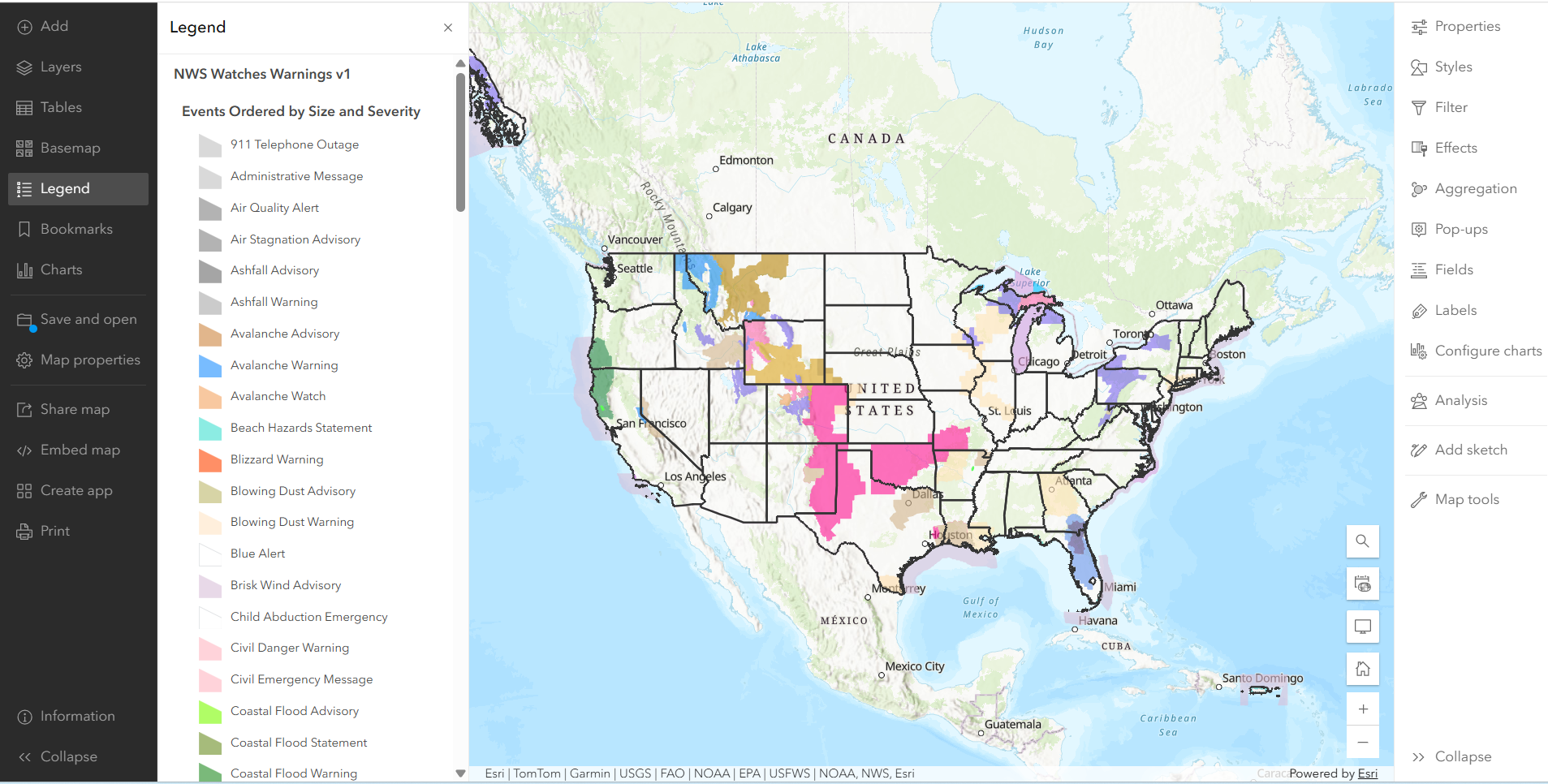
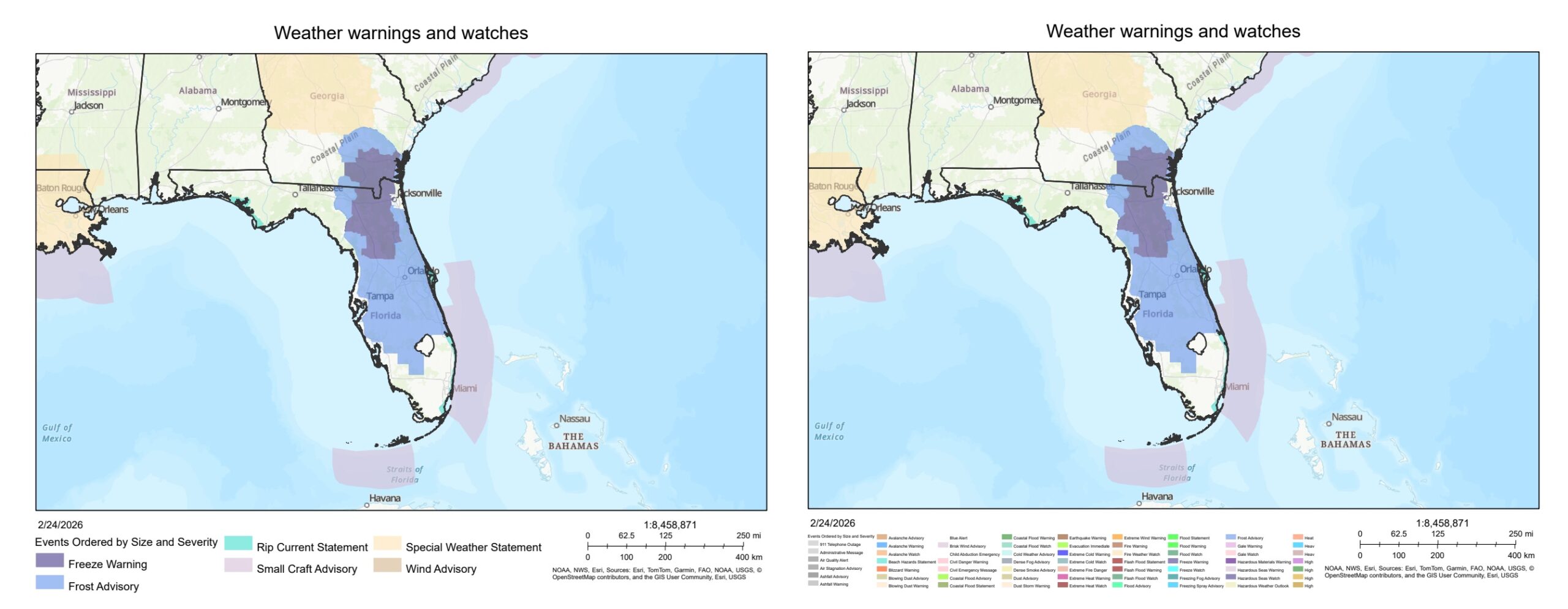
For a web map like the one above, a legend that shows all of these categories makes sense because the data is updated throughout the day and users can pan around to different regions on the map that may be experiencing different weather. When creating a static print export of the same web map, it may not make sense to include all these legend values because you are only printing one region at one moment in time. The images below are print exports of a specific region of the same web map and illustrate the benefit a dynamic legend (left image) has in this case. It brings focus to the warnings relevant to the printed area and improves the overall readability of the legend.
Remember – You can further enhance your legend display with a custom layout!
The dynamic legend enhancement is a great way to include only relevant information in your printed legend and helps reduce the amount of space required for your legend, but what if you do want to include all possible legend values from this map, or you are printing a map area that contains a large number of layers or unique values? You can take advantage of custom layouts to adjust the size and style of your legends. The legend is a small part of the default layouts, but when authoring a custom layout in ArcGIS Pro you can customize the legend element to be as large or small as you want. Adjust it to display vertically or horizontally and take advantage of the various other styling options available in ArcGIS Pro. For more information on how to author and access custom templates in Map Viewer see this blog post on customizing your print layout experience in ArcGIS Online.
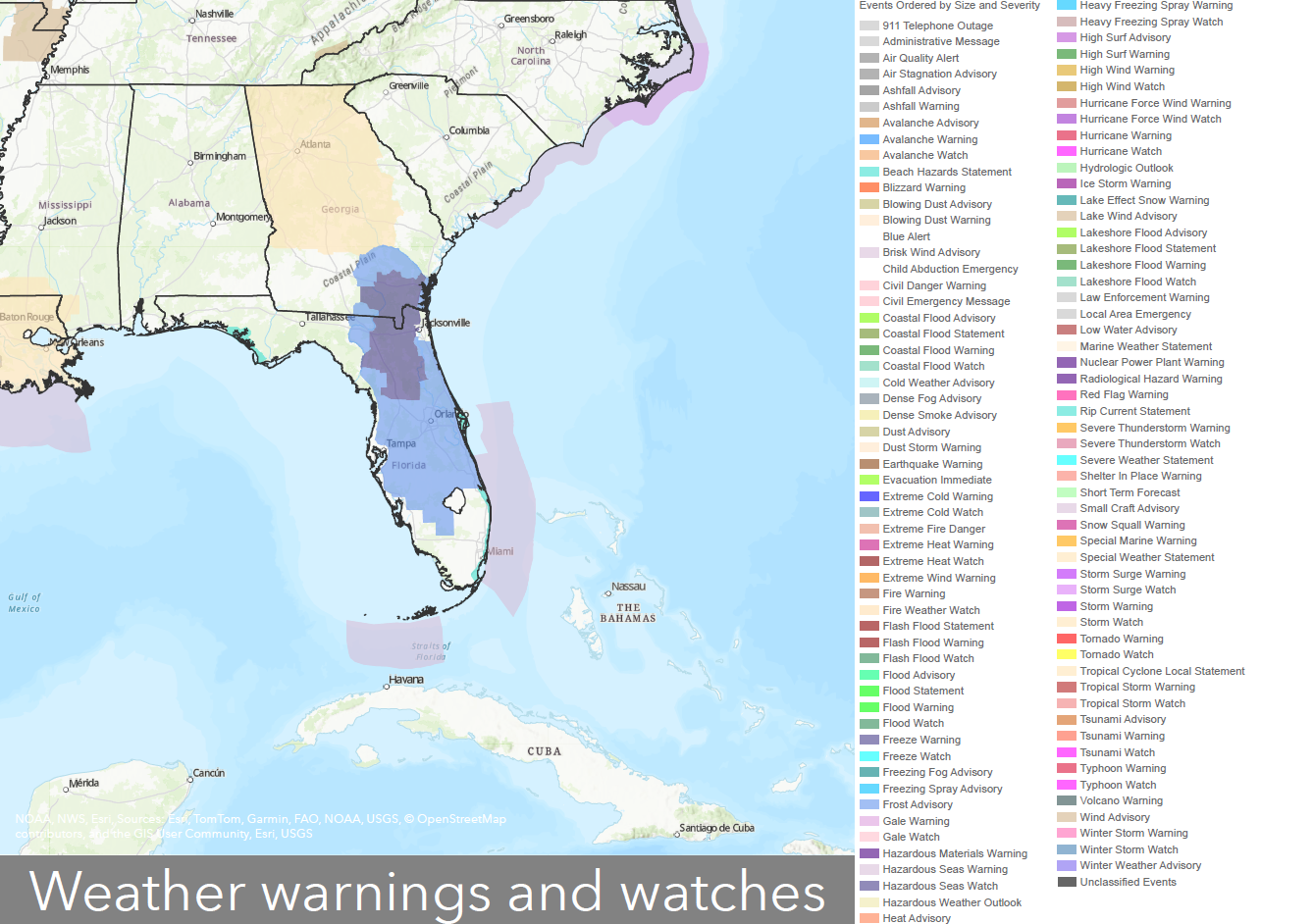
Returning to the example above – maybe you want the readers of your printed map to still be aware of all the potential warnings and watches even if they are not happening at the specific moment or location of your printed map. This could provide important awareness of what kind of active weather is possible throughout the country. Below is the same map printed using a custom layout. You can see that the legend size is much larger than the default and easily accommodates all weather categories.
What’s next?
We continue to enhance the Print experience in Map Viewer and plan to add support for the unit selection dropdown for scale bars in custom templates at an upcoming release. We are also actively working to bring the custom template experience out of beta and make it more widely available and appreciate your patience and feedback on this feature.

Commenting is not enabled for this article.