Maintaining trusted GIS data requires more than identifying errors. Organizations also need effective ways to manage those errors, document how they were addressed, and build repeatable quality control processes that support their unique requirements. With ArcGIS Pro 3.8 and ArcGIS Enterprise 12.2, ArcGIS Data Reviewer introduces enhancements that provide greater control and transparency throughout the error management process, make checks easier to understand and configure, and a new deployment option for organizations using ArcGIS Enterprise.
- New manual error management capabilities
- Enhanced check configuration experience
- New support for ArcGIS Enterprise on Kubernetes deployment (coming in December 2026)
Support for manual error management
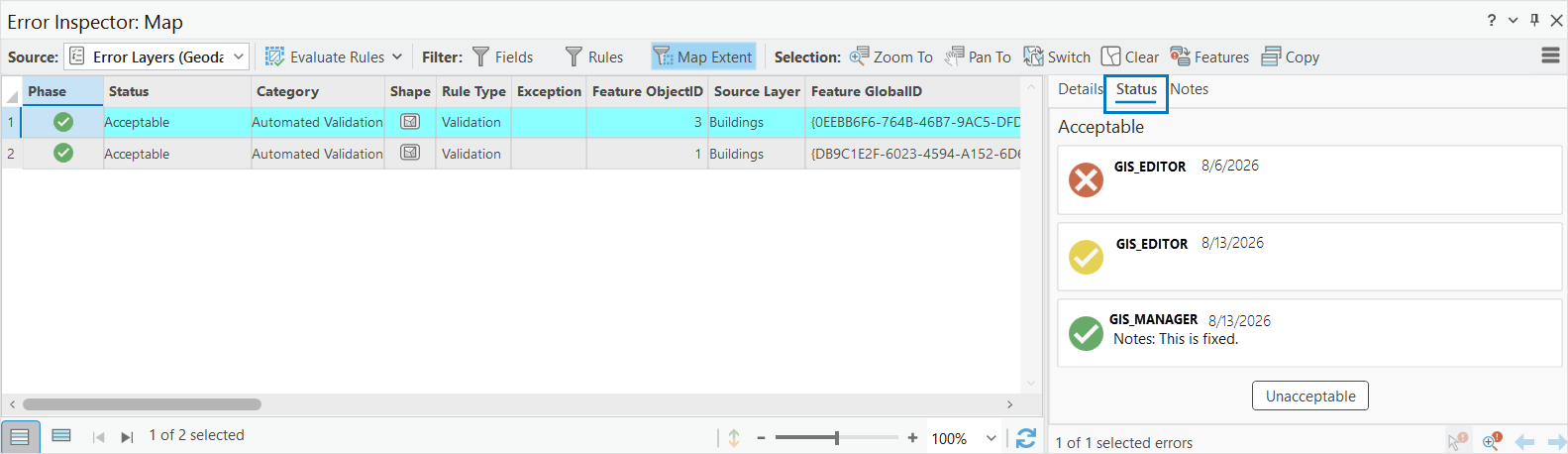
Data Reviewer uses an error lifecycle consisting of Review, Correction, and Verification phases to help you manage issues identified during quality control. By default, Data Reviewer manages this lifecycle automatically, advancing an error from Review to Verification once it is resolved by corrective editing or marked as an exception to a quality requirement. With manual error management, you can take greater control over how errors progress through this lifecycle. You can manually update an error’s phase and status as it moves through review and correction, providing more flexibility for workflows in which resolving an error and approving that resolution are separate steps.
Some organizations have requirements to document all aspects of the data quality process, from data editor who corrects the errors to the reviewer who verifies and approves the edits. Correction notes can be used to document how an issue was addressed or why it was marked as an exception. Verification notes provide an audit trail, capturing the subsequent review and approval of that action. Together, these capabilities create a clearer record of what happened to an error, who reviewed it, and how it progressed through the error remediation process.
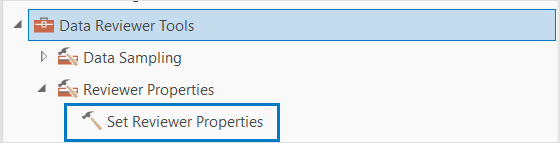
The Reviewer Properties toolset and Set Reviewer Properties tool help organizations enable manual error management and configure ArcGIS Data Reviewer error-management properties.
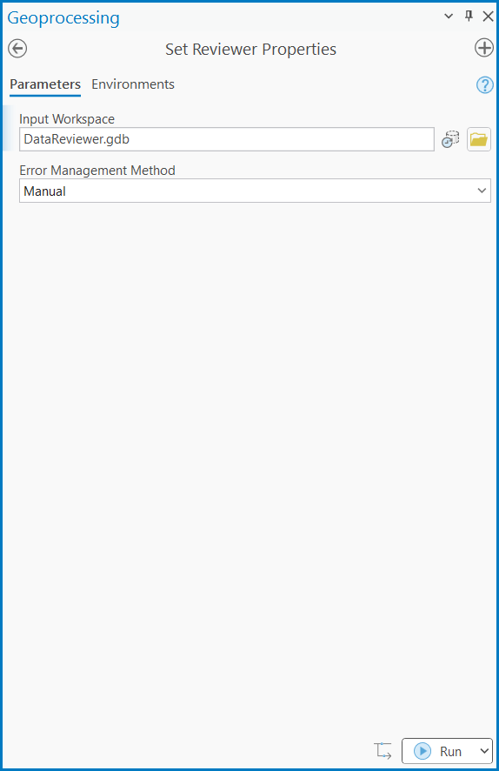
The Set Reviewer Properties tool allows Organizations to choose between Manual and Automatic error management. With manual error management, corrected errors are marked as Resolved and require an additional review before they are marked as Acceptable. With automatic error management, the status is automatically updated to Acceptable after the error has been fixed.
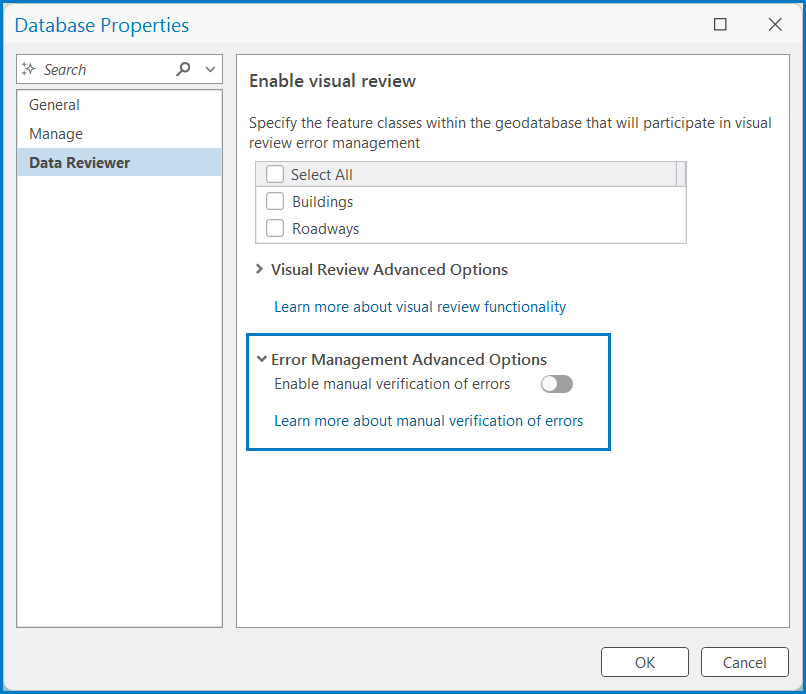
Manual error management can also be enabled from the Database Properties pane, giving administrators another way to configure the workflow.
Check usability improvements
Building an effective data quality workflow starts with choosing and configuring the right checks. With ArcGIS Pro 3.8, new graphical tool tips make it easier to understand how a Data Reviewer check evaluates your data before you configure it. Available from the question mark icon in the check configuration pane, these tool tips provide a short description of the check, a visual illustration of how the check works, and a link to additional help documentation.
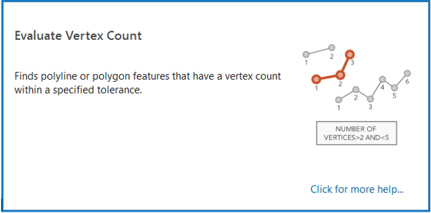
By bringing this information about the check directly into the configuration experience, you can more quickly understand what a check evaluates and determine whether it fits your data quality requirement. This can reduce uncertainty when building validation workflows and help locate more information if you are less familiar with a particular check.
Scale data quality workflows with ArcGIS Enterprise on Kubernetes
ArcGIS Data Reviewer will be available for ArcGIS Enterprise on Kubernetes in December 2026. provide automated data quality management, validation, and error management workflows within an ArcGIS Enterprise deployment, leveraging Kubernetes for scalability, resilience, and cloud-native operations. This capability is only available starting with ArcGIS Enterprise 12.2 and higher, enabling organizations to transition to fully native Kubernetes deployments for Data Reviewer functionality.



Commenting is not enabled for this article.