Over the past 10-years, I’ve repeatedly come across the phrase “data is the new oil” to describe how executives’ mindsets have shifted to embrace big data analytics; essential rewriting old playbooks. However, I’ve always felt that adage was misguided. Businesses don’t have troubled collecting data. In fact, it’s never been easier to extract a steady flow of information from embedded sensors in vehicles, equipment, phones, weather stations, and point-of-sale (PoS) systems. In today’s digital economy, the hard part is understanding what matters most and acting before opportunities are missed or risks escalate.
For business operations, that can mean seeing where assets are, spotting emerging sources of risk, identifying potential bottlenecks in supply chains, or optimizing service tickets to repair equipment before they malfunction. These all have a common goal, move from reactive to proactive.
Instead of waiting for a report at the end of the day, analysts and decision makers alike need to be empowered to work with the most current information, responding to changing situations while it still matters. ArcGIS Velocity helps solve that problem by bringing live data into maps, checking it as it arrives, and sending useful results to the people and systems that need them.
ArcGIS Velocity at its Core
For those who are new to the ArcGIS platform, ArcGIS Velocity is a real-time data and mapping tool that enables business analysts to unite and contextualize disparate data sources in real time. ArcGIS Velocity connects to live sources such as GPS devices, vehicle telematics, environmental sensors, weather services, and virtually any third-party data feed with frequent updates. It can display that information on maps and dashboards, study each new event, store selected records, and trigger an alert or another action when the criteria for a configured business rule is met.
Unlike other data integration systems, ArcGIS Velocity utilizes the power of the Geographic Approach to better contextualize data points by understanding where they are collected. All risks are spatial and temporal in nature, from severe weather alerts and traffic delay to internal reports and CCTV feeds, alerts are more useful when a team can understand where it happened and what is nearby. Velocity can compare incoming events with places that matter to the organization, such as offices, warehouses, routes, job sites, utility lines, or customer locations.
Extracting Signals from the Noise
In a former life, I prepared non-classified intelligence products as a part of the Intelligence Community’s Academic Center of Excellence. During that time, I learned firsthand that it is often difficult to fully comprehend what inputs are valuable for an assessment. The business world is no different. Operations teams often monitor several screens, websites, reports, and message channels at the same time. One system may show vehicle locations. Another may show weather. A third may hold work orders or sensor readings. This makes it easy to miss an important change or spend too much time checking sources that have nothing new to report.
Velocity can bring these live feeds into a shared view, revealing valuable insights in the data that would have otherwise been missed. Teams can see current conditions on a map, filter by time, area, source, or level of importance, and focus on the issues that affect their work. This reduces screen switching and gives managers, operators, and field personell a more consistent picture of what is happening.
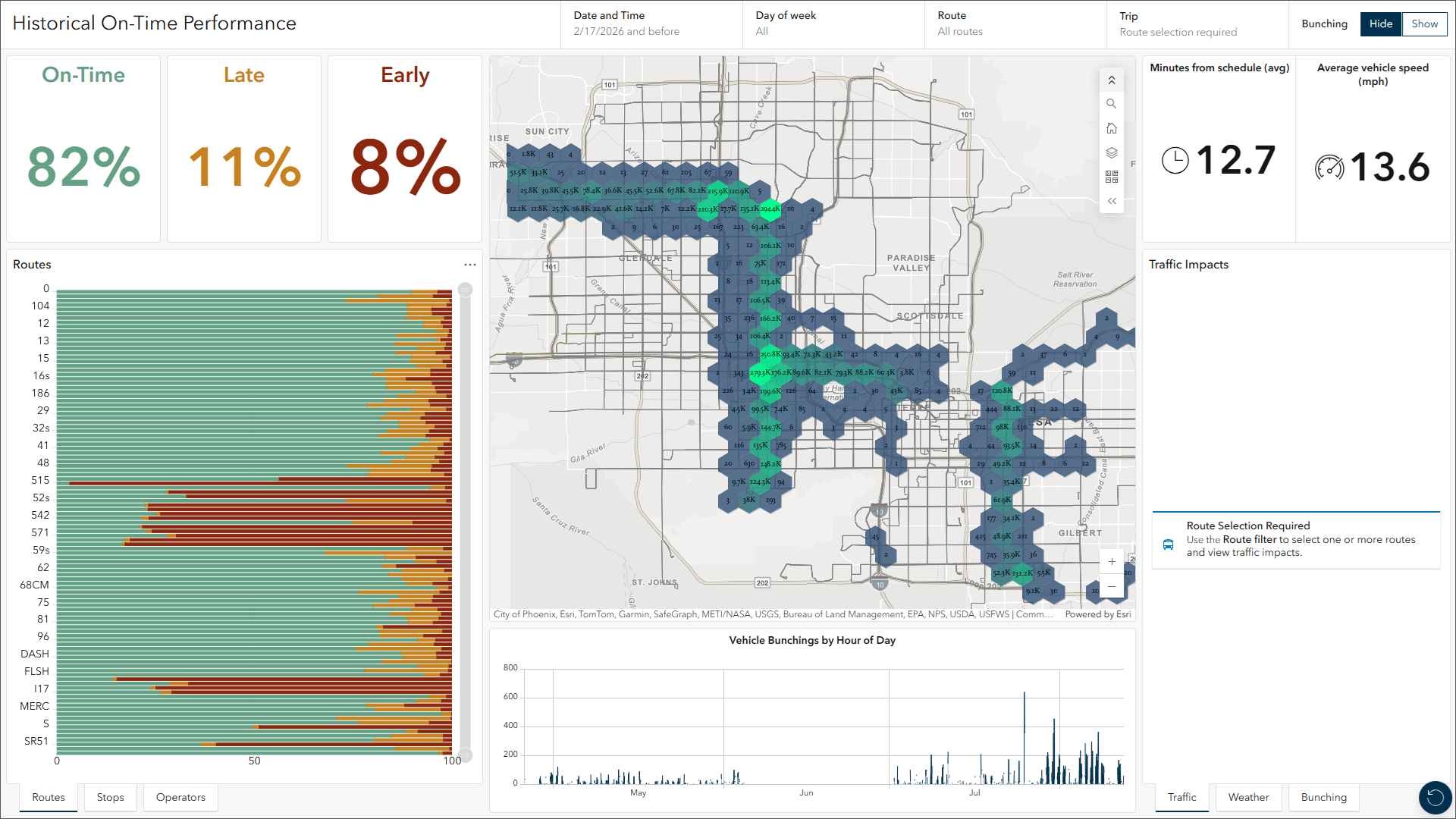
A live map is useful, but the larger value comes from the rules that run behind it. Velocity can check every incoming event for conditions that matter. For example, it can detect when a truck enters or leaves a service area, when equipment is moving too fast, when a sensor passes a safe limit, or when a weather alert appears near a facility.
When a condition is met, the system can send an email, text message, Microsoft Teams message, or another output. It can also write the result to a live layer or pass it to another business system. This allows teams to spend less time staring at screens and more time handling the events that need attention.
ArcGIS Velocity Across the Business Value Chain
ArcGIS Velocity earns its place as a foundational business intelligence tool by helping people act sooner and with greater confidence. When an important change occurs, teams no longer have to wait for the next report or search across several systems to understand what is happening. Live maps, automated rules, and timely alerts bring the most useful information forward, giving staff more time to respond before a delay, hazard, or equipment problem becomes more costly.
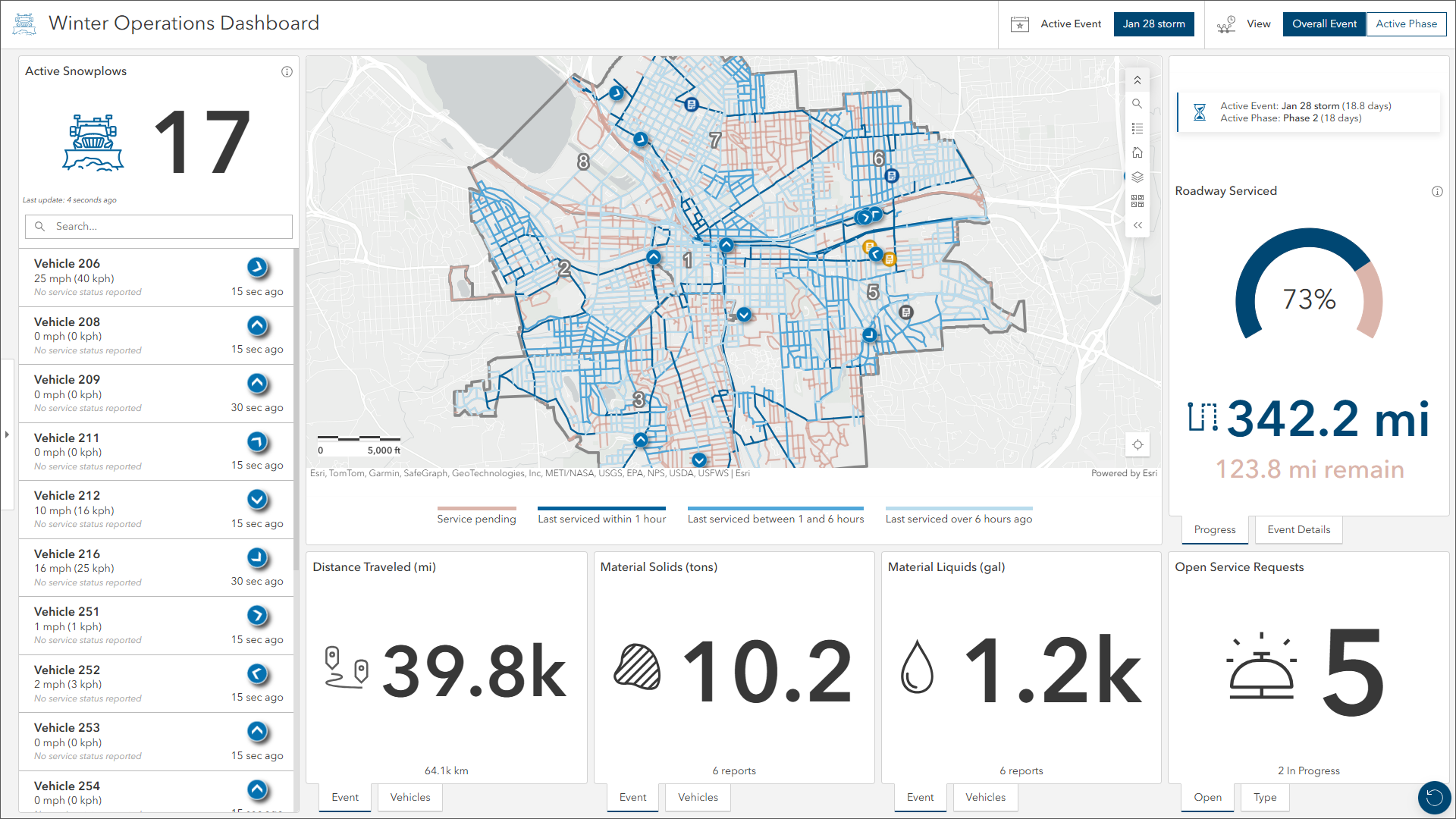
That faster response can improve many parts of the business at once. Dispatchers can make better use of vehicles and crews because they can see current locations and movement patterns. Operations teams can spend less time checking screens because the system watches for the conditions that matter. Safety teams can identify hazards near workers, facilities, and other key assets, while managers gain a shared view of current conditions instead of relying on separate updates from different departments.
Security Operations: Protecting people, places, and key assets
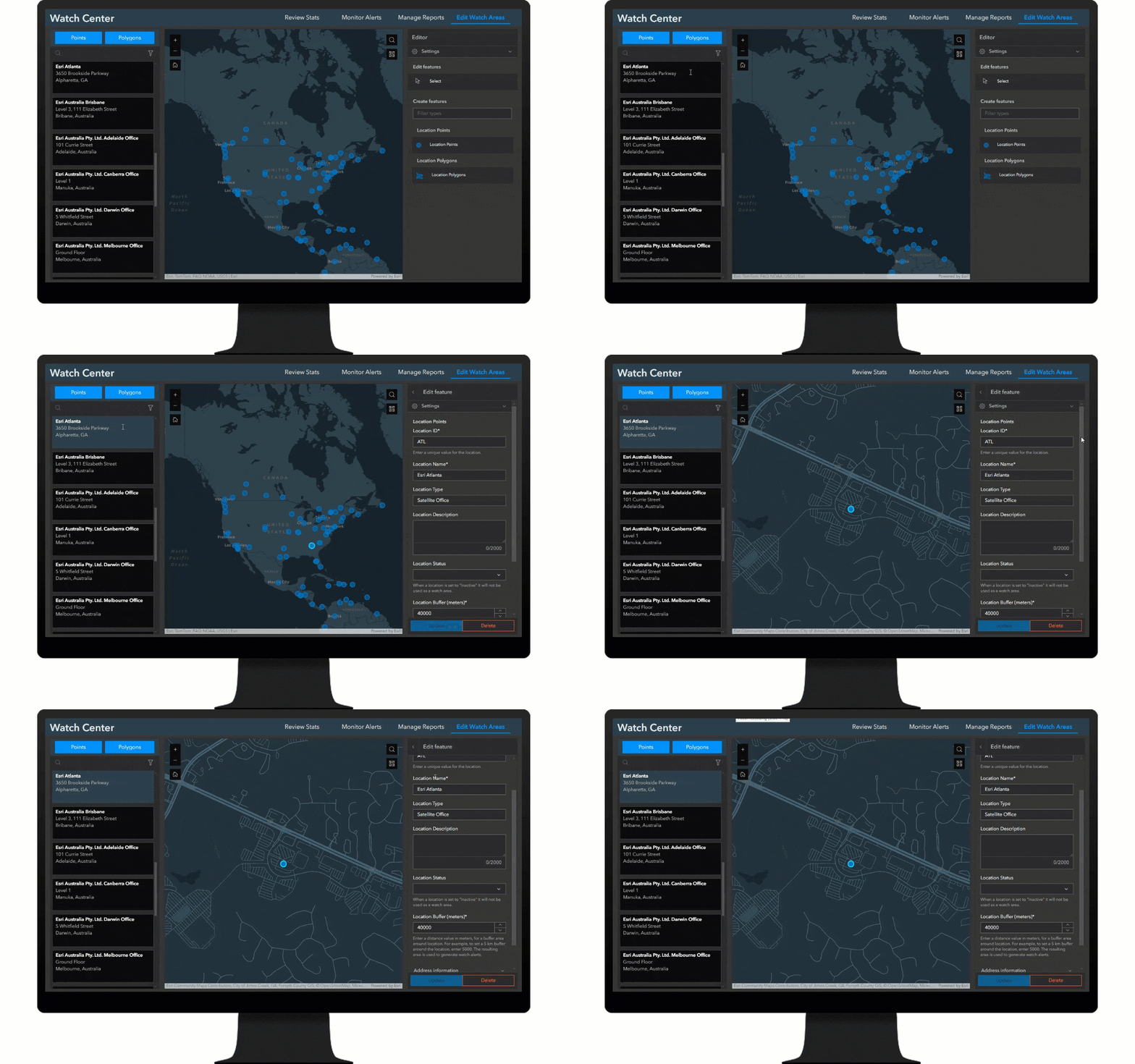
Perhaps one of the strongest use cases for ArcGIS Velocity is enhancing the safety and security of a business. Security teams utilize Velocity, and the Watch Center from the ArcGIS Solutions catalog, to dynamically create a watch areas around offices, manufacturing facilities warehouse, or supply routes. Live feeds for wildfires, severe weather, earthquakes, traffic problems, power outages, or other events can then be checked against those areas.
If an event happens nearby, Velocity can create an alert for review. An operator can check the source, see the location on a map, decide whether the event is a real risk, and share a short report with the right contacts. This keeps people involved in the decision while using automation to narrow a large flow of data into a smaller set of useful alerts.
Operations Management: Improving fleet and field operations
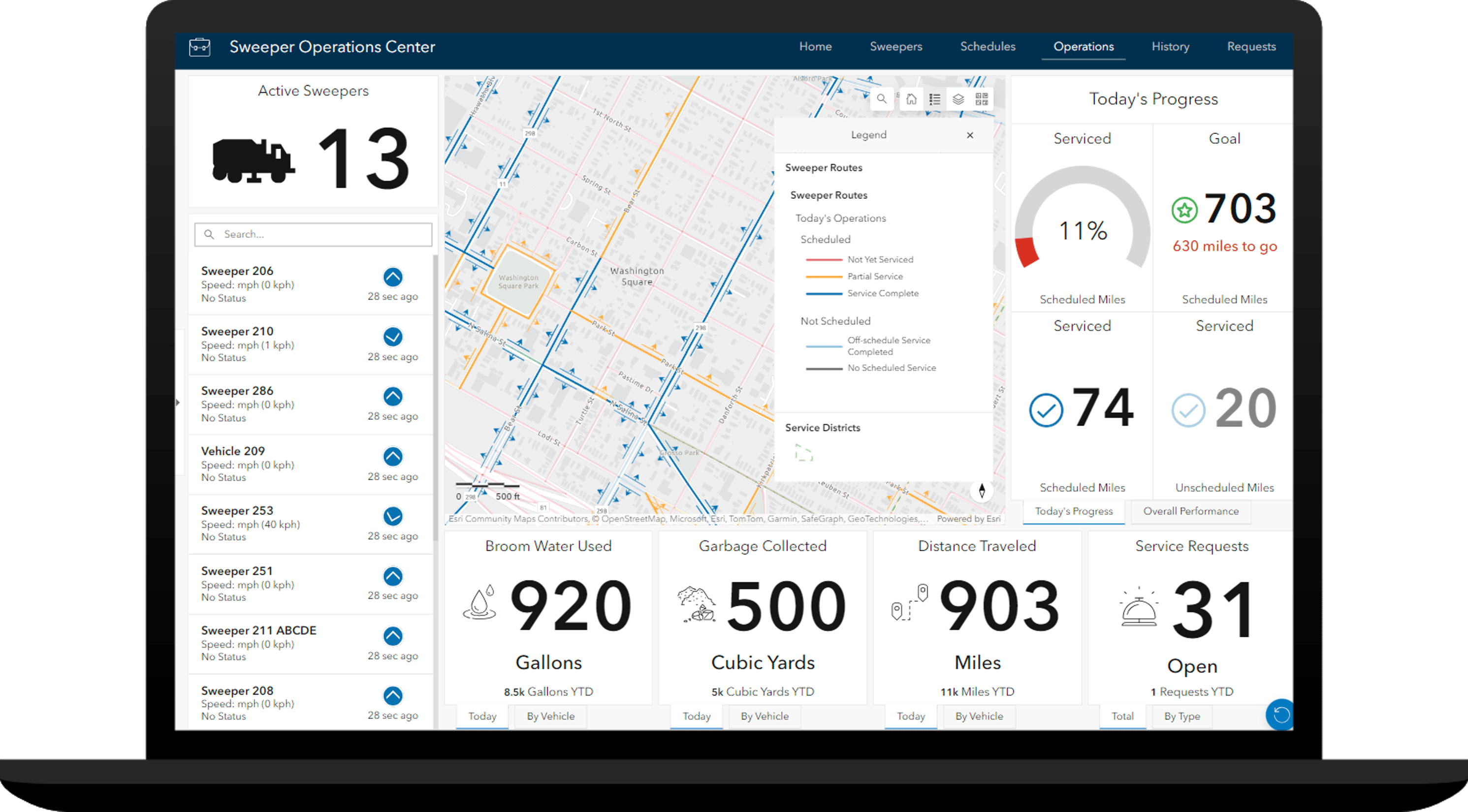
The proliferation of telematics systems means that every fleet vehicle and mobile worker is a potential data point. Velocity helps supply chain planners and operations teams make sense of the constant stream of location data. Velocity can help organizations track delivery trucks, service vehicles, cargo containers, and mobile workers. The map shows where assets are now, while the analysis can measure speed, distance, stops, time spent idling, route progress, or deviation from expected pathways.
This can help dispatchers send the nearest available crew, confirm that work was completed, reduce wasted travel, and give customers more accurate arrival updates. Over time, stored data can also reveal key chokepoints in a supply chain that lead to repeated delays and costly idle time.
A practical path to real-time operations
Most organizations already have useful live data. What they often lack is a simple way to connect it, understand it, and act on it. ArcGIS Velocity fills that gap by joining live information with maps, rules, analysis, alerts, and shared results. It gives operations teams a way to move from “What happened?” to “What should we do now?”
For organizations that depend on moving assets, field work, sensors, or timely risk information, that shift can make daily work safer, faster, and easier to manage.


Commenting is not enabled for this article.