Esri continually looks for ways to improve the way you interact with us, and we appreciate you sharing your ideas for improvement with our Customer Experience team.
By listening to your feedback, we’ve made significant improvements to My Esri, simplifying your experience and making it more intuitive to manage your information, access your store purchases, and find useful features within My Esri.
Here are some notable updates:
1. New Overview page
If you are an individual logging into My Esri, and you’re not connected to an ArcGIS organization, you will now land on an Overview page. This entirely new page features cards that help you navigate to core areas of My Esri easily like your recent purchases.
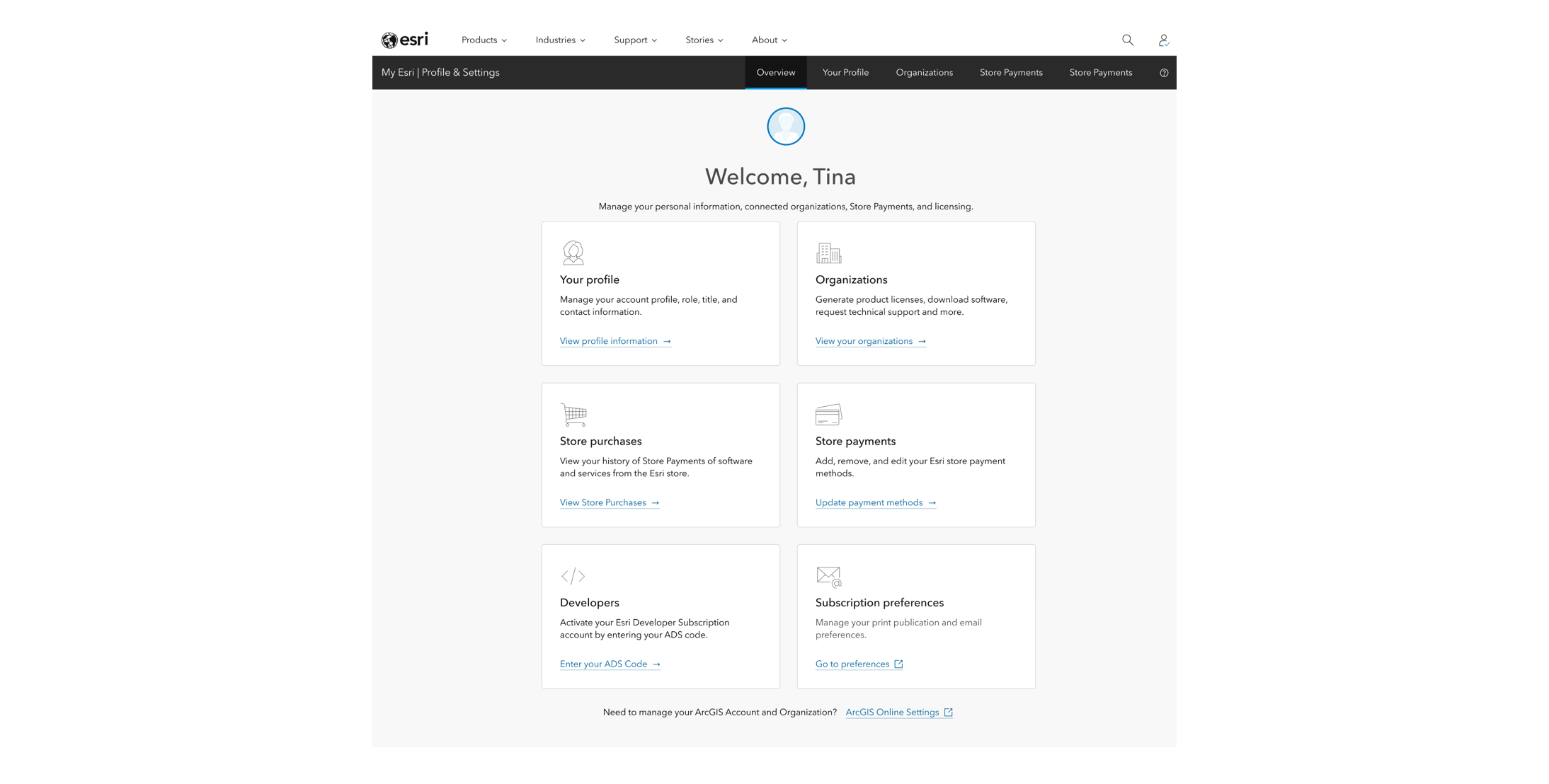
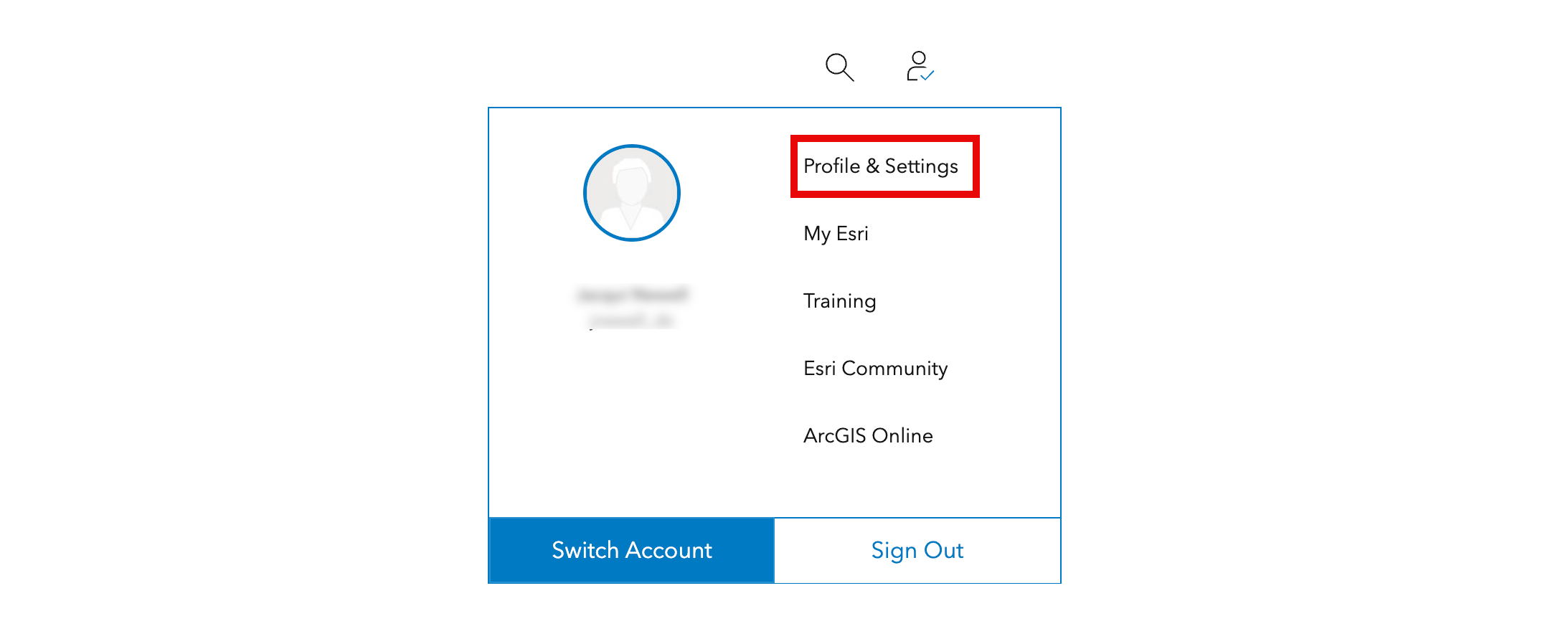
If you’re an admin for your organization, your experience should remain unchanged. However, you can visit the new Overview page any time in My Esri using the user dropdown menu on esri.com as shown below.
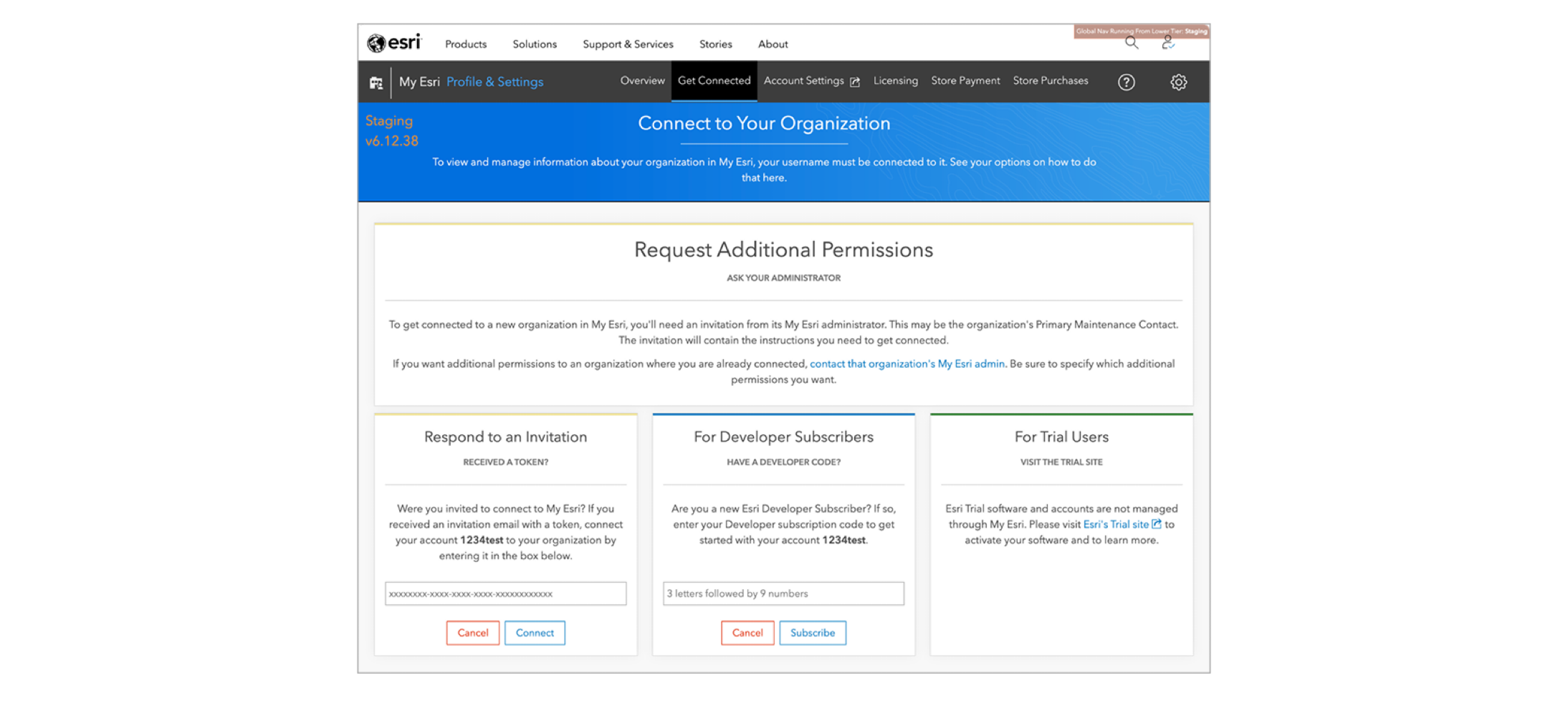
As mentioned, the Overview page is brand new. Previously, the first page you saw in My Esri encouraged you to connect to an organization rather than help you navigate to areas of interest as shown below.
2. Profile Page Updates
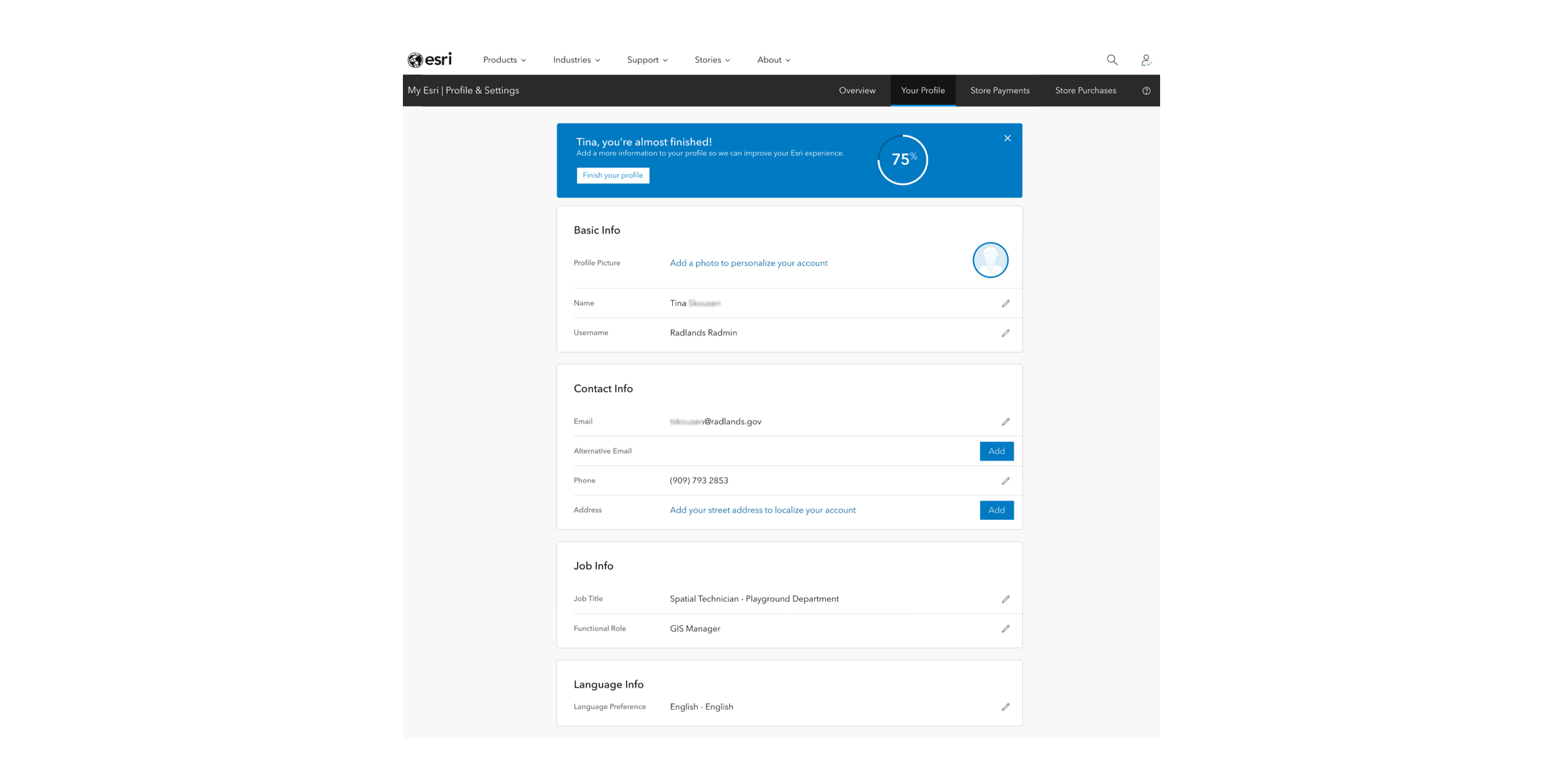
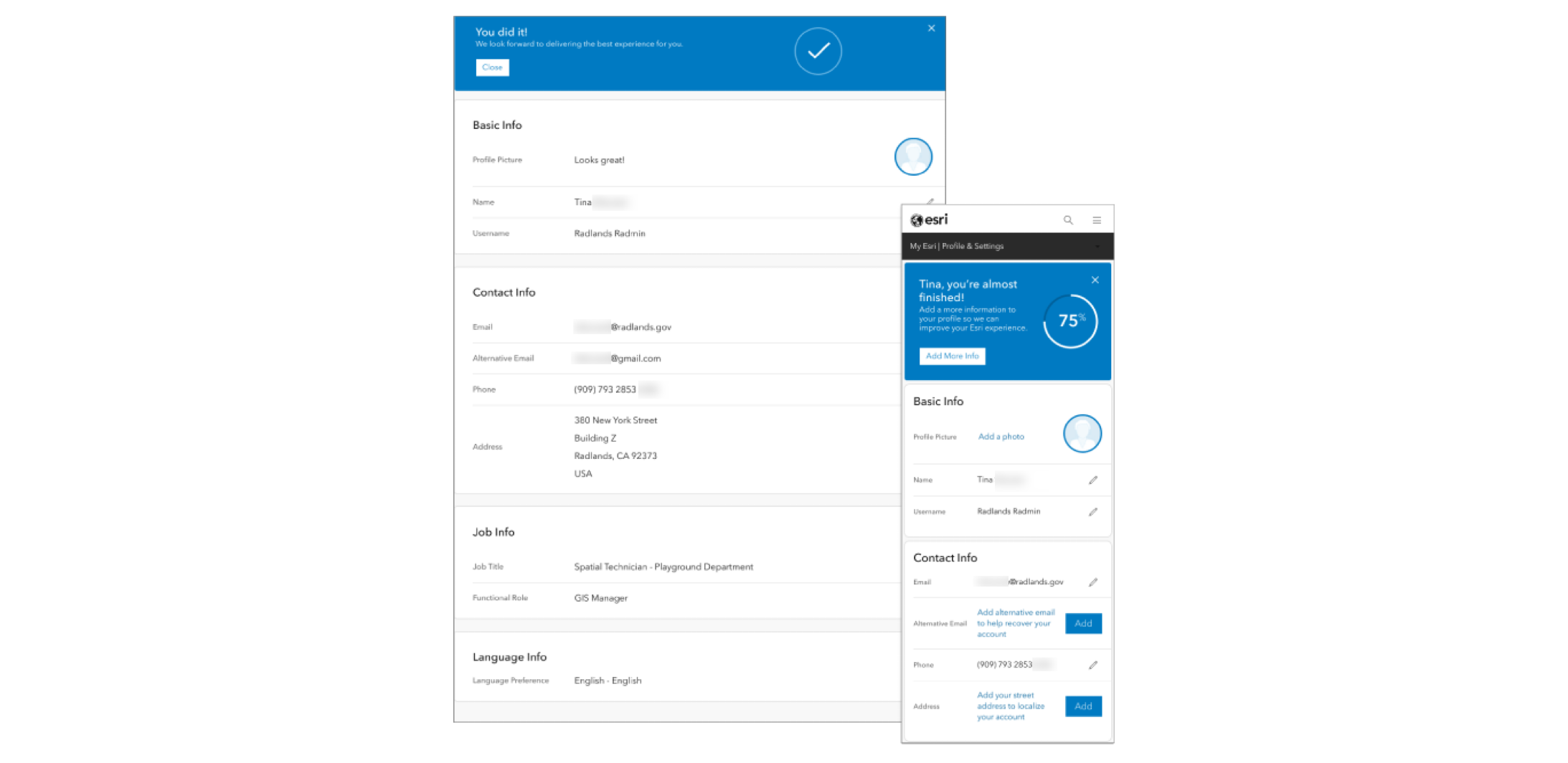
Should you want to make any updates to your profile including adding a photo, making a name change or even updating your language, you can now do this much easier on the fully redesigned Profile page. It’s accessible from both the Overview page and Your Profile in the top navigation in My Esri.
Additionally, our new profile completion widget offers a quick and easy way to unlock a personalized experience. By taking a few moments to complete your profile, you’ll get more relevant recommendations and be the first to access new features across the site in the future.
3. Organizations
We enhanced the Organizations page with improved visuals and clear instructions, making it easier to manage multiple organizations.
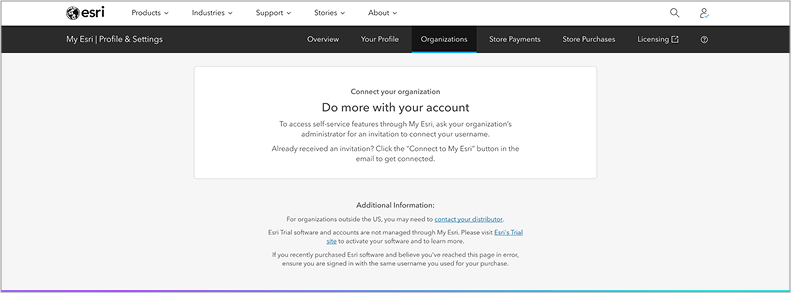
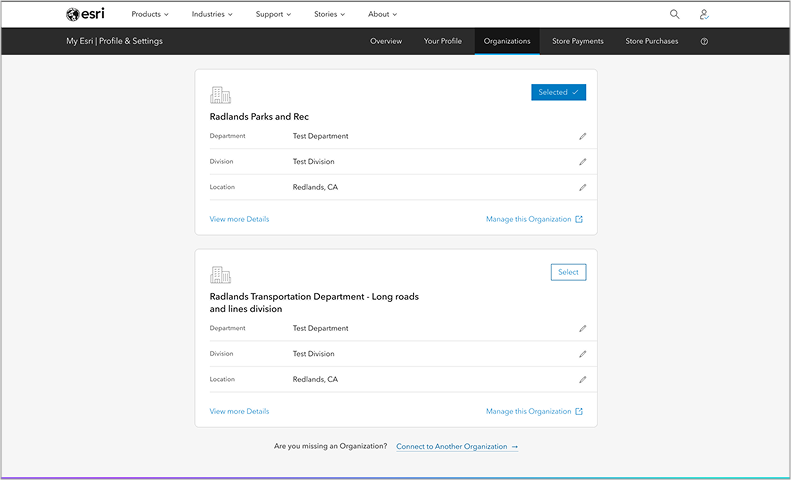
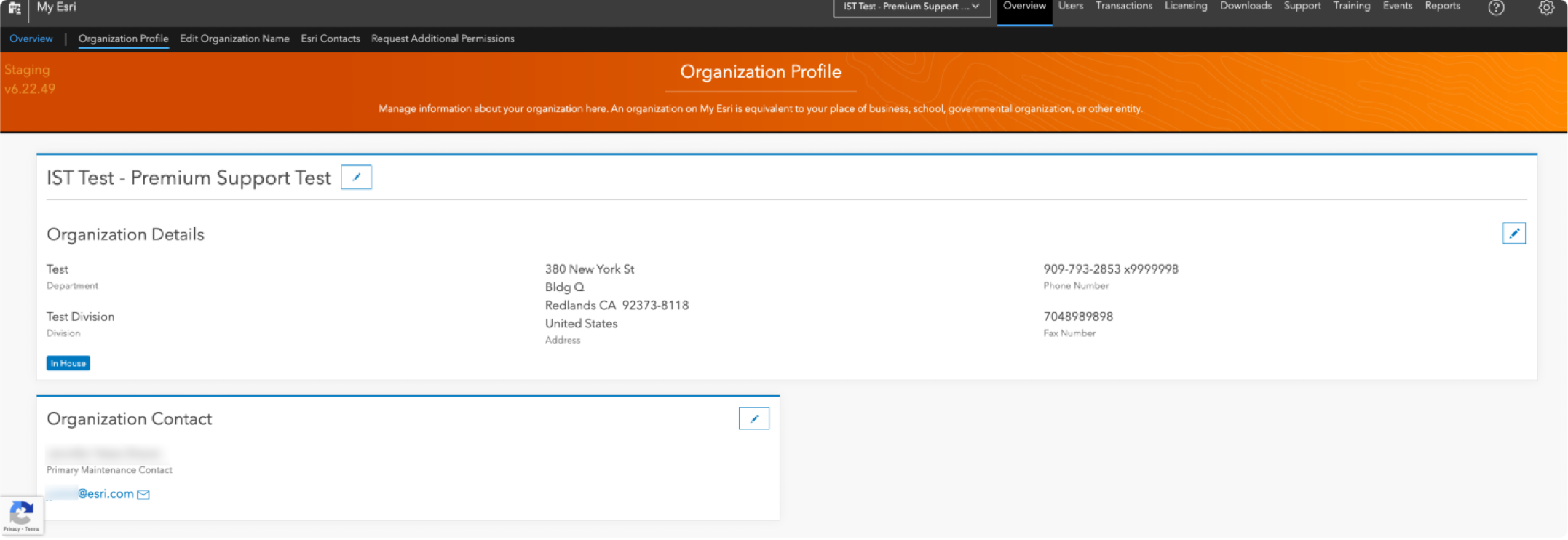
The image below illustrates what the Organization Profile page looked like before for comparison.
4. Store Purchases
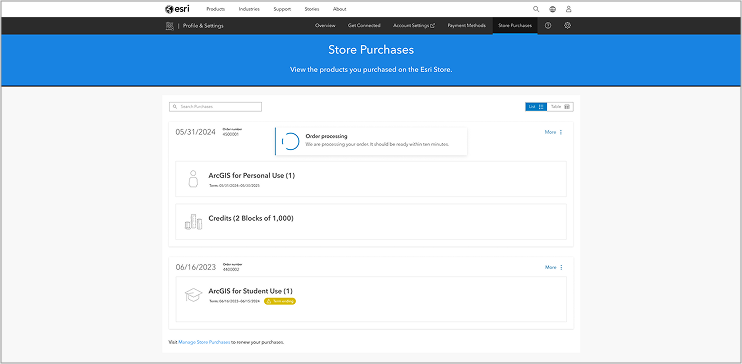
When you buy products from the Esri Store, you will now be able to see your purchases easier. Not only will you see progress updates on your fulfillment status, but we also updated the Store Purchases page to improve order history visibility and simplify product activation. If you are ever looking for a way to get started with a new product you bought from the store, we suggest you start there.
5. Mobile
Understandably, you’re not at your computer at all times and you may even prefer working on a mobile device. As part of this update, we prioritized enhancing the mobile experience to deliver you greater flexibility while improving your productivity with a fresh, clean design. Below, you can see the desktop version of the Profile page with the mobile view on the right.
This is just the start of more changes to come. Be sure to complete your profile to ensure you receive the best experience from Esri as the new improvements roll out.
If you have any suggestions to improve the My Esri experience, please share them on the Esri Community.
Explore the New My Esri Experience
Log in to My Esri to see the new features.

Commenting is not enabled for this article.