The data browser in ArcGIS Business Analyst Web App and in ArcGIS Business Analyst Pro is a way for users to access the thousands of variables that power Business Analyst. The data browser interface is similar in the two apps, with minor differences in appearance and functionality. This article will discuss differences between the two applications, related to the total available variable count and data only available in Business Analyst Web App.
Users who work in both environments may notice that the variable numbers are different between Business Analyst Pro and Business Analyst Web App. These are not mistakes! Let’s walk through some key concepts to explain the differences. First we need to walk through a couple of topics to fully understand these differences.
- What is a base variable?
- What are data collections and variable subcategories?
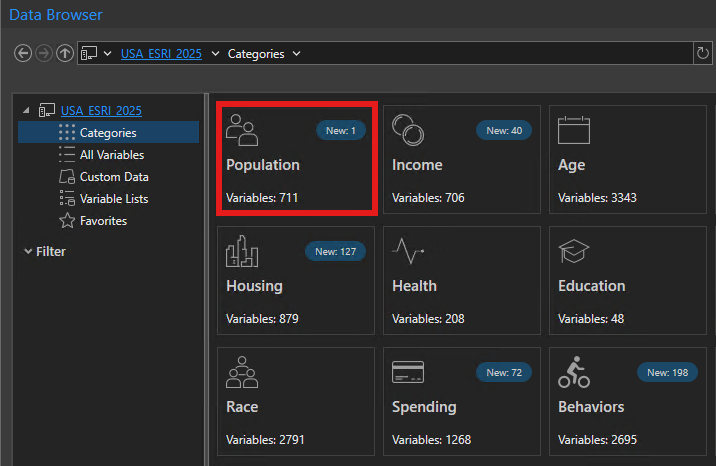
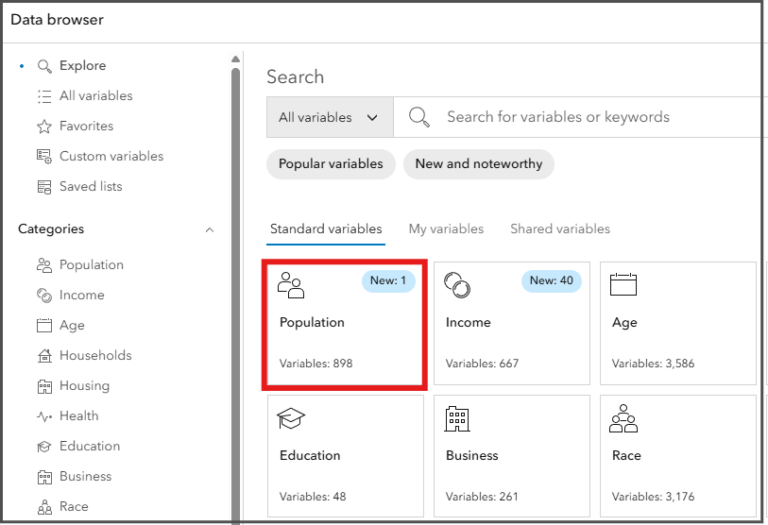
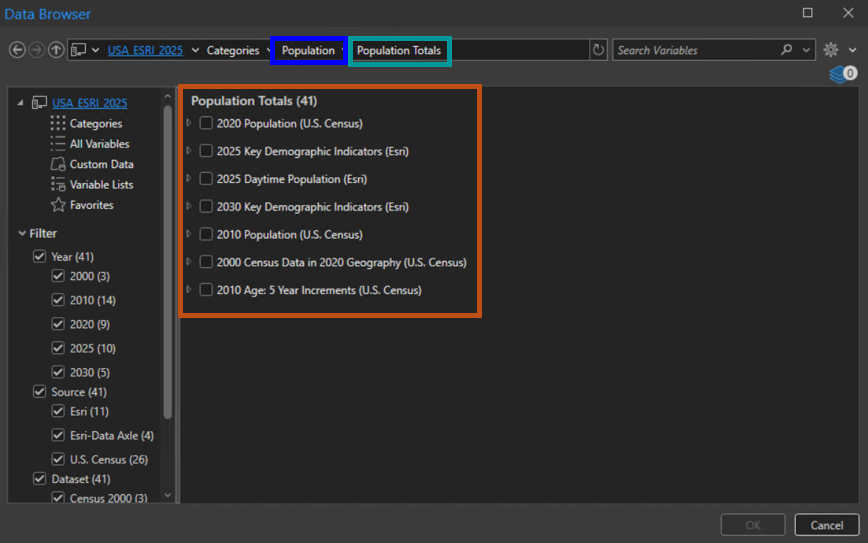
The screenshots below highlight the same population category with a different variable count in the two data browsers.
What is a base variable?
The base variable is used as a foundation to calculate related variables. A base variable is a fundamental, often raw, data point (like Total Population or Households) used as the denominator (base) for calculating percentages, ratios, and indices, allowing analysts to understand proportions (e.g., % of households with internet) or compare areas relative to a national average. For example, total population is a base variable used to calculate what percentage of the population is age 18+ for the “2025 Total Population Age 18+ (Esri)” variable.
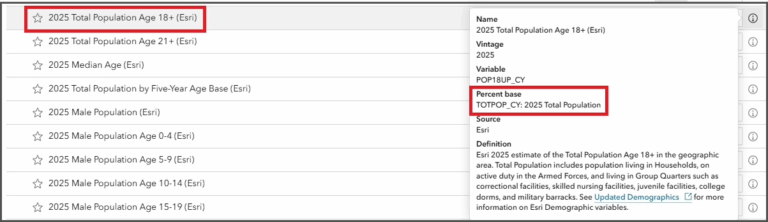
Some of the base variables are easy to spot in the data browser, like the “2025 Marital Status Base (Esri)” variable. This is used to calculate the percentage of the population age 15+ by a specific marital status category (Married, Never Married, Widowed, Divorced) in the geographic area. You can also view the info about that variable by hovering over the info icon (image above), this will show the base variable.
What are data collections and variable subcategories?
Variables are organized into familiar categories such as Population and Income. Within these high-level categories, there are data collections that further organize the variables into more specific topics under the main category. The variable subcategory is then grouped by the source and type of data. Let’s look at a diagram to further understand this concept.
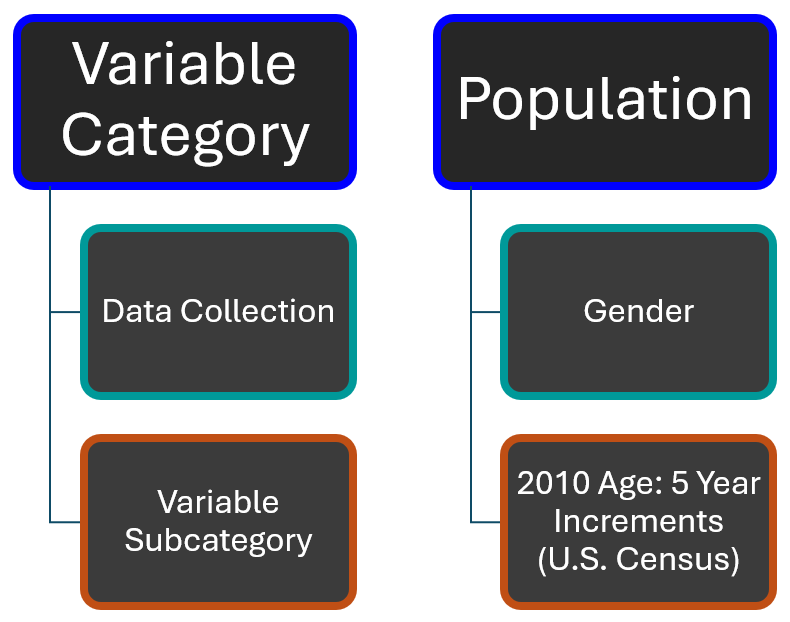
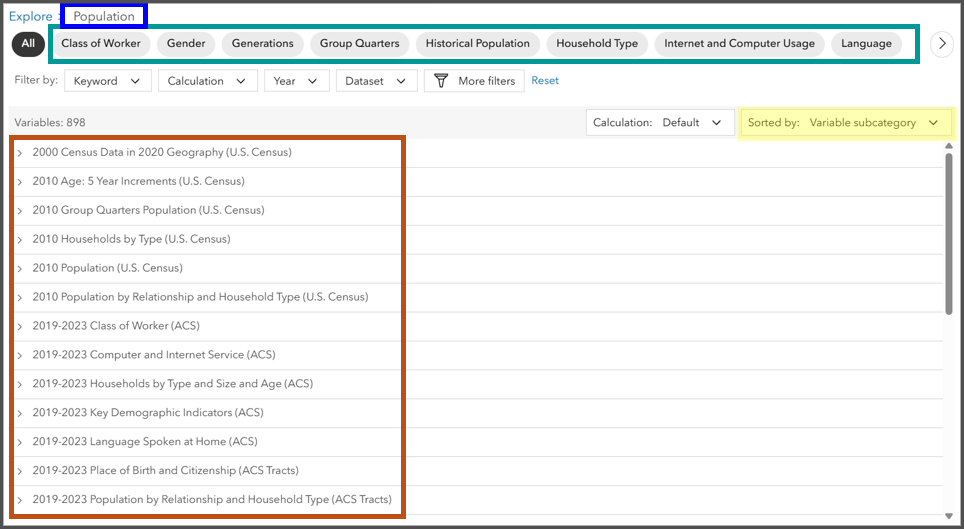
The image below shows how this hierarchy looks in the data browser in Business Analyst Web App.
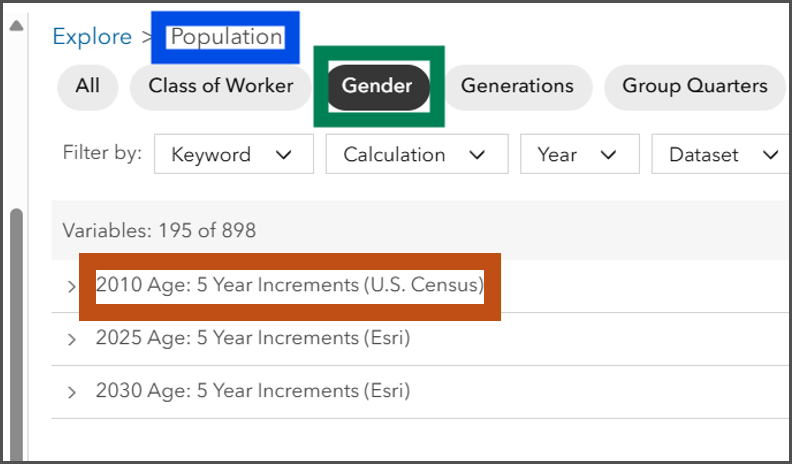
For example, let’s look at the data browser in Business Analyst Web App: selecting the Population category and viewing all variables under that category brings us to data collections such as Class of Worker, Gender, Generations, etc. You can then sort by variable subcategory, and this will arrange the variables into their source groups that fall into the data collections. Some variables appear in multiple data collections because they are base variables or because they relate to multiple data collections.
In Business Analyst Pro, you will notice similar categories and data collections in the data browser. When you click on a data collection, like Population Totals under the Population category, you will also see the variable subcategories the variables are grouped into.
Differences in total variable sums
The total sum of variables in a particular category can be different between the data browser in Business Analyst Web App and Business Analyst Pro. The two applications contain many equivalent workflows, though some capabilities and user experiences are not the same.
Data updates
Business Analyst data is updated once annually. It is hosted online as a service that is available for both apps, and replicated as a downloadable local dataset for Business Analyst Pro. If minor updates to data occur, such as new variable additions or removed variables, the changes are immediately reflected online. A lag might occur for local data until the variables can be delivered, often in a patch or secondary release.
Tract-level data in Business Analyst Web App
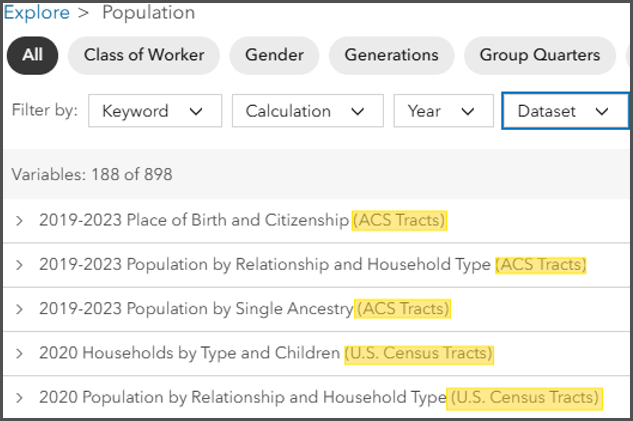
Business Analyst Web App has Census and ACS tract-level data variables for display purposes only. Users of Business Analyst Web App will notice these additional variables when using the data browser in the color-coded maps and smart map search workflows. This data is not provided for the other analysis tools or reporting, so you are not able to include these layers into a suitability analysis workflow or use them in an infographic template.
Tract-level data is not available for enrichment currently, so this tract-level data is not included in the Business Analyst Pro local data. This is one of the main reasons differences in the total variable sum will be seen (when using mapping tools in Business Analyst Web App), for example in the Population category shown below. The tract-level data comprises 188 additional variables in the Population category. Users will see this with other categories like Age, Households, Income, and Race too.
Business Analyst Pro variable summarizations
The data browser in Pro also summarizes the variables differently; this is where the understanding of variable subcategories and base variables is useful. The data browser in Pro summarizes the total count per category differently. It summarizes the total count of variables in the category, even if certain ones are repeated in data collections (base or related variables, for example). Business Analyst Web App summarizes the total count by using the variable subcategories total and not the actual variable total in the data collection. This way the same variables are not counted more than once since the same base variable could be in more than one data collection.
The Housing category is a good example; the total for Housing is 879 variables. If you total the variable subcategories, the total is 872. The total count is lower when using the variable subcategory because the repeated variables are not counted. Otherwise, the Total Households and Total Housing Units variables would be counted more than once because they are either a base or related variable to more than one subcategory.
Improvements are currently being made for a future release of Business Analyst Pro to change the way variables are counted per category. The total count of variables per category will match the total listed in the variable subcategories, so variables are not counted more than once towards the total category count.
This article uses the local and online Esri Updated Demographics dataset from Esri.
This article uses ArcGIS Business Analyst Pro 3.6 and ArcGIS Business Analyst Web App Standard.

Commenting is not enabled for this article.