ArcGIS Web Editor is a data editing application in ArcGIS Online that streamlines data maintenance workflows. Web Editor provides a straightforward approach to editing for GIS and non-GIS users. The wide array of editing tools can be used for complex editing workflows.
What’s New
For the June 2026 update, the ArcGIS Web Editor team focused on what matters most behind the scenes: bug fixes and performance improvements. This release also includes a few enhancements and new functionality as follows:
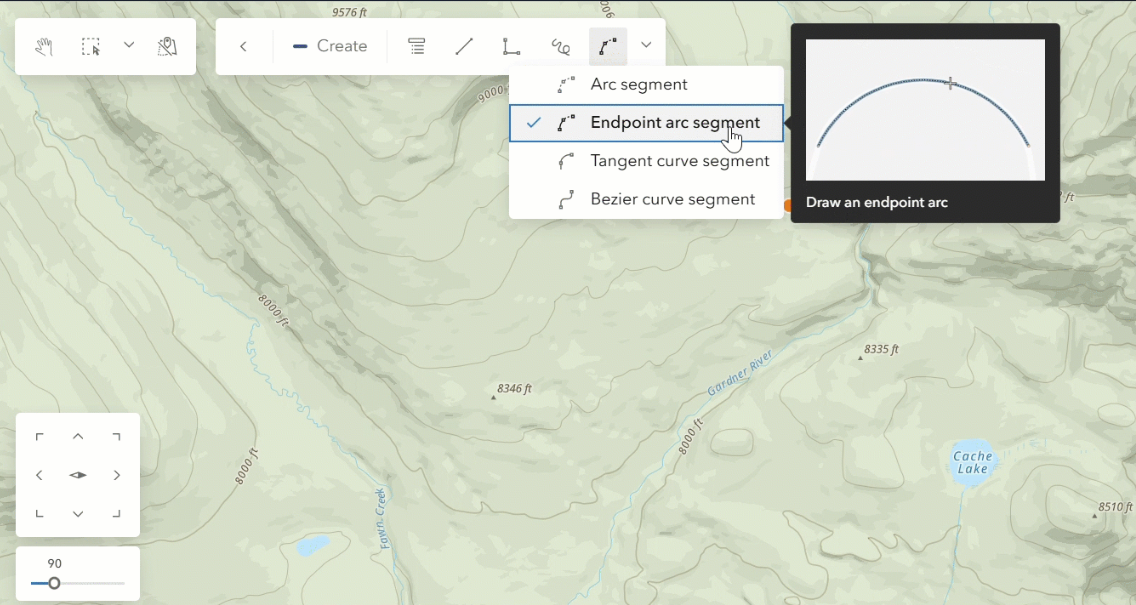
Updates to Curves in Drawing Tools
Tangent curve segment: For this update, we’ve added a new drawing tool, the Tangent curve segment. This drawing tool allows you to create and edit tangent curves for greater accurate while editing.
GIF Preview: When choosing curve tools, an example GIF popup will appear to help add context to how drawing with that curve works.
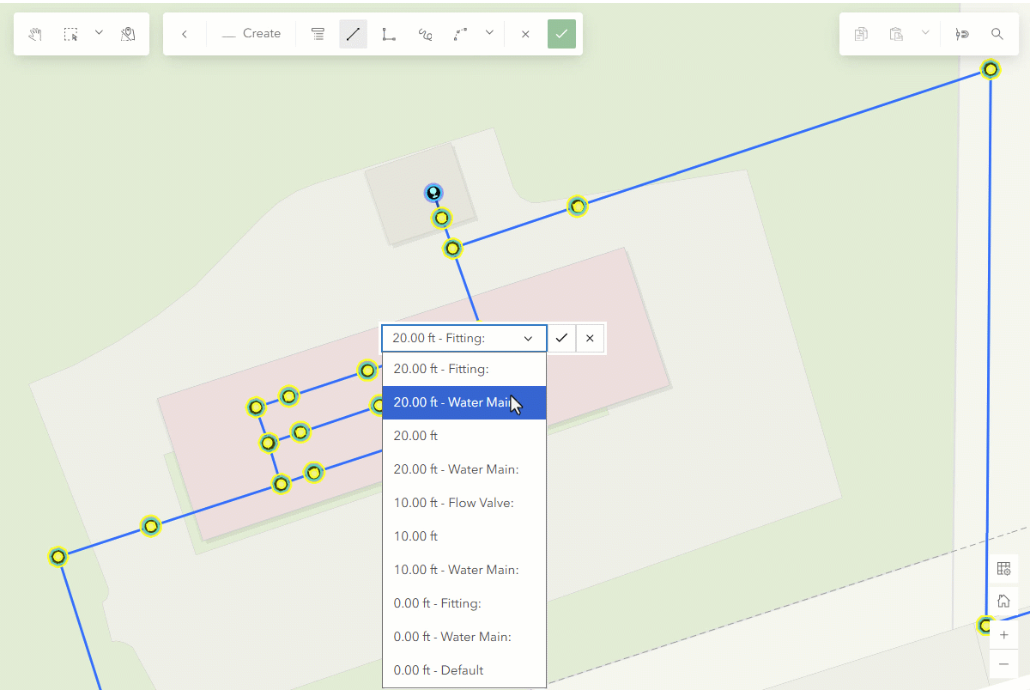
Choose Z-Values While Snapping
Snap Chip: You can now determine which z-value should be used when snapping to more than one feature with z-values. This allows you to be more precise with snapping.
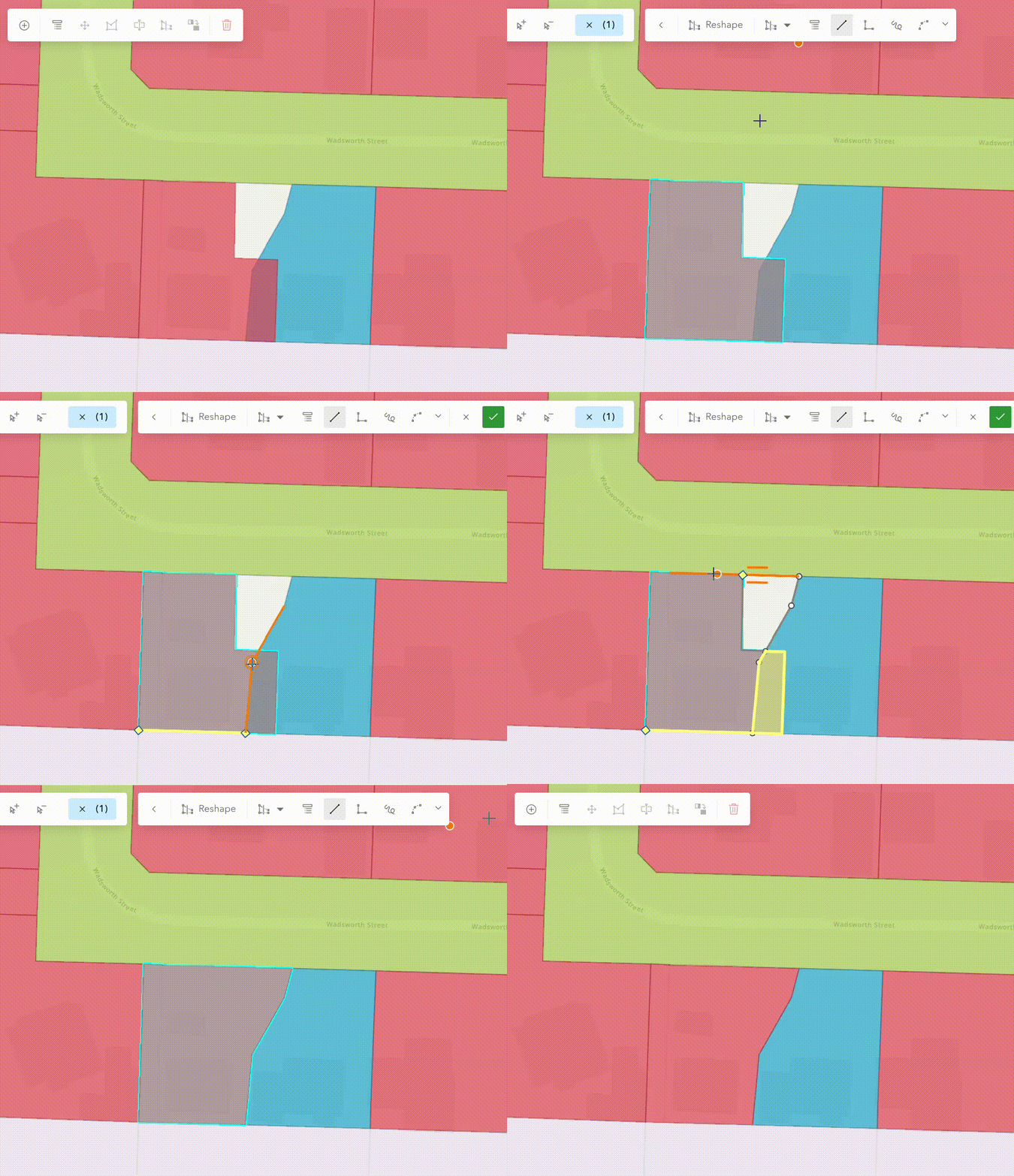
Preview Reshape Tool Impact
The Reshape tool now previews the impact of your edits before you commit. Subtracted areas are highlighted in yellow and added areas in cyan, making it easy to verify that a reshape will produce the intended result.
New Form Enhancements
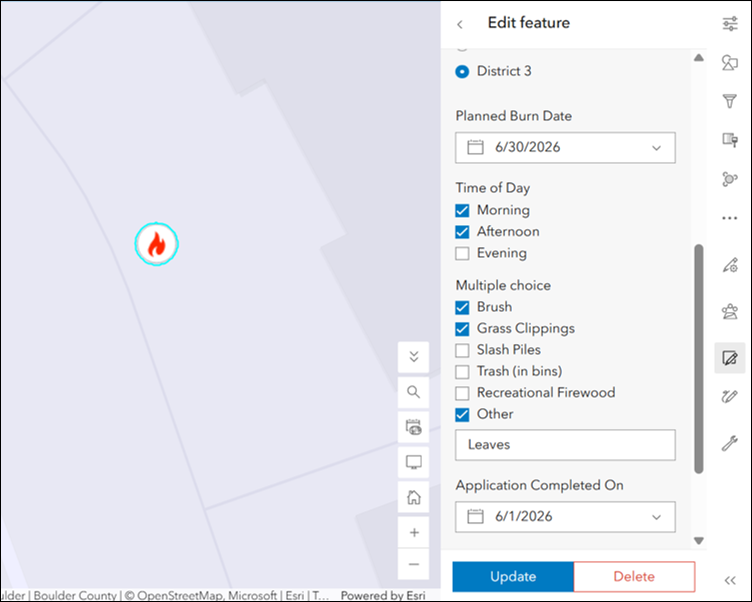
With the June update comes new enhancements to forms. Forms are a helpful complement to ArcGIS Web Editor; they give you access to additional attribute fields to edit in Web Editor. The June update introduces more robust form options, including:
The Multiple Choice element: This element allows form editors to select more than one answer to a question.
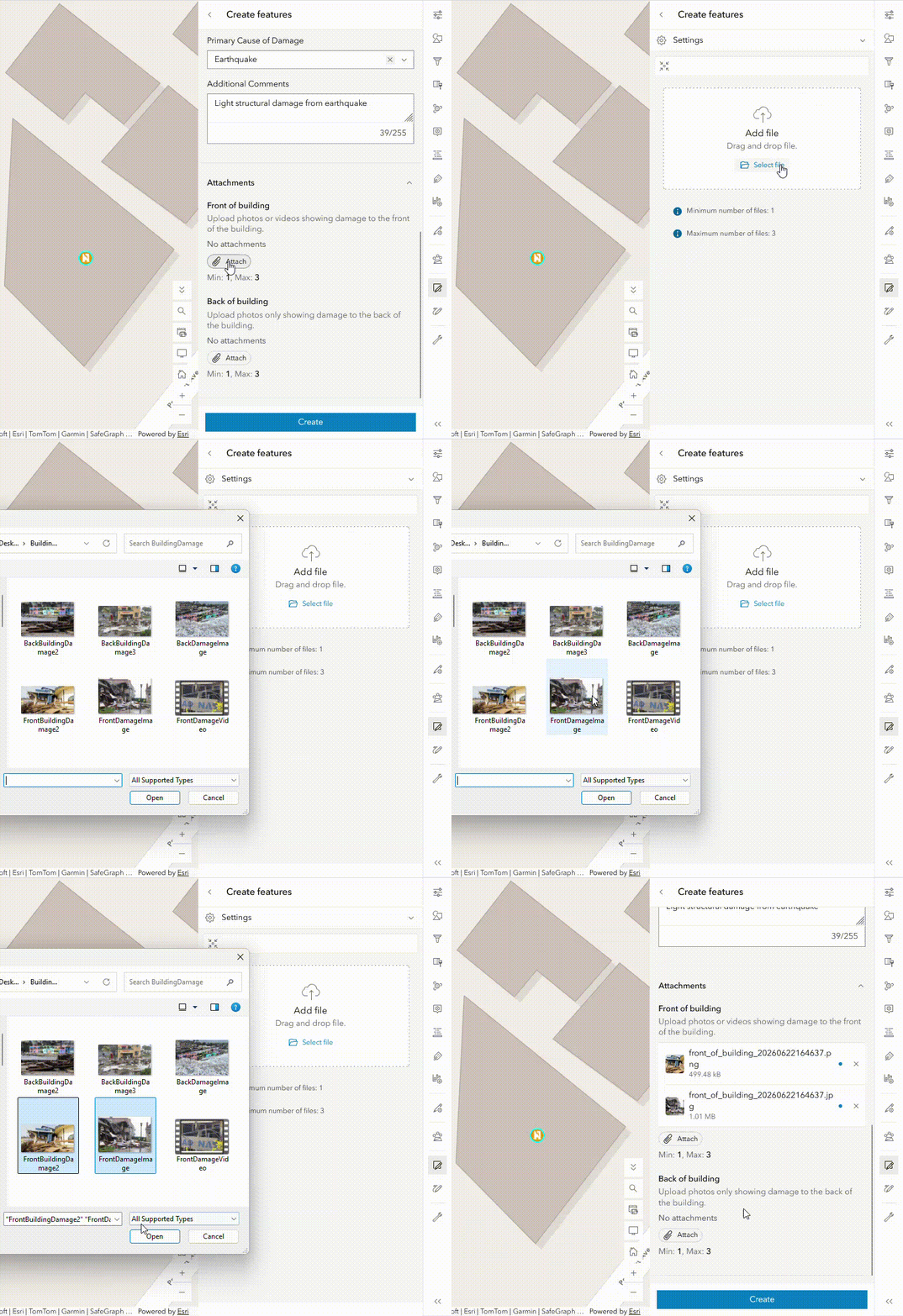
The Attachment element: Form editors can now distinguish their attachments with more specific element categories: General, Document, and Media. This gives form authors more control and customization options, helping to improve data quality.
We’re grateful for the feedback, ideas, and real-world use cases you continue to share with us, as they directly influence how we prioritize improvements. We encourage you to keep the conversation going by submitting your ideas and suggestions through the ArcGIS Web Editor Ideas site.
To stay up to date on what’s coming next, be sure to follow the ArcGIS Web Editor Community Blog. And for a broader look at everything included in this release, check out the What’s New in ArcGIS Online (June 2026) blog.


Commenting is not enabled for this article.