New to ArcGIS Web Editor? You’re in for a treat! The latest update includes new tools that make focused editing faster, simpler, and more efficient. Web Editor has a user-friendly UI, essential editing tools, and it honors your organization’s data rules. This powerful app is available with a Creator user type for both ArcGIS Online and ArcGIS Enterprise.
In this article, we’ll explore new features in the October 2025 update of ArcGIS Web Editor in ArcGIS Online including enhanced copy and paste functionality and support for adding temporary layers to the map. Without further ado, let’s dive in.
What’s New
- Copy and paste multiple features into a new layer – You can now copy more than one feature at a time and paste them into a different layer. This helpful new feature can speed up your editing workflows by making it easier to copy and paste data across different layers. The target layer must be editable and share the same geometry type as the copied features.
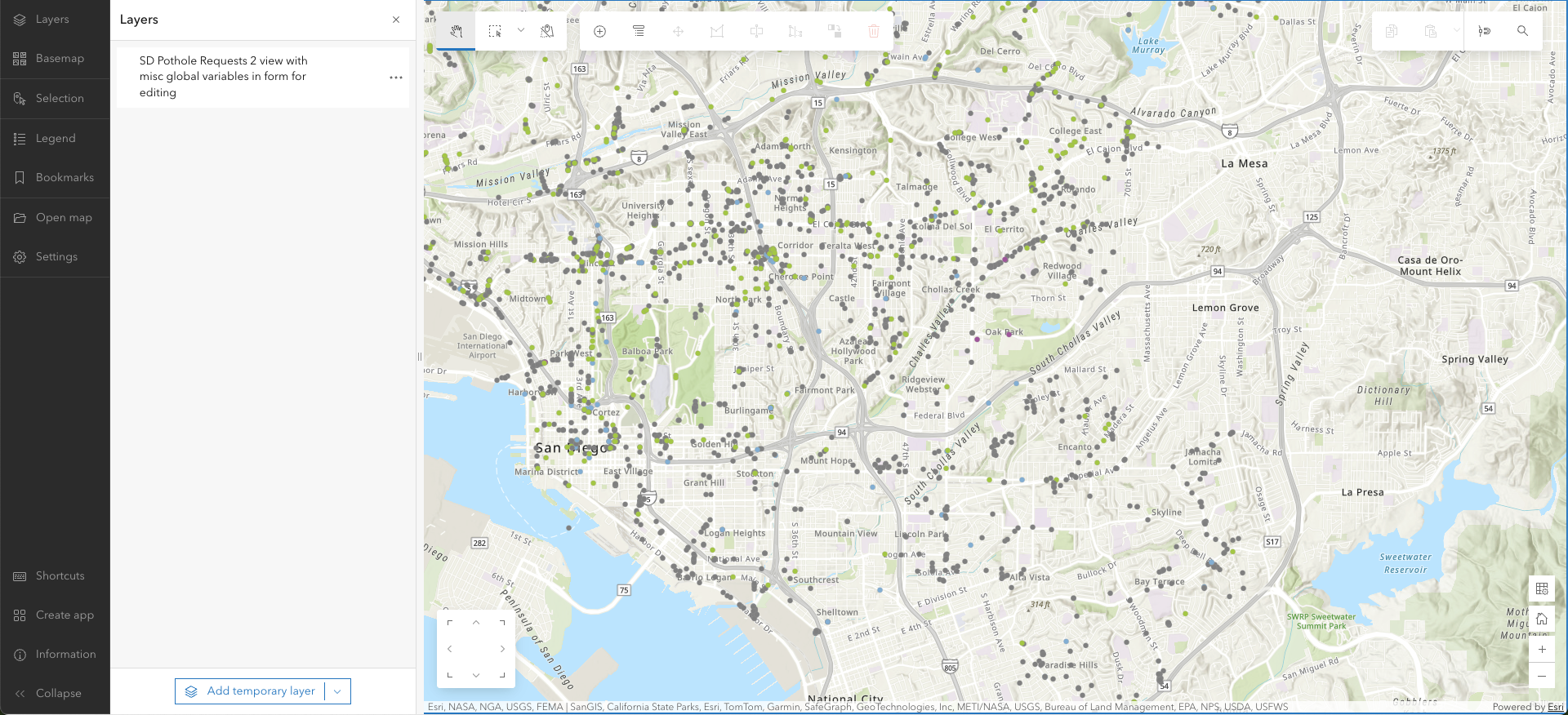
- Add temporary layers – With this update, you can now add temporary layers to your map in Web Editor—giving you more flexibility during editing. Add a temporary layer from a URL, upload a file, or browse to an existing layer. Use these layers as a temporary reference or to copy and paste features into other layers. This capability helps you work more efficiently and add additional context while editing.
For more information on these new features, check out this blog, where we dive into a sample workflow that you might use to incorporate both copy and paste and adding temporary layers.
Web Editor (beta) Instant App template
Last June, we introduced the Web Editor (Beta) Instant Apps template — a powerful tool that makes data editing faster and easier for both GIS professionals and non-GIS users. It lets you create a tailored version of the Web Editor application, providing an efficient editing experience. With this update, we’ve fixed bugs and continued refining the template. Because it’s still in beta, your feedback is invaluable — it helps us shape the configuration options to better meet your needs. You can try the Web Editor (Beta) Instant Apps template and share your thoughts by joining the Early Adopter Community here.
Conclusion
ArcGIS Web Editor is a powerful, focused editing app in ArcGIS Online that provides important editing tools in an easy-to-use interface. This update provided improvements to batch copy and paste workflows and adding temporary layers to your map. Stay up to date with the latest articles and updates from Web Editor by checking this link periodically.
Additional Resources
If you want to take your editing to the next level, whether its learning how to edit with Web Editor or learning how to configure Web Editor for editors across your organization, check out some of these helpful resources.
- Read up on the details of features and functionality with documentation.
- Get the latest information about Web Editor with ArcGIS Blog.
- Share your ideas and provide helpful feedback with Esri Community.
- Sharpen your Web Editor skills with this tutorial.
- Learn the basics of Web Editor with this short video.


Commenting is not enabled for this article.