ArcGIS Indoors Spaces

Indoor space planning and workspace reservation software

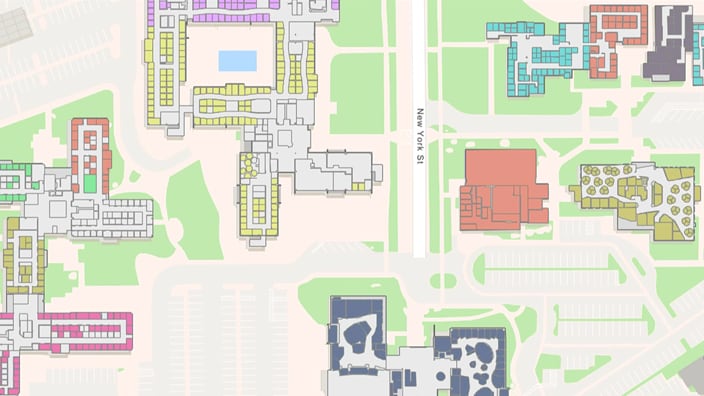
2D digital map showing color-coded buildings, roads, and green spaces on a large campus

Take control of space management and workspace reservations

Define, allocate, assign, and manage space usage in your buildings with simple-to-use space management and hoteling software. Support business goals by optimizing how indoor areas are being used, such as consolidating space or expanding into newly acquired areas.

Indoors Spaces also allows users to make workspace reservations via the Indoors Viewer and Indoors Mobile apps. Enable various work modalities, such as hybrid workplaces, and other back-to-office scenarios depending on your organization’s needs.

What do you get with ArcGIS Indoors Spaces?

With ArcGIS Indoors Spaces, you get the complete indoor mapping experience for indoor wayfinding, space management, and space reservations with web and native mobile apps.

Previous
Next

Space allocation

Improve organizational communication and collaboration by clearly defining where teams work and what spaces they’re assigned. Give employees access to shared assets—such as collaboration areas, conference rooms, equipment, and amenities. 

Define organizational areas that are assigned to specific business units and departments, enabling space planners to allocate areas and assign occupants accordingly.

Business unit allocation dashboard displaying a campus map and color-coded buildings with a data table below

Space usage

Consolidate and reassign or get rid of unused space. Conserve valuable office space with office hoteling to increase the employee-to-office space ratio for those working from home or not in the office full-time. 

Optimize facility managers’ maintenance schedules depending on when and how often spaces are used. Reduce operational costs and improve resource allocation by aligning maintenance efforts with actual space use patterns, helping staff work more efficiently.

Space usage dashboard displaying building floor plans and details like a space use type square footage bar graph

Employee and equipment moves

Plan, coordinate, and review office assignment changes when workspace reorganization is needed, when new indoor spaces are acquired, or as available space is reduced.

Quickly visualize all your indoor spaces and assets on an indoor map to have a complete understanding and create a course of action for relocating offices and equipment.

Indoor space planning software showing a color-coded office floor plan and a list of unassigned employees

Meeting room reservations

Promote collaboration and high productivity levels with real-time meeting room availability and easily discoverable reservations. Allow your occupants to see where space is located, when it is available, and what amenities and equipment are available nearby.

Color-coded office floor plan with an inset showing a Booking Confirmation and a panel for available and booked spaces.

Office hoteling

Sometimes individual or groups of employees are visiting your workplace and need to have space assigned to them ahead of time so that they know they will have a workspace to suit their needs.

Indoors Space Planner allows for the creation of office hotels, a cluster of workspaces that can be reserved and assigned in advance for an extended amount of time.

2D floor plan of offices in a multi-floor building showing room assignments with unit information listed in a side panel.

Hybrid workplace

Workplaces are evolving to support diverse work modalities, such as hybrid offices and return-to-office planning. Indoors Space Planner supports both individual and activity-based space assignments within a single plan.

This flexibility allows planners to visualize and compare multiple space scenarios before implementation. Executives gain a comprehensive view of available space, and employees and visitors can locate and reserve workspaces that are close to colleagues, amenities, and equipment in order to work effectively.

2D color-coded office floor plan showing workspace areas, people, and units.

Contact sales