ArcGIS Pro on the Go
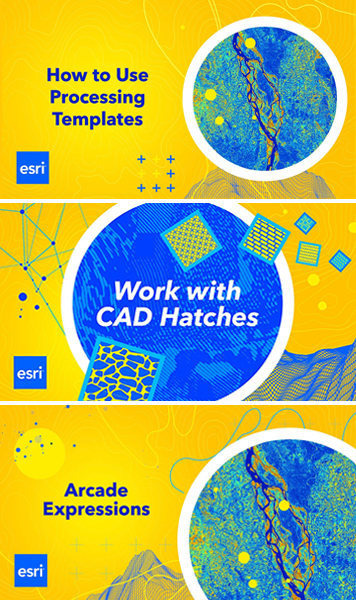
When you only have a few minutes but need to refresh your memory on how to do things in ArcGIS Pro—like search for color schemes or add a layer to your legend—check out ArcGIS Pro Shorts. These videos are about a minute long and help users quickly learn tips, workflows, and best practices for ArcGIS Pro. Each short is made by a product expert and focuses on one skill. The videos demonstrate useful and sometimes lesser-known tools, introduce new features added to ArcGIS Pro, and help users who are moving from ArcMap.
To begin exploring, head to links.esri.com/ArcGISProShorts and click the Playlists tab.
ISO Certification Reinforces Esri’s Commitment to Data Security
Esri received a certification from the International Organization for Standardization (ISO) known as ISO/IEC 27001:2022. This certification provides a globally recognized framework for establishing, implementing, maintaining, and continually improving an information security management system. Esri’s certification demonstrates that its system preserves the confidentiality, integrity, and availability of the platforms, services, and applications used to process, transmit, and store customer assets—and that ArcGIS Online and ArcGIS Location Platform infrastructures have been evaluated and audited by a third party.
“As enterprises simultaneously navigate escalating cyber threats and complex data residency regulations, our certification provides critical assurance that we maintain the rigorous security standards required today,” said Michael Young, chief information security officer for products at Esri. “And especially on the heels of analyst firm Forrester’s Predictions 2025 report that cybercrime costs would reach $12 trillion, earning this certification reflects Esri’s proactive response to an increasingly complex global security environment.”
Learn more about Esri’s commitment to security, privacy, and transparency at the ArcGIS Trust Center.
A New Real-Time Terrestrial Mapping Workflow with Pix4D
Esri and Pix4D—a Switzerland-based photogrammetry software company that specializes in mobile reality capture and site digitization—have launched a new terrestrial mapping workflow that allows field teams to capture and process asset data and manage it within ArcGIS.
Field teams use the PIX4Dcatch app with real-time kinematic (RTK) devices to scan trenches and infrastructure. The generated high-precision georeferenced records can now be published to Esri’s ArcGIS Online. Scans become 3D models and point clouds, viewable as a 3D layer. Existing data can also be visualized in augmented reality for instant as-designed versus as-built verification before closing trenches.
“We are focused on turning hidden infrastructure into functional data,” said Andrey Kleymenov, CEO of Pix4D. “By connecting PIX4Dcatch with a compatible RTK device to the Esri ecosystem, we are enabling a terrestrial-scanning workflow that allows teams to update a master geodatabase with professional accuracy.”
“We are happy to work with Pix4D to offer infrastructure-focused organizations a seamless, direct path from the field into a geodatabase,” added Thomas Fair, director of Esri Partner Network. “This new integration with ArcGIS will provide users with high-fidelity documentation of subsurface assets.”
You can download the PIX4Dcatch app and start publishing 3D data to ArcGIS Online today.

