If you have filled out a customer survey for Esri, thank you. These surveys are invaluable when it comes to improving ArcGIS software.
Every year, Esri product managers review countless responses to better understand how we are doing and where we can improve.
Often, we see candid reflections on what’s working, like how ArcGIS is helping you and your teammates work faster or solve meaningful problems.
However, tools don’t always work as expected. A tool you’ve relied on can misbehave without warning, slowing down a workflow and throwing off your momentum.
Those moments can be frustrating. But by the time feedback shows up in an end-of-year survey, Esri product managers have often missed the best window to act on it quickly.
If a tool or function within ArcGIS begins acting weird or glitchy, don’t save it for a survey confessional. Let Esri Technical Support know about it now.
When issues are reported early, they can be validated, investigated, and sometimes even fixed or patched long before the next survey season. And believe it or not, one small moment of frustration can be the spark that shapes the road map for ArcGIS products.
What to Do
If you encounter a problem while working with ArcGIS, open a technical support case. Every time something looks wrong, odd, glitchy, slow, or just plain off—even if you’re not sure it’s a bug—Esri Technical Support should see it.
Think of support analysts as the relay team. You bring the initial issue and context. They validate the problem, collect the information that product staff need, and direct it to the right product team.
This can save you hours of do-it-yourself troubleshooting. Rather than trying to be a geoprocessing whisperer who diagnoses issues from cryptic error messages, get a support analyst to troubleshoot. They may ask follow-up questions or request testing in your environment. That back-and-forth isn’t a delay, it’s how we isolate what’s really going on and avoid the guesswork.
Opening a technical support case also leads to clearer, more actionable fixes. When issues are worked through together and a bug is validated, product engineering staff get real data in the form of reproducible steps, environment details, and customer impact. That’s what drives change in the software.
Additionally, it creates visibility and accountability. In My Esri, your organization is attached to the case and any resultant bug report, so you stay informed and can add context as needed. This keeps you in the loop and ensures Esri Technical Support has the full picture as things evolve.
How to Report a Bug
To report a bug, visit support.esri.com/en-us/contact. First, use the Technical Support chatbot to see if there’s already insight on your issue. If you don’t find anything similar, reach out to Technical Support directly.
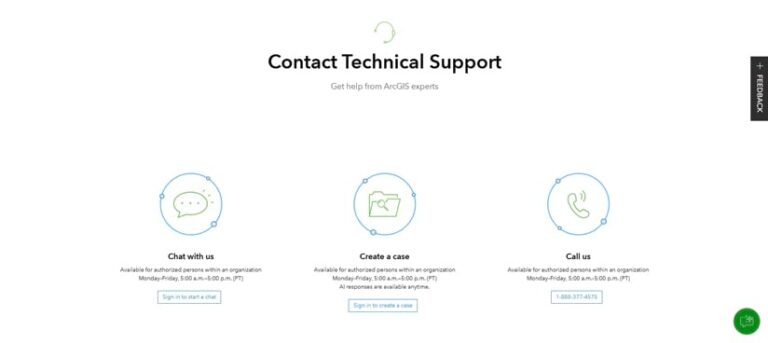
To submit a case, you will need to sign in to My Esri and be an authorized caller for your organization. To become an authorized caller, either you need administrator permissions, or you’ll need to contact your administrator through the Request Permissions form in My Esri.
If you prefer to submit a case by phone, call the number on the Technical Support page and let reception know you want to submit a bug report. After asking a few questions to better understand what product you are using and the severity of the problem, they will create the case for you.
To make your case move as quickly as possible (and for the fix to be as effective as possible), include the following details in your technical support case:
- Steps for staff to reproduce the problem
- Screenshots of the issue
- Sanitized sample data
- Expected versus actual behavior
- Product name and version, if applicable
- Operating system, if applicable
- Any patterns you’ve noticed (for example, only happens on Mondays, with large datasets)
Once your case is submitted, Esri Technical Support staff get to work. You may hear back with questions or testing requests as a support analyst works through the details and confirms what’s happening.
Behind the Scenes
Once your case is in motion, a support analyst reproduces the issue. If confirmed, a bug is logged and your organization is attached to the bug report, meaning you can track its status in My Esri and provide additional details as needed.
This process is transparent. It’s structured. And it’s how fixes make it into future releases and patches.
Your Reporting Helps Everyone
When an ArcGIS product doesn’t behave the way you expect, we at Esri take it seriously and truly care about your experience. Those glitches, freezes, errors, or moments that feel a little off are opportunities to improve the platform. Reporting them through Esri Technical Support gives your feedback the best chance to be seen, acted on, and prioritized.
You get answers, we get visibility. Product engineers get actionable detail. This means ArcGIS—and your experience with it—improves.
About the author