Flaco, a popular Eurasian eagle-owl who famously escaped from New York City’s Central Park Zoo, died in February 2024 after flying into a building. Necropsy results showed that Flaco had consumed rodenticides prior to his death.
While rat mitigation efforts are vital for public health, Flaco’s death was a sign that city officials needed to consider alternatives to traditional rodenticides.
In response, New York City Council enacted Flaco’s Law in September 2024 and legislated a 12-month rat contraceptive pilot program to evaluate products marketed as contraceptives for rodent control. Rodent contraceptives are considered to be less harmful to wildlife but have not yet been proven to be effective in controlling rodents at the neighborhood level.
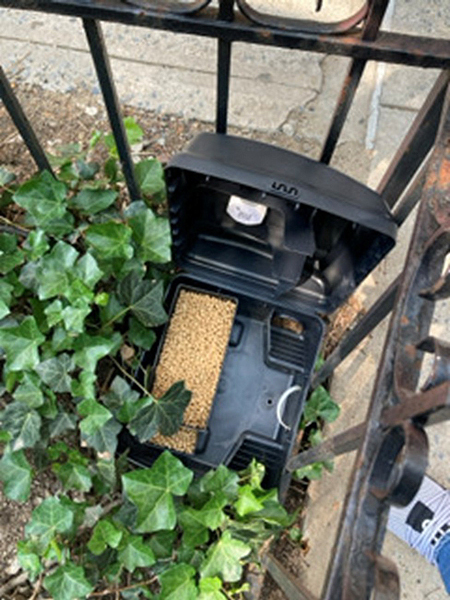
Flaco’s Law called for the New York City Department of Health and Mental Hygiene (NYC Health) to install contraceptive stations and collect detailed data to measure their effectiveness. Each station contains three different formulations of contraceptive products and one control product.

To support the data-intensive pilot program, NYC Health needed timely updates and clear visualization tools for analysis and decision-making. The department expanded its ArcGIS Online inspection workflows for the rat contraceptive pilot program by automating key tasks with ArcGIS API for Python.
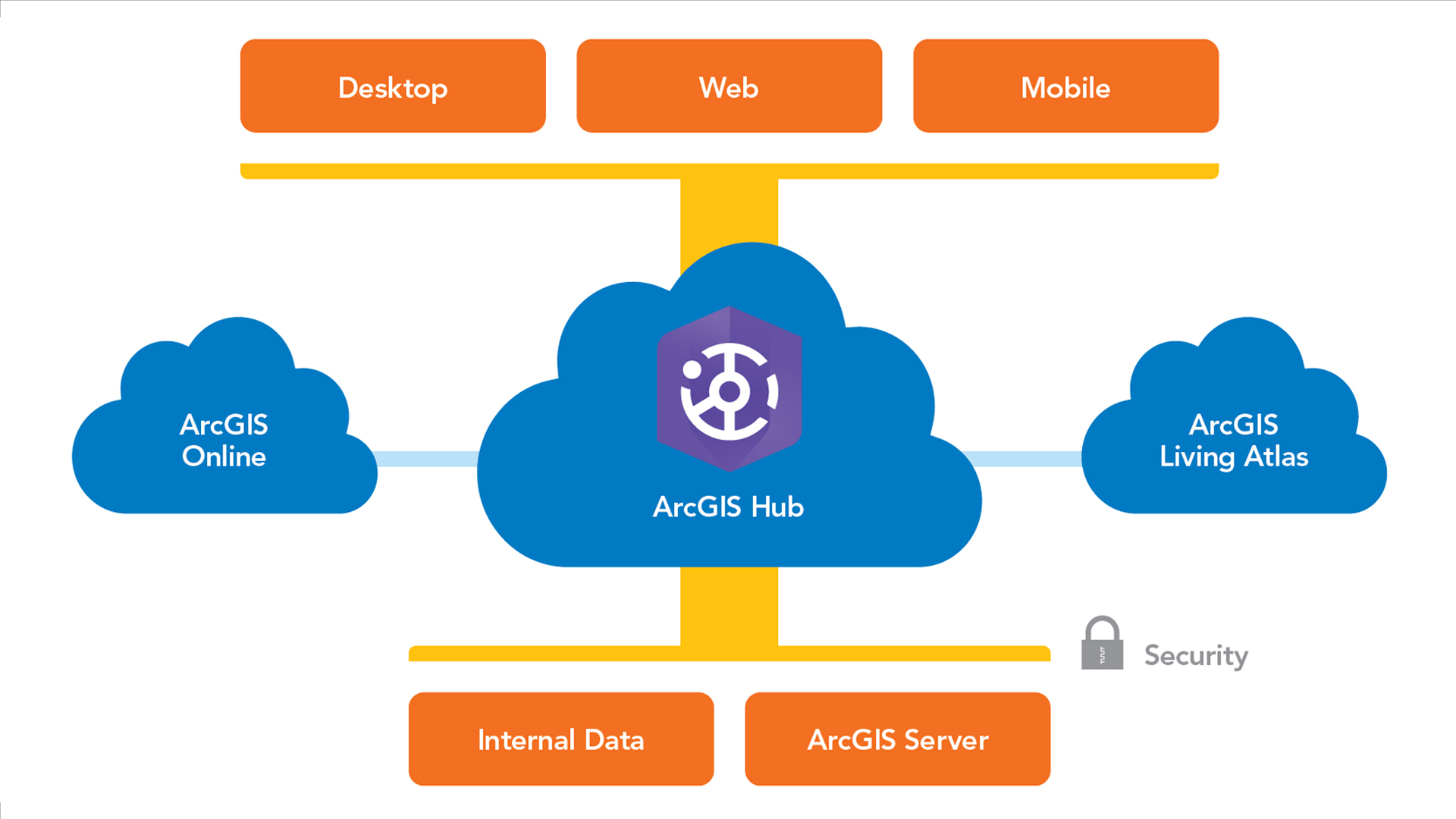
The solution integrated ArcGIS Online web maps and hosted feature layers with ArcGIS Field Maps, ArcGIS Dashboards, and automated Python scripts. This created a streamlined workflow that allows inspectors and supervisors to collect, track, and view inspection results in real time, reducing GIS staff workload while ensuring that inspection and office staff have access to accurate, up-to-date information.
Deploying Field Apps for Data Collection
The rat contraceptive pilot program began in May 2025 within the Harlem Rat Mitigation Zone in Manhattan. Rat Mitigation Zones are areas where the city has focused rat mitigation efforts, including proactive inspections, sanitation improvements, and intensive rat-management strategies.
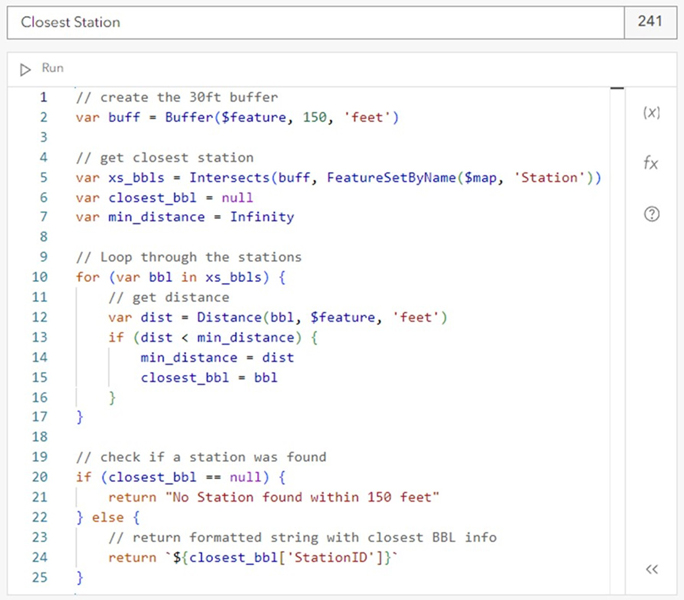
NYC Health inspectors used handheld devices with the Contraceptive Station app, an ArcGIS Field Maps app to identify suitable locations for the contraceptive stations. The app displayed contextual layers including trees, parks, and open spaces for optimal placement. Once inspectors selected a location, they created a new station point in an ArcGIS Online hosted layer. Calculated expressions automatically populated attributes such as the nearest tax lot, street address, building description, installation date, and inspector name. Drop-down menus standardized data entry for attributes like bait type. This automation eliminated manual entry of addresses and property information, saving time and reducing data entry errors.
Once the contraceptive stations were established, inspectors began using a second ArcGIS Field Maps app, the Rat Inspection app, for ongoing monitoring. This app allows inspectors to create point features documenting rat activity and conditions throughout the pilot project area. Inspectors also add inspection records with attachments to related tables for existing contraceptive stations as well as the NYC Department of Sanitation’s Empire Bins. Station inspections record product levels and station condition while Empire Bin inspections record rat-related conditions around the bins. These bins are large trash containers designed to securely hold garbage and prevent rats from accessing residential food waste.
Like the Contraceptive Station app, the Rat Inspection app uses calculated expressions to automatically populate attributes related to property information, inspection date, inspector name, and closest station or bin. Conditional visibility displays only relevant data collection fields based on the selected rat activity or condition.
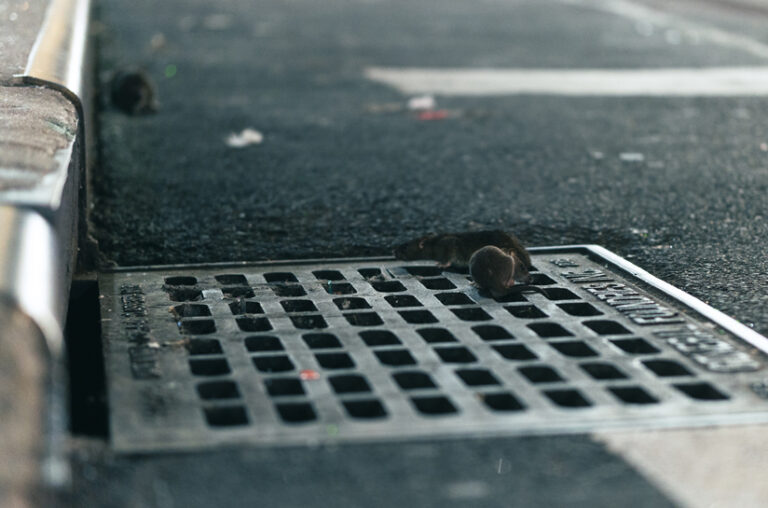
Inspections follow a two-week schedule of monitoring rounds. During each round, inspectors check the entire pilot project area, covering every street segment, station, and bin. They look for signs of rat activity, such as fresh tracks, droppings, burrows, gnaw marks, and live rats, as well as conditions that may attract rats like garbage and harborage.
Monitoring with Dashboards
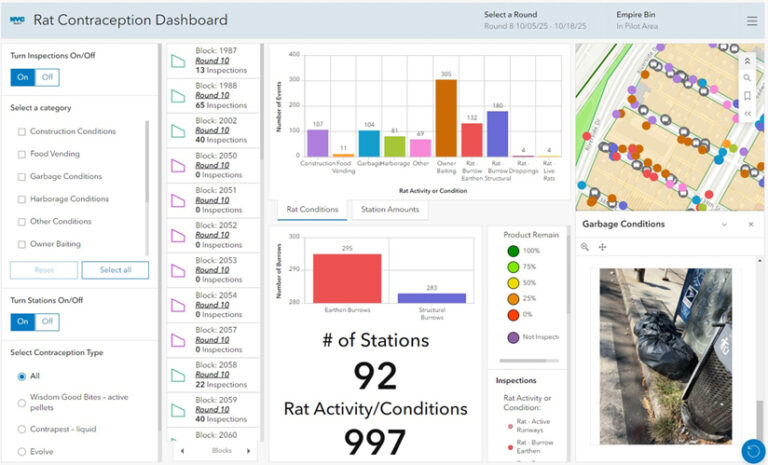
As part of the pilot program, NYC Health created the Contraceptive Station and Rat Inspection Dashboard to provide supervisors with real-time oversight. The dashboard allows supervisors to monitor rat activity and conditions for both the current and previous monitoring rounds. The dashboard’s map displays the status of contraceptive stations, which blocks have been inspected, and the locations of rat activity and conditions.
Supervisors can click any station, Empire Bin, or rat activity point to view the latest inspection details and attached photos. Filters allow supervisors to view data by monitoring round or rat activity/condition type, and layers can be toggled on and off for customized views.
The dashboard includes two lists that rely on the automated Python workflows. The first list shows all blocks in the pilot project area, displaying the block ID, the number of rat activity and condition observations, and the current monitoring round. Pink block outlines indicate uninspected blocks, while aqua outlines show inspected blocks. Clicking a block zooms the map to that location, filters out other features, and updates charts and indicators throughout the dashboard. The second list displays all contraceptive stations, showing station ID, remaining product amount, and the date and time of the last inspection. Station points are symbolized by product level to provide a quick visual reference.
Charts provide additional insights. One chart shows the number and types of rat activity and condition observations across the project area for the current monitoring round, with options to filter by round or block. Another chart shows the distribution of stations by current product level based on the most recent inspection data. Dashboard indicators summarize rat activity and conditions according to the selected filters, providing supervisors with key metrics.
Extending ArcGIS Online with Python
While the Field Maps apps and dashboard provide inspectors and supervisors with the tools they need, building the underlying web maps presented several technical challenges. The standard capabilities of ArcGIS Online couldn’t fully support the program’s needs for dynamic filtering, symbolizing features based on related table data, or automatically updating block inspection counts and status by current monitoring round without some level of manual intervention. To address these limitations, GIS staff developed automated solutions using ArcGIS API for Python and scheduled cron jobs.
These Python scripts extend the capabilities of ArcGIS Online by updating a flag attribute used to filter data by monitoring round, copying inspection data from related tables into feature layers and calculating inspection counts and status by block. Hourly updates remove the need for manual intervention; keep supervisors informed with current inspection block status in the dashboard; and ensure inspectors have accurate, up-to-date data in ArcGIS Field Maps apps.
The web map used for the Rat Inspection app displays rat activity and condition data collected across multiple monitoring rounds. However, inspectors need to see only inspections from the current round to accurately track their progress covering the pilot project area. Previously, this map needed to be manually updated at the start of each new round to filter out previous inspections so that inspectors could focus on the inspections in the current round.
GIS staff created a Python script using ArcGIS API for Python to automate this filtering process. The script determines the current round by comparing the current date with each rat activity and condition data collection date. It then updates the [RoundFlag] column to “Yes” if the inspection falls within the current round or “No” if it does not. Since the [RoundFlag] column is used as a filter in the web map, this automated update eliminates the need for manual filtering. Running nightly, the script ensures that inspectors see only inspections relevant to the current round in the Rat Inspection app.
The dashboard map needed to display contraceptive stations symbolized by the amount of product remaining as of the most recent inspection. However, ArcGIS Online does not allow features to be symbolized or displayed in dashboard charts using attributes stored in a related table. This made it impossible to symbolize the station points and bar charts based on the latest recorded amount of contraceptive product remaining.
Another Python script was designed to update the rat contraceptive station feature layer with the most recent inspection data from its related inspection table. GIS staff added a new column, [ProductRemaining], to the station layer. The script identifies the most recent inspection record for each station in the related table, extracts the remaining product amount, and writes that value into the [ProductRemaining] column. Running hourly, the script allows stations and charts to be symbolized by product levels.
The dashboard also needed to display inspection status and the number of inspections completed for each block during the current monitoring round to help supervisors track inspection progress across the pilot project area. One approach would be to use a join view linking the block layer with inspection data. However, a new join view would need to be created for each monitoring round, requiring manual updates by GIS staff.
GIS staff developed a Python script to automate this process as well. The script identifies the current monitoring round based on date; counts all rat activity and condition inspections completed within that round for each block; and updates two columns in the block layer: [InspectionCount], which shows the number of inspections completed during the round, and [Status], which flags whether or not the block has been inspected. By automatically updating these columns, the script eliminates the need to manually create or manage join views. Running hourly, the dashboard always reflects current inspection activity.
These automated workflows demonstrate how Python scripts can extend ArcGIS Online capabilities to support real-time inspection operations. By combining ArcGIS Field Maps, ArcGIS Online, and ArcGIS API for Python, complex workflows involving multiple layers, inspection types, and time-sensitive data can be managed efficiently. The automation enables NYC Health to eliminate manual intervention, reduces human error, and ensures that both inspectors and supervisors have access to accurate, actionable information.
About the author