Whether it’s generating Arcade expressions, triggering common actions in ArcGIS Pro, or creating engaging story maps, assistants are steadily being embedded across ArcGIS to enhance your user experience. They work alongside you to help you get the answers you’re looking for faster and easier, while you remain in control of your workflows.
Esri is keeping the momentum going with a new role-based privilege for enabling AI assistants, along with three new additions: The Notebooks assistant (beta), the Solutions assistant (beta), and the Item Details assistant (beta). New features are also being added across existing experiences. Let’s dive into what’s new.
Table of contents
- New role-based privilege for AI assistants
- ArcGIS Notebooks assistant (beta)
- ArcGIS Solutions assistant (beta)
- Item Details assistant (beta)
- ArcGIS Arcade assistant (beta)
- ArcGIS StoryMaps assistant (preview)
- Documentation assistant (beta)
- ArcGIS Pro assistant (beta)
- ArcGIS Hub assistant (beta)
- Trust and security
What’s New
Confidently roll out AI assistants with role-based access
This release introduces a new role-based privilege, giving administrators direct control over who can use AI assistants in their organization. In ArcGIS, roles define the privileges and permissions that determine what members can do with content, maps, and applications. With this new privilege, admins can specify which custom roles have access to assistants, making it possible to progressively roll out AI capabilities while aligning usage with internal policies and compliance requirements.
Introducing new assistants
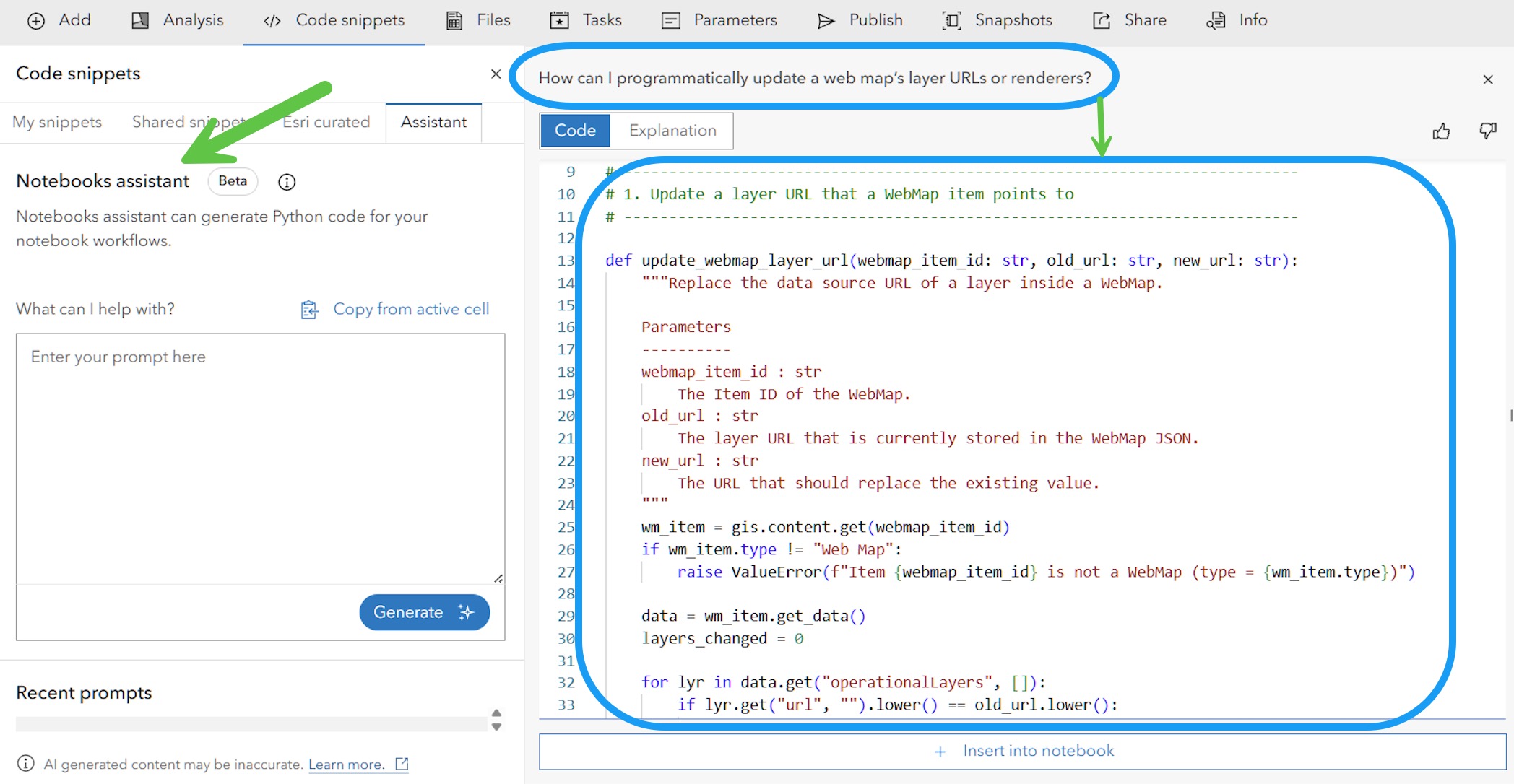
Turn automation ideas into action faster with the ArcGIS Notebooks assistant
The ArcGIS Notebooks assistant (beta) is an in-app coding assistant that explains, generates, and troubleshoots Python code. With it, you can get line-by-line walkthroughs to understand existing code and use prompts to generate Python code for automating administrative, content management, and analysis tasks, leveraging the ArcGIS API for Python or ArcPy. When errors occur, you can ask the assistant to help troubleshoot code. It provides clear explanations and actionable suggestions to resolve issues and also supports general questions about the ArcGIS API for Python and ArcPy.
Discover the best ready-to-use solution with the ArcGIS Solutions assistant
ArcGIS continues to evolve with the introduction of a new assistant specifically engineered to streamline how organizations leverage ArcGIS Solutions. These ready-to-use configurations are built to solve complex challenges immediately, and the ArcGIS Solutions assistant (beta) further enhances this impact by matching specific organizational needs with the most effective solutions for government, utility, defense, public safety, telecommunications, and more. This proactive resource not only identifies the right solutions but also offers comprehensive support for their deployment and ongoing use, empowering organizations to successfully implement specialized location-based technology with greater speed and impact. You can find the assistant on the bottom left of the ArcGIS Solutions app, as seen in the demo.
Get even better metadata with suggestions from the Item Details assistant
The Item Details assistant (beta) helps create clearer, more complete metadata by suggesting titles, summaries, descriptions, tags, and even attribute field details. Not only does this boost content discoverability, it also prepares data for AI. Join the Item Details assistant Early Adopter Community to explore new assistant workflows, share feedback and ideas, and help influence the continued development of the assistant.
Announcing new features
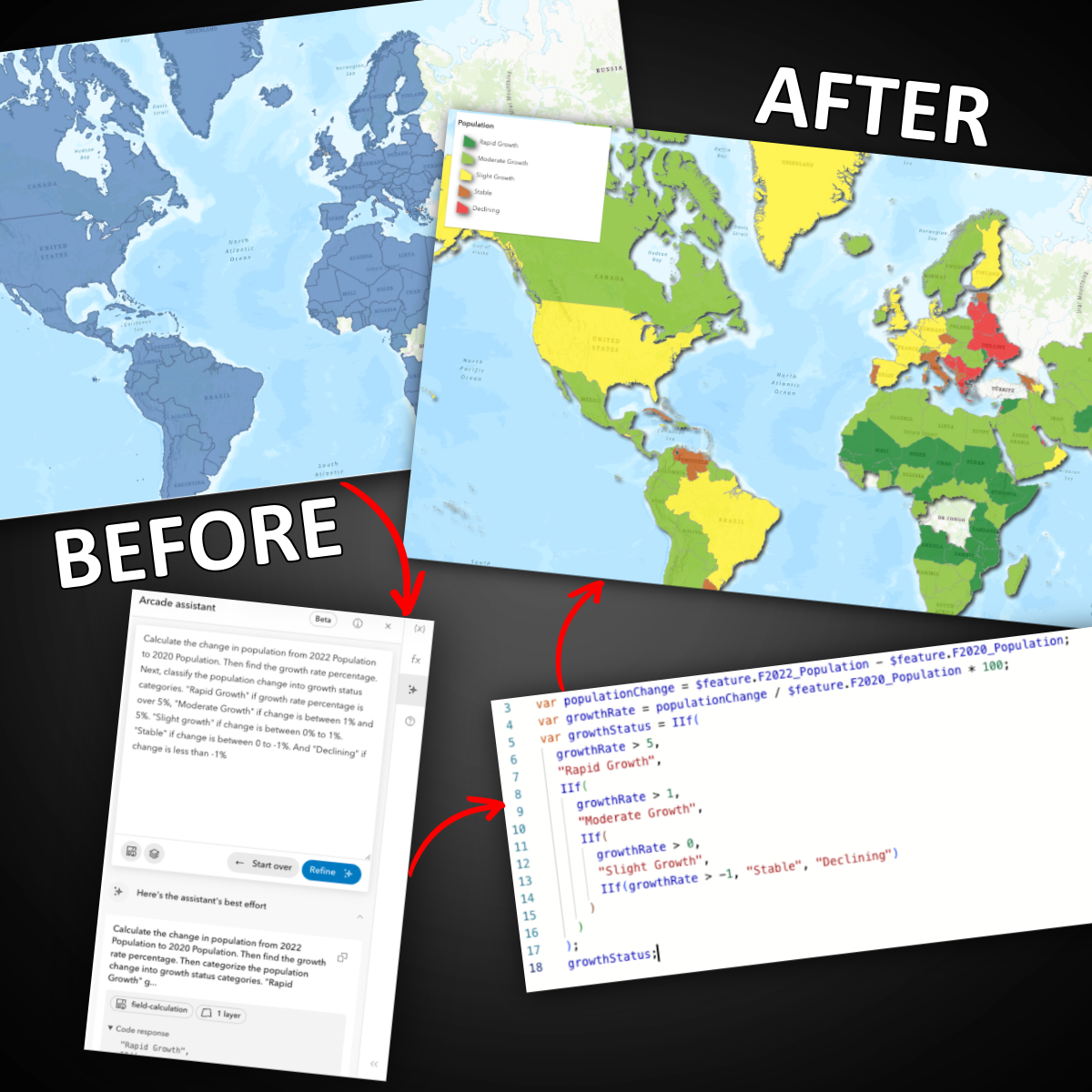
More accurate Arcade expressions for real-world map workflows with the ArcGIS Arcade assistant
The ArcGIS Arcade assistant (beta) helps you write Arcade expressions using natural language for popups, labels, visualizations, and field calculations. It is currently available in Map Viewer, Web Editor, Scene Viewer, and the My content data section in ArcGIS Online. With this update, the assistant is now also available in Field Maps Designer and Experience Builder. Thanks to ongoing feedback from beta testers, the assistant is now even stronger at generating accurate, reliable Arcade expressions across workflows.
ArcGIS StoryMaps assistant enters preview with enhanced support for polished writing and cohesive themes
We’re excited to share that the ArcGIS StoryMaps assistant, previously in beta, is now in preview with features that support writing refinement and theme generation. The assistant includes tools designed to improve writing, accessibility, insights, and design decisions, helping creators produce more engaging and inclusive stories.
The Refine your writing capability now lets you expand your selected text to the full paragraph or text above or below your original selection, which is especially helpful in stories where text is arranged in structured blocks. This gives the assistant richer context for more cohesive edits.
The Generate a theme capability now allows you to upload a reference image to guide the design of the generated theme, in addition to using natural language to explain your vision. This enables the assistant to draw inspiration from your chosen visual style, such as colors, symbols, or patterns, making it even easier to create a personalized, visually consistent theme for your story.
Smarter, more contextual help across Esri documentation with the documentation assistant
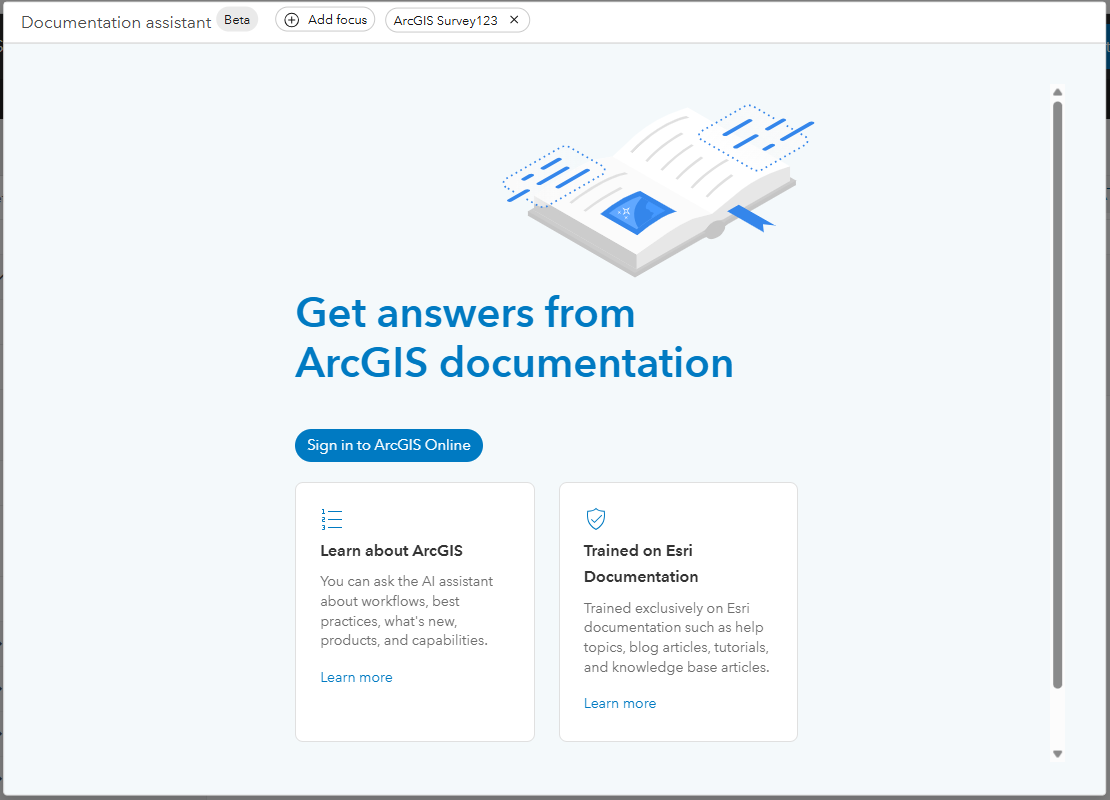
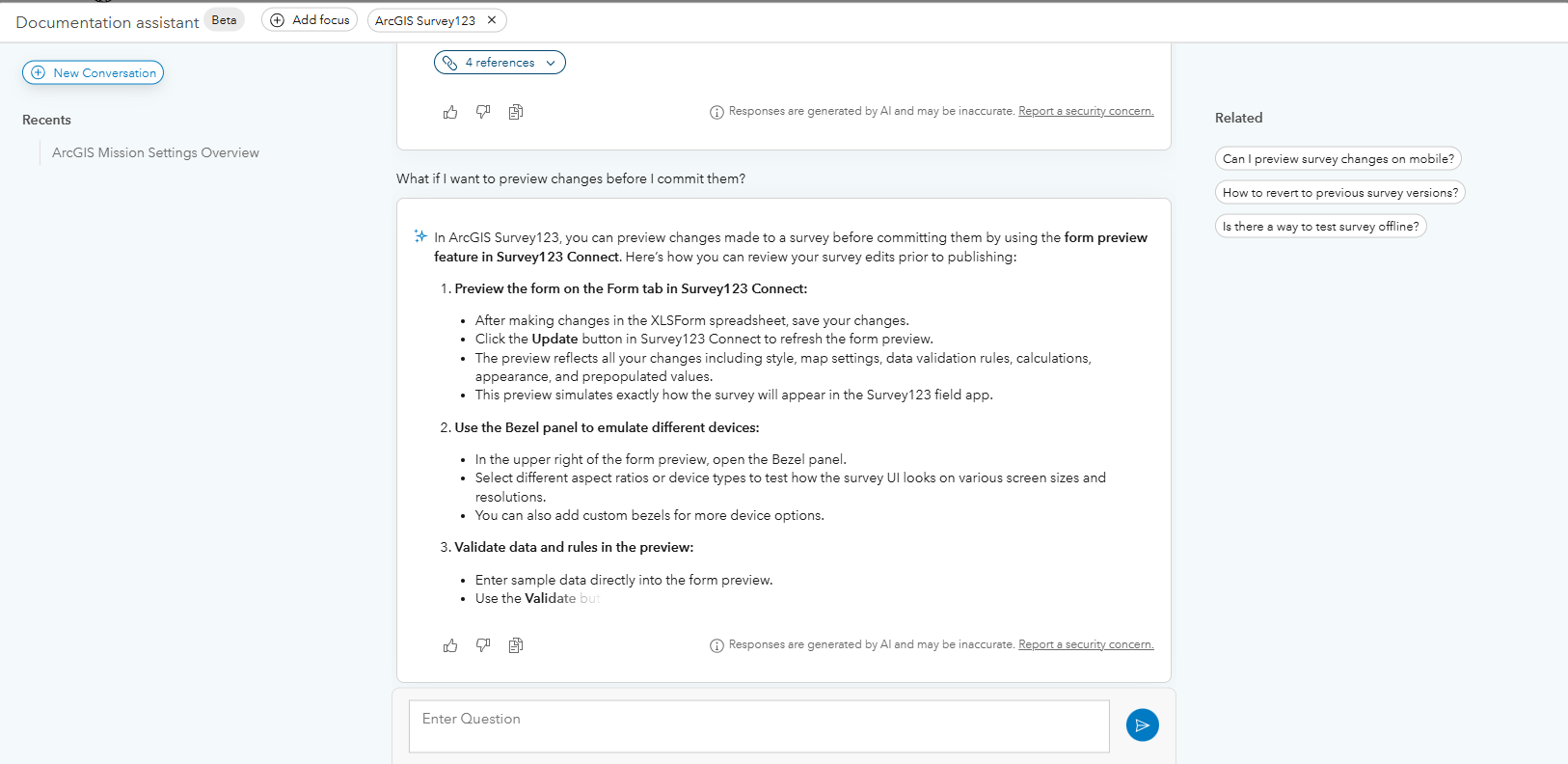
The documentation assistant (beta) continues to make it faster and easier to navigate Esri documentation with an improved onboarding experience. From the documentation page you start on, the assistant automatically understands the product, capability, or topic you are viewing and stays focused on that context when answering questions. Additionally, the assistant now highlights what the assistant can help you with, such as finding workflows, best practices, relevant products and capabilities. It also reinforces that responses are generated exclusively from trusted Esri sources, including help topics, blog posts, and tutorials. The assistant is also smarter than ever, with significant improvements to response quality and translation quality.
Help shape a faster way to work in ArcGIS Pro with the ArcGIS Pro assistant
The ArcGIS Pro assistant (beta) continues to support more efficient work in ArcGIS Pro through natural language interactions, with the Early Adopter Community (EAC) giving users a direct way to influence its evolution through real‑world feedback. In the demo, you’ll see how the assistant can generate Python code to merge CSV files, streamlining a common GIS task. Access is by invitation only. Request to join the ArcGIS Pro assistant (beta) EAC today.
ArcGIS Hub assistant (beta) Early Adopter Community – We want to hear from you
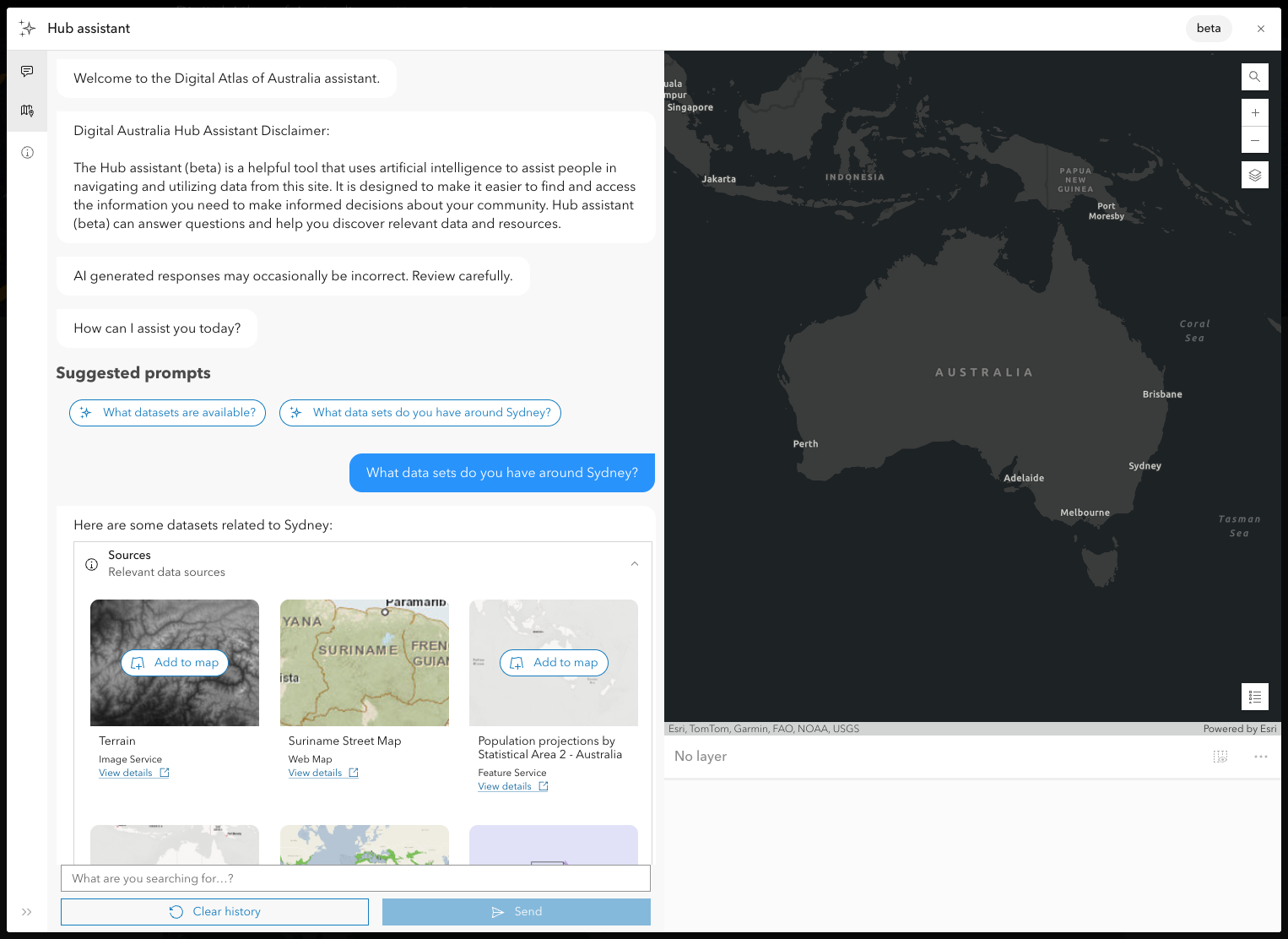
If you’ve configured the ArcGIS Hub assistant (beta) in ArcGIS Hub Premium, we want your feedback. This in-app productivity tool helps your visitors quickly and easily navigate the data on our hub site, and we are excited to hear about your ideas and experiences. Join the Early Adopter Community to help us shape the future of Hub.
Other assistants in beta/preview
- Translation assistant (preview)
- ArcGIS Business Analyst assistant (preview)
- ArcGIS Survey123 assistant (preview)
- ArcGIS for Microsoft Teams assistant (beta)
Your trust and security matters
While we have explored the immense value AI assistants bring to ArcGIS workflows, it is equally important to address the reliability of the underlying technology. At Esri, building trust is foundational to the design, development, and deployment of AI across the entire ArcGIS platform.
Esri’s approach is grounded in a strong commitment to responsible, ethical development. As generative AI and other types of AI become more prevalent, Esri remains focused on providing security, privacy, transparency, fairness, reliability, and accountability to our users. Through measures such as human-in-the-loop design, customer opt-in controls, strict data protection practices, AI transparency cards, and formal governance structures, Esri ensures AI capabilities are trustworthy and aligned with evolving regulatory expectations. Trust in AI is a shared responsibility, and Esri encourages customers to apply appropriate oversight to use AI responsibly. Learn more with these resources:
- Trusted AI tab in the ArcGIS Trust Center: Explore guiding principles for AI
- Advancing Trusted AI in ArcGIS: Esri’s approach to responsible AI development
- ArcGIS AI Transparency Cards: Standardized cards that answer common questions about a generative AI feature
Assistants for the user
We’re excited about AI assistants and the ways they can enhance and modernize your experience across ArcGIS. Now is a great time to get involved. Enable the assistants for your organization, try them in your everyday workflows, and share feedback as you use them. Some assistants also have Early Adopter Communities, which provide resources, guidance, and a direct feedback channel. We’re building these experiences alongside our users, and your feedback plays an important role in shaping what comes next.

Article Discussion: