You asked, we answered. The ArcGIS Earth product team is excited to announce the release of the Historical Imagery Explorer, a new tool that lets you browse the Wayback Imagery archive using an interactive timeline widget. The challenge of manually browsing ArcGIS Online for Wayback Imagery tile layers, only to discover there’s no recent update in your area, is a thing of the past.
What is Wayback Imagery?
Wayback imagery is a digital archive of the World Imagery basemap that enables you to access versions of World Imagery captured over the past 10+ years.
ArcGIS Earth Historical Imagery Explorer
ArcGIS Earth’s Historical Imagery Explorer leverages core functionalities to identify versions of the Wayback archive that contain updates based on your view extent and zoom level. As you navigate the globe, the interactive timeline widget dynamically updates, displaying only dates where relevant and updated imagery is available.
How Does it Work?
While ArcGIS Earth is a .NET based application, it’s Historical Imagery Explorer draws heavy inspiration from the logic found in the wayback-core JavaScript library. The tool accesses the Wayback catalog through the ArcGIS Online Wayback Imagery group. ArcGIS Earth retrieves WMTS (Web Map Tile Service) data, including release dates, and dynamically displays imagery based on the specific timeframe you select.
Smart Filtering
The Wayback archive hosts a large number of releases, but not all of them include updates for the specific area you are viewing. To keep your experience smooth and relevant, the Explorer uses the Tile Map API to determine which imagery versions have tile data updates available for your current location.
Here are a few things to know about how smart filtering behaves:
- Contextual Relevance: Imagery versions where no changes occurred are filtered out so you only see changes that matter to your current view.
- Altitude Limitation: To maintain performance, dynamic filtering begins when the camera is below 30km altitude.
- View Extent Accuracy: The tile at the center of your view extent is used as the representative sample for filtering which versions contain change.
Currently, the Historical Imagery Explorer focuses on the release dates of the World Imagery Basemap. However, the Wayback archive is rich with metadata. Each version of a tile can technically be queried to reveal its acquisition date, imagery provider, and spatial resolution. While ArcGIS Earth doesn’t query this metadata for every single image to keep things fast, we are looking into possible ways to expose this level of detail to you.
The Historical Imagery Explorer is available to the public and does not require a specific user type.
Explore Historical Imagery in ArcGIS Earth
How to access the Historical Imagery Explorer
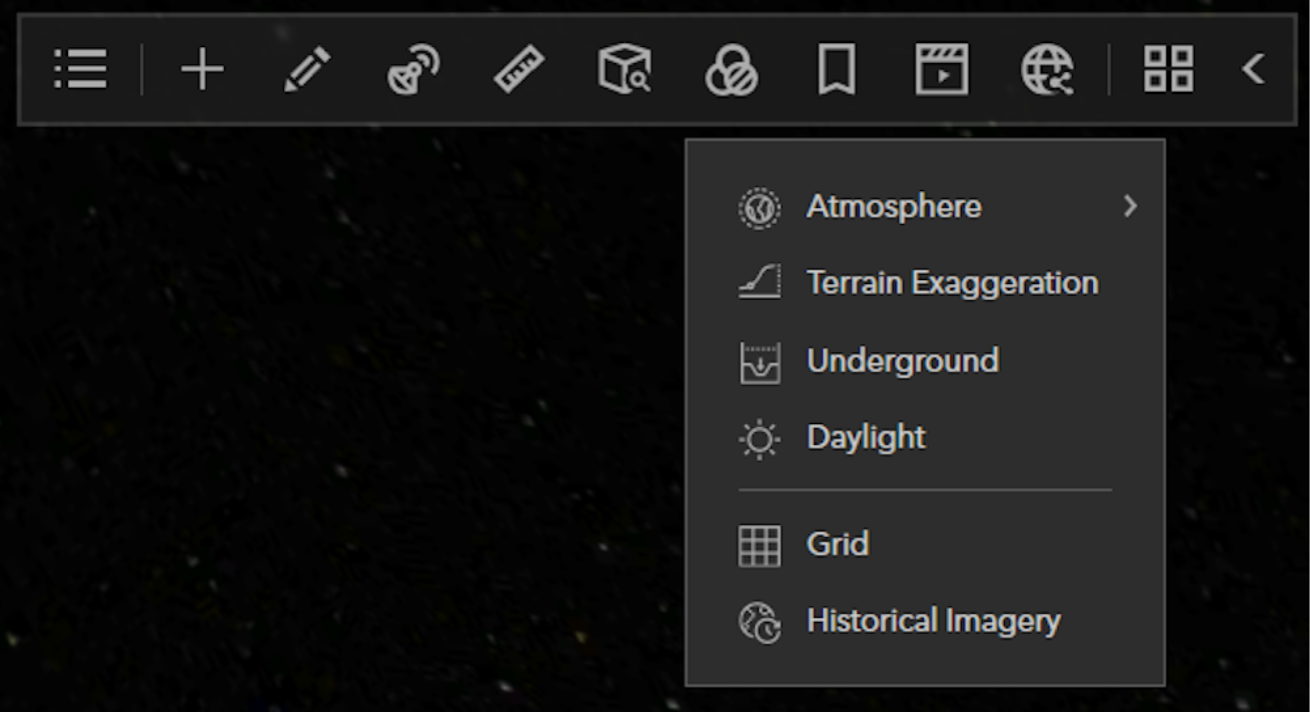
You will find the Historical Imagery Explorer under 3D Effects in the main toolbar. The Historical Imagery Explorer is only supported when the spatial reference is set to Web Mercator. If the current scene is set to WGS84 the Historical Imagery Explorer will be unavailable.
Historical Imagery Explorer Interactive Timeline Widget
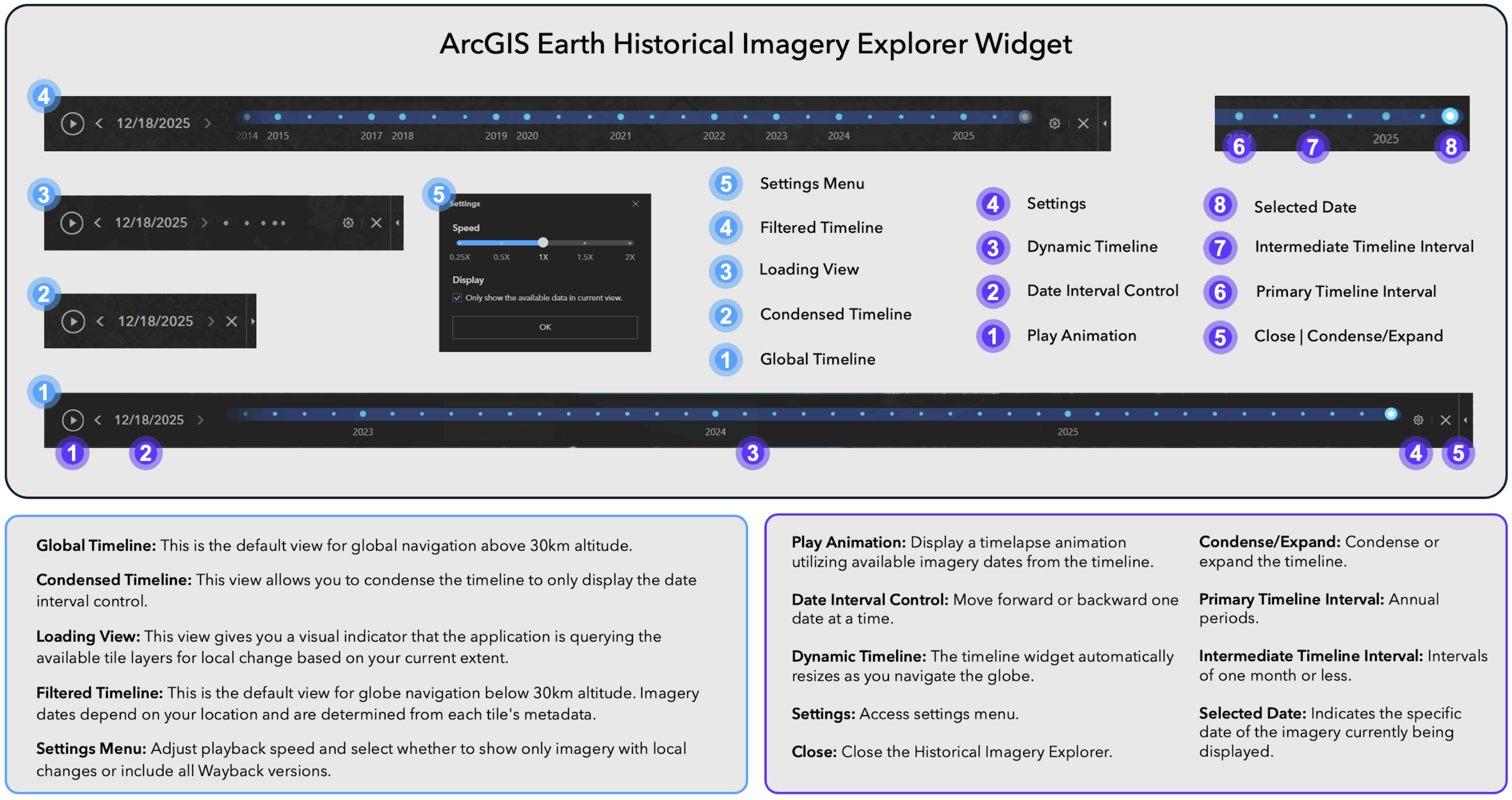
The Historical Imagery Explorer utilizes a dynamic timeline widget to simplify the identification of available imagery and enable efficient navigation across different dates.
See the diagram below for an overview of the user interface elements:
Historical Imagery Use Cases
Environmental Change Examples
Measure Glacier Retreat (Solheimajokull Glacier, Iceland)
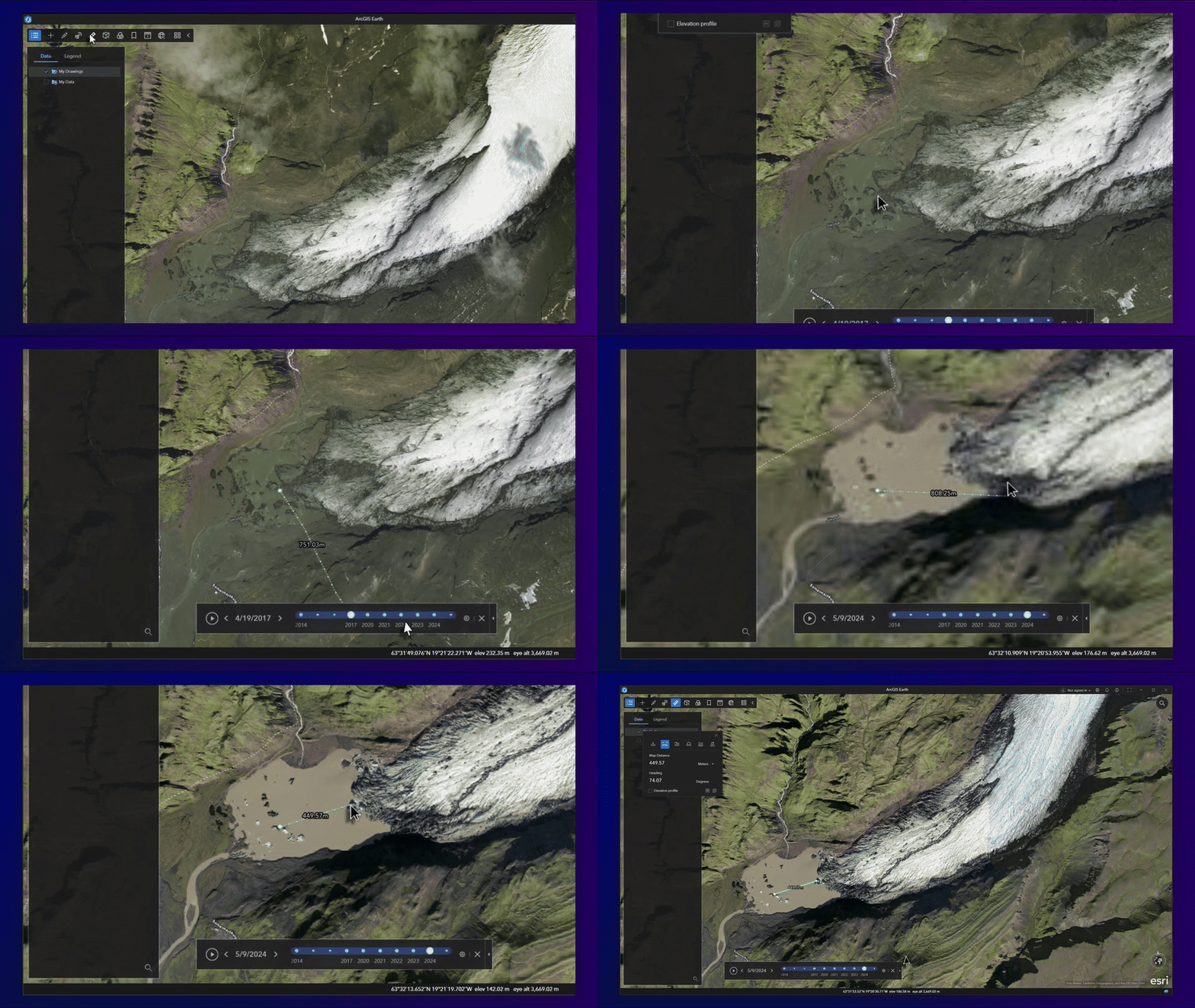
The Solheimajokull Glacier in Iceland has experienced a retreat of several hundred meters in recent decades, serving as a clear example of the rapid impacts of climate change. With ArcGIS Earth’s Historical Imagery Explorer and line measurement tool, we can track changes in terminus position over time.
Monitor Deforestation and Illegal Mining Activity (Madre de Dios, Peru)
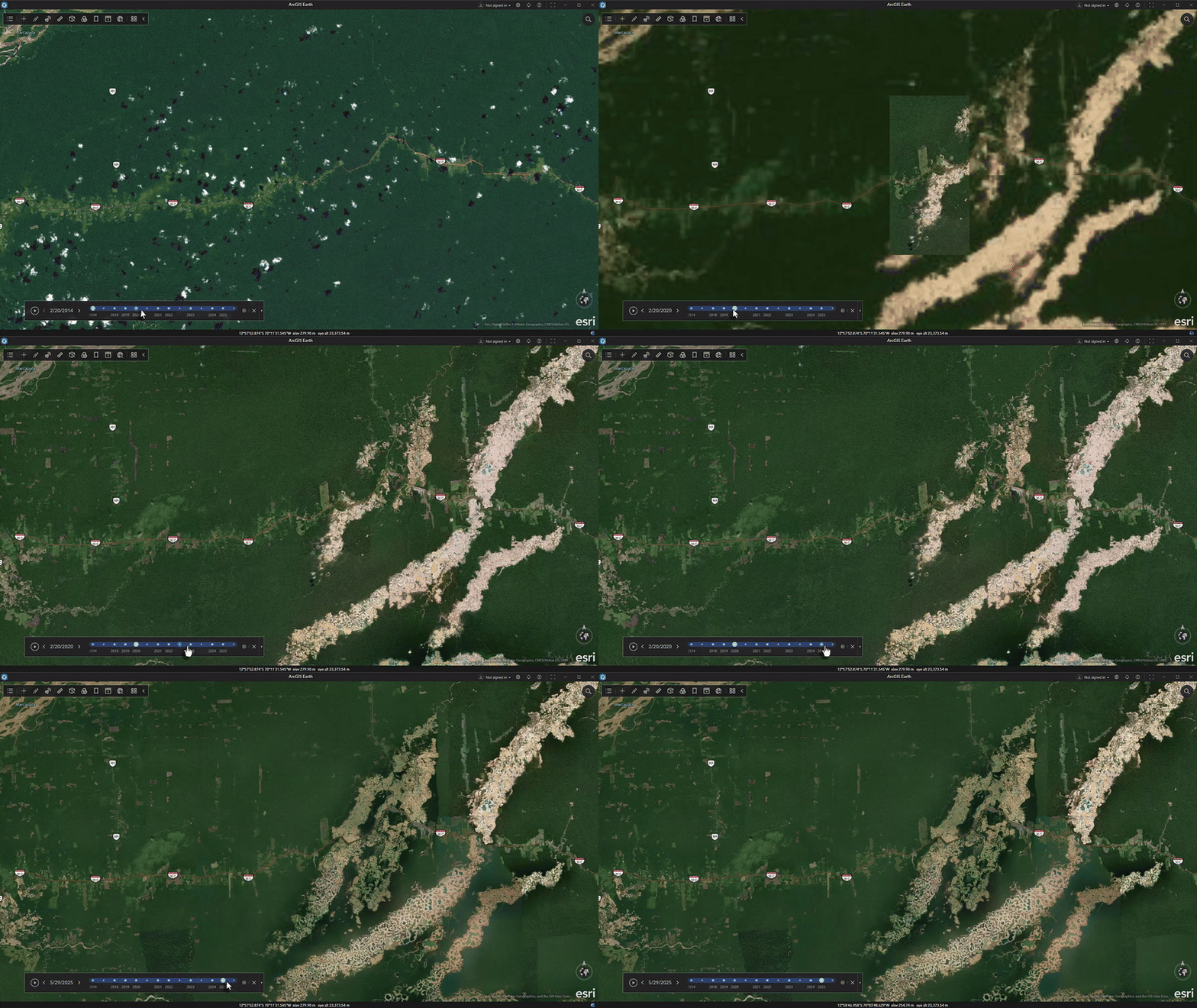
Since the 1980s, Madre de Dios has experienced a loss of over 130,000 hectares due to illegal gold mining. This activity has resulted in the destruction of pristine Amazon rainforest, mercury contamination of rivers, and significant threats to biodiversity hotspots. Using the Historical Imagery Explorer, you can clearly see the rapid growth of man-made gold mining plunge pools in the region.
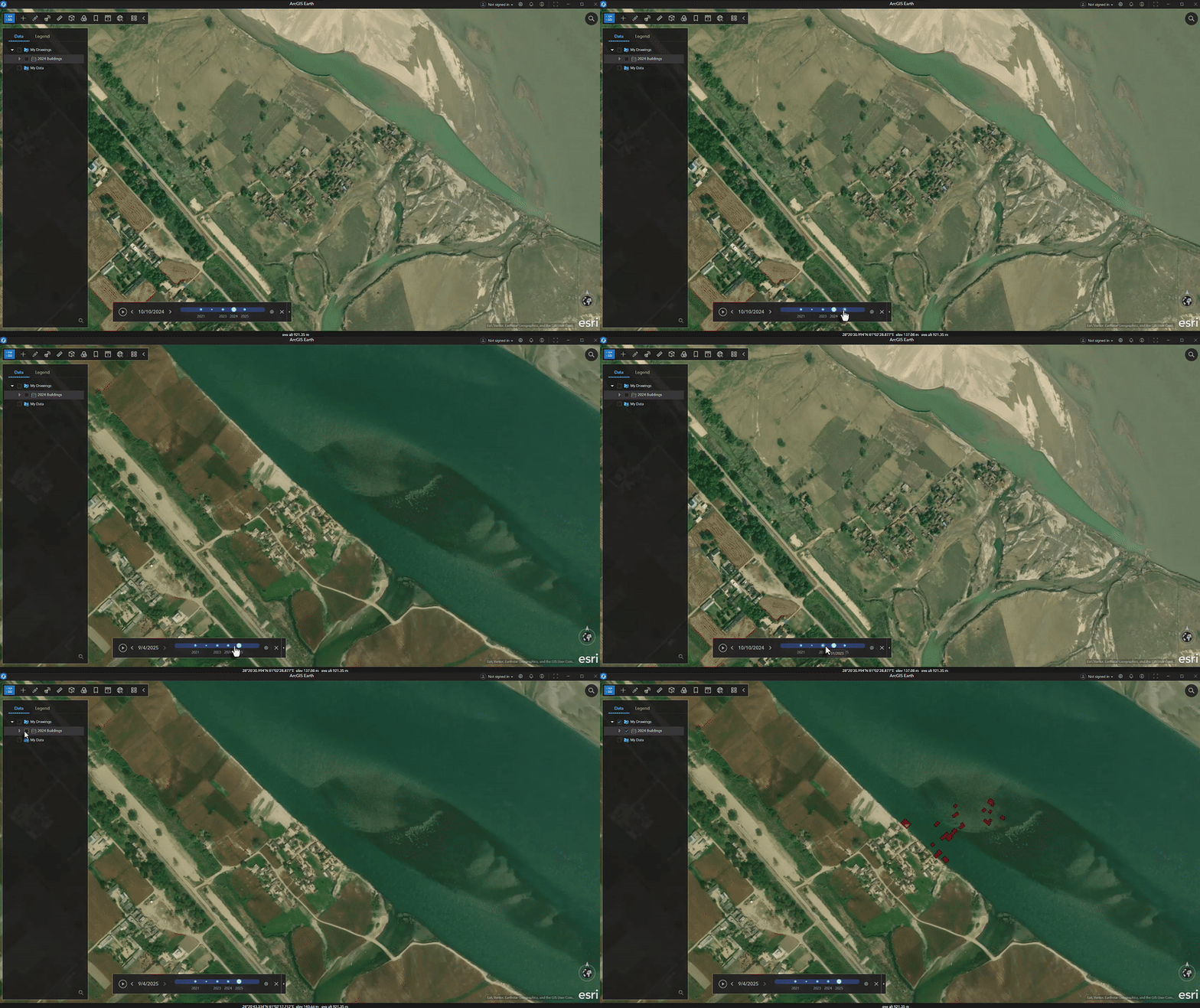
Track Flood Impact Over Time (Khagaria/Bihar, India)
Bihar is India’s most flood-prone state, where seasonal floods often damage farms, uproot communities, and destroy infrastructure worth billions. Using ArcGIS Earth’s Drawing tools, combined with the Historical Imagery Explorer, you can collect buildings affected by flooding and save the layer as a KML/KMZ.
Urban Expansion and Development Examples
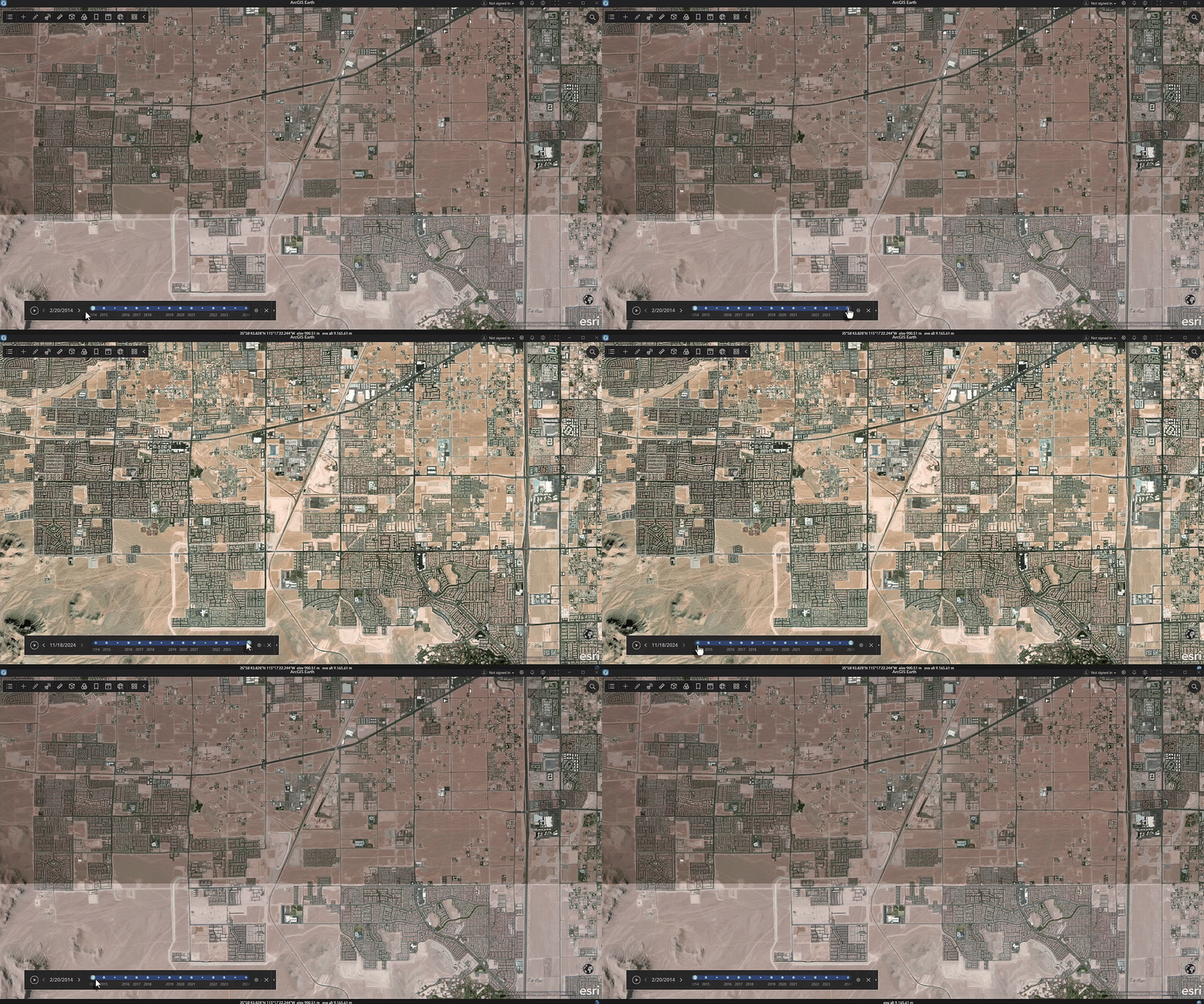
Visualizing Urban Sprawl (Las Vegas, NV)
Las Vegas ranks among the fastest growing metropolitan regions globally. The expansion into desert areas alters the arid landscape and places significant pressure on available water resources. ArcGIS Earth’s Historical Imagery Explorer enables users to measure impervious surface area, monitor desert encroachment, and evaluate patterns of development within this water-limited environment.
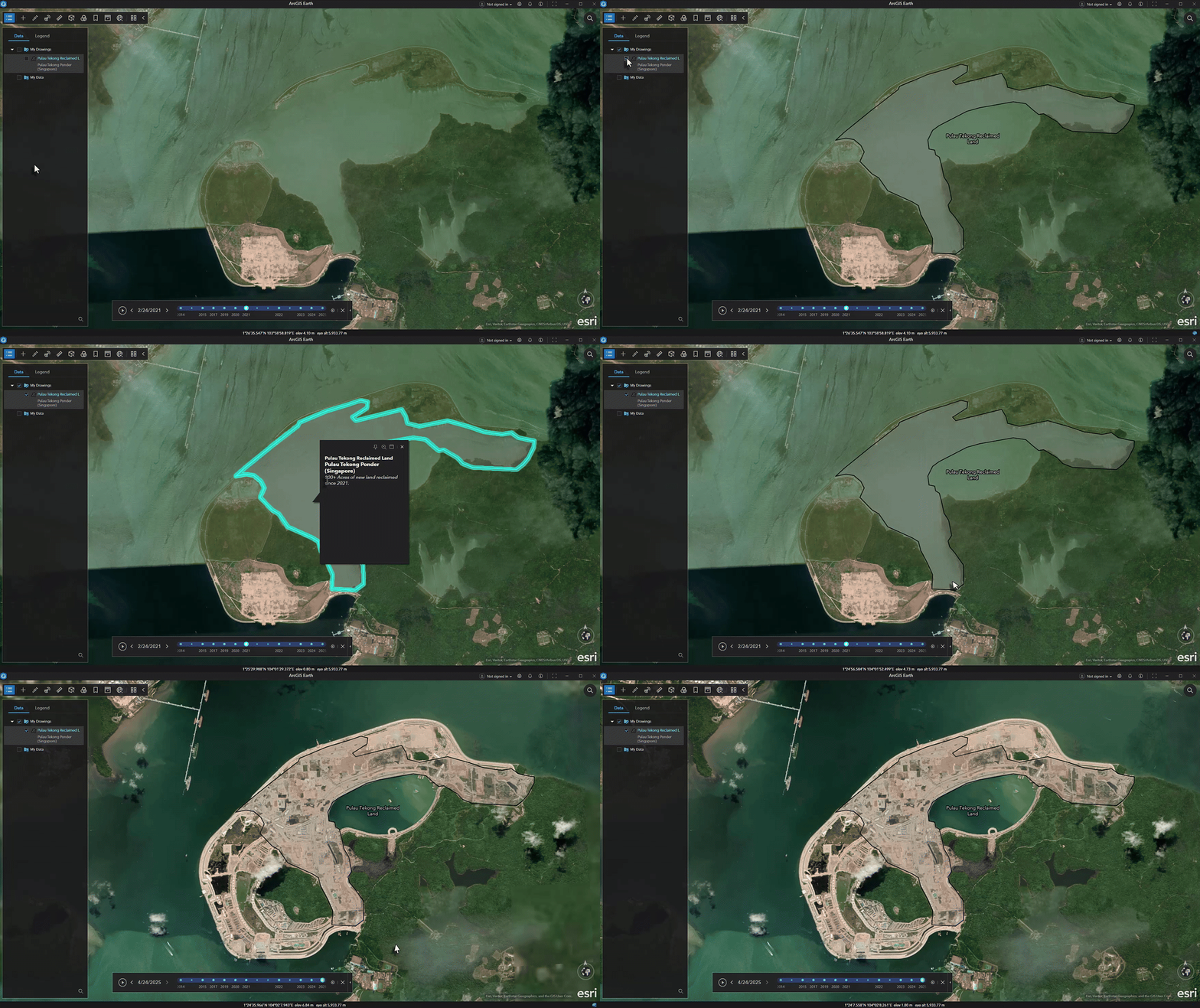
Land Reclamation (Pulau Tekong, Indonesia)
Pulau Tekong has seen major land reclamation efforts, using engineered fill to enlarge its coastal areas. These projects convert marine environments into land suited for infrastructure, military, or commercial use, causing significant changes to coastlines and marine ecosystems in Southeast Asia’s fast-growing regions. With ArcGIS Earth’s Historical Imagery Explorer you can create evidence of the pace and scale of engineered coastal changes, so that decision-makers can make informed decisions.
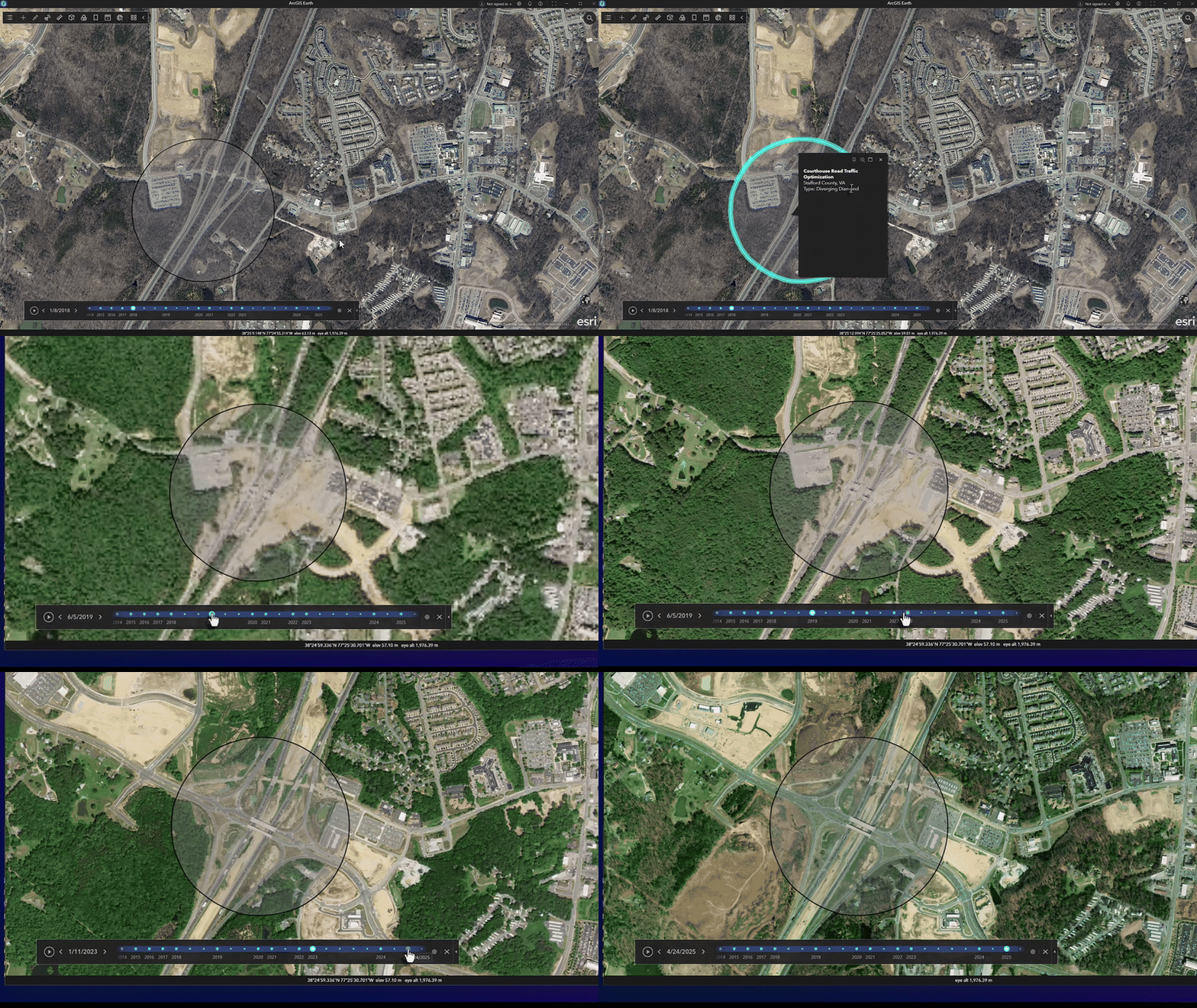
Monitor Construction Projects (Courthouse Rd – Stafford, VA)
Stafford County’s Courthouse Road diverging diamond interchange uses an innovative design to ease congestion and boost safety. The intersection shifts traffic temporarily to the opposite side and demands careful planning for smooth construction. ArcGIS Earth’s Historical Imagery Explorer lets you quickly see images of the area before, during, and after construction.
What’s Next for the Historical Imagery Explorer in ArcGIS Earth
Historical Imagery Explorer on Mobile
The Historical Imagery Explorer isn’t limited to ArcGIS Earth for Desktop. It will also become available in ArcGIS Earth for Mobile with the 2.6 version scheduled for release in February 2026.
Future Enhancements
A select group of customers who participated in early testing have already provided valuable suggestions for enhancing this new feature. See below:
- Support for time-enabled Mosaic Dataset based image services as a primary data source for the Historical Imagery Explorer tool.
- Support for time-enabled image services published from various raster sources (Mosaic Dataset Raster, Cloud Raster Format, etc.) on ArcGIS Enterprise.
- Performance parity between WMTS and Mosaic Dataset based imagery sources.
- Flexible metadata configuration allowing custom JSON metadata for time-enabled imagery catalogs.
- Identify tool to reveal image metadata (acquisition date, imagery provider, and spatial resolution).
We invite you to provide your feedback on enhancing historical imagery in ArcGIS Earth by participating in the ArcGIS Earth Esri Community. Please indicate which of the proposed enhancements would benefit your organization or contribute additional suggestions.
Download ArcGIS Earth to try the new Historical Imagery Explorer now.
Closing
As we close out the 2.6 release, it is a perfect time to reflect on a year of meaningful impact for ArcGIS Earth throughout 2025. Across both desktop and mobile versions, our team focused on improving application stability and delivering powerful capabilities. We began the year by improving spatial orientation in 3D environments and visualization through 3D grid support, allowing for the display and customization of Latitude-Longitude, UTM, MGRS, and USNG grids. This was paired with the arrival of 3D basemaps, including support for high-resolution OpenStreetMap 3D buildings. The introduction of real-time stream services support enabled you to visualize and interact with dynamic, live data streams, complete with spatial filtering and the ability to track the moving entities in real time.
Field mobility has made notable advancements through the integration of high-accuracy external GNSS connectivity, available via Bluetooth for mobile devices and USB for laptops. Capturing GPS tracks in real-time with precision and accuracy has never been easier. We remained committed to empowering offline workflows by providing essential self-service downloading of map tiles across desktop and mobile, ensuring critical map data is available without internet connectivity. In addition, desktop received an enhancement that allows you to load and edit Survey123 surveys in disconnected environments. These added capabilities ensure seamless and productive field operations, regardless of connectivity.
Underpinning these capabilities were vital performance updates, such as optimized memory management and rendering speed for large KML and feature layers. We are proud to conclude 2025 with the launch of the Historical Imagery Explorer in version 2.6. From tracking live assets to uncovering the past, these new capabilities have made ArcGIS Earth a more versatile and powerful tool for exploring our changing world.
To our users, thank you for the constant support and valuable feedback. We could not do it without you.
The ArcGIS Earth Product Team
P.S. Some exciting things are on the horizon in 2026, stay tuned.
For a full list of all the new enhancements and bug fixes in this release please refer to the documentation here.


Article Discussion: