The latest ArcGIS Earth mobile release, version 2.5, enhances field operations workflows in disconnected environments. Whether you’re working offline or capturing high-precision location information, our new features are designed to give you access to critical data and keep you spatially aware. Read on to learn how the ArcGIS Earth mobile app can elevate your workflows and decision-making.
Features and Enhancements
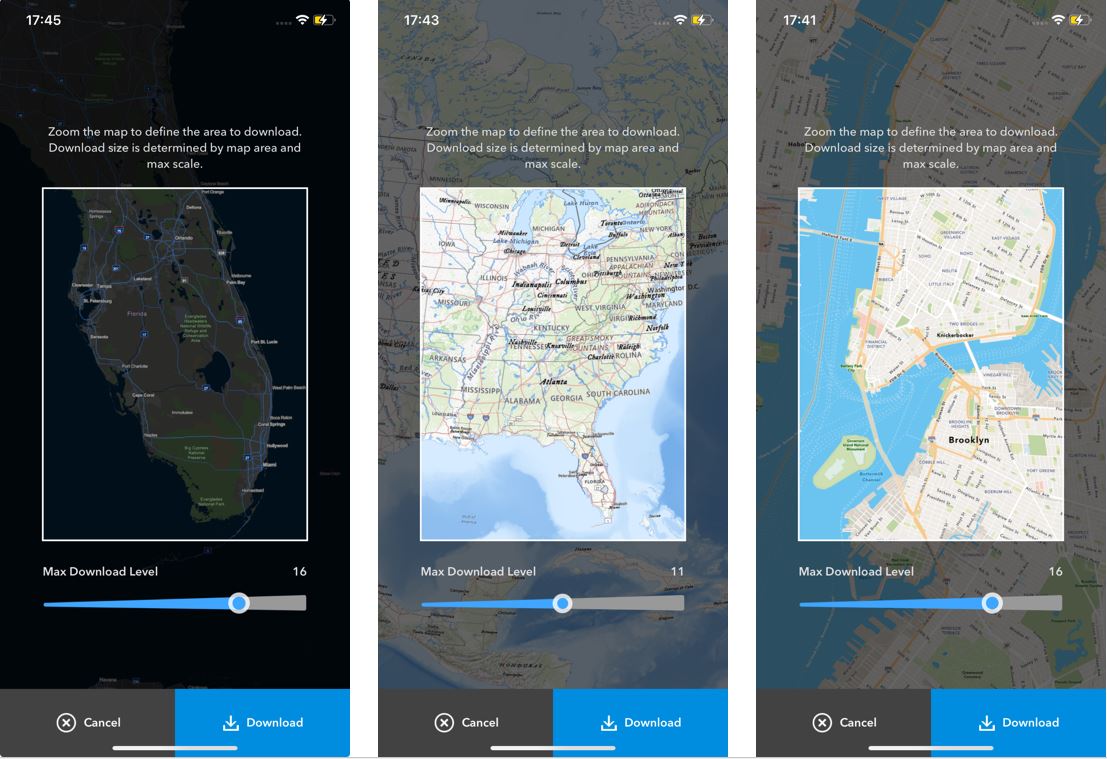
Download Data for Offline Use
With ArcGIS Earth for mobile, you can download raster and vector tile basemaps directly to your mobile device for easy access when in areas with poor or no connectivity. This feature enhances network resiliency and removes dependency on remote servers or services, empowering you to operate effectively under any conditions. By having offline access, users in the field, whether in utilities, the military, or city planning can maintain situational awareness and make swift, informed decisions. Self-service basemap downloads not only optimizes workflow efficiency but also significantly reduces the time and effort previously required to manually prepare and distribute data packages.
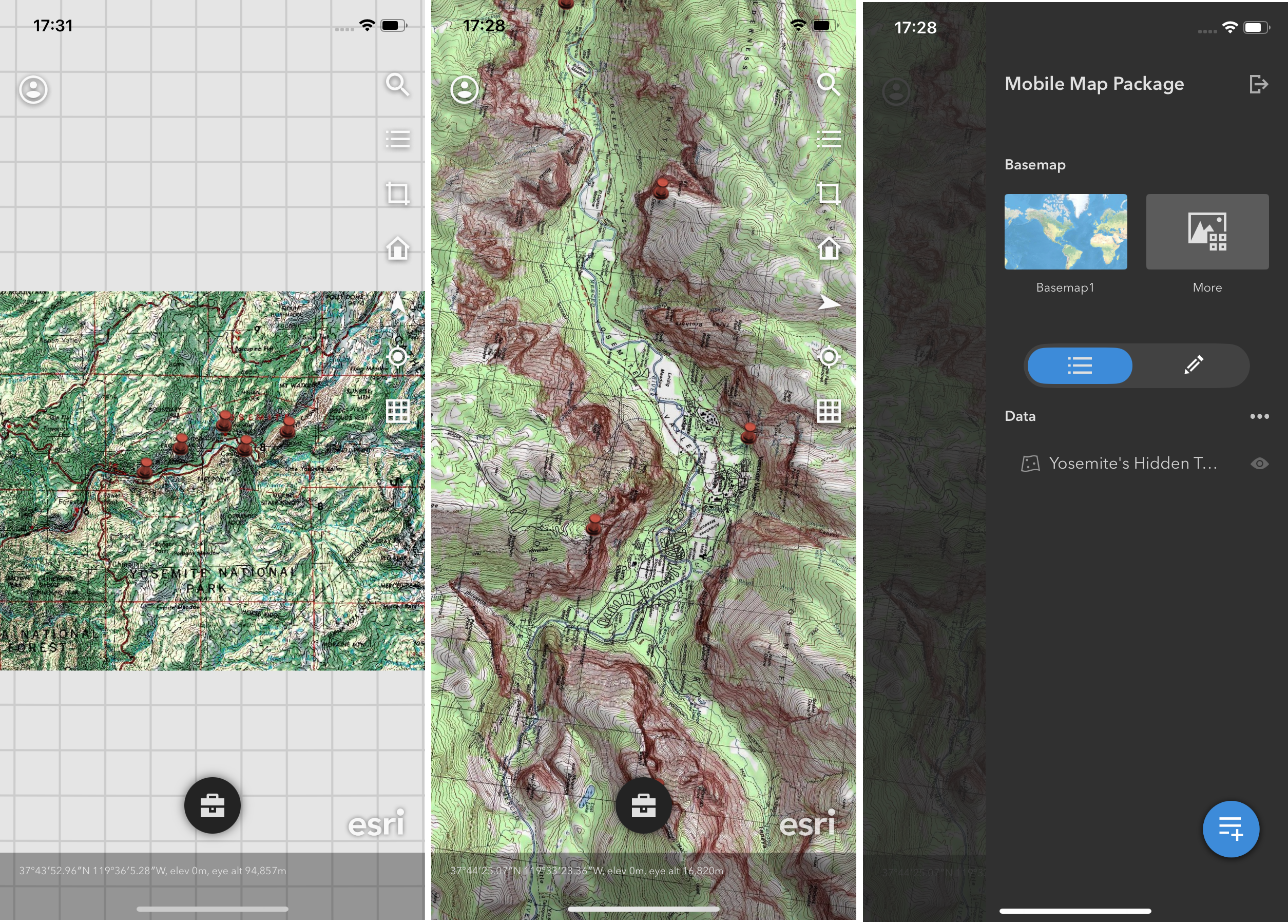
Access Mobile Map Packages Offline
Support for mobile map packages (.mmpk) was added to ArcGIS Earth for mobile. This new feature addresses the growing demand for mobile accessibility and offline capabilities. Users need to access detailed maps and geographic data on the go, without relying on constant internet connectivity. Mobile map packages enable users to view and interact with curated maps and data layers anytime, anywhere, enhancing productivity and decision making in the field.
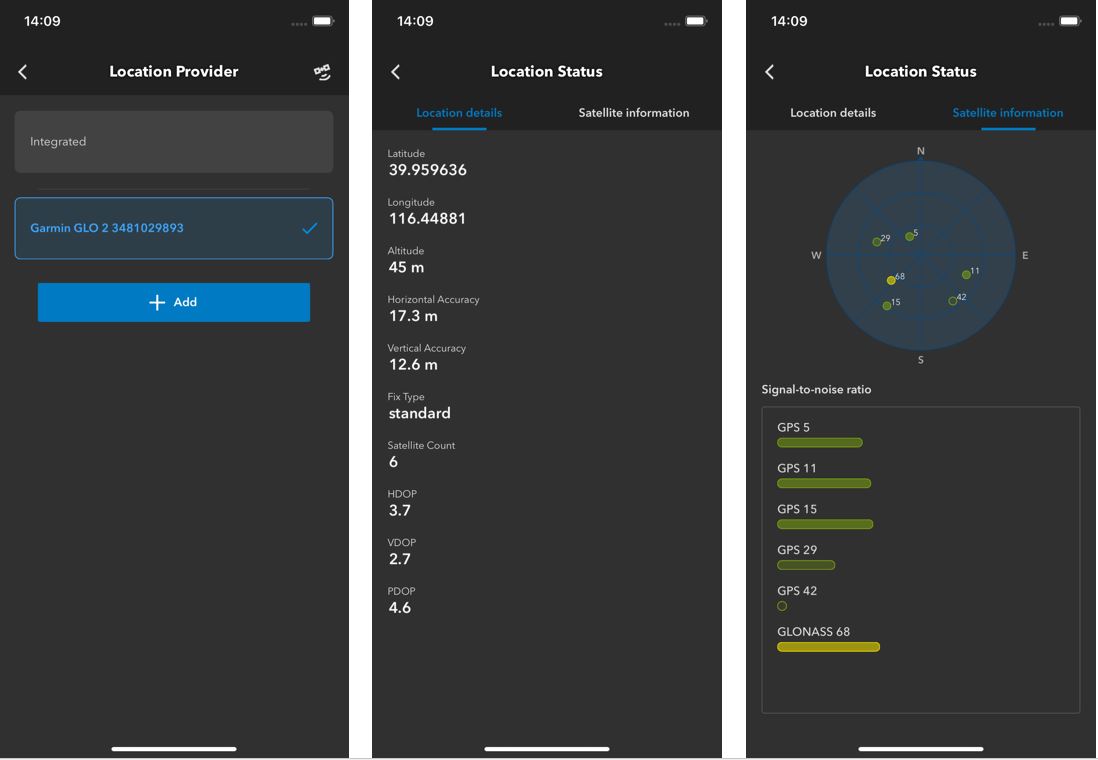
Improve Location Accuracy with External GPS Devices
ArcGIS Earth for mobile now supports connecting to professional GPS collection devices via Bluetooth to enhance location accuracy when recording GPS tracks. Users can set the antenna height for their device to ensure accurate elevation calibrations. External GPS devices are important in scenarios that require a degree of accuracy and precision that integrated mobile phone GPS systems cannot provide, especially when complying with regulatory requirements. With ArcGIS Earth for mobile, users can establish a direct connection to external GPS devices capable of receiving real-time corrections and collecting tracks with sub-meter accuracy.
(Note: The iOS app will support Bad Elf, EOS Positioning, and Emilid devices with the 2.5 mobile release. Additional devices will be supported in a future release)
Closing Comments
We hope you enjoy these updates to the ArcGIS Earth mobile app. Your feedback and use cases are incredibly important for making improvements to ArcGIS Earth, so please keep them coming. Consider joining the Esri Community by checking out the ArcGIS Earth Esri Community Page. Our product team appreciates your continued support.




Article Discussion: