For organizations using ArcGIS Enterprise, governance is essential to maintaining trust in their environment. Content must meet defined standards, system changes must be controlled, and user activity must be auditable. While these responsibilities traditionally rely on manual oversight, automation can transform governance into a proactive and scalable process.
At this year’s Developer and Technology Summit plenary, Bill Major highlights three governance strategies—conformance, change management, and compliance—and how automation in ArcGIS Enterprise can help implement them at scale.
Strategy 1: Automating Content Conformance
Many ArcGIS Enterprise organizations establish strict standards for publicly shared content. These often include requirements such as:
- Items must be marked as Authoritative
- Item details must be complete and accurate
- Items must be classified correctly
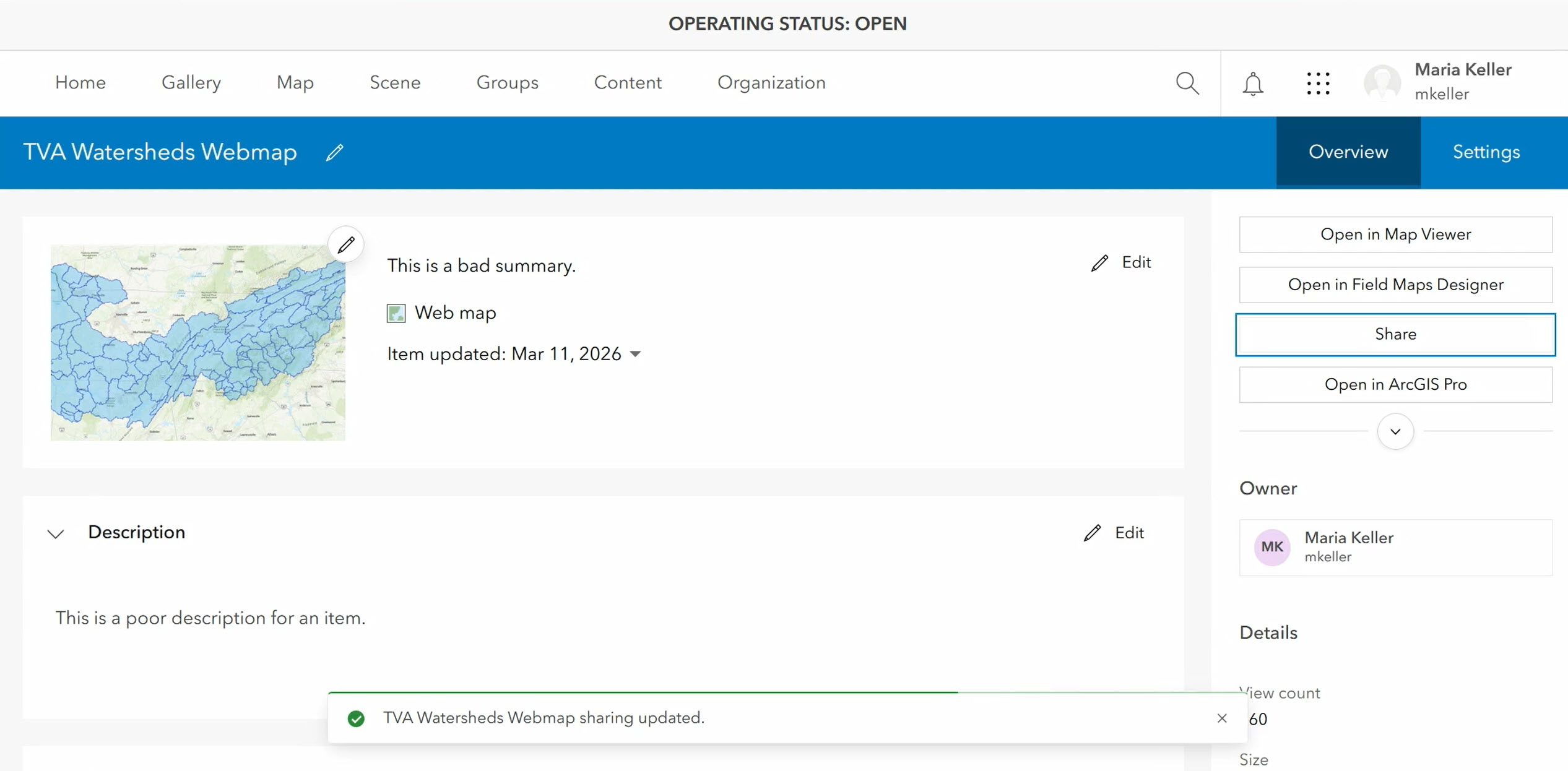
However, enforcing these standards manually can be difficult. To demonstrate the challenge, Bill simulates a user attempting to publicly share a web map that does not meet their organization’s standards.
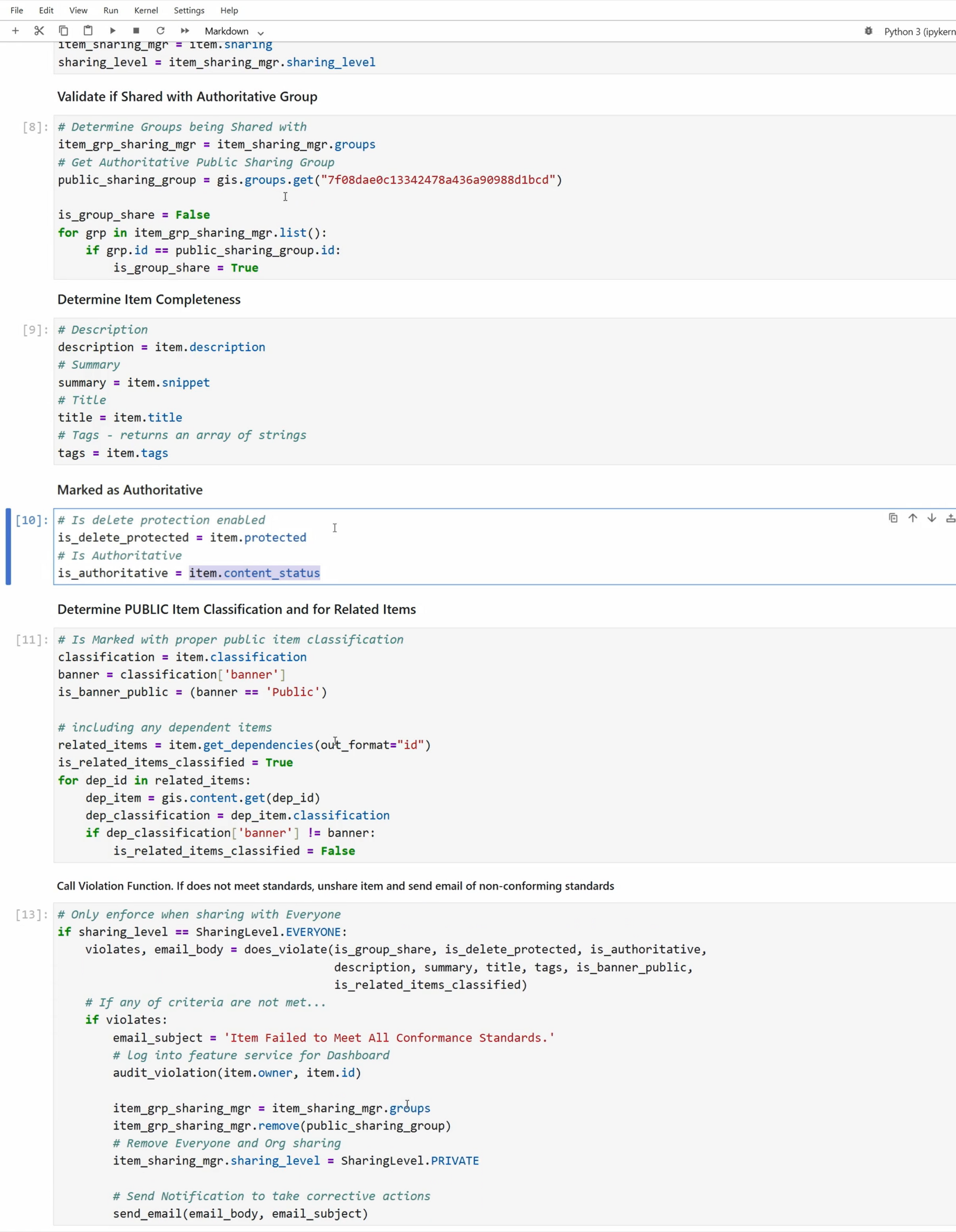
And to address it, Bill creates an ArcGIS Notebook configured to run via organization webhooks, which automatically validates every shared or updated item. The automation checks whether the item:
- Is shared publicly with the correct group
- Meets required item details standards
- Is marked authoritative and delete-protected
- Is classified correctly along with its dependent items
If any of these criteria are not met, the item is automatically unshared, and the user receives an email with clear instructions on how to correct each violation.
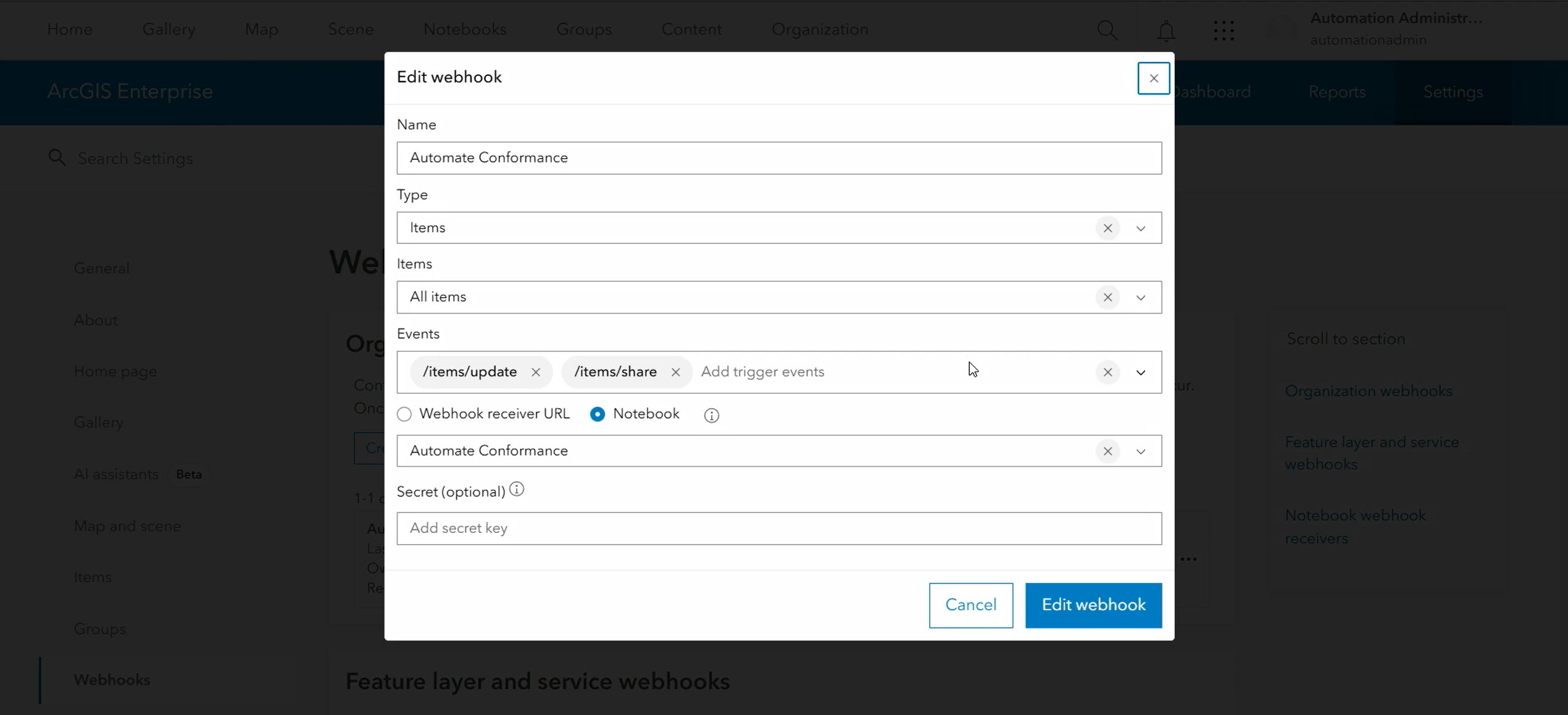
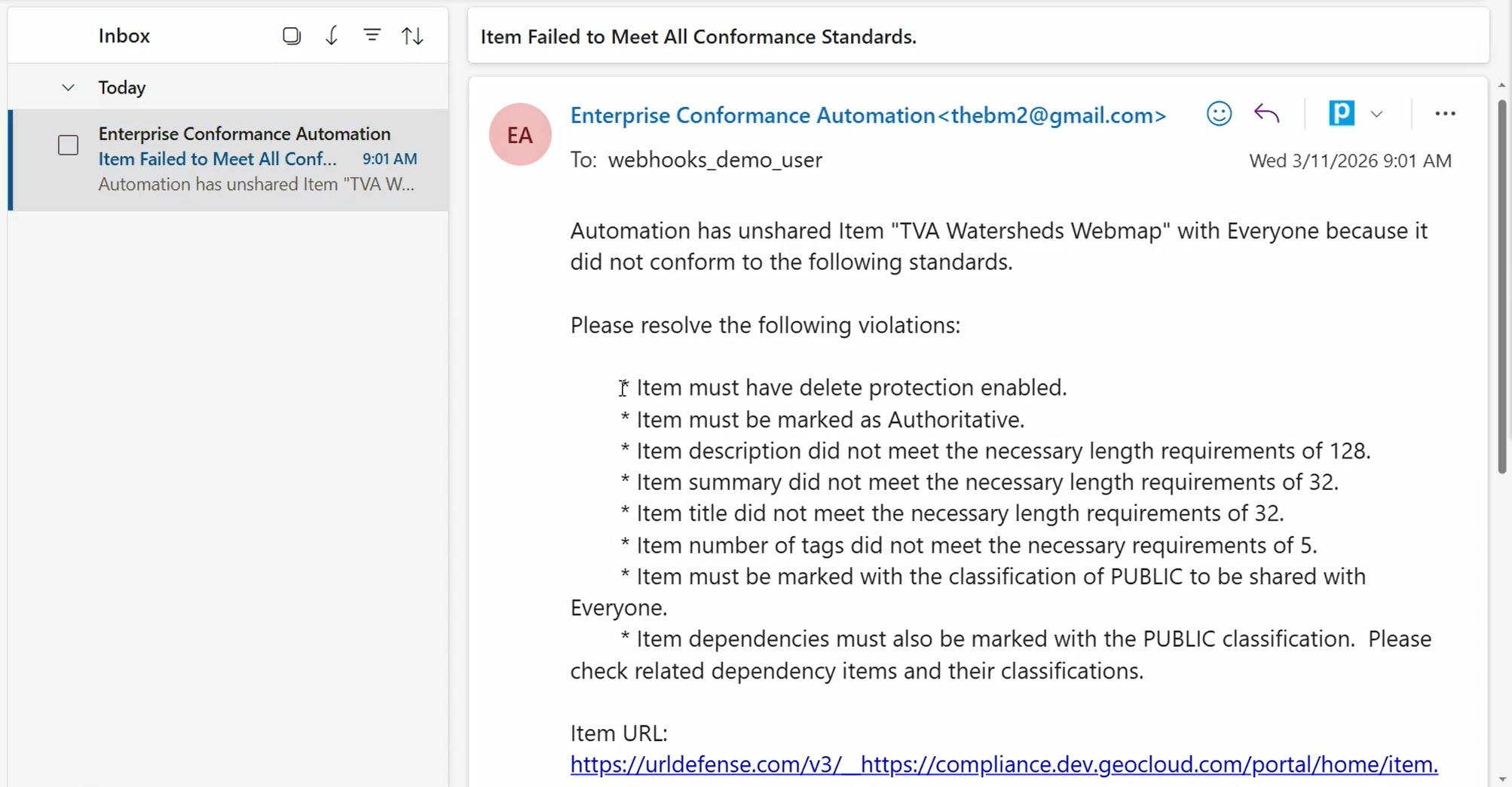
By leveraging ArcGIS Notebooks and webhooks, ArcGIS Enterprise organizations can automate content conformance checks, proactively identify and correct noncompliant items, and consistently apply governance standards.
Strategy 2: Managing Change with CI/CD and GitOps
While content conformance ensures shared items meet standards, governance also extends to system configuration and content updates, but managing these changes manually can be error-prone and time-consuming.
To automate change management, Bill uses GitOps with GitHub Actions to handle the scheduled maintenance and content migration in his organization. He has a pull request (PR) prepared containing the following updates to showcase the automation in action:
- Changing the information banner to indicate the site is under maintenance
- Turning off anonymous access to the organization’s portal
- Creating a new group and adding members to it
- Exporting curated group content from a staging environment to production using an export package (.epk)
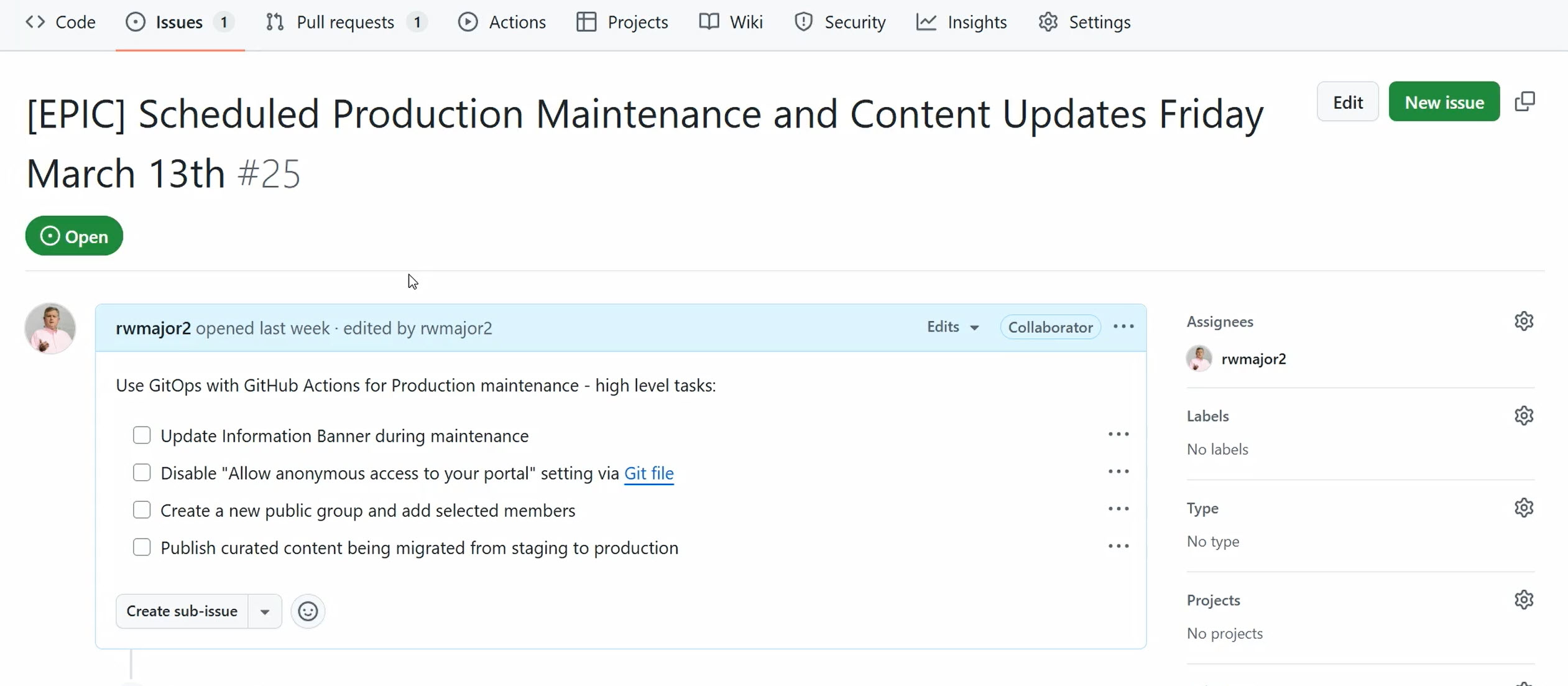
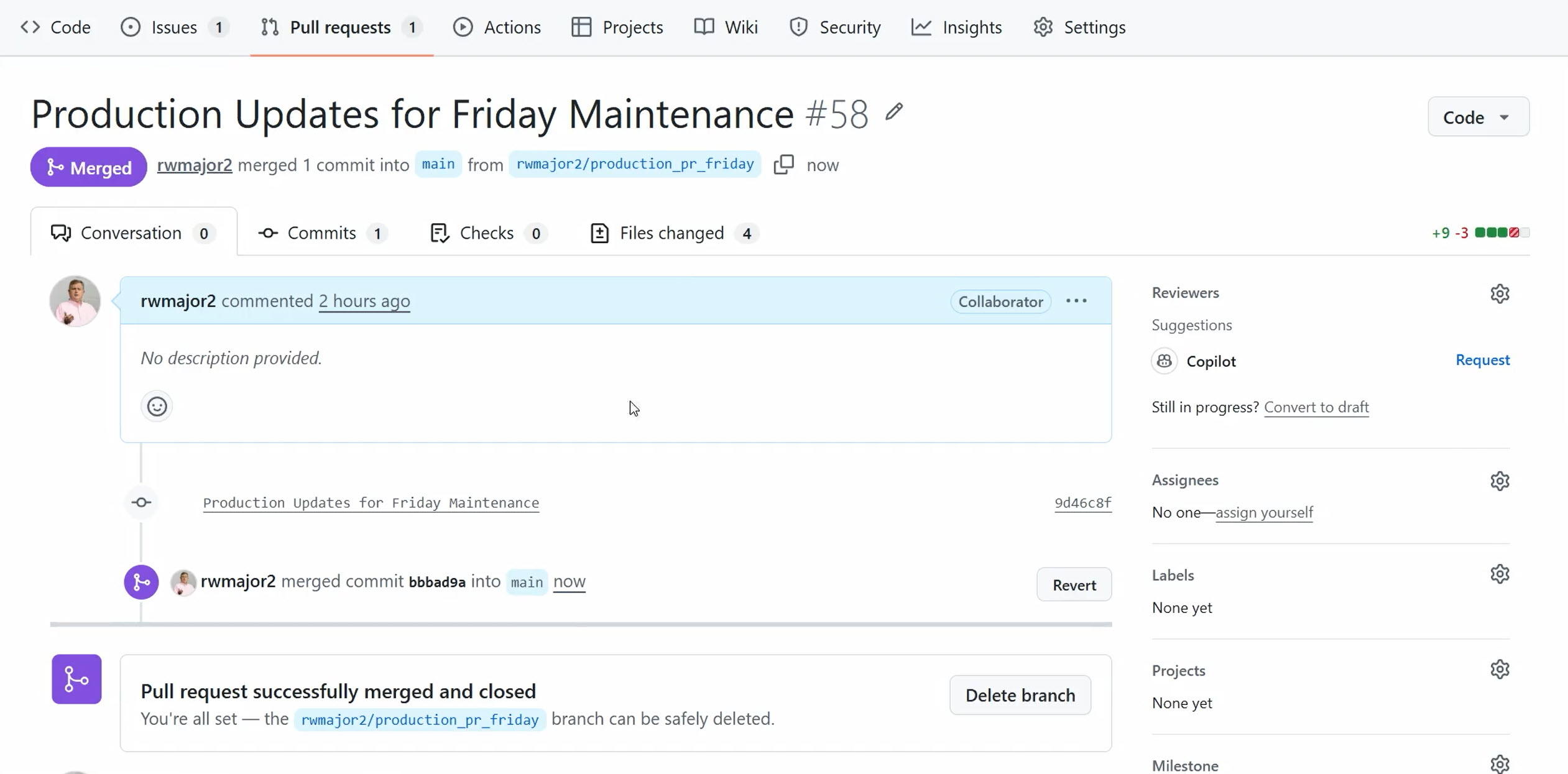
Once the PR is merged, GitHub Actions execute Python scripts that apply these updates automatically. Bills quickly verifies that his organization’s banner is updated, security settings are changed, new groups with members are created, and the content is migrated.
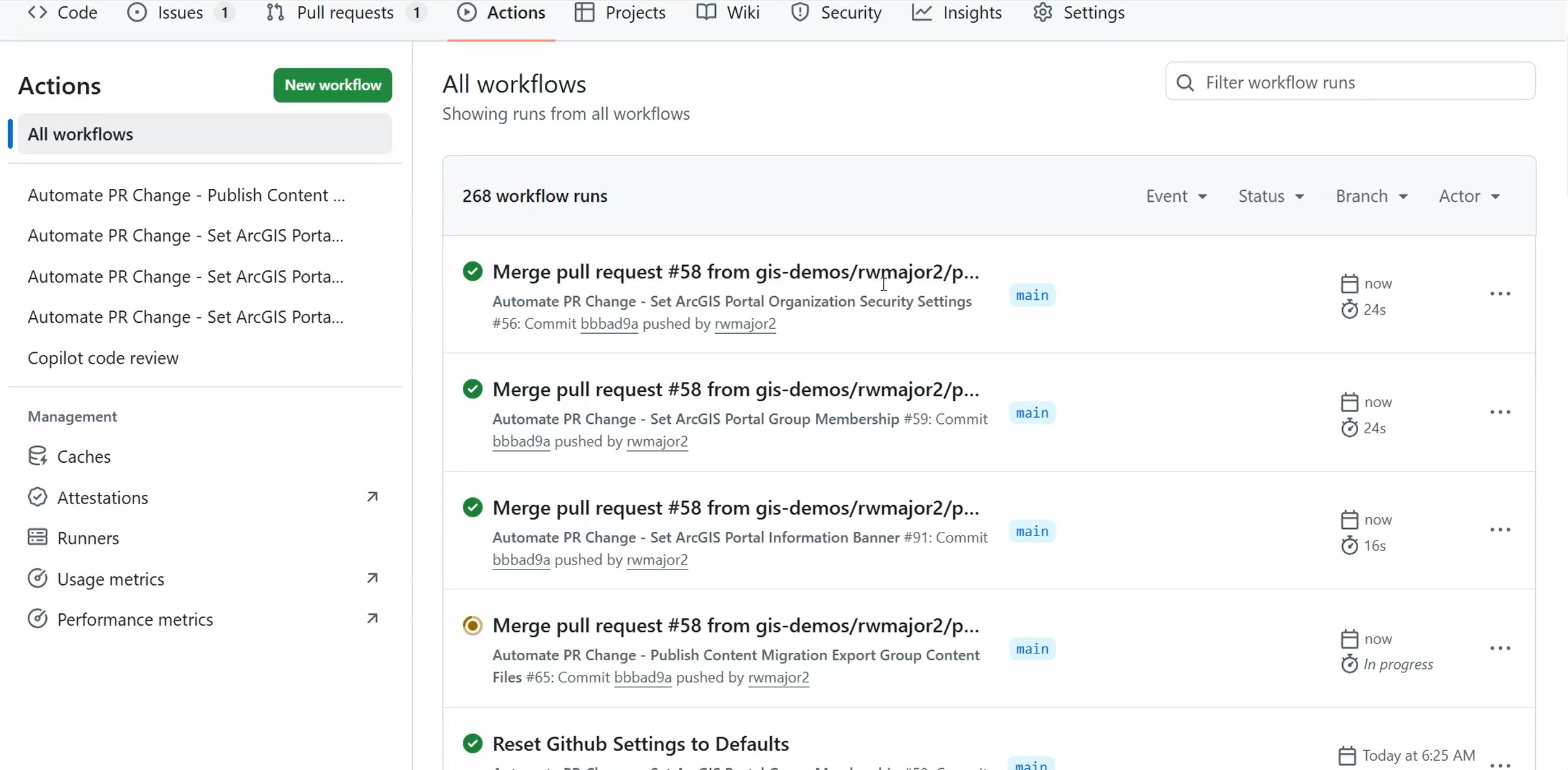
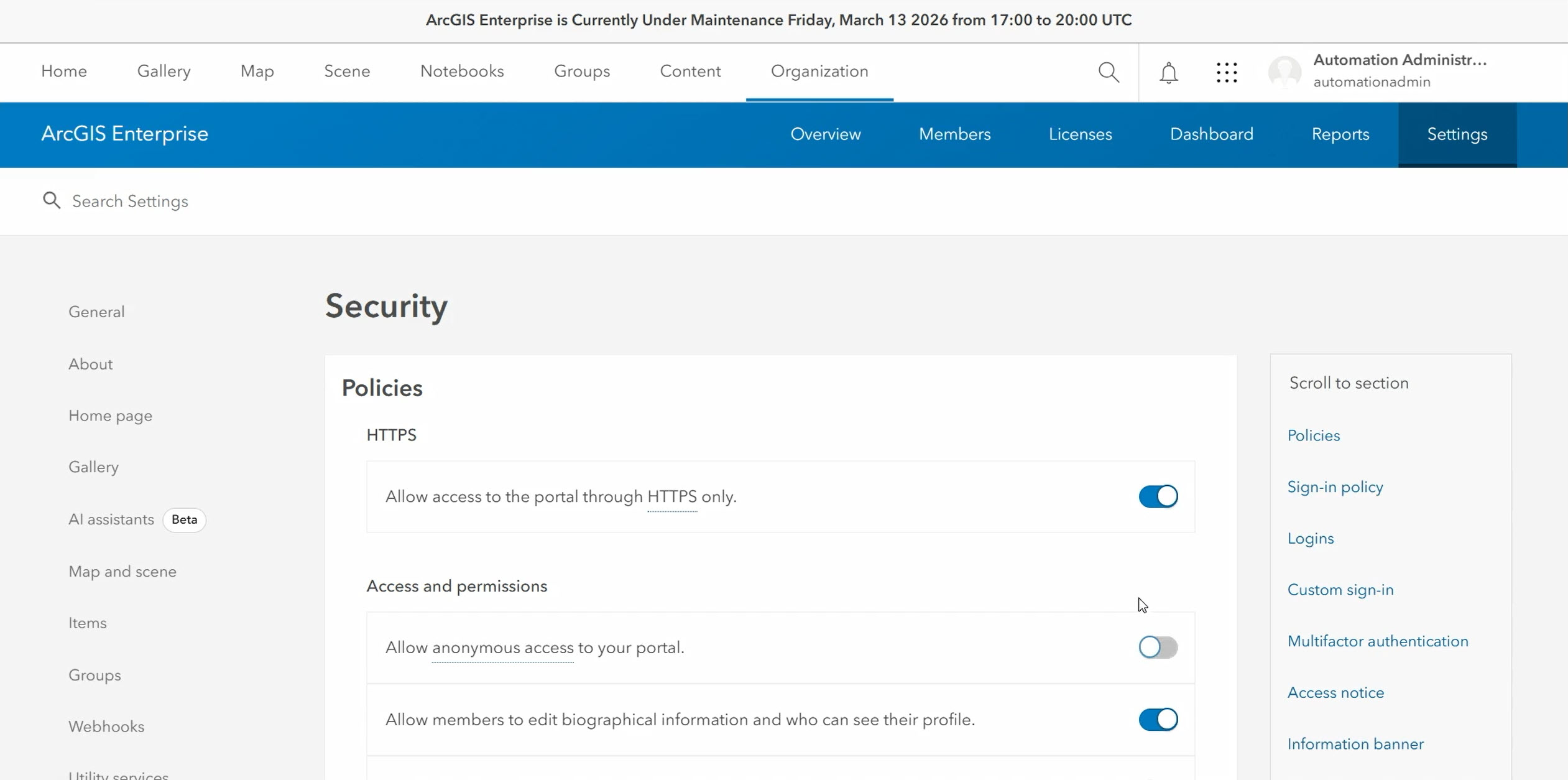
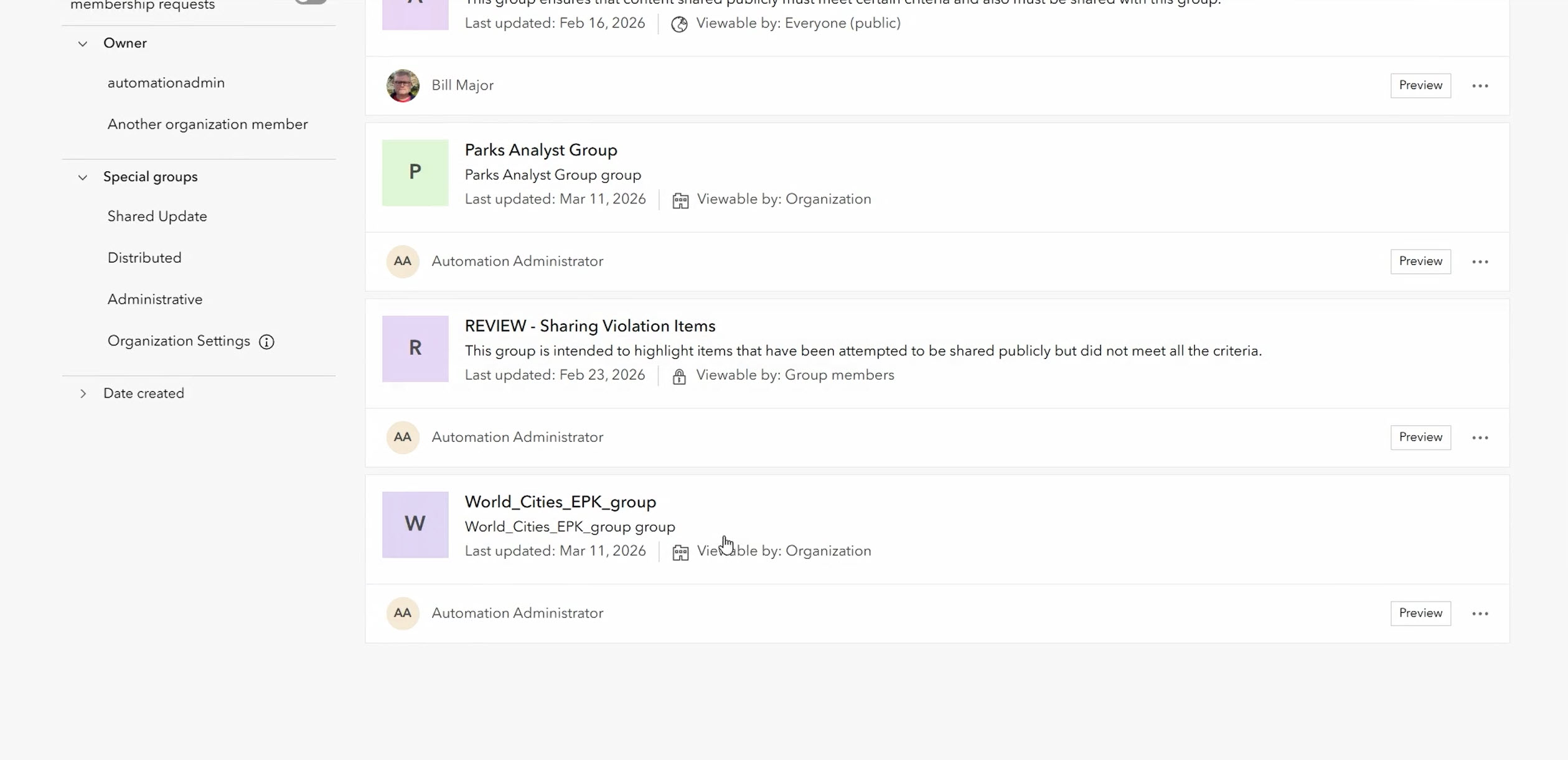
Using CI/CD pipelines, ArcGIS Enterprise organizations can implement system updates and content migrations in a controlled, repeatable, and auditable way, reducing the risk of manual errors and ensuring governance standards are consistently applied.
Strategy 3: Monitoring Compliance through Audit Logs
While content conformance and change management help maintain standards, governance also requires visibility into user interactions. Audit logs in ArcGIS Enterprise provide detailed records of activity, but manually reviewing them can be tedious and error-prone.
To demonstrate automated compliance monitoring, Bill uses a notebook connected to a Security Information and Event Management (SIEM) system to query UPDATE_ITEM events. The notebook automatically retrieves additional item details from ArcGIS Enterprise, allowing him to identify cases where users edit content they don’t own—including changes to item classifications—and quickly distinguish between approved activity, accidental edits, and potential insider threats.
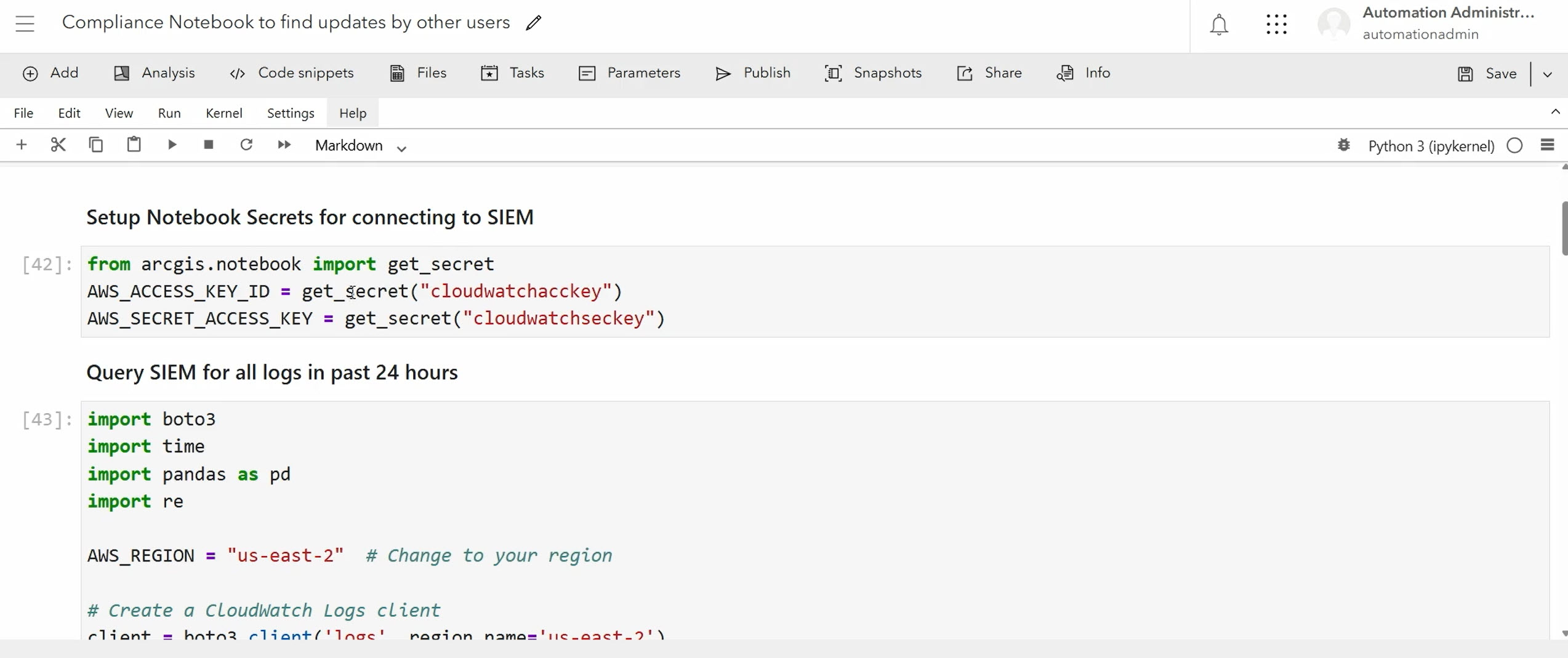
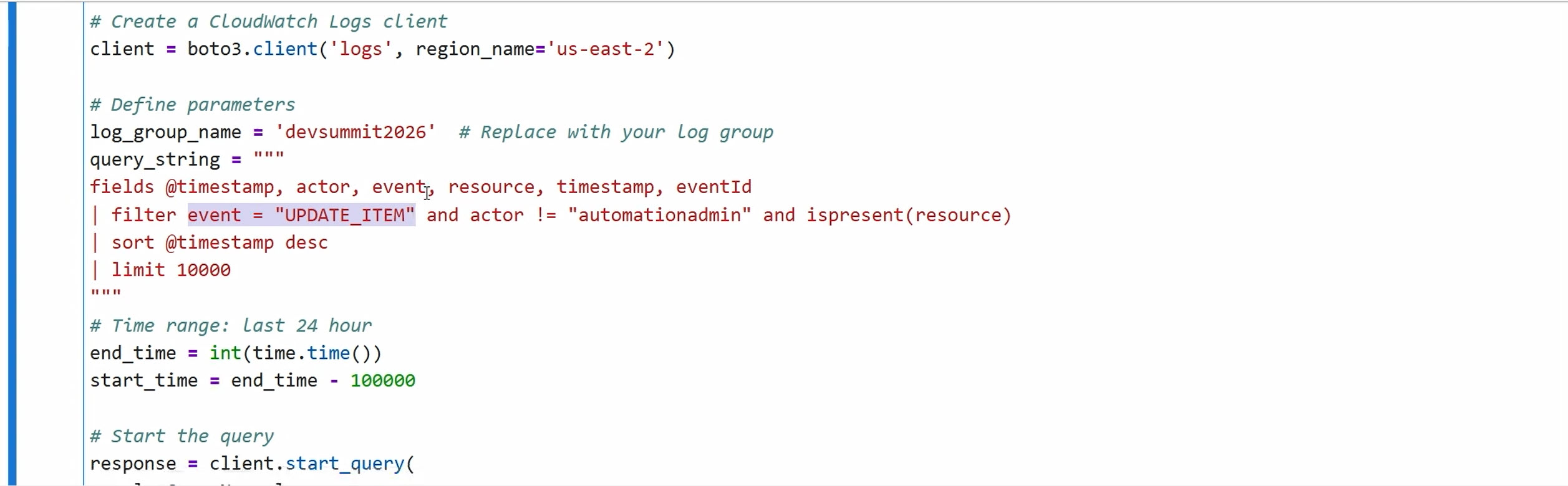
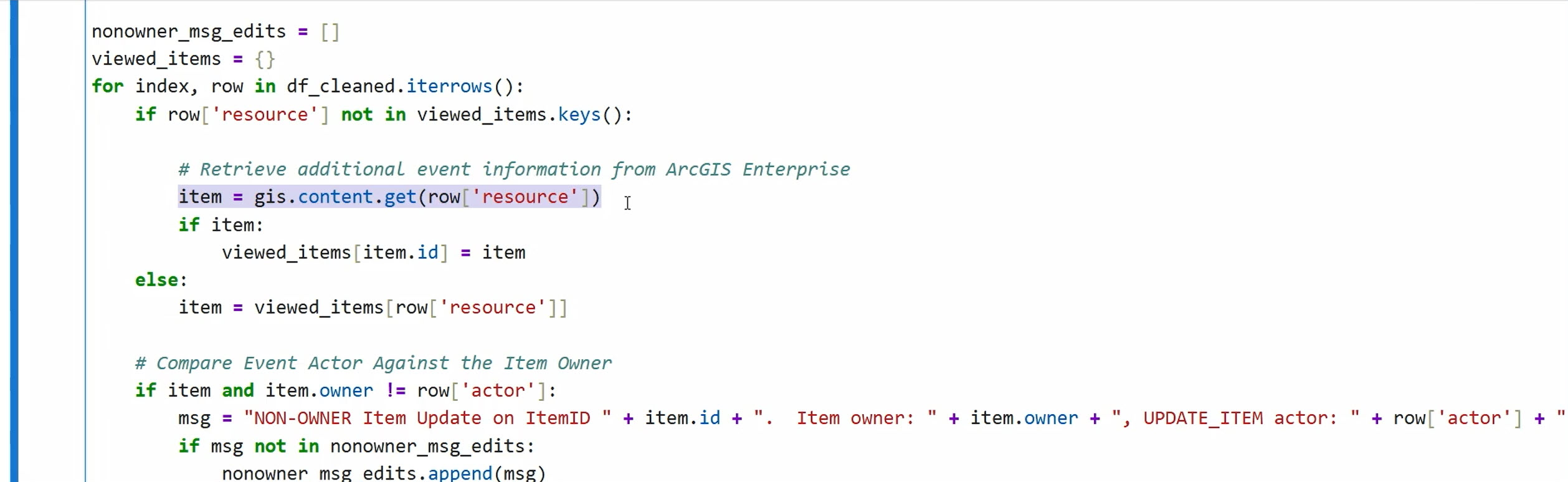
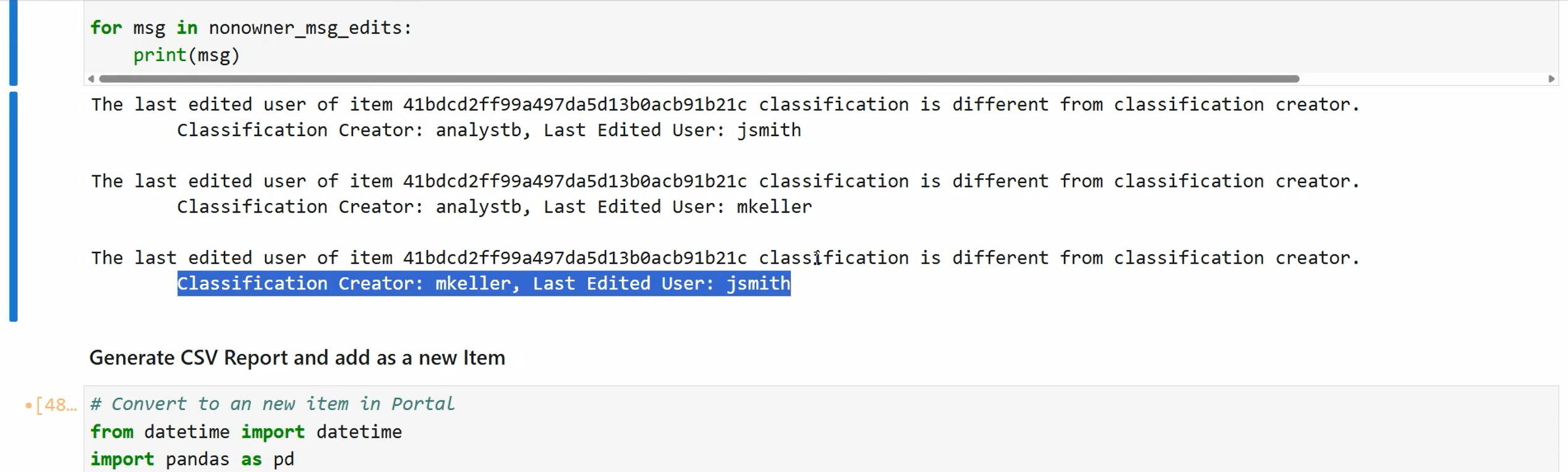
The notebook can be automated using scheduled tasks or utilized in ArcGIS Dashboards for timely status updates.
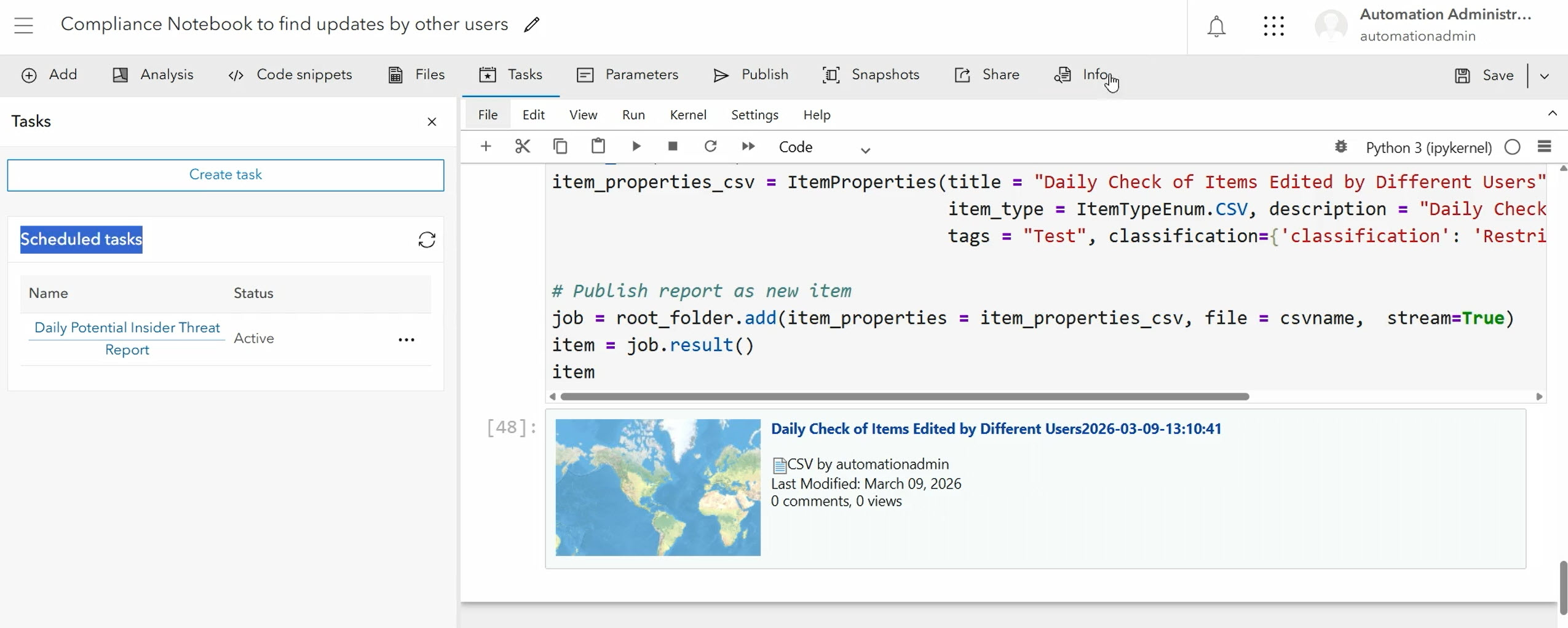
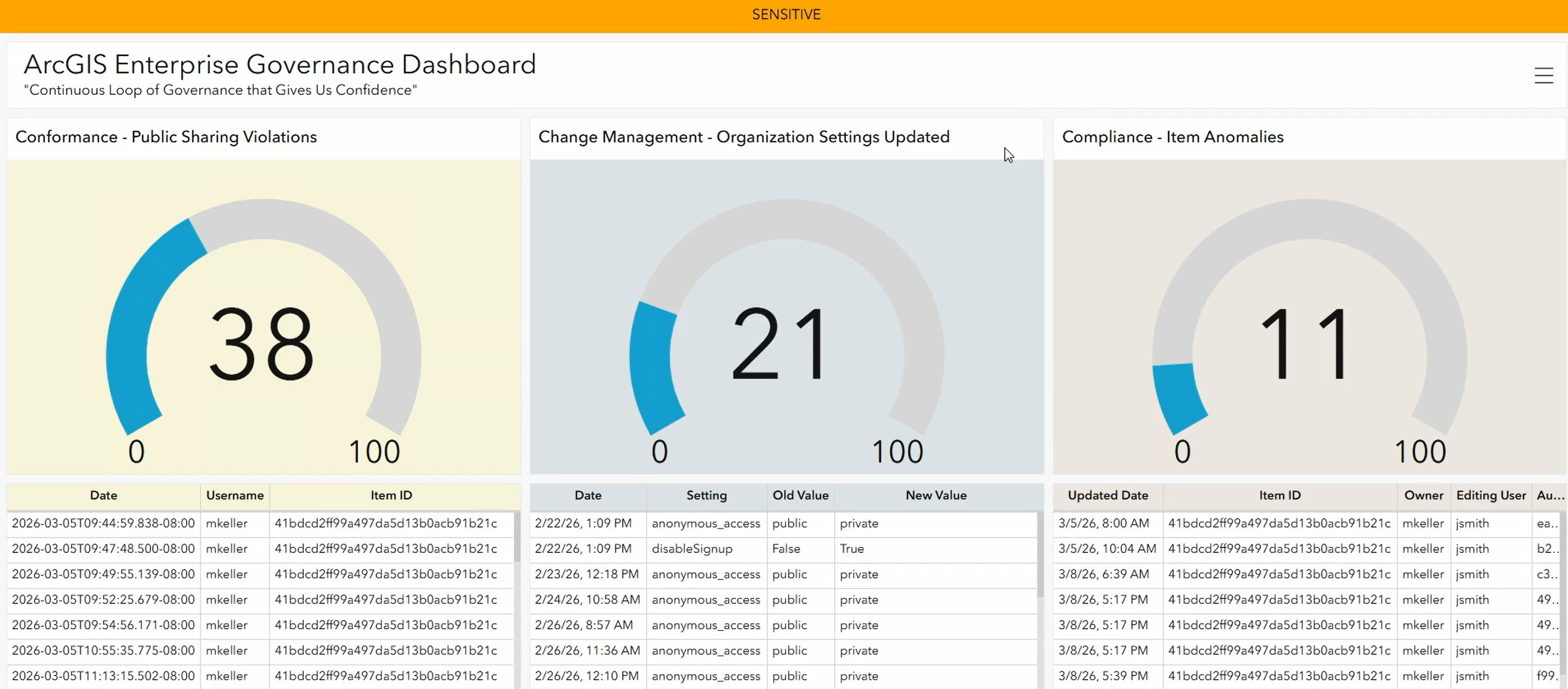
Using audit logs and integrated notebooks, ArcGIS Enterprise organizations can track user activity and detect governance risks in near real time. Automated monitoring helps identify non-compliant actions, unusual edits, or potential threats, providing visibility into who did what, when, and how. This ensures governance standards are consistently applied while enabling proactive compliance management.
By leveraging automation workflows like those Bill demonstrated, ArcGIS Enterprise organizations can enforce content standards, manage changes, and monitor compliance while reducing manual effort, minimizing errors, and building greater trust in their environment. How will you use automation to enforce these governance standards in your organization?


Commenting is not enabled for this article.