In today’s continuously active environment, organizations rely on ArcGIS Enterprise on Kubernetes to power critical, public-facing applications that can experience sudden and unpredictable traffic surges. As administrators, our mission is clear: keep the system highly available, scalable, and performant, no matter what the workload throws at us.
In this year’s Developer and Technology Summit plenary, Andrew Sakowicz demonstrates how to design, load-test, and monitor a scalable system.
Scalability
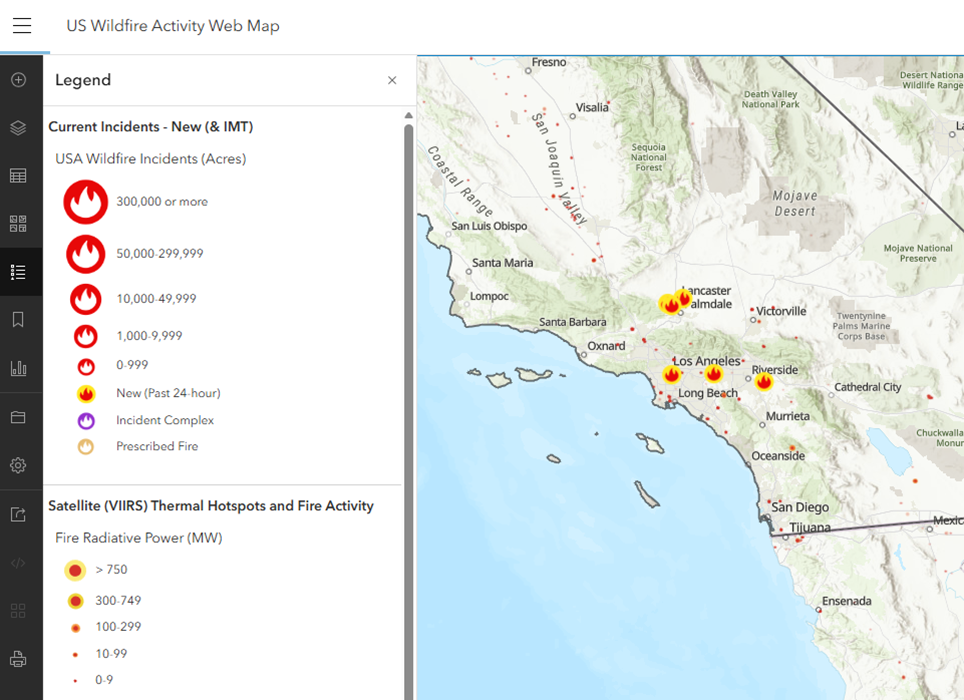
Andrew showcases a fire warning application. Traffic for this application can spike dramatically or even virally, so during these moments, the system must scale rapidly to maintain performance.
The key to doing this effectively lies in two components:
- Pods – the smallest deployable compute units
- Nodes – the actual machines hosting those pods
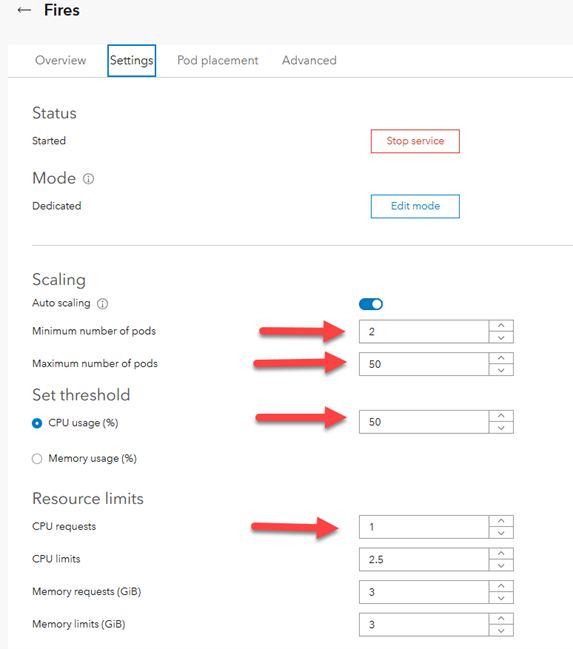
Andrew opens ArcGIS Manager and accesses the fire warning service’s settings. He enables Auto-scaling, which allows the Horizontal Pod Autoscaler (HPA) to add more pod replicas from the minimum number of 2, for maintaining standby capacity, up to the maximum number of 50, when the average CPU usage reaches 50%.
An administrator can configure the system to deploy up to 100 replicas of a service, each requesting at least 1 CPU core. In Andrew’s case, this translates to around 100 cores, requiring approximately 13 additional nodes. Therefore, the system must also be able to timely scale the number of nodes.
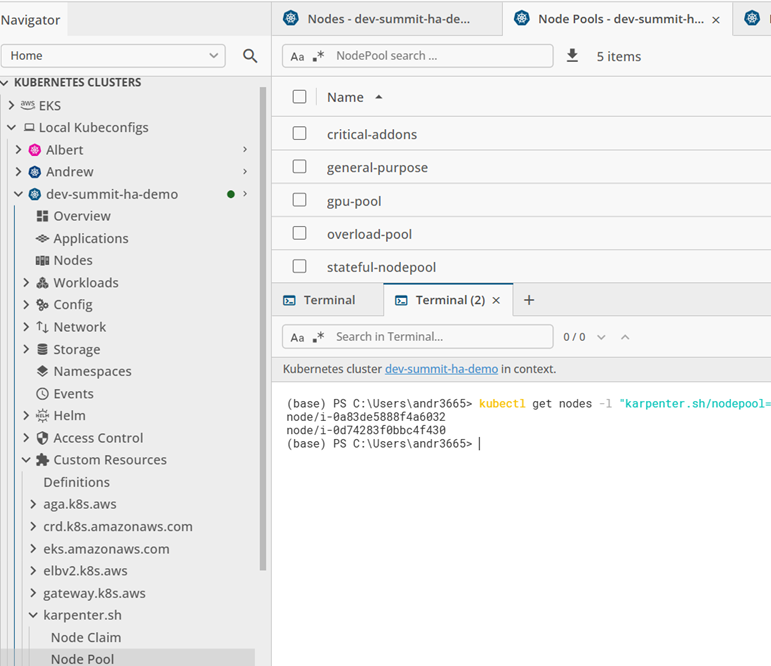
To do this, Andrew uses Karpenter, the high-performance autoscaler built for Kubernetes. In addition to quick scaling, Karpenter offers intelligent provisioning and supports creating workload-specific, dedicated node pools for services with volatile traffic patterns. Isolating specific workloads by using these dedicated node pools minimizes resource contention between services and ensures the rest of the cluster remains unaffected. This way, the performance of other services stays predictable.
After defining the pool, Andrew assigns the high-traffic service to that pool directly in ArcGIS Manager.
Observability
To confirm that the auto-scaling is working as intended and not negatively impacting their system, however, administrators need to be able to gather the relevant data and observe changes as they happen. For this purpose, Andrew creates an observability dashboard with Grafana, using ArcGIS Enterprise metrics and Kubernetes cluster utilization metrics stored in Prometheus.
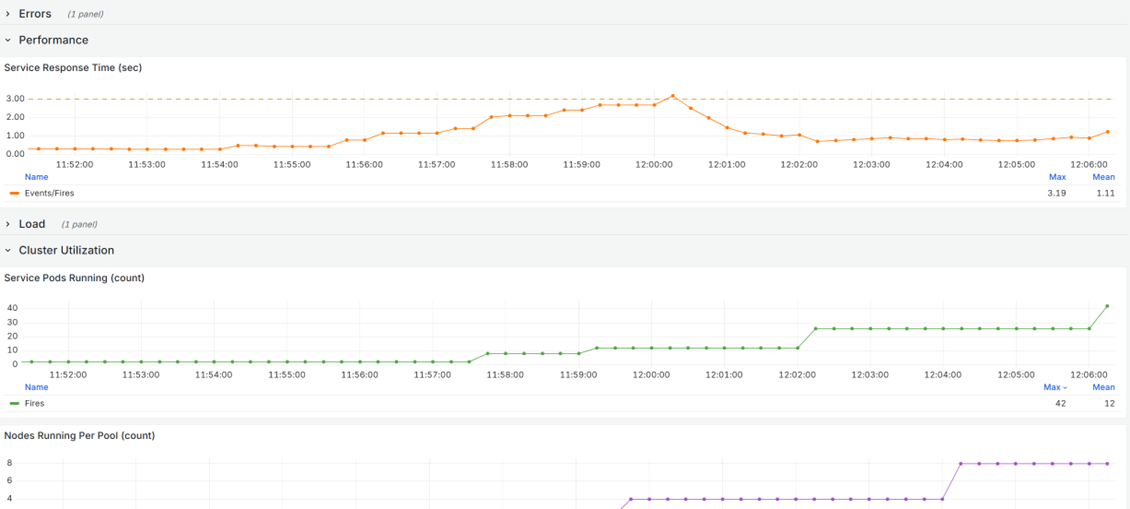
In this observability dashboard, Andrew can monitor how the system behaves under increasing demand, gaining clear insight into each stage of scaling and performance stabilization. Key aspects to monitor include:
- Load: Increases in the rate of service requests should correlate with the scaling up of pods and nodes.
- Pod scaling: As CPU usage increases from additional load, the number of service pods running should increase as the Horizontal Pod Autoscaler adds pod replicas.
- Node scaling: As nodes reach capacity from the added pods, the number of nodes running per pool should increase as Karpenter provisions additional nodes within the dedicated pool.
- Performance: Service response time should adjust to additional load and stabilize quickly.
- Errors: Error rate should not significantly increase as the load increases.
Conclusion
In his demonstration, Andrew shows how ArcGIS Enterprise on Kubernetes can:
- Scale intelligently in response to sudden, viral workloads to maintain stable performance under pressure
- Provide the metrics necessary to fully visualize and observe how a service responds to an increase in load
Through smart application of the scalability and observability tools ArcGIS Enterprise on Kubernetes makes available, you can run a resilient, high-performance system that scales exactly when and how you need it.
Commenting is not enabled for this article.