Organizations operating ArcGIS Enterprise in secure or disconnected environments don’t always have access to ArcGIS Online and the ArcGIS Solutions content available there. With ArcGIS Enterprise 12.2, these organizations can now discover and deploy supported solutions directly within their disconnected environment without needing to connect to ArcGIS Online.

Bring ArcGIS Solutions content into your environment
ArcGIS Enterprise 12.2 introduces a way for administrators to host ArcGIS Solutions content locally. Administrators can download an ArcGIS Solutions export package (.epk file) from their My Esri account, transfer it into their disconnected environment using their organization’s established procedures, and make supported solutions available directly in their ArcGIS Enterprise portal.
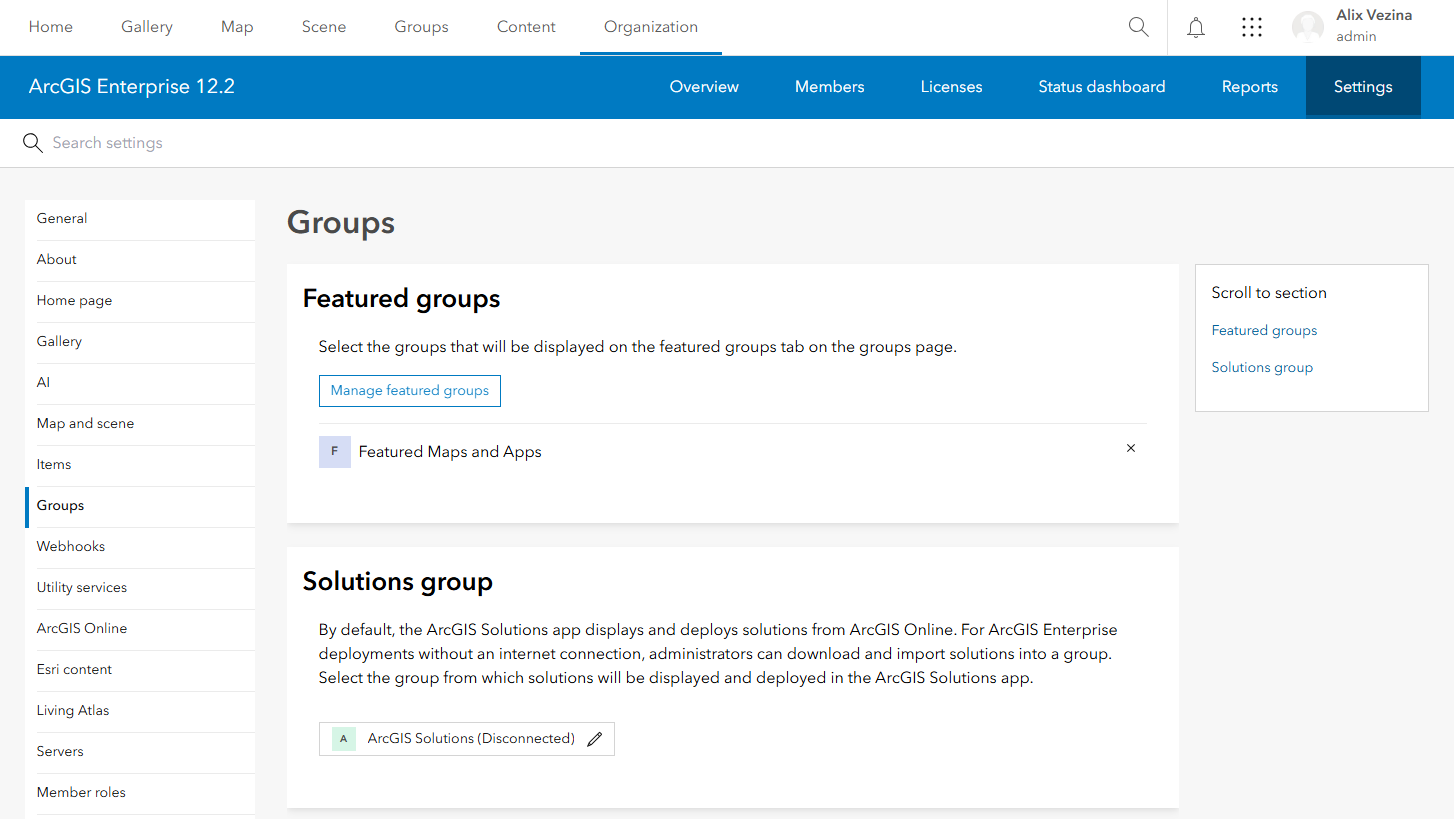
After it is configured, the ArcGIS Solutions app uses those locally hosted items to populate the gallery of solutions available, allowing members of the organization to explore available solutions and deploy them to their content.
Solutions designed for disconnected use
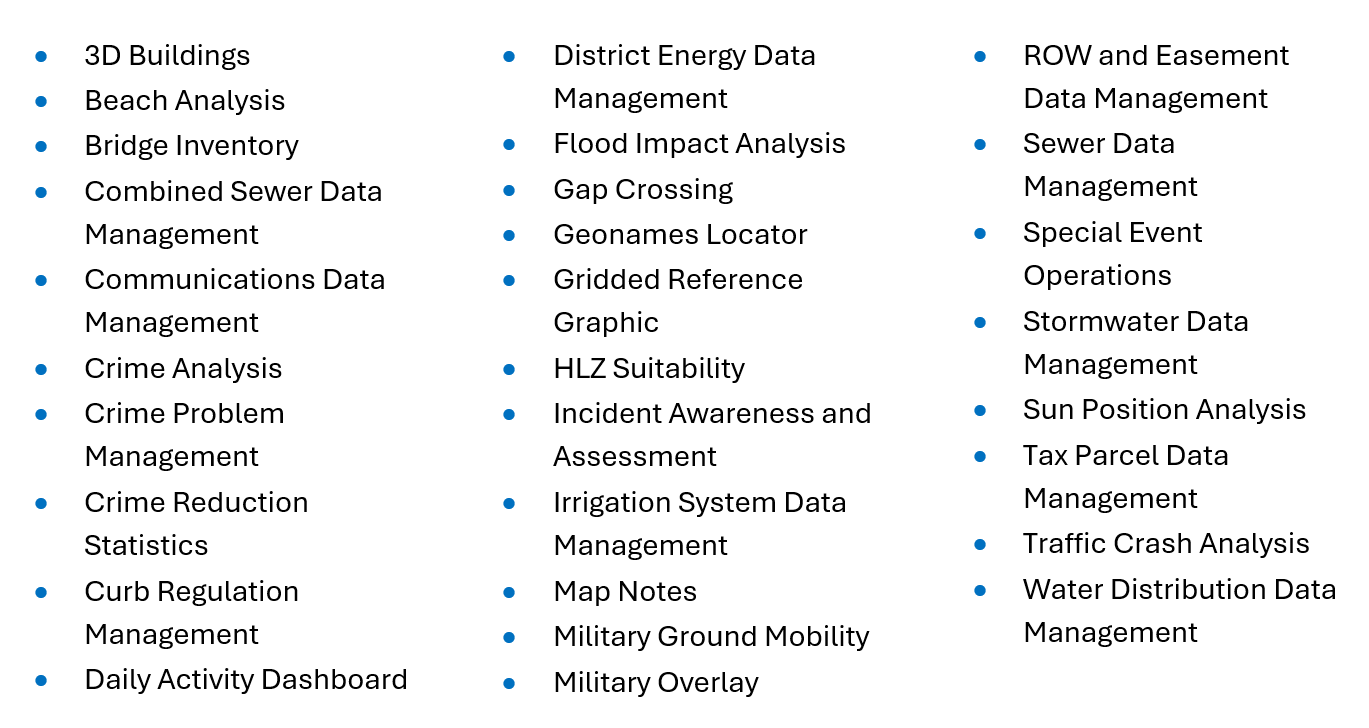
The ArcGIS Enterprise 12.2 release includes 29 solutions for disconnected environments, providing ready-to-use maps, apps, and workflows without requiring access to ArcGIS Online. Each of these solutions also includes its help documentation so that users can learn how to configure and use the solution without leaving the disconnected environment.
ArcGIS Solutions supported for disconnected use in Enterprise 12.2:
Get started
To configure disconnected access for ArcGIS Solutions content, you need administrator privileges for managing content, groups, and organization settings, along with the ArcGIS Solutions .epk file that corresponds to your ArcGIS Enterprise version.
After you’ve configured the app, members of your organization can discover and deploy supported solutions directly from your ArcGIS Enterprise portal, with no internet connection required.
For complete setup instructions, see Configure the ArcGIS Solutions app for a disconnected deployment.

Article Discussion: