Keeping an ArcGIS Enterprise deployment running smoothly means keeping up with change. Security alerts, software updates, and deprecation notices can all affect the decisions you make as an administrator. But staying on top of that information is not always easy.
Announcements in ArcGIS Enterprise 12.2 brings that information directly into your organization, helping administrators stay informed by receiving critical updates right where you manage your deployment.
Announcements relevant to your deployment
ArcGIS Enterprise organizations are diverse, and receiving announcements about the software is most useful when the message is targeted and relevant. Your deployment configuration helps determine which information matters to you.
When announcements are enabled, your organization uses deployment details, including operating system, ArcGIS Enterprise version, federated servers, and configured data stores, to fetch announcements from Esri that are relevant to your deployment.
These announcements can include critical security alerts, software updates, and deprecations, giving administrators information to help maintain their deployment effectively.
For example, a deprecation notice could help you identify a change to account for when planning an upgrade. An alert about an available security patch could help keep your system secure. The goal is to make important information easier to find in the place where you already manage ArcGIS Enterprise.
Where to find announcements
Announcements appear in a banner at the top of your organization’s Overview tab.
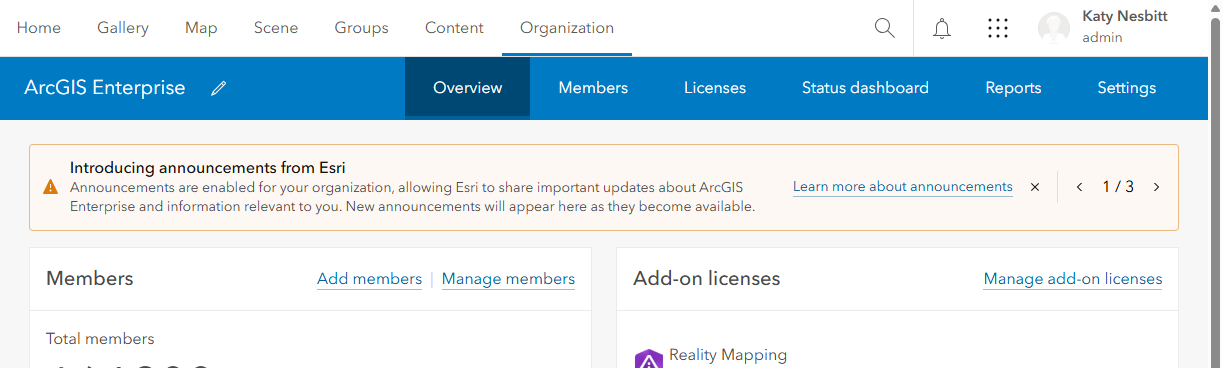
They’re visible to members of the default administrator role and members of custom roles with privileges to manage the organization’s security settings. This puts announcements in front of the administrators responsible for managing and securing the organization, rather than displaying them to every member.
Announcements remain in the banner until they are dismissed or reach the expiration date set by Esri. Dismissing an announcement clears it from the banner only for you. Other administrators can still see it until they dismiss it individually.
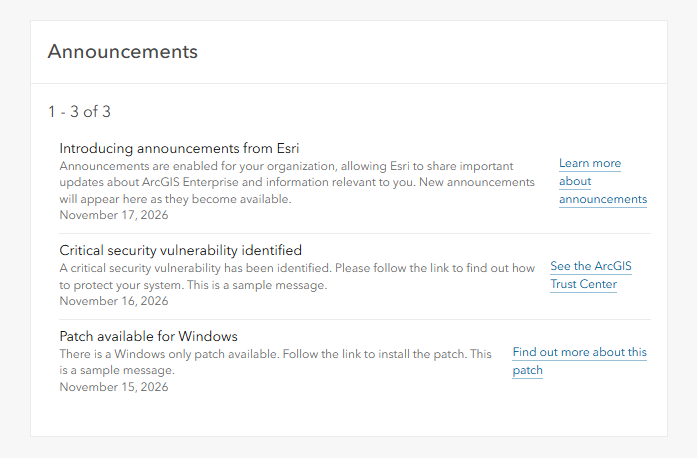
Need to revisit an older announcement? All announcements, including those you’ve dismissed from the banner, also appear in the Announcements pane on the Overview tab.
Manage announcements for your organization
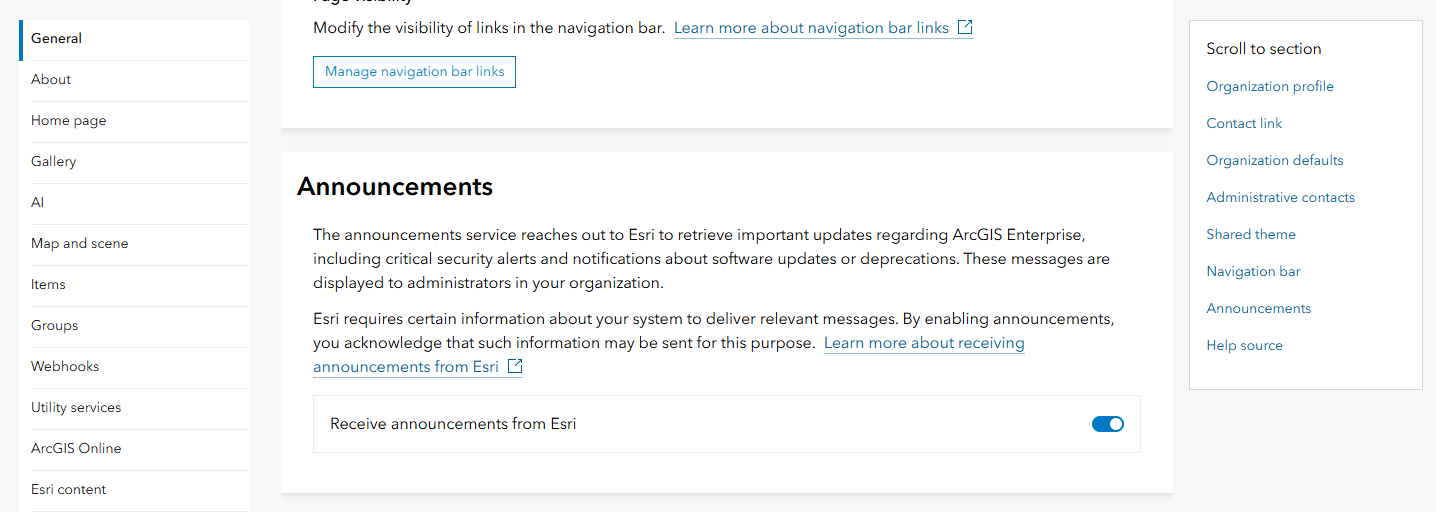
Administrators can control whether the organization receives announcements from Esri at any time through the organization’s general settings.
To find the setting:
- Sign in as a member of the default administrator role or a custom role with privileges to manage the organization’s security settings.
- Go to Organization > Settings > General.
- Under Announcements, keep Receive announcements from Esri turned on to receive announcements, or turn it off to disable them.
Announcements provide a direct channel for Esri to communicate important updates about ArcGIS Enterprise. With deployment-relevant messages and a pane for revisiting announcements, you can stay aware of critical information while managing your organization.


Article Discussion: