This year at the 2026 Developer & Technology Summit plenary, Mubarakat Shuaibu demonstrates how ArcGIS Enterprise can turn massive satellite archives into fast, actionable forest health intelligence, built to run at the scale of British Columbia.
British Columbia is more than twice the size of California. That means any solution that touches the entire province must be engineered for performance and scalability from the start, not just analysis.
Discovering and managing the imagery
Mubarakat begins by discovering Harmonized Landsat and Sentinel-2 imagery using the STAC experience in ArcGIS Pro, then organizes the full collection into a mosaic dataset for scalable management and processing.
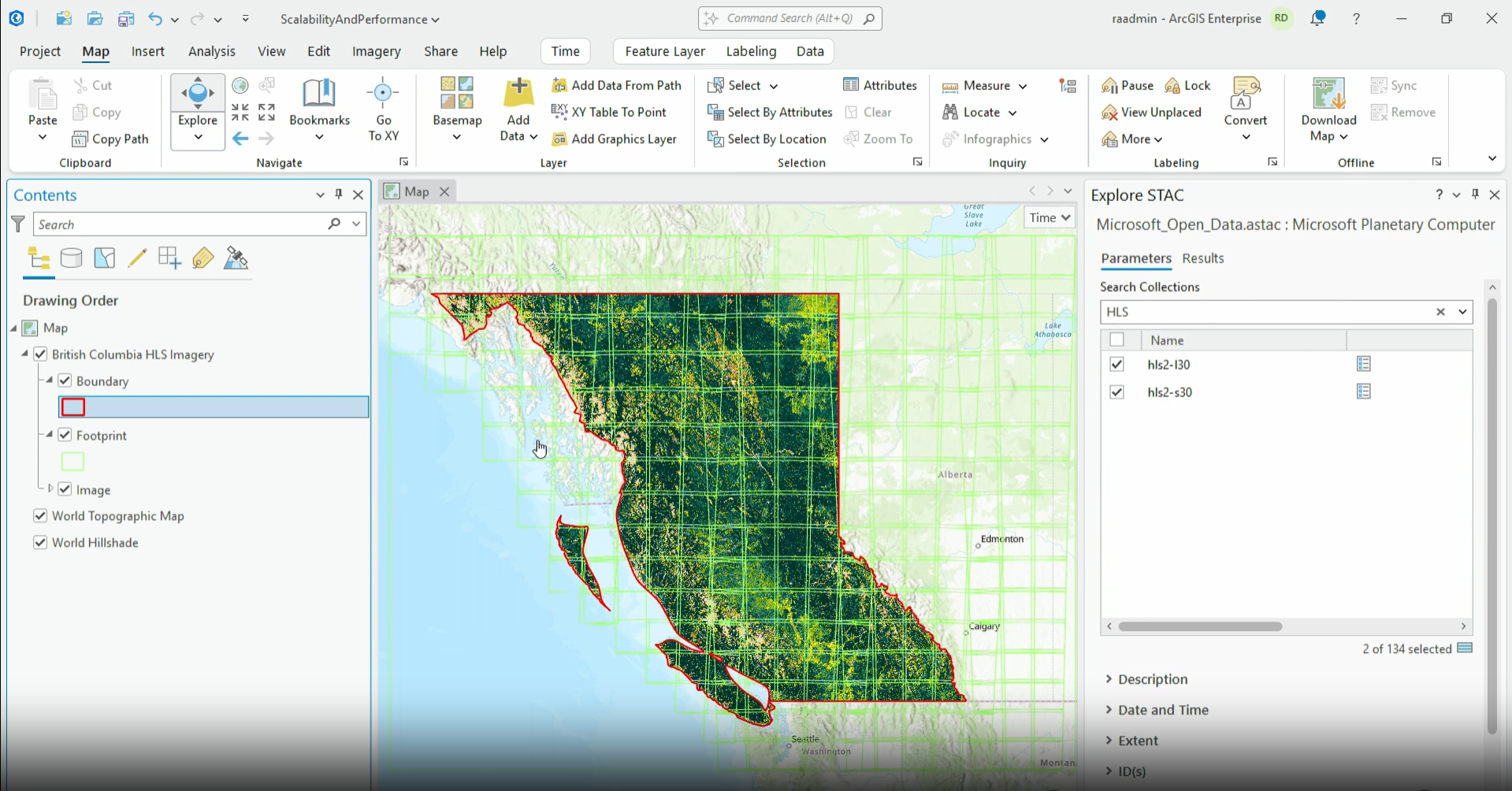
From there, Mubarakat publishes the collection as an image service. This matters because:
- The imagery stays centralized
- The imagery is streamed, not duplicated
- And the analysis runs directly beside the data
This foundation makes it possible to scale smoothly when moving into heavier processing steps.
Running the analysis workflow
ArcGIS Notebooks is used to run the analysis workflow. The notebook (hosted in ArcGIS Enterprise) defines the workflow steps, but Raster Analytics provides the distributed CPU and GPU processing required for large-scale computation.
With the notebook open, Mubarakat loads the imagery, boundary datasets, and supporting layers needed for the analysis, before starting the first major compute step.
Creating a summer composite
The workflow begins by building a consistent seasonal composite—in this case, a summer image representing stable conditions across the entire province.
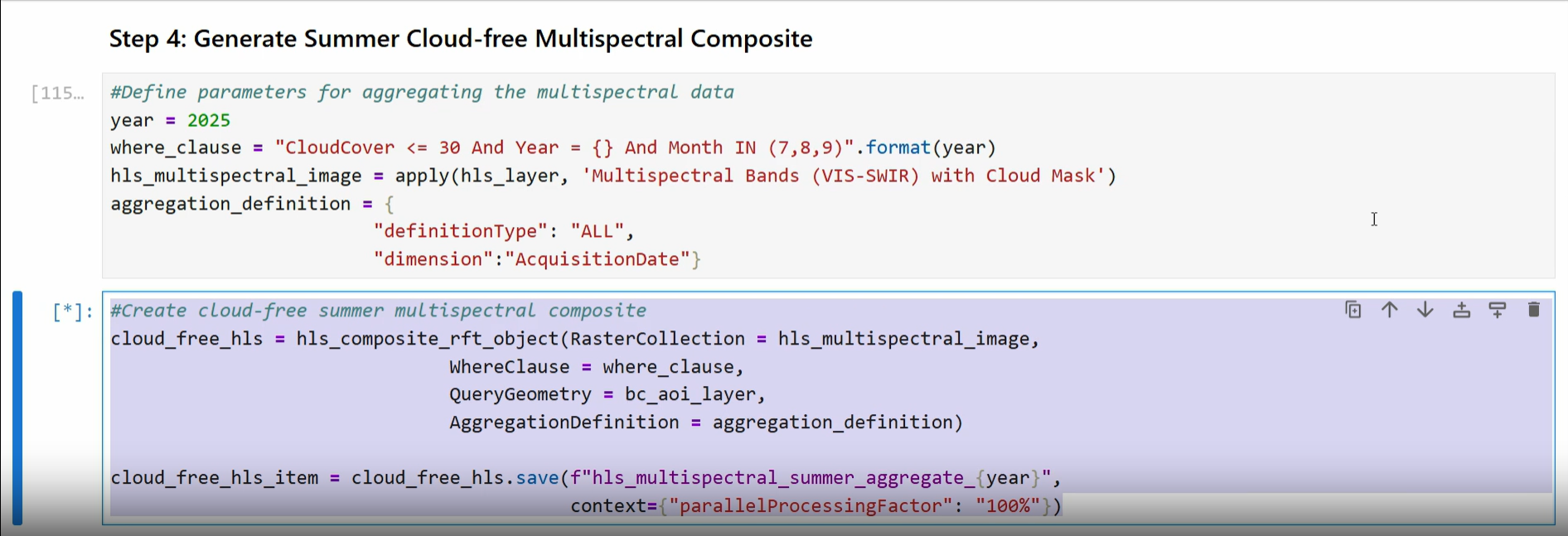
Using a raster function template, Mubarakat combines thousands of scenes into a single cloud‑free composite. Over a province-wide extent, this is a CPU‑intensive operation.
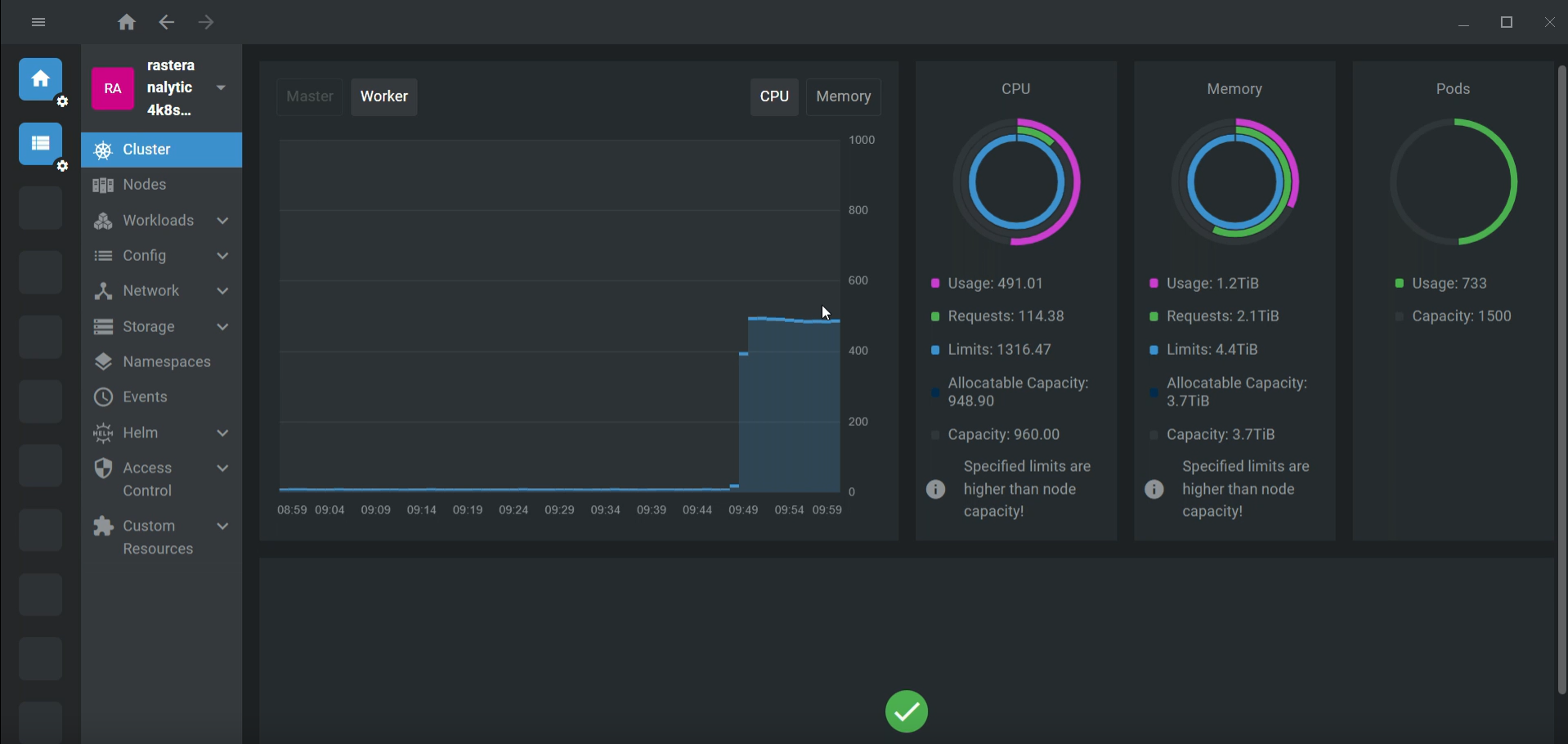
ArcGIS Enterprise distributes the job across multiple CPU nodes, significantly reducing processing time as it scales from 1 to 5 to over 500 CPU pods.
Creating a land cover map
Once the summer composite is produced, the workflow moves into generating a land cover map using a pre‑trained deep learning model.
The goal: Create a reliable forest mask so that all downstream forest health metrics are calculated only on true forested areas.
As Raster Analytics Server scales up its compute resources, the time required for this step drops significantly. With 80 GPU pods running in parallel, the land cover map for the entire province completes in just 41 minutes.
Computing forest moisture and masking non-forested areas
With the land cover map ready, the final analysis steps are lighter but critical for turning analytics into usable management intelligence:
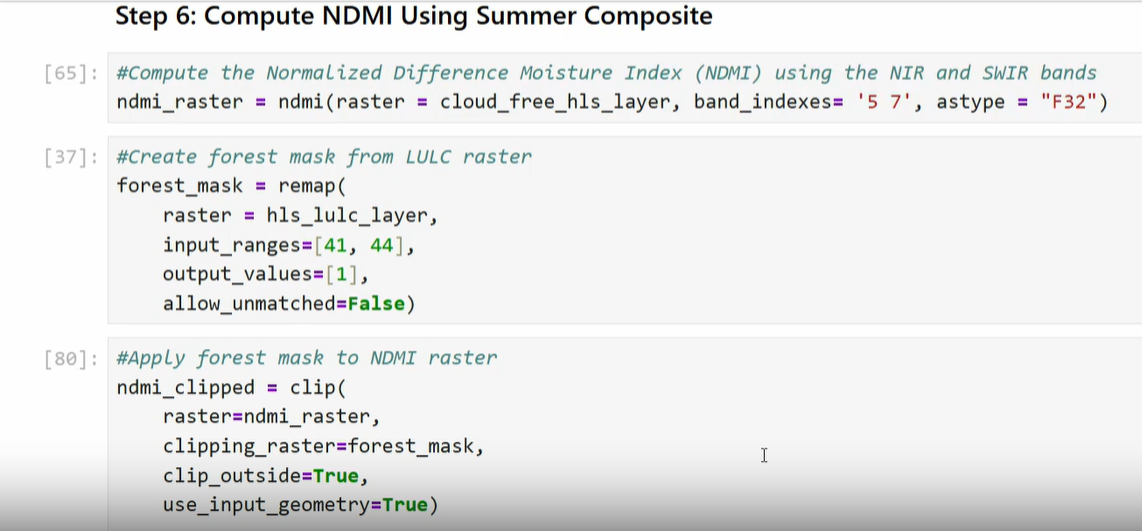
- Calculate NDMI (Normalized Difference Moisture Index)—This reveals forest moisture conditions, a key indicator for health, stress, and fire susceptibility.
- Apply the forest mask—This removes noise from agriculture, water, and urban areas, so the final metrics reflect only true forest lands.
- Aggregate to timber supply areas—This transforms millions of pixels into clean, summarized metrics aligned with operational boundaries.
Real-time distributed scaling
Right before stepping onto the plenary stage, Mubarakat launched the entire workflow. She shows the system actively spreading out-distributing CPU workloads across multiple nodes in real-time.
What once took days can now finish in hours. Bringing centralized imagery together with distributed CPU and GPU processing and scalable analytics enables ArcGIS Enterprise to deliver large-scale results quickly enough to inform real decisions.

Commenting is not enabled for this article.