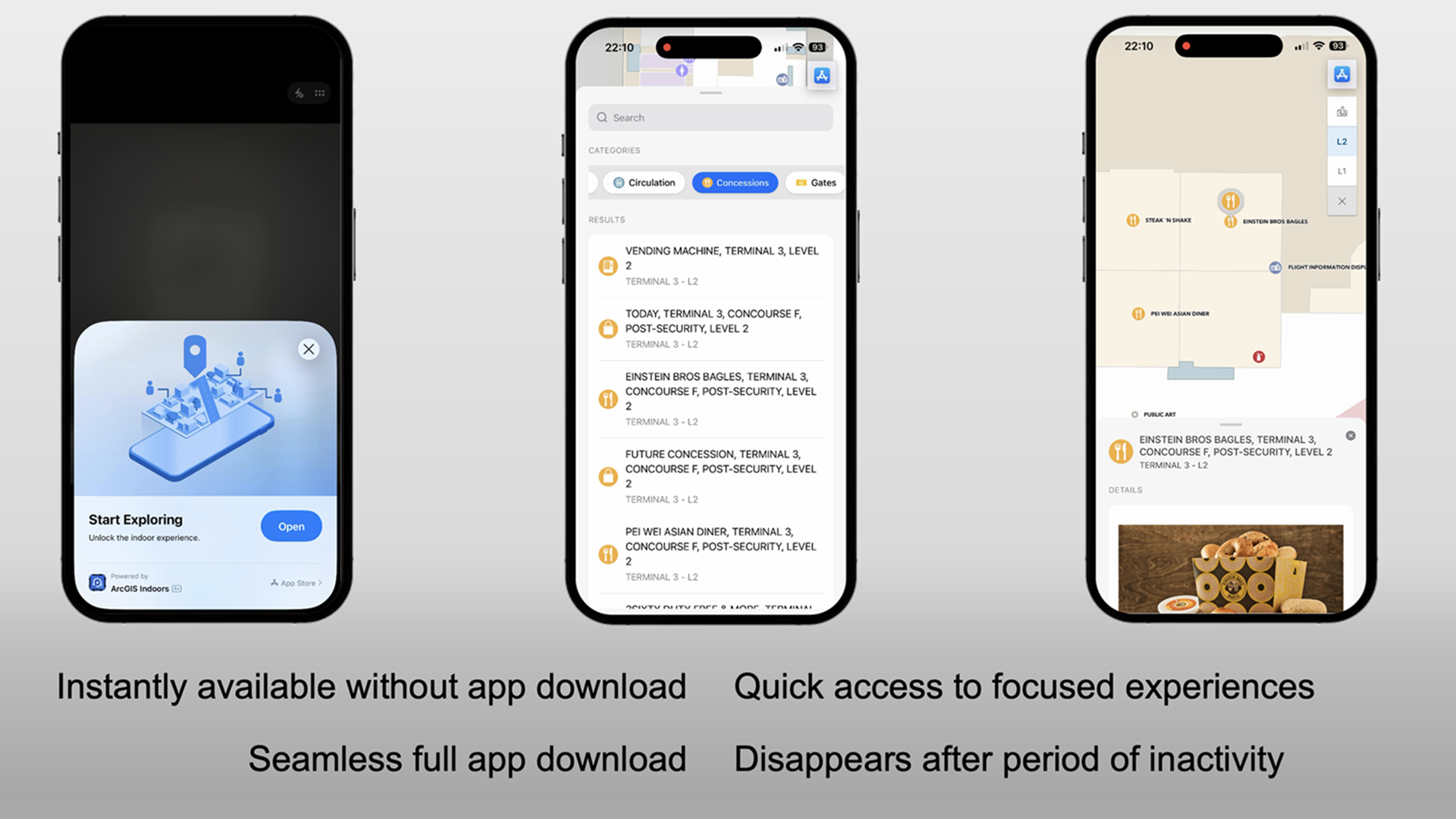
Discover how to enable seamless access to indoor maps for everyone.
Getting around an unfamiliar campus or building doesn’t have to start with downloading a mobile app – ArcGIS Indoors now offers a simpler way. With Indoors App Clip, visitors can get instant access to an indoor map to find locations and directions the moment they arrive, helping them find their way quickly and confidently.
Support for this feature marks a continued commitment to innovation in ArcGIS Indoors as this is a game-changing feature for visitors navigating complex venues like government buildings, universities, airports, hospitals, and more. The Indoors App Clip is designed to deliver instant access to indoor maps on mobile devices. It allows visitors to easily locate key destinations or amenities. It empowers facility managers and IT administrators to provide a scan-and-go experience for guests who need quick, reliable location information without any app installation and onboarding hurdles.
What is this new feature?
Indoors App Clip provides users instant access to indoor maps, without having to first download the Indoors mobile app. By simply scanning a QR code, users can launch an App Clip on an iOS device within seconds and get a full screen app-like experience. Users with an Android device can scan the same QR code and get instant access to the indoor map through a progressive web app. This approach eliminates the time needed for app download and setup and ensures that visitors get what they need right away.
Benefits and Ease of Use
App Clips stand out for their simplicity and speed. Organizations managing large and complex facilities face a challenge to deliver frictionless exploring and wayfinding experiences to visitors without requiring app downloads or onboarding. With the Indoors App Clip, visitors can instantly access indoor maps to find people, places, amenities, events, and other points of interest and wayfinding tools with just a scan – no app download required. Not only does this save time but it also lowers technical barriers such as setting up the mobile app, especially for first-time and infrequent visitors to quickly find their way inside a building. The intuitive interface ensures that users can navigate indoor spaces with confidence, reducing confusion related to not being familiar with the layout of a new building, and thereby enhancing their overall experience. The app clip remains available to the user to launch again at any time from the apps gallery of their device and it disappears automatically after a period of inactivity.
In short, Indoors App Clip creates value for every stakeholder involved in delivering and experiencing indoor navigation.
- Facility managers: Enhance visitor experiences while reducing operational friction by enabling intuitive, self-service wayfinding and situation-specific experiences.
- GIS and IT teams: Seamlessly activate App Clips using existing ArcGIS Indoors configurations – no additional deployment or management required.
- Visitors: Enjoy instant, on-demand access to indoor maps and directions on iOS and Android devices, without the need to download a full app.
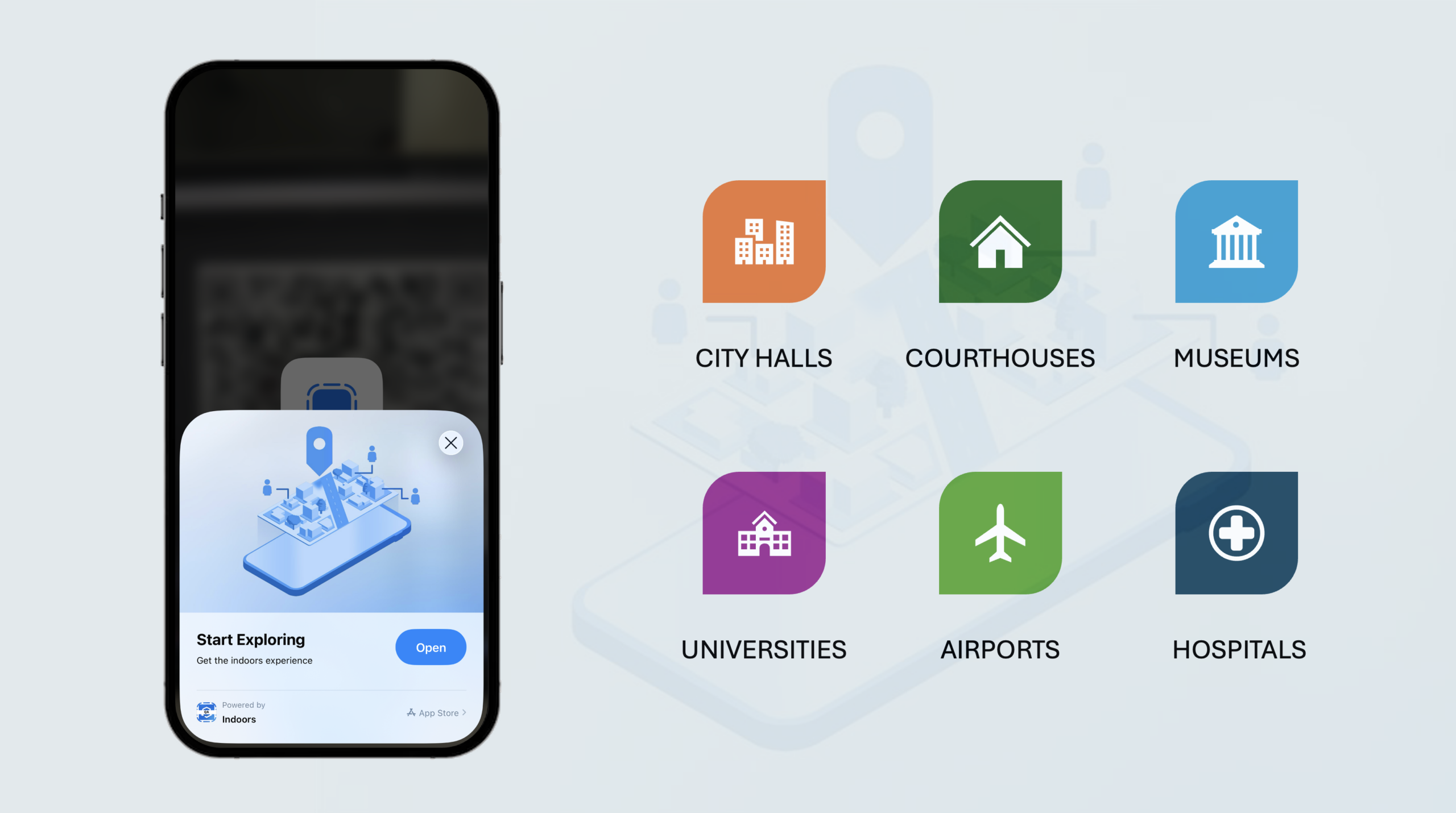
Enhancing Visitor Experience Across Key Venues
Whether at a bustling airport, a busy hospital, a sprawling university campus, or a multi-floor government building, Indoors App Clips deliver targeted information precisely when and where it’s needed.
Government Facilities: Help citizens efficiently locate service counters, offices, and meeting rooms in complex buildings.
Higher Education: Support first-time navigation across large campuses and for events such as campus tours, improving accessibility and visitor experience.
Airports: Improve passenger flow by guiding travelers from security to gates, reducing missed flights and congestion during peak times and discover food and retail options before boarding and during layovers.
Healthcare: Enable patients and visitors to quickly locate clinics and departments, reducing missed or delayed appointments and minimizing staff interruptions, creating a more supportive environment where people can focus on healing by making it easier to navigate to appointments and patient rooms.
How does this work with ArcGIS Indoors
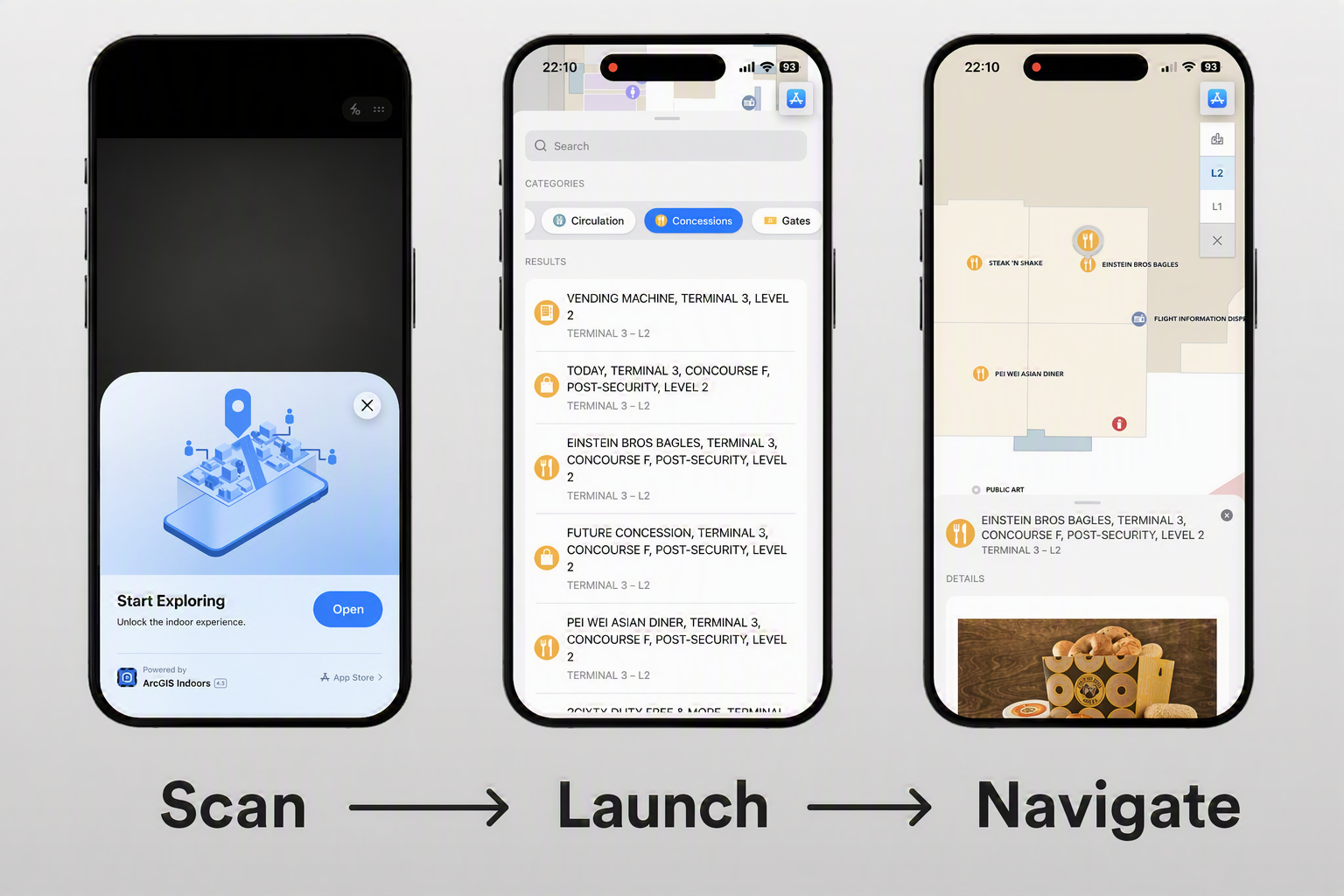
Support for App Clip is included in the latest update of ArcGIS Indoors mobile and instantly launches by scanning a QR code. It takes advantage of existing Indoors app configurations that you already have deployed in your organization so there is no separate deployment required. The launch experience can be customized based on specific needs. For example, simply display the indoor map for searching and exploring places and things or open it with a specific location to provide details or even directly show directions to targeted locations. Learn how to launch Indoors App Clip.
Making Spaces Easier to Navigate
The ArcGIS Indoors App Clips feature redefines what’s possible for visitors to your facilities. With instant access, user-friendly interface, and broad applicability across airports, hospitals, universities, and government buildings, the Indoors App Clip is a powerful tool for enhancing the visitor journey. Organizations using ArcGIS Indoors can extend their existing deployment to support this feature, enabling immediate access to indoor maps without requiring app installs to create welcoming, efficient, and memorable indoor experiences.
New to ArcGIS Indoors? Learn more.

Article Discussion: