
ArcGIS IPS provides indoor positioning by placing a blue dot on indoor maps, allowing you to locate yourself and others inside a building in real-time. It enables indoor location awareness for asset inspections and location sharing for safety and security use cases when used with ArcGIS Field Maps, and wayfinding when used with the ArcGIS Indoors Mobile app. Additionally, together with ArcGIS Mission, it facilitates location awareness and tracking of security personnel, supporting mission-critical activities.
The Q4 2025 release of ArcGIS IPS includes tools for improved indoor positioning accuracy. This blog provides an overview of features releasing with
Features included with ArcGIS Pro 3.6
For indoor positioning experiences, such as guiding occupants or visitors within large facilities, it is essential for the blue dot to realistically follow indoor paths such as corridors, rather than appearing to pass through walls or other obstacles. To achieve this level of reliability, geometry-aided indoor positioning was introduced, which leverages floor plan geometry, such as walls and columns, to refine position estimates by preventing movement that crosses physical barriers.
At ArcGIS Pro 3.6 release, a new tool called Add Geometry to Indoor Positioning Dataset enables geometry-aided indoor positioning. This tool enhances an existing IPS positioning dataset with traversability information and stores it as an attachment. This data is required to enable geometry-aided indoor positioning functionality within the ArcGIS Maps SDKs.
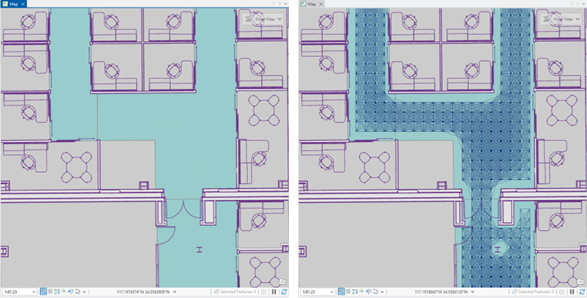
The tool calculates the possible walkable paths between two consecutive position estimates based on the input data and generates a feature layer that can be used to visually inspect the connected traversable paths for each valid level.
In ArcGIS Pro 3.6, the Indoor Positioning Data Service (IPDS) schema has been updated. Previously, IPDS was shared as a standalone service to the ArcGIS Enterprise or ArcGIS Online. With the new version, the Share Indoor Positioning Data Service tool publishes both the service and a related mobile geodatabase. This updated schema improves data download performance, significantly reducing the time required for the blue dot to appear.
Features included with ArcGIS Maps SDKs 200.8
One of the most exciting updates, as described above, is Geometry-aided IPS — a new positioning engine that leverages floor plan geometry to further improve user experience. At its first release, shipped with Maps SDKs 200.8, the focus is on maintaining the same overall positioning accuracy while delivering increased smoothness and reduced wall-crossing. By understanding the structure of rooms and corridors, this engine makes positioning feel more natural — especially during movement in complex indoor layouts. But the potential goes beyond that. Geometry-aided IPS lays the foundation for future improvements in accuracy and could even reduce the amount of infrastructure required for IPS deployments.
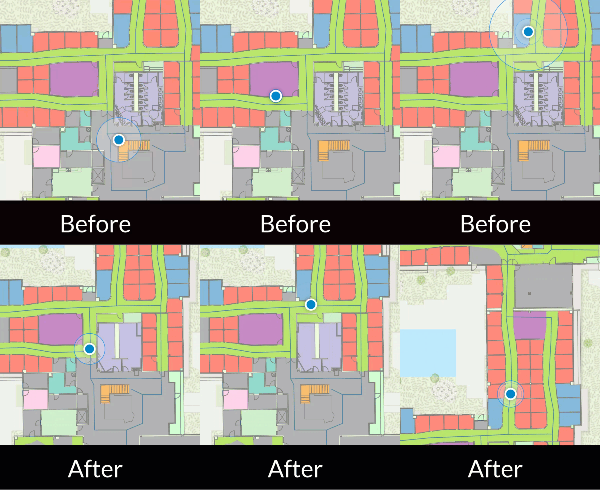
Additionally, ArcGIS IPS can now be utilized even when network connectivity is unavailable, through both on-demand and preplanned workflows. The “on-demand” workflow enables an app to specify an IPS area for downloading a custom IPS-aware offline map directly to a user’s device. In contrast, the preplanned workflow involves pre-creating and downloading IPS-aware maps for all users on the server side.
Features included in ArcGIS IPS Setup 1.8 (Releasing in December 2025)
Introducing Beacon Maintenance:
Indoor positioning systems (IPS) often rely on a network of Bluetooth Low Energy (BLE) beacons installed throughout IPS-enabled facilities. Because these beacons are typically battery-powered, it is important to regularly monitor battery health to maintain consistent IPS performance and prevent degradation over time.
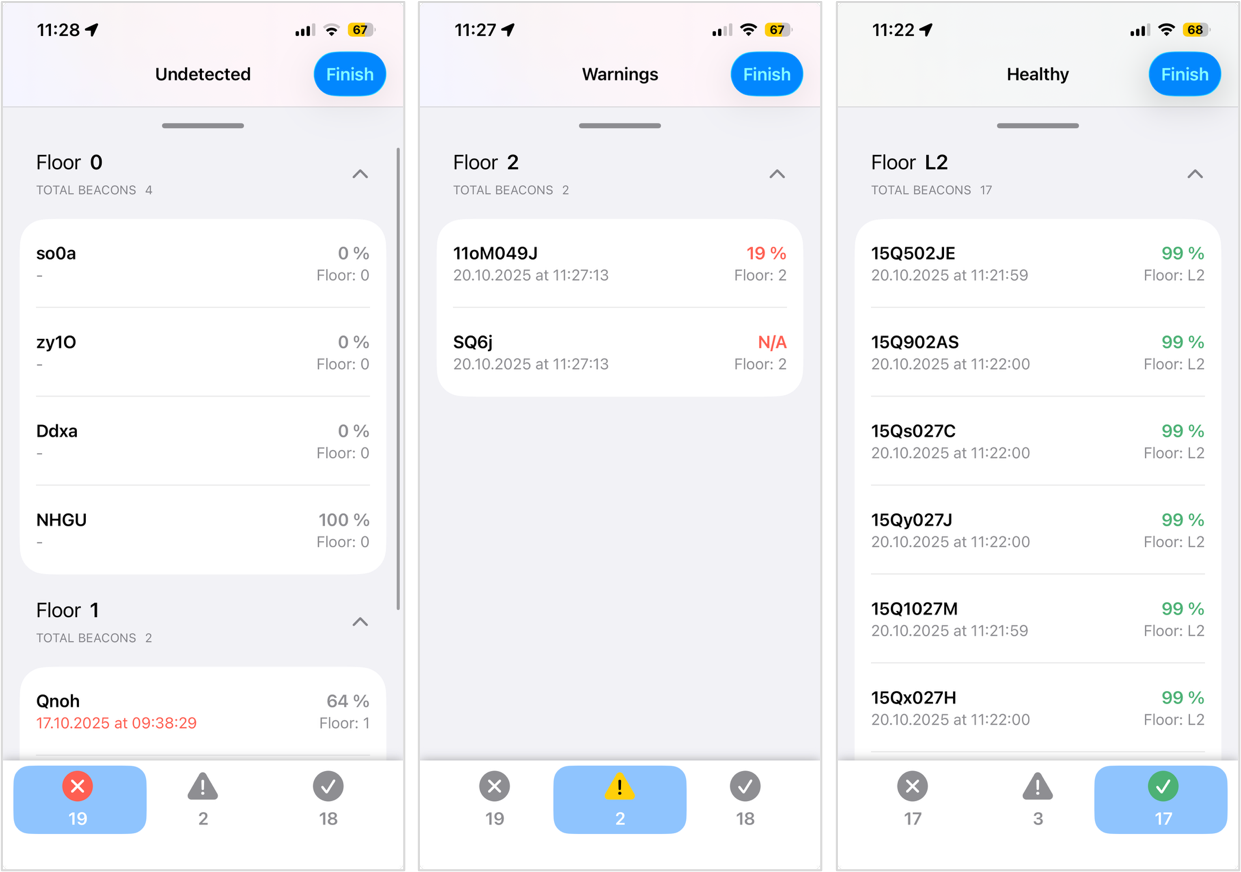
The IPS Setup 1.8 release, scheduled for December 2025, introduces a new, streamlined workflow for beacon network maintenance. IPS deployment administrators or facility technicians can now perform a simple walk-through of their spaces while running the new Maintenance Scan. During the scan, the app automatically detects nearby beacons, retrieves their battery levels, and saves the information to the IPS_Beacons feature table.
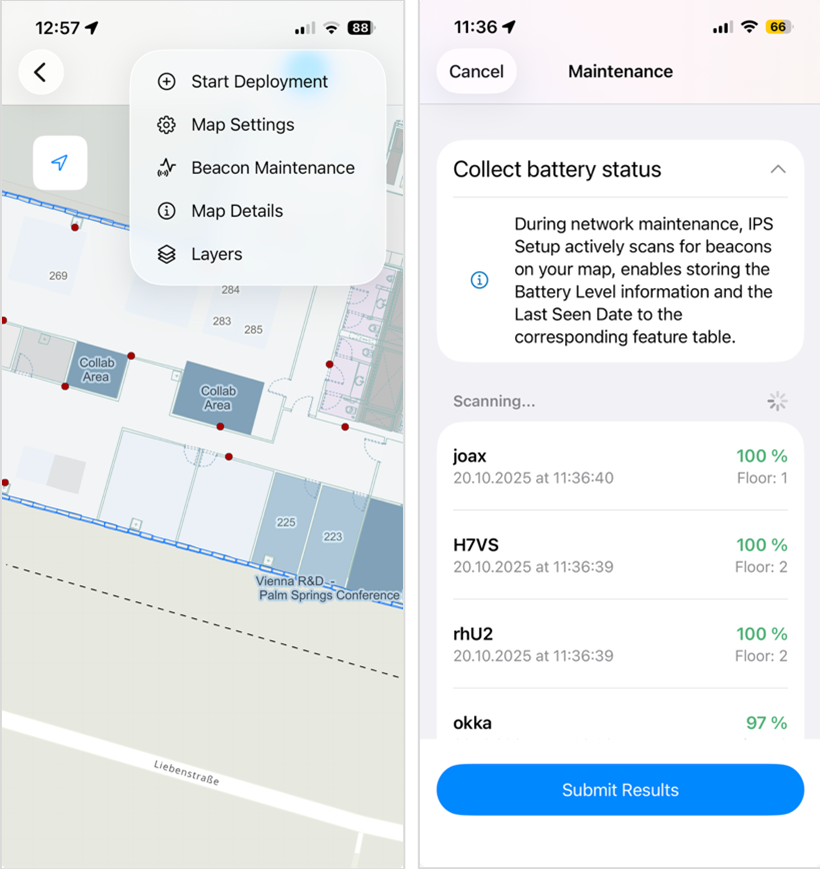
At the same time, the LastSeen field is updated with a timestamp, giving administrators clear visibility into both the current status of the network and the freshness of the data.
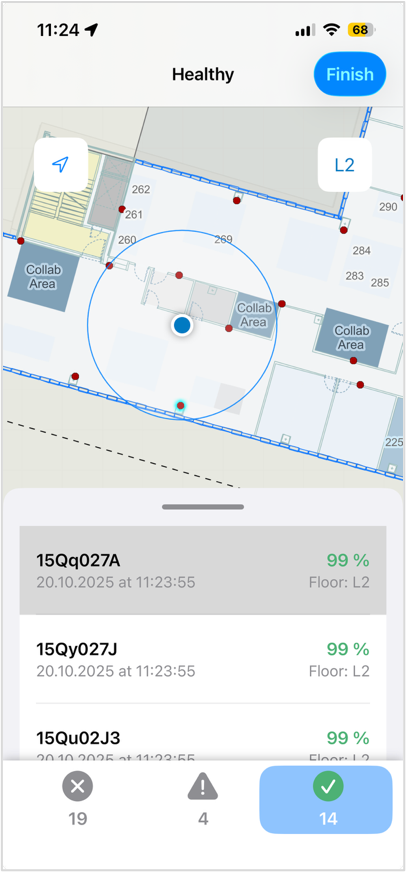
Within the app interface, users receive real-time insight into each beacon’s condition. Beacons with low battery levels are clearly highlighted and flagged for maintenance directly on the device. All relevant information is also recorded in the feature table, ensuring accurate tracking and facilitating proactive upkeep of the beacon network.
With described features and enhancements to ArcGIS IPS product, organizations can deliver smoother, more reliable indoor positioning experiences while simplifying beacon network upkeep. Together, these updates strengthen IPS deployments and unlock more confident location-aware workflows indoors.
For more information on ArcGIS IPS, please review the following resources.



Article Discussion: