Esri’s indoor positioning (ArcGIS IPS) puts a blue dot on indoor maps, allowing you to locate yourself and others inside a building with indoor positioning. It enables real-time location awareness inside buildings for wayfinding, operations, and safety workflows.
The release of ArcGIS Pro 3.7 brings updates to tools, and coordinated enhancements with the ArcGIS IPS Setup 1.9 mobile app and ArcGIS Maps SDK 300.0. These features augment beacon planning, deployment, and maintenance.
Features included with ArcGIS Pro 3.7
Planning beacon placement within a facility is a necessary step to enabling indoor positioning that requires balancing many factors. Bluetooth beacons must be spaced appropriately to ensure sufficient signal overlap while also preventing oversaturation. Large open areas require extra care to avoid dead zones, yet buildings with lightweight walls may lead to excessive signals and beacon redundancy.
With the ArcGIS Pro 3.7 release, the new Generate Beacon Placement Plan tool does the work for you. This tool generates an optimized beacon placement plan, ensuring sufficient coverage and spatial distribution with the minimum number of beacons required to enable indoor positioning with ArcGIS IPS.
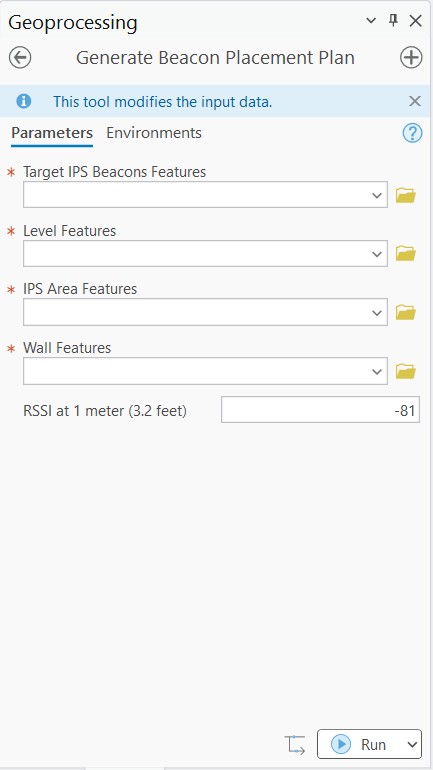
The tool can account for the specifics of your facility, including the floor plan, walls, existing beacon infrastructure, and beacon strength. The tool uses the Wall Features parameter value of your facility to determine which wall segments are suitable for beacons, and places beacons on those segments. When the tool cannot achieve appropriate signal coverage, which can occur in large spaces, it highlights those areas on the map for faster problem solving. Additionally, the tool is compatible with a variety of BLE beacon brands and works with a range of RSSI values.
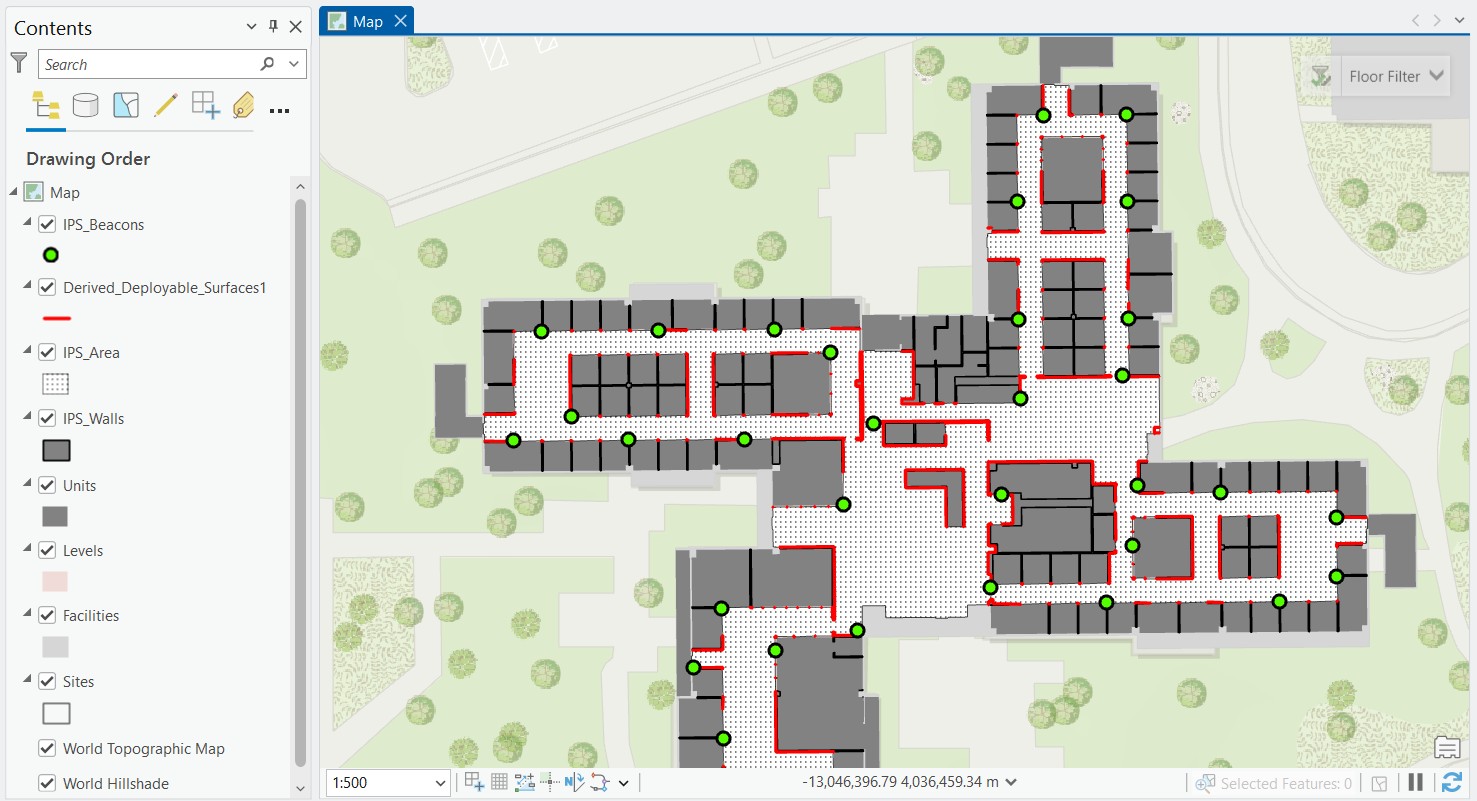
If you prefer more control over beacon placement and want to fully customize the plan, you can manually create a beacon placement plan or adjust any individual beacon in a plan provided by the tool.
Features included with ArcGIS IPS Setup 1.9 and ArcGIS Pro 3.7
Deploying beacons for an indoor positioning system can require important, but potentially tedious, manual data entry. For larger or more complex spaces that need many beacons, deployment time adds up, and there are opportunities for mistakes. In ArcGIS Pro 3.7 and ArcGIS IPS Setup 1.9 mobile app, beacons can be configured in advance to decrease manual data entry with the IPS_Beacons_Inventory table.
The IPS_Beacons_Inventory table is part of the IPS data model, which is generated by the Create IPS Data Model tool. It is an optional web map layer that is configured prior to beacon deployment and used by the ArcGIS IPS Setup app.
The table takes information provided by the vendor and stores the attribute information of beacons that will be deployed. During deployment, IPS_Beacons_Inventory acts as a lookup table. When a beacon’s identifier is entered, the ArcGIS IPS Setup app automatically populates the IPS_Beacons feature class with that beacon’s attribute information. The beacon identifiers can be either the beacon ID or MAC address. Additionally, as you type a beacon ID, the app can suggest known beacon IDs from the table.
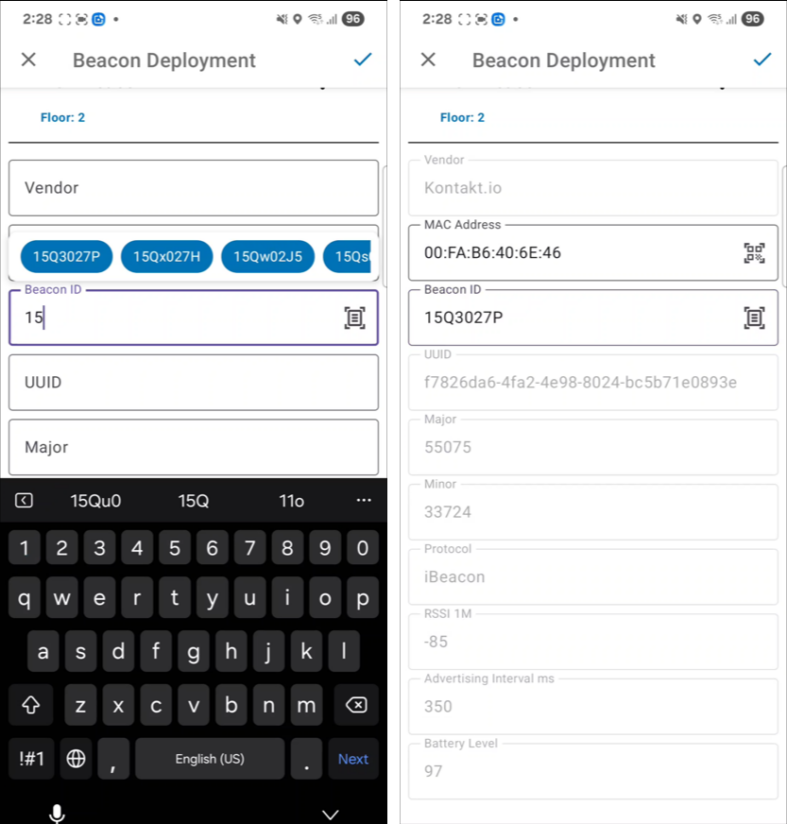
Configuring the IPS_Beacons_Inventory table minimizes manual data entry, which can help speed up beacon deployment and lessen the chance of errors.
Features included in ArcGIS Maps SDK 300.0
After deploying beacons, you must maintain beacon equipment to ensure consistent performance of indoor positioning services. Beacons’ batteries deplete overtime, devices can go offline, and beacons may be moved or damaged. Beacon scanning and maintenance functionality can be incorporated into native mobile apps with ArcGIS Maps SDK.
The recent release of Maps SDK 300.0 improved the process for scanning BLE beacons on Android devices to minimize the chance of Android OS shutting down during the scanning process. This can create a more consistent beacon maintenance workflow and decreases the chance of missing beacons that need attention. Seamless beacon maintenance can extend the reliability of your indoor positioning services.
These features in ArcGIS Pro 3.7, IPS Setup 1.9, and Maps SDK 300.0 streamline the planning, deployment, and maintenance of beacons for indoor positioning systems. By optimizing beacon placement and reducing manual data entry, organizations can implement ArcGIS IPS faster and with greater confidence.
For more information on ArcGIS IPS, review the following resources.
Article Discussion: