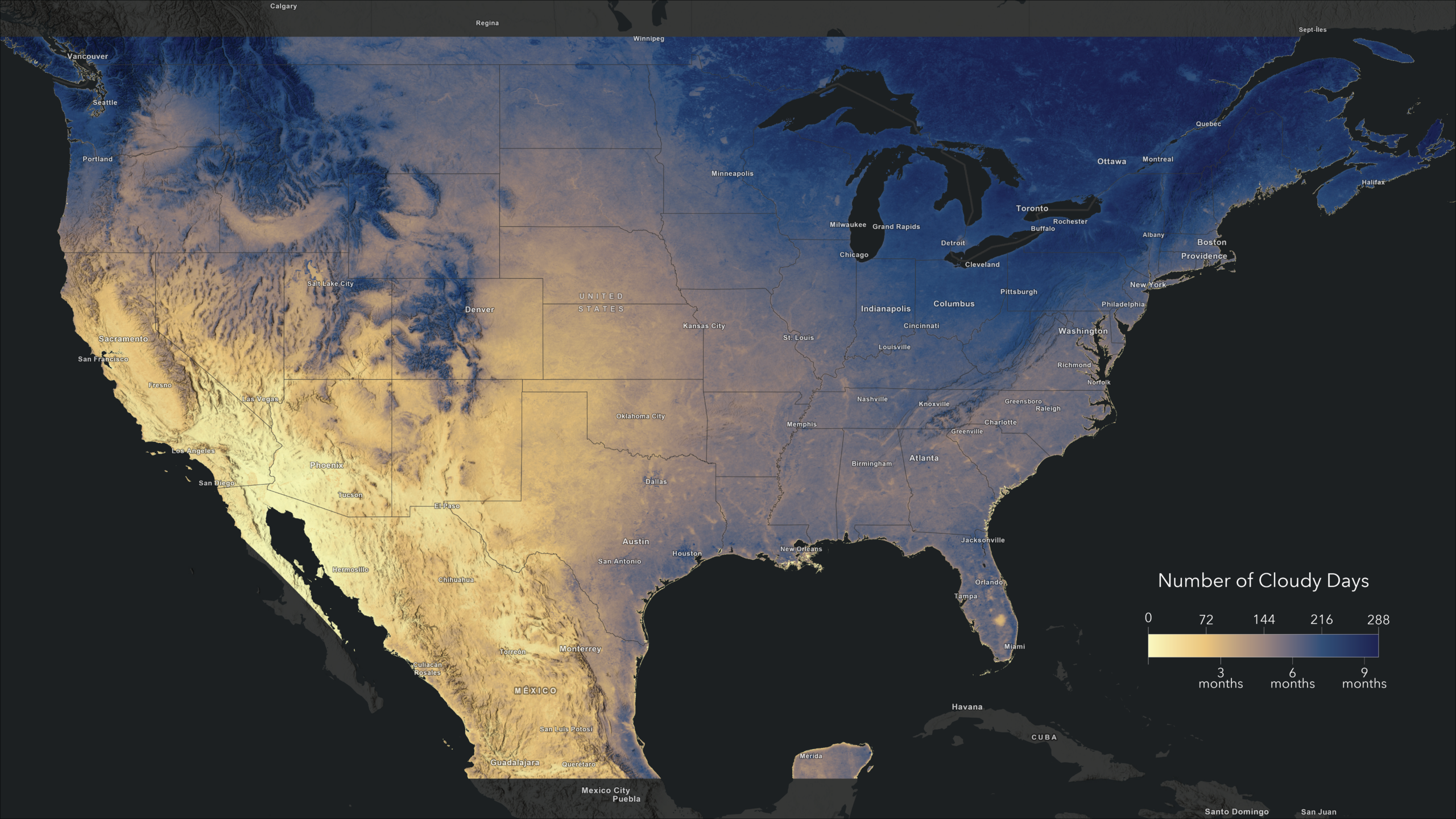
Whether you’re planning a move and you care about sunshine, planning renewable energy infrastructure or predicting agricultural yields, the presence – or absence – of clouds plays a starring role. To help you bridge this data gap, USA Cloud Cover Days is now available in the ArcGIS Living Atlas of the World, making it easier than ever to integrate cloud cover information into your GIS workflows.
This new imagery layer provides the average number of days per year with cloud cover for the contiguous United States (CONUS) and portions of Mexico and Canada. With a 500-meter cell size, this data offers the spatial detail necessary for regional analyses in diverse environments.
Behind the data
The dataset is derived from NASA’s Moderate Resolution Imaging Spectroradiometer (MODIS) data, collected by the Aqua satellite. Aqua passes over the equator at around 1:30 PM local solar time in an ascending (south to north) orbit. For the CONUS region, this means images are captured about 10 to 20 minutes later, providing a consistent snapshot of afternoon cloud cover patterns.
To ensure a reliable product, we extracted daily cloud flags from the Daily Snow Cover Product (MYD10A1) Collection 6.1 for the period 2020-2024. If you are interested in learning more about how clouds are identified by the MODIS team, we recommend checking out the Cloud Mask User’s Guide.
Because satellite missions occasionally face technical outages, we didn’t just calculate a simple average over the 2020-2024 period. Instead, we calculated the 5-year average by weighting each year based on the total number of valid observations, providing a more accurate long-term representation of cloud cover.
We processed the data using the new computing capabilities within our ArcGIS software. It is now possible to access and process the petabytes worth of high-quality data available on the Microsoft Planetary Computer, all from within our ArcGIS environment. This means you don’t have to download and process large volumes of data on your laptop anymore! Learn more about what you can do with ArcGIS and Microsoft Planetary Computer here.
What can you do with this layer?
Cloud cover is more than just a weather forecast; it is a critical variable for a wide range of industries and scientific studies:
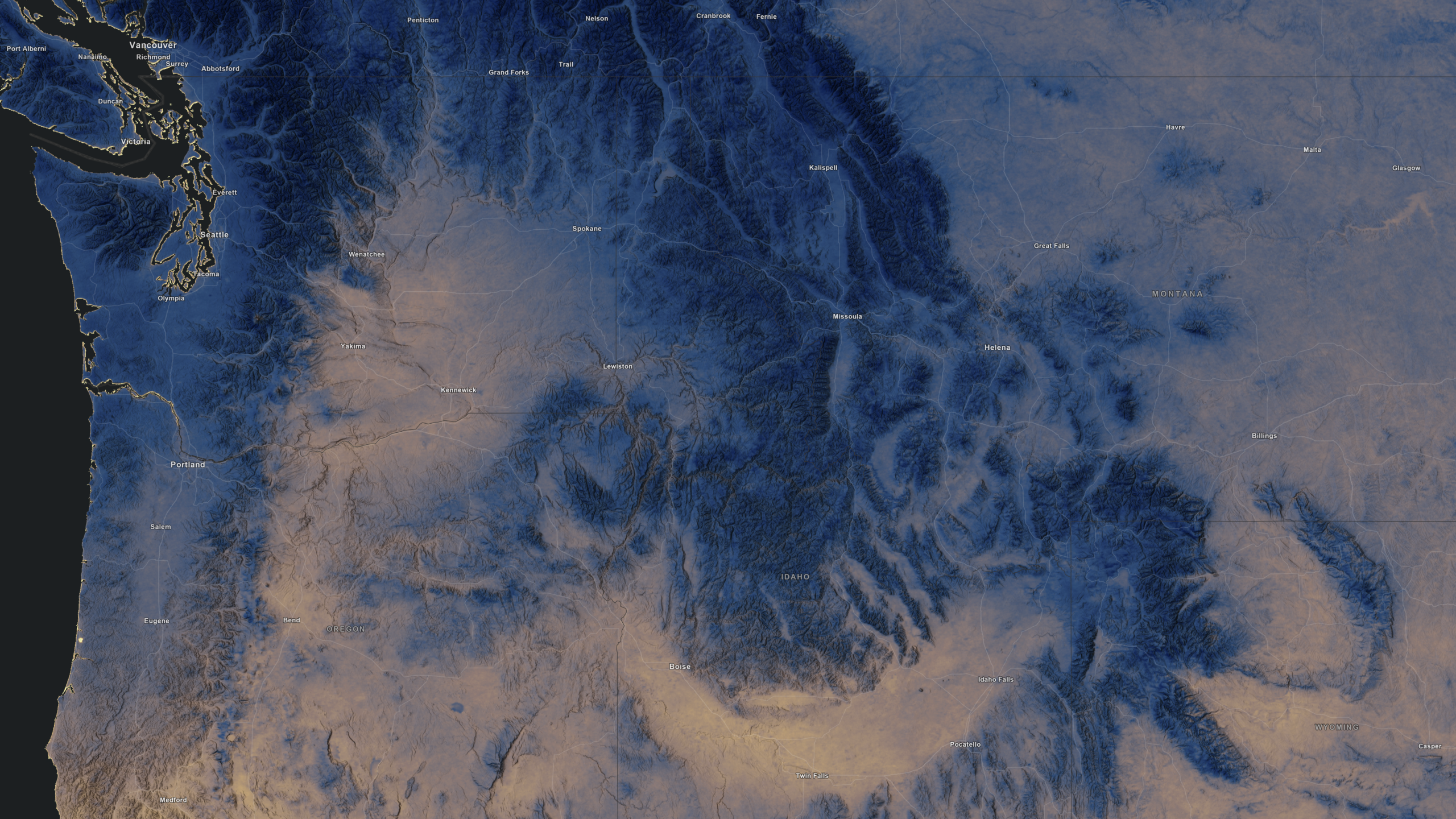
- Site selection for solar power farms: identify regions with the highest number of cloud-free days to maximize solar power farm yield.
- Agricultural planning: analyze cloud patterns to understand solar radiation availability for different crop types.
- Urban heat island effects: study how consistent cloud cover (or the lack thereof) influences heat stress and temperature retention in urban areas.
- Climate trends: use the data as a baseline of studying shifting climate patterns through the rest of the 21st
Put the Science of Where to work
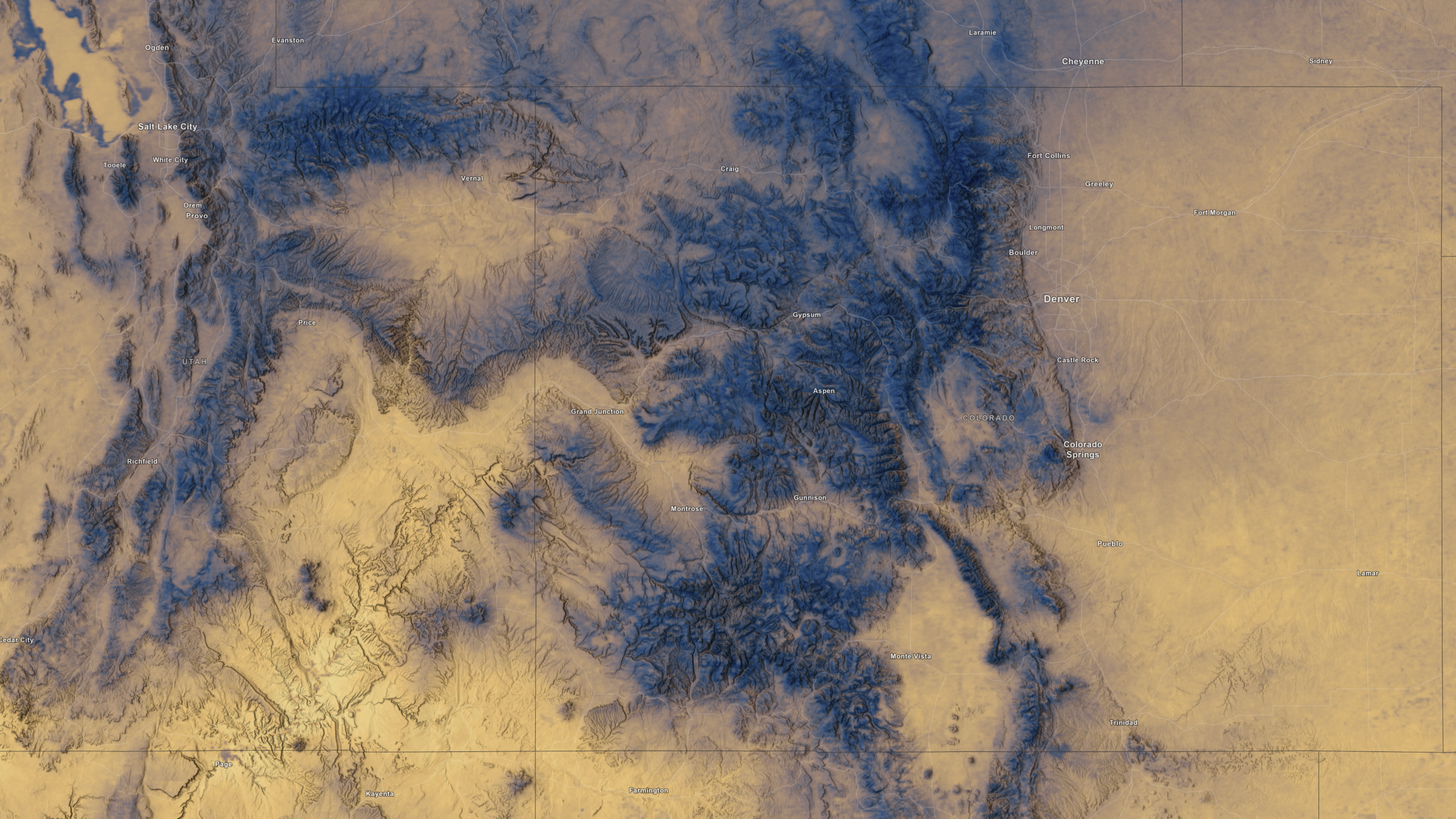
USA Cloud Cover Days is optimized for fast visualization and analysis in ArcGIS Online and Pro. You can easily determine the cloud cover for your area of interest by clicking on the map to reveal the pre-configured pop-up.
For a more advanced workflow, we’ll show how to use the Find Similar Locations tool to find counties with a similar cloudiness and precipitation feel to Denver County. First, find the layer in ArcGIS Pro by pasting the item ID (5819cc743d5d4036ab96250a69fa7720) in Catalog > Portal > Living Atlas and add it to your map.
Then, add “CHELSA Bioclimate Projections – Annual Precipitation (Bio12)” and “CHELSA Bioclimate Projections – Precipitation Seasonality (Bio15)” to your map. These are our rainy conditions. Also add USA Census Counties to your map and use Copy Features to get a copy on your local machine.
Run Zonal Statistics as Table on your local copy of the USA counties three times, once for each cloud and rain layer. Set the Statistics Type to Mean. Make sure the CHELSA layers’ multidimensional settings are set to Variable: SSP370 and StdTime: 2025-12-01T00:00:00, these settings most closely match the cloud cover data period. Leave “Process as Multidimensional” unchecked, this ensures that zonal statistics are calculated for the current visible slice. The result will be three new tables, each containing a column with the mean values for cloud cover and precipitation for every county.
Run Join Field three times to add the “MEAN” columns of each table back to the local version of the USA counties. Make sure to use the county name for the Input Fields for both the Input Table and the Join Table.
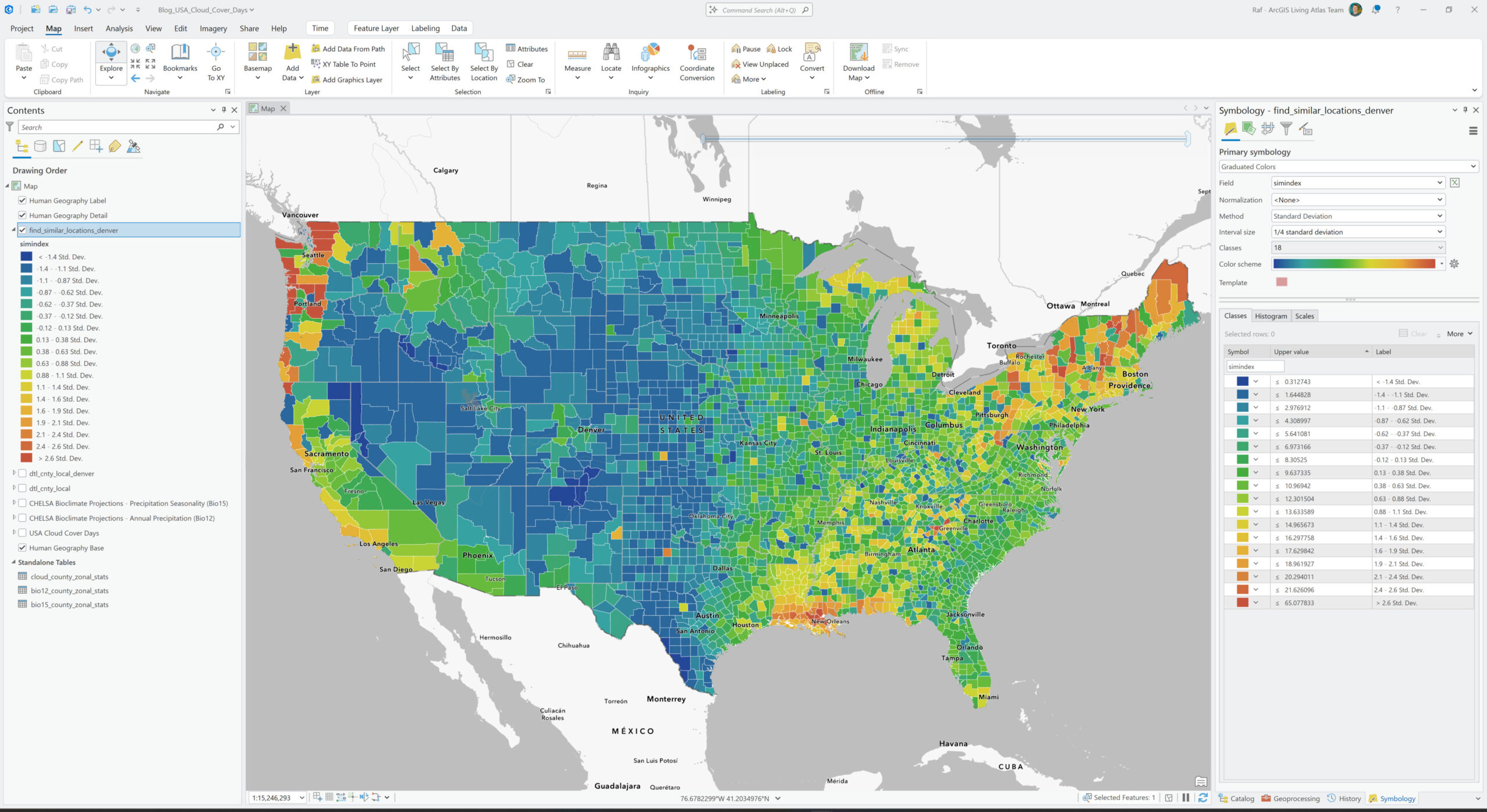
We need two separate layers as input for the Find Similar Locations tool. So, create a copy of the USA Counties layer to which you’ve just added the zonal statistics tables with Copy Features. Set a Definition Query on the copied layer with “Where NAME = ‘Denver County’”. This is your Input Layer. Use the other copy of USA Counties with the zonal statistics as the Search Layer. The tool will search for locations similar to Denver County in this layer. Add all three zonal statistics columns to the Analysis Fields and search for Most Similar using Attribute Values. Run the tool.
Congratulations! The output dataset now shows the counties most similar to Denver County in terms of cloudiness and precipitation. Change the Symbology to Graduated Colors and the Field to “simindex” to show the degree to which each county is similar to Denver County (see the image below).
Explore USA Cloud Cover Days today and let us know how you’re using it to power your maps and apps!


Article Discussion: