Semantic search (beta) is a new search experience in ArcGIS Online and ArcGIS Enterprise 12.2 that helps you discover content based on meaning and intent, rather than relying only on matching keywords.
What is semantic search?
Have you ever searched for something knowing what you were looking for, but struggled to come up with the right words to search for it?
Traditional keyword search works by matching the words in your search query with words in an item’s metadata (title, summary, description, tags). This works well when you know the keywords used to describe the content. But what happens when you don’t?
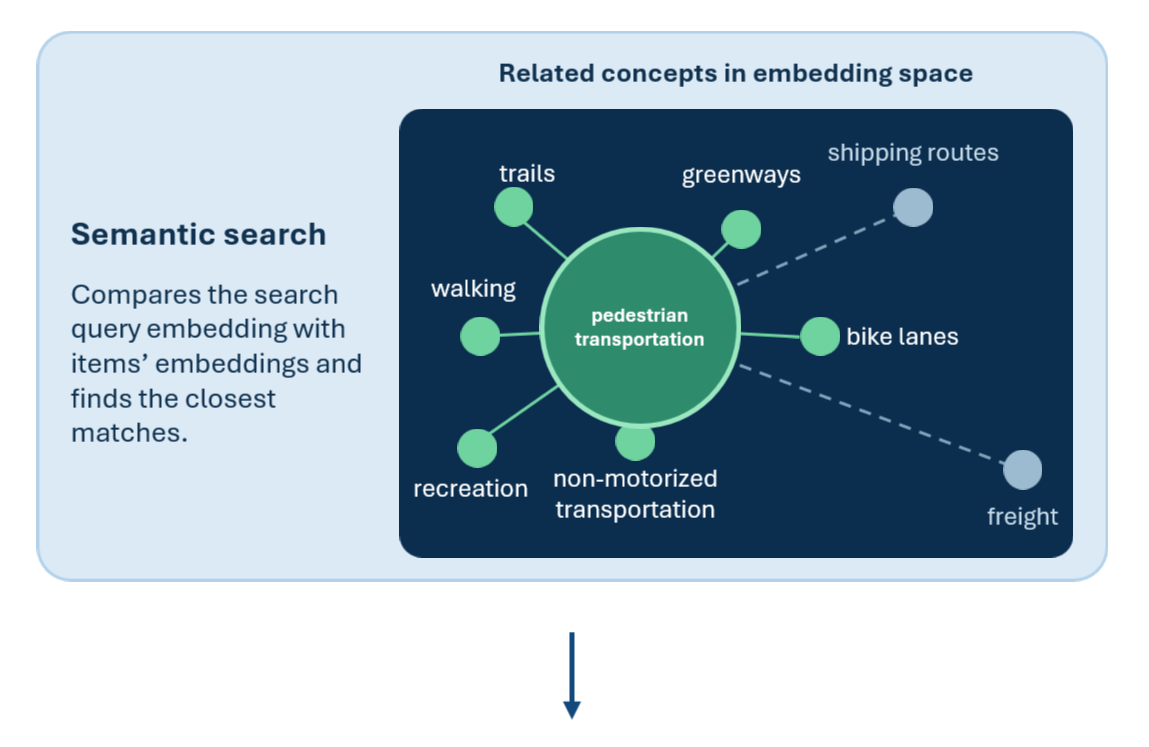
For example, imagine searching for “pedestrian transportation” when the content you need is described as greenways or trails. The words are different, but the concepts are related. Semantic search helps bridge the gap by looking for similarities between the meaning of your search and the content available to you. This can help you discover relevant content even when your search doesn’t use the exact words found in an item’s metadata.
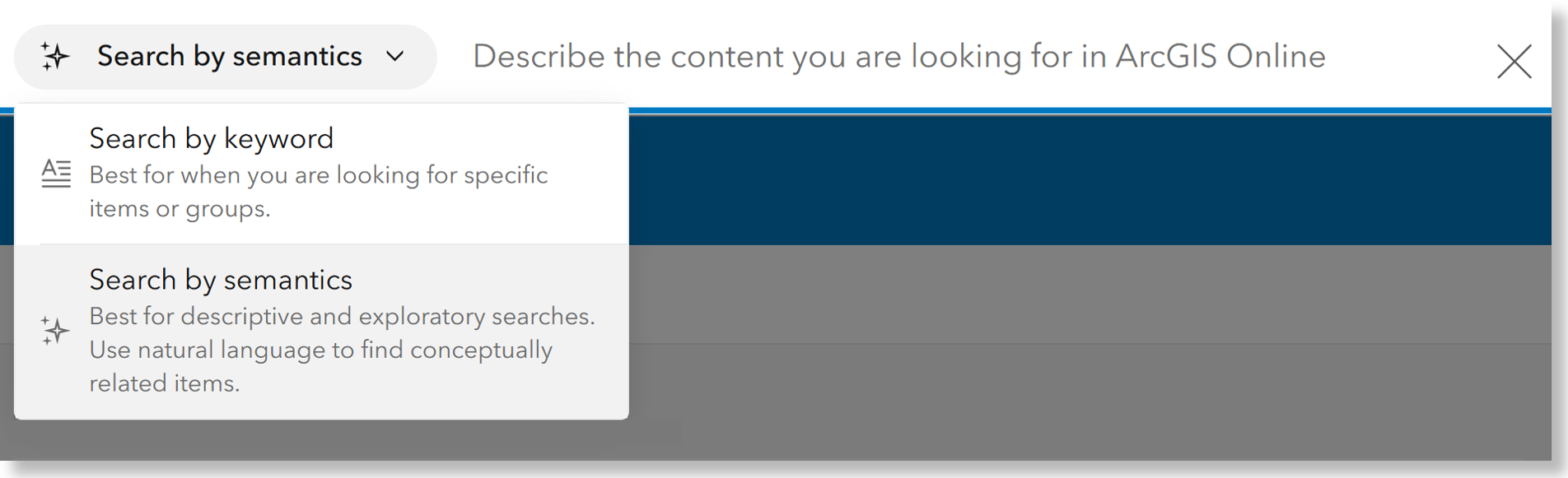
Why does semantic search matter?
Let me tell you a story about a demo gone wrong.
I was demonstrating how complete, high-quality metadata improves search. The plan was simple: search for pedestrian transportation and show that my Greenways feature layer didn’t appear because those terms weren’t in its metadata. Then I’d use the item details assistant to improve the metadata and demonstrate how much easier the layer was to discover. I’d practiced the demo probably ten times. What could go wrong?!
Well, during the live demo, I was running behind and skipped one important best practice: review the assistant’s suggestions before accepting them. I searched again for pedestrian transportation. Nothing.
The improved, now titled, Greenways Trails layer still didn’t appear. The demo flopped, hard.
So, what happened? Why the flop?
The metadata was better, but neither pedestrian nor transportation appeared in the item’s title, summary, description, or tags. Keyword search couldn’t make the conceptual connection between greenways and trails and pedestrian transportation. And that is exactly where semantic search can help.
With semantic search, the goal is no longer limited to asking, Do these words match? Search can also consider, Are these concepts related?
Search beyond keywords
Semantic search can help you:
- Find conceptually related content
- Explore large, diverse content collections
- Discover relevant content across languages
- Use more descriptive queries
Join the Early Access Community
Join the Semantic search (beta) Early Access Community to share feedback and ideas, connect with Esri and other participants, and help shape the future of search in ArcGIS.
This community is your space to:
- Explore the semantic search workflows
- Share feedback and ideas
- Connect with Esri and other early access participants
- Help shape the future of search in ArcGIS
Most importantly, put semantic search to work with your own content and your own search workflows. Try the search you wouldn’t normally expect keyword search to answer. Try concepts instead of exact item names. And let us know what you discover!
Join the Early Access Community AND keep reading below to learn more!
How does semantic search work?
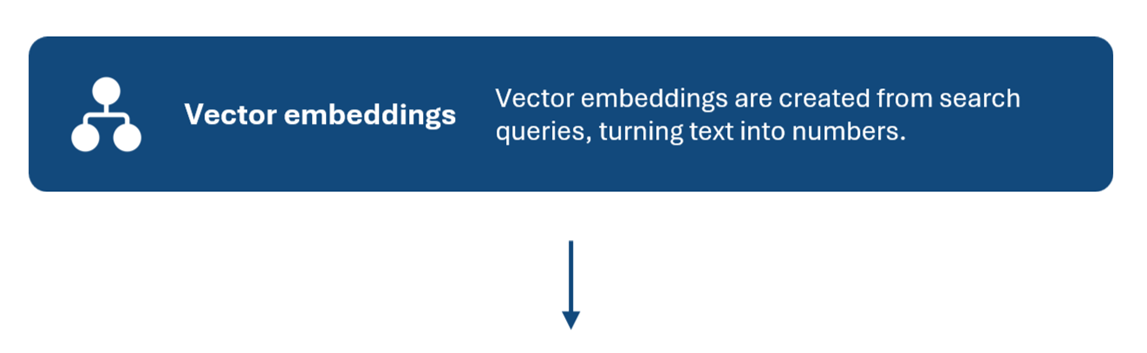
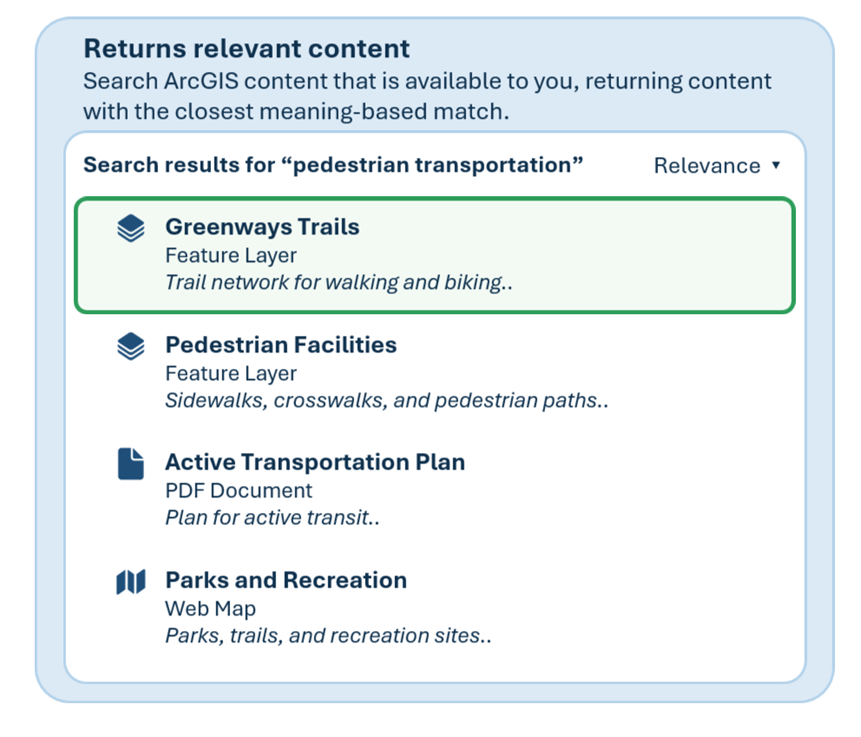
The text from an item’s information or metadata (title, summary, and description) is used to create a mathematical representation called a vector embedding. The system also creates an embedding from a user’s search query. These embeddings are plotted in a multi-dimensional space where similar concepts are located closer together. Semantic search compares the embedding of a search query with embeddings generated from items’ metadata, ranking results based on how closely they match.
Breaking this down further:
- Embeddings are created based on items’ title, summary, and description.
- Embeddings are created based on search queries.
- The system compares the embeddings to find relevant content based on the closest matches.

Note: Semantic search is not an AI Chat bot or assistant.
It cannot provide workflow steps or answer general questions; rather it will return search results with the items most closely related to your search query.
Semantic search (beta) prerequisites
Semantic search is currently available as a beta search experience in ArcGIS Online and ArcGIS Enterprise 12.2
ArcGIS Online
Organizations that want to explore the new search experience in ArcGIS Online will need an administrator to enable beta Esri apps and capabilities in their organization’s security settings.
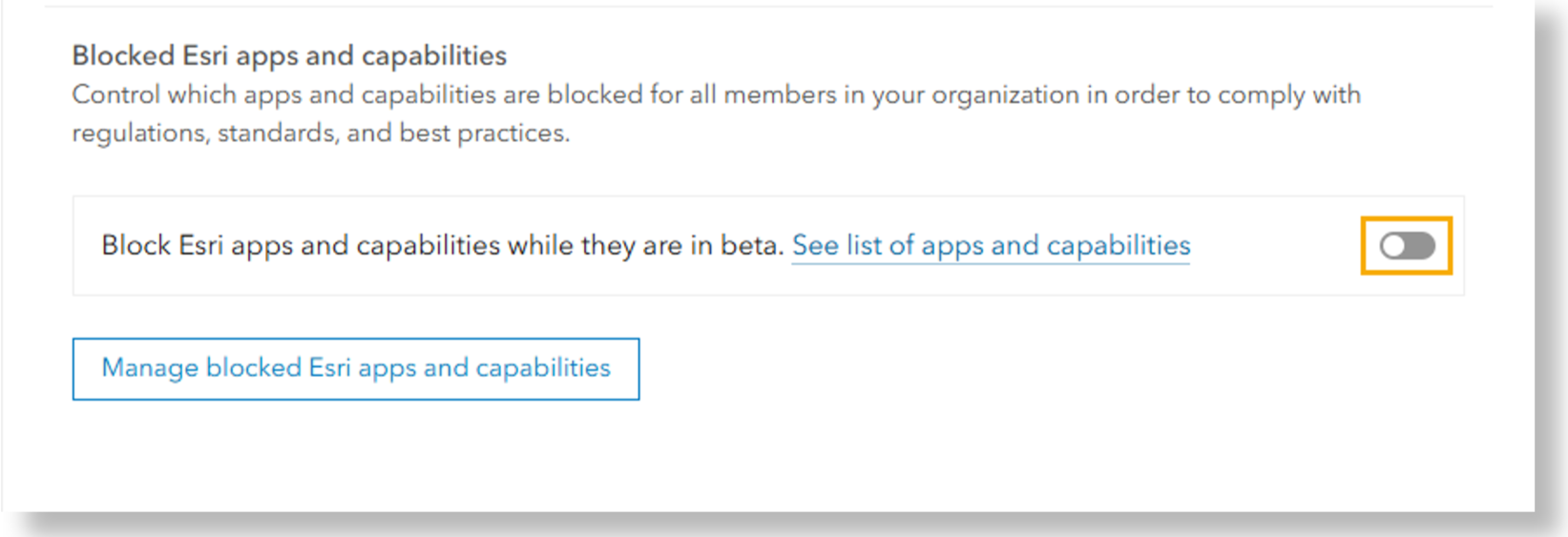
IMPORTANT NOTE - Semantic search (beta) will be made available on a rolling basis over the next several months to organizations that allow beta features. As a result, Semantic search (beta) may not be available immediately after beta features are enabled for your organization.
ArcGIS Enterprise 12.2
Organizations that want to explore the new search experience in ArcGIS Enterprise must have an administrator configure semantic search for the organization and provide ArcGIS Online credentials to access the embedding service.
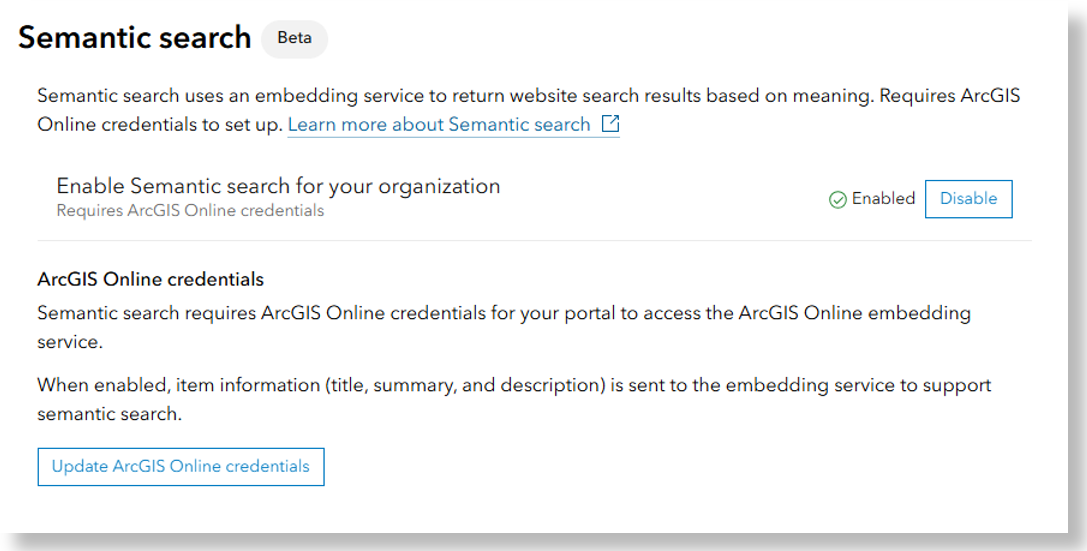
Stay in touch!
Do you have questions? We want to hear from you! If you haven’t yet, JOIN the Semantic search (beta) Early Access Community today to learn more and shape the future of search in ArcGIS.
Let’s make content discovery and exploration smarter and more impactful, together.

Commenting is not enabled for this article.