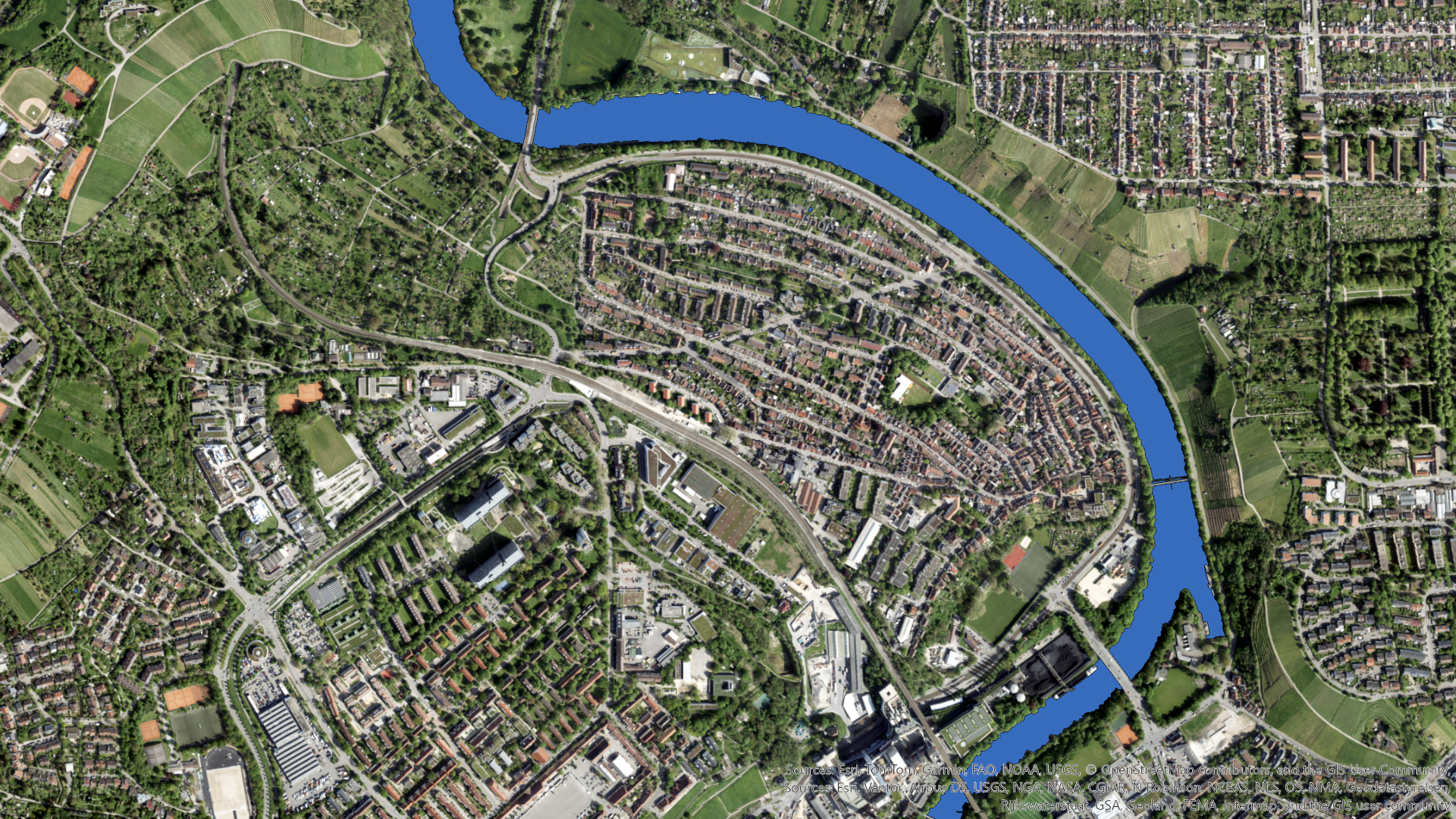
Water remains one of the more challenging features in Reality Mapping workflows. Its reflective nature, lack of texture, and seasonal variability can introduce noise and artefacts if not handled correctly.
In an earlier blog, we explored how to create water body geometries using traditional image classification workflows in ArcGIS Pro. While that approach is still valid, recent advances in foundation models now make it possible to significantly simplify the process.
In this post, I demonstrate a streamlined workflow using the SAM3 deep learning model and simple text prompts to automatically extract water bodies ready for use in Reality Mapping reconstruction workflows.
Why use SAM3 for water bodies?
SAM3 (Segment Anything Model v3) enables object detection and segmentation using natural‑language prompts rather than manually defined training samples or class schemas. For Reality Mapping projects, this offers some clear advantages:
- Fewer steps: no training data collection or classifier tuning
- Consistent results: across rivers, lakes, and reservoirs
- Scalable processing: for large project areas
For water extraction, prompts such as:
“water, lake, river, dam, creek”
are often sufficient to generate reliable results across a wide variety of environments.
The SAM3 model and associated metadata are available directly from ArcGIS content, making it straightforward to integrate into existing workflows.
You can find the SAM3 model HERE on Esri’s Living Atlas. Thanks to Eagle Technology Group Ltd in New Zealand for this great submission!
Project context and data characteristics
For this example, I applied the workflow to a Reality Mapping dataset covering approximately 50 square kilometres in Stuttgart, Germany. This is the same dataset from the previous blog with data provided by GeoFly GmbH – Vexcel Osprey 4.1 – processed with ArcGIS Reality by Esri. Copyright © GeoFly GmbH/Esri.
Key characteristics of the data and processing setup include:
- Imagery resolution: approximately 5 cm
- SAM3 inference: run at full native resolution
- Batch size: 32 (probably could have put this up a bit with my decent Graphics Card)
- GPU: NVIDIA GeForce RTX 4090
- Input: adjusted imagery following Reality Mapping alignment
Running SAM3 at native resolution ensures that narrow rivers, complex shorelines, and subtle water boundaries are preserved which is an important factor for achieving high‑quality downstream reconstruction results.
Workflow overview
This workflow begins after image alignment, making it well suited for refining inputs before dense reconstruction.
1. Confirm alignment in Reality Studio
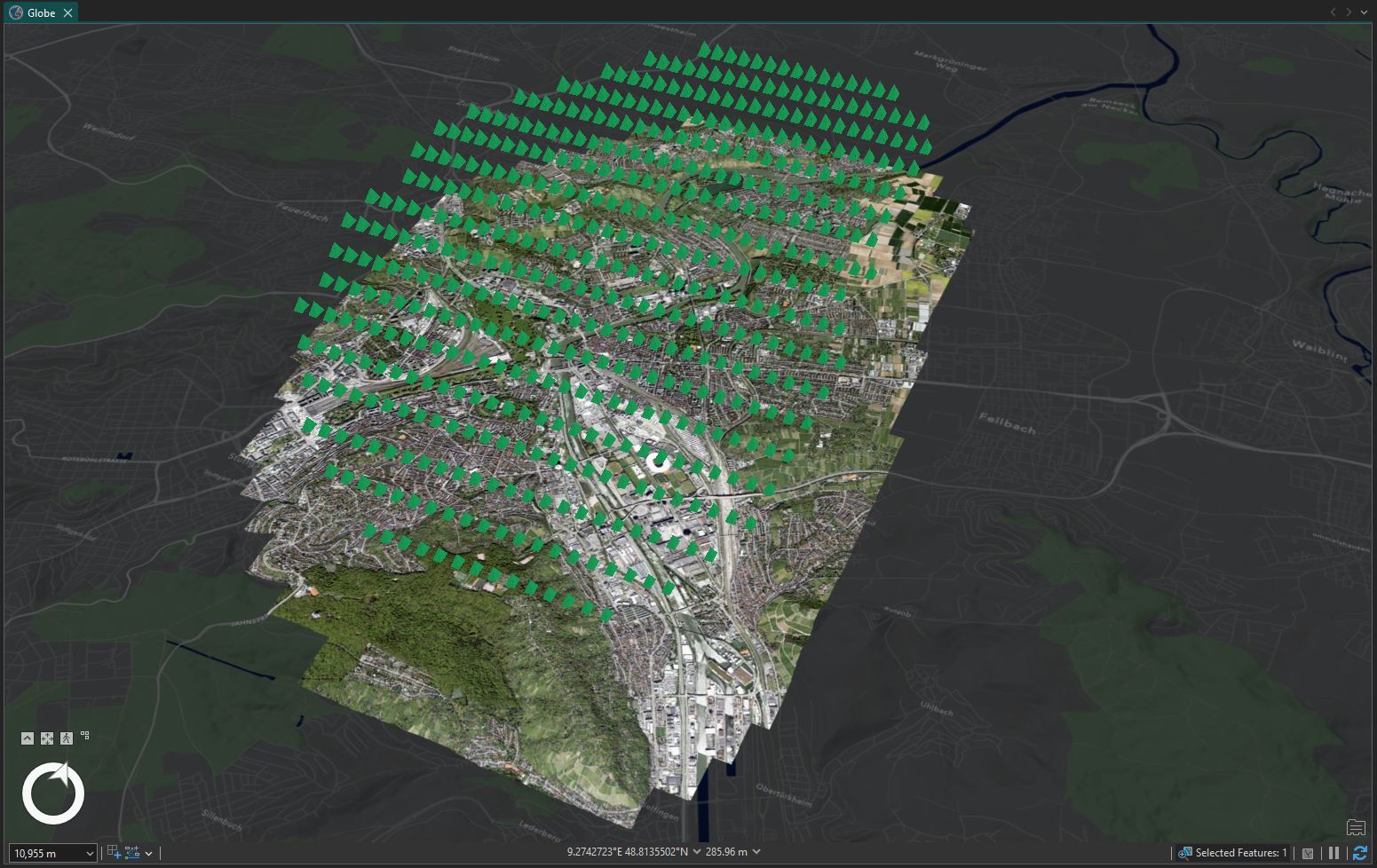
After completing image alignment in a Reality Mapping solution (I used ArcGIS Reality Studio this time), I reviewed the results to ensure consistent alignment across water bodies, shorelines, and river corridors.
2. Prepare the imagery in ArcGIS Pro
Next, I opened the aligned imagery in ArcGIS Pro via a mosaic dataset created from the adjusted frame and camera tables.
For simplicity and performance, I exported a single Cloud Raster Format (CRF) covering the project area. This avoids processing large image collections tile‑by‑tile and provides an optimised raster input for deep learning inference.
3. Run Detect Objects Using Deep Learning
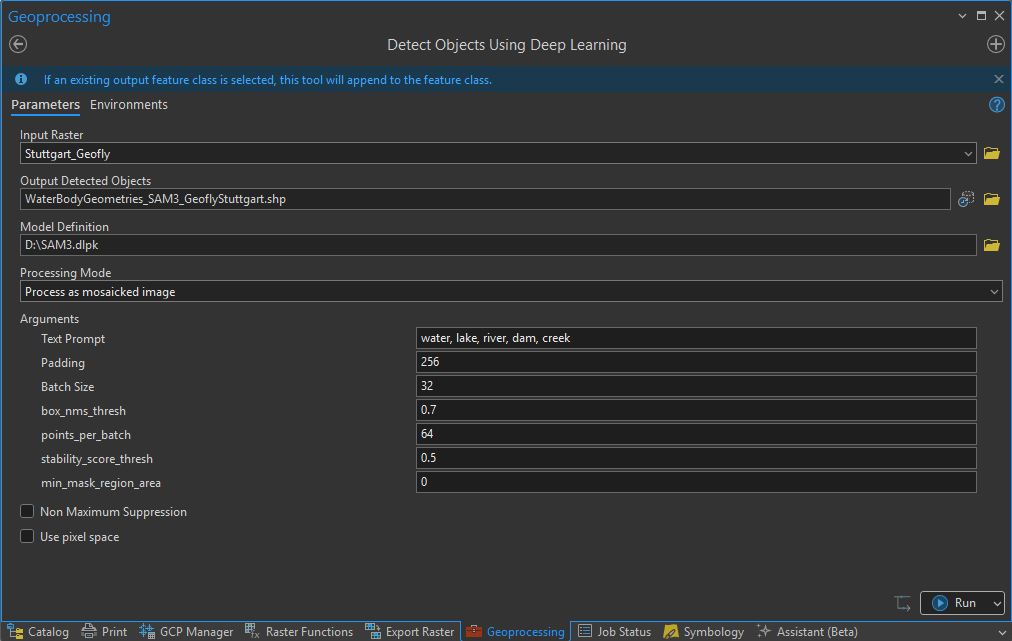
I then used the Detect Objects Using Deep Learning geoprocessing tool with the SAM3 model.
Key parameters included:
- Input raster: exported CRF
- Model: SAM3
- Prompt: water, lake, river, dam, creek
- Batch size: 32
- Output: polygon features
Post‑processing and cleanup
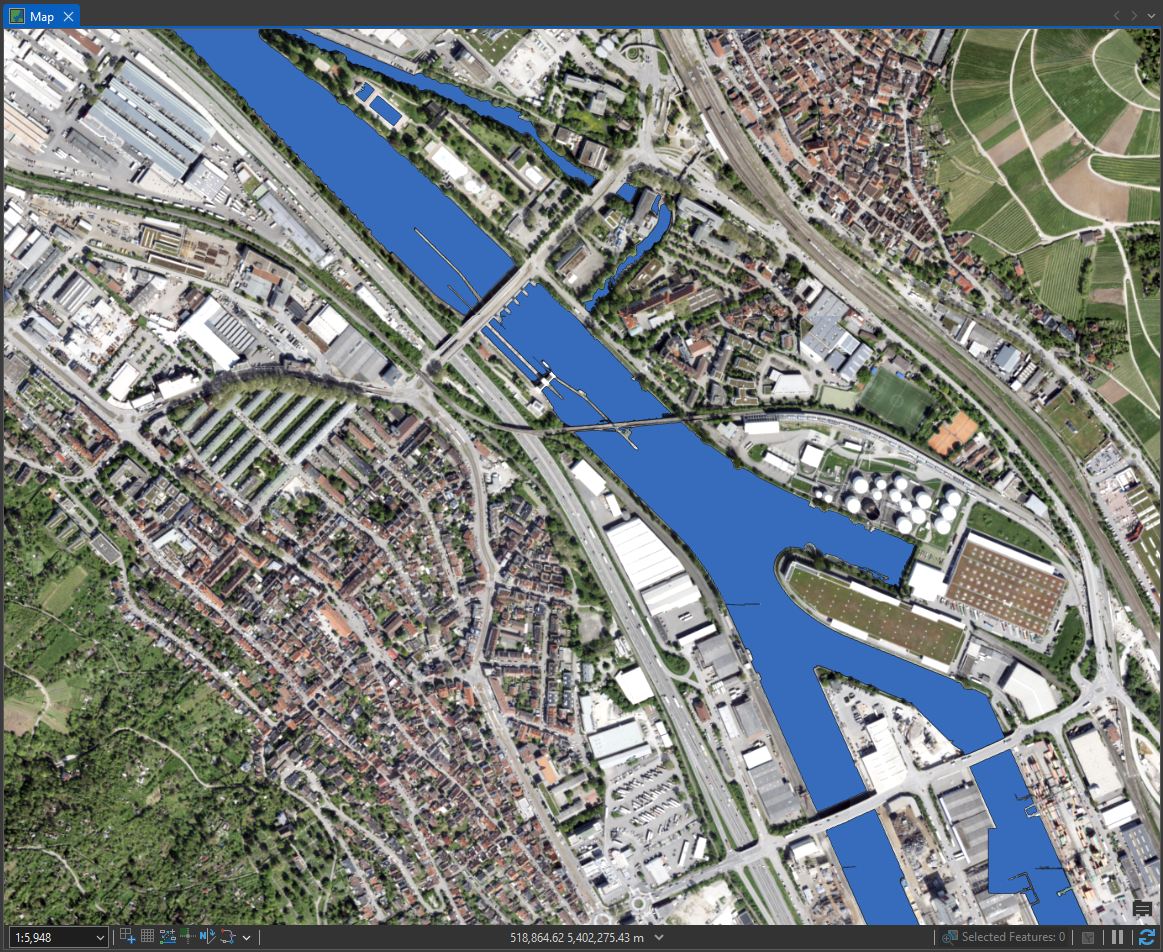
Because SAM3 processes imagery in tiles, the initial polygon output can contain small artefacts or discontinuities along tile boundaries. To regularise the geometry and produce cleaner inputs for Reality Mapping, I applied a short post‑processing sequence.
The following steps were used:
- Apply a positive buffer of 0.1 m to the detected water body polygons
- Run Polygon to Raster
- Convert back using Raster to Polygon
- Apply Eliminate Polygon Part to remove small internal artefacts
This sequence smooths tile seams and merges fragmented shapes into clean, contiguous water body geometries that are far more suitable for downstream use.
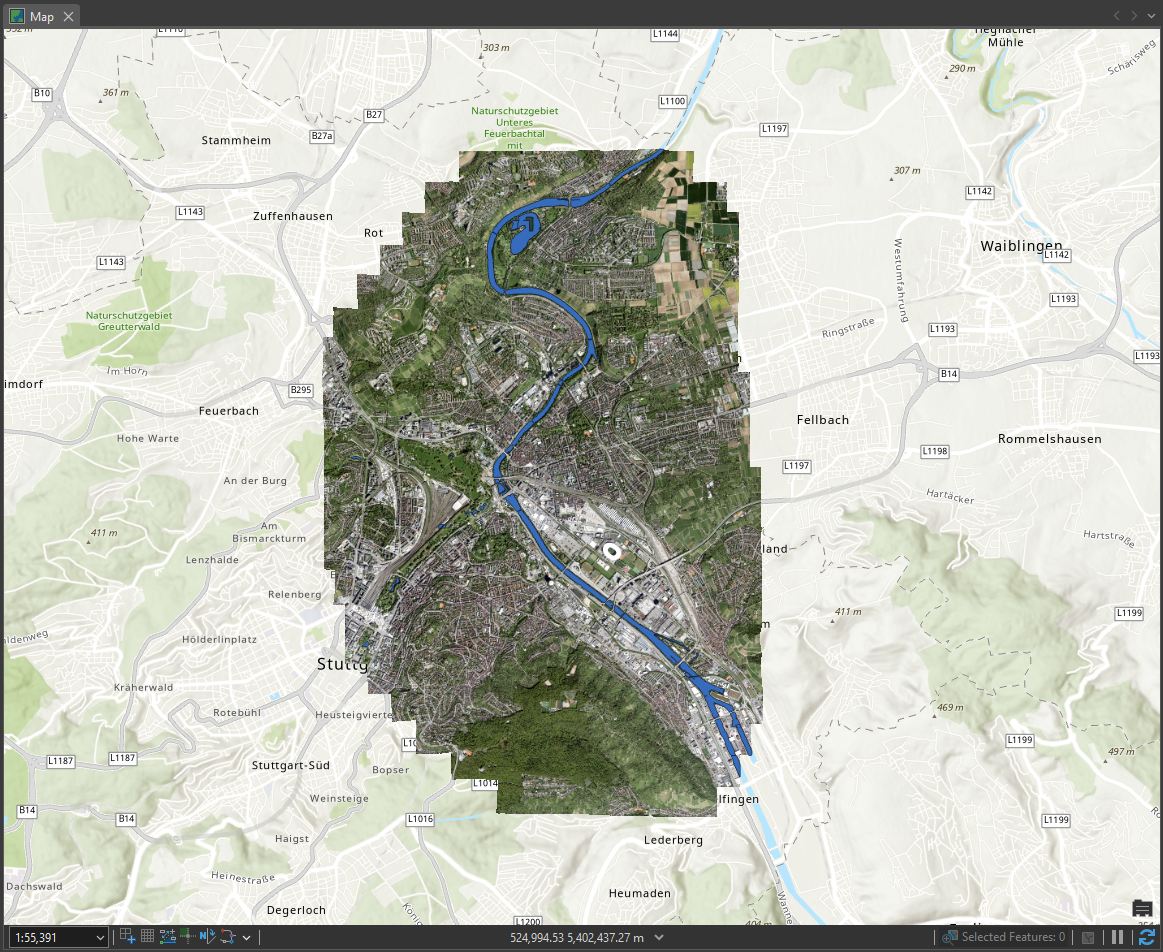
From here, only minor manual cleanup was required. As expected, there were some false positives and a few missing areas, but the most challenging components, like long and reflective river sections, were handled extremely well.
Performance and processing time
For this 50 km² dataset, running SAM3 at 5 cm resolution with a batch size of 32 on a GeForce RTX 4090 took approximately 10 hours end‑to‑end.
This reflects a full‑area run without constraining the analysis to a smaller target polygon. While processing time can be reduced by limiting the spatial extent, this approach fits well into a practical production model.
In reality in your day to day job, this works really well if you start the process as you leave on Friday afternoon and return to your desk on Monday morning to review results and perform minor cleanup.
Using the results in Reality Mapping
Once validated, the extracted water body polygons can be:
- Imported into your preferred Reality Mapping solution for your reconstruction
- Reused across multiple production runs for the same area
At this stage, you can choose between precise or coarse water body workflows. While both are valid, I generally recommend coarse water bodies:
- Less editing effort
- More tolerant of small shoreline or seasonal changes
- Often reusable across multiple projects
- Effectively handled during final reconstruction in Reality Studio
Final thoughts
By combining SAM3, text prompting, and Reality Mapping‑ready imagery, water body extraction becomes faster, simpler, and far more scalable without sacrificing output quality.
Although some light cleanup is still required, this workflow removes much of the most time‑consuming and error‑prone work, particularly for large areas and complex river systems. As foundation models continue to mature, approaches like this are quickly becoming a standard component of modern Reality Mapping production pipelines.
Stay Connected
To find out more about our solutions, visit Aerial Mapping Software & 3D Imagery | ArcGIS Reality Studio


Article Discussion: