
Smarter Aggregation Starts Here
One of the most common workflows in GIS is aggregating point data into bins – whether you’re mapping emergency calls, building permits, disease cases, wildlife sightings, or another spatial phenomenon. But at the center of these workflows there is a critical question: What bin size should I use?
With ArcGIS Pro 3.6, we’re excited to introduce a new geoprocessing tool that can help you answer that question: Evaluate Bin Sizes for Point Aggregation.
Why Bin Size Matters
Choosing a bin size isn’t just a visualization decision – it has major impacts on downstream analysis. The size of your bins affects what patterns you detect and how you interpret them. Bins that are too small may be sparse and noisy, while bins that are too large can obscure important local variation. This is a classic example of the “scale effect” associated with the Modifiable Areal Unit Problem (MAUP), and it’s why justified, reproducible bin size selection is so important.
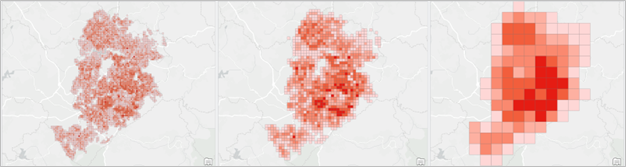
In some cases, bin size choice is guided by use case, analytical workflow, or theoretical framework. But more often than not, we find ourselves making arbitrary decisions, relying on intuition or what “looks right” on the map. The new tool replaces this guesswork with data-driven guidance.
Using the Tool
The Evaluate Bin Sizes for Point Aggregation tool is simple to use. Just provide a point dataset and set an aggregation boundary to define the area where points can occur.
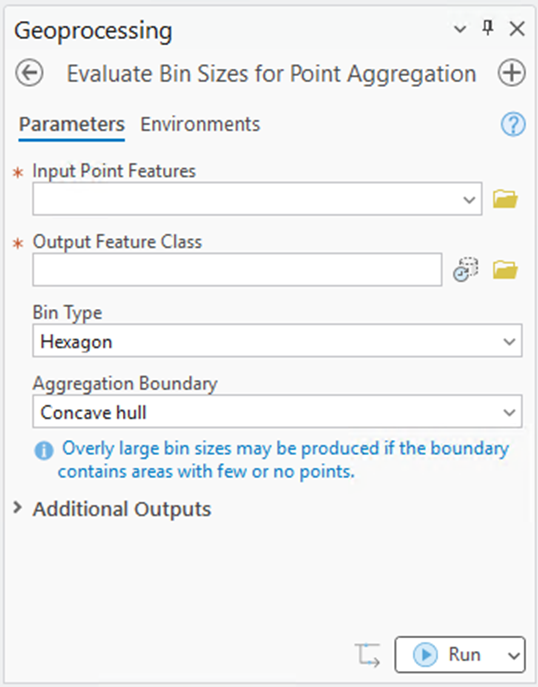
The Aggregation Boundary can significantly influence results, especially if it includes large areas with few or no points. This may lead to a larger-than-expected recommended bin size. You can supply a custom polygon, draw one interactively, or choose a minimum bounding geometry option. We recommend specifying a custom boundary when possible, though the default option of Concave Hull can often provide comparable results.
The tool generates:
- A recommended bin size
- An aggregated output layer
- An aggregation boundary layer
- Charts showing the evaluation score and its components, Internal Uniformity and Point Count Variety, across the tested bin sizes
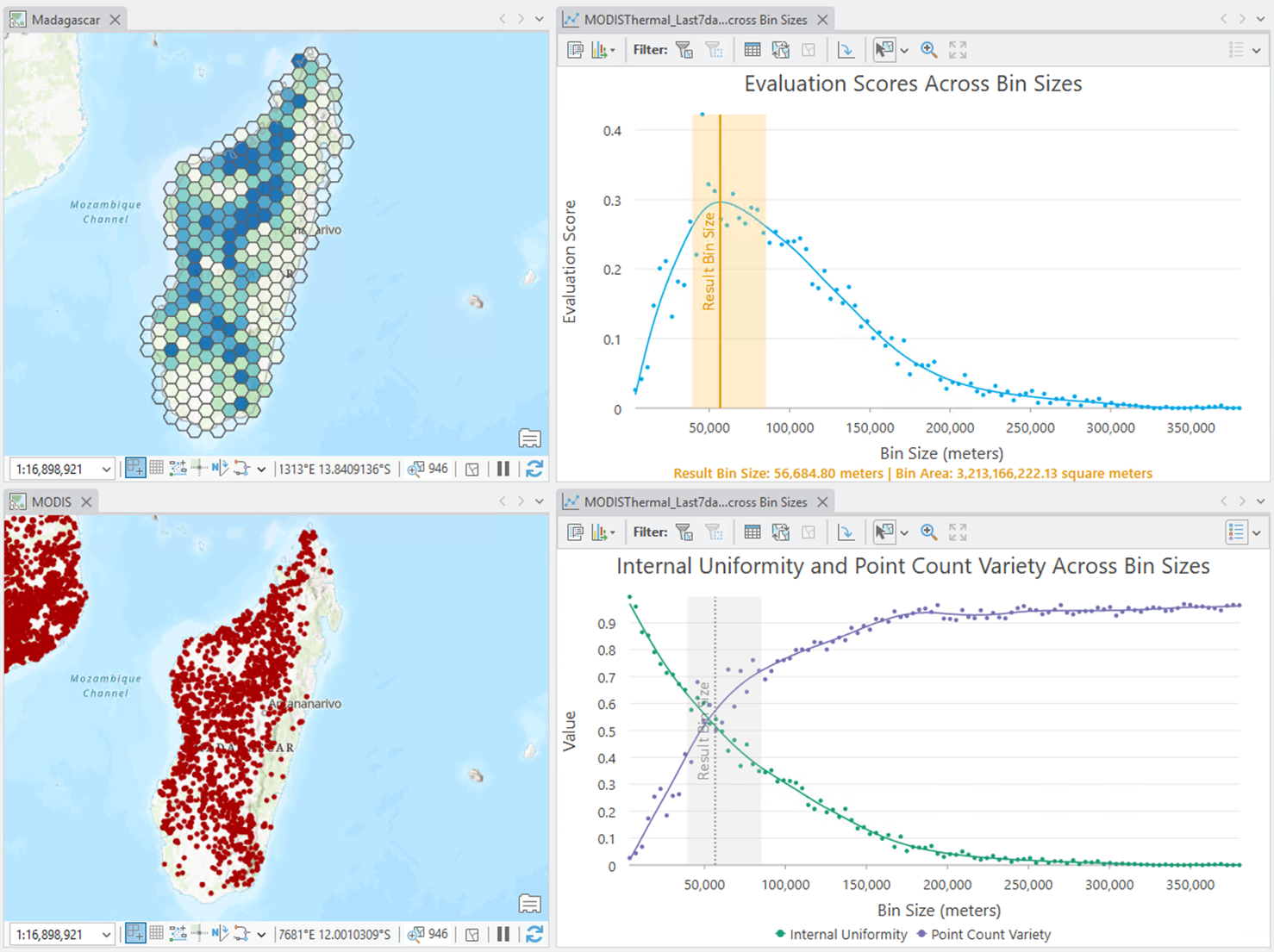
Review the outputs to decide whether to use the suggested bin size or select another – for example, perhaps you want to use an H3 hexagon resolution that falls within the confidence interval. If needed, use tools like Generate Tessellation and Summarize Within to create your own aggregation.
Learn more about using the tool.
How It Works
Behind the scenes, the tool evaluates a range of bin sizes by calculating an Evaluation Score for each. This score balances two competing criteria: Point Count Variety (favoring larger bins) and Pattern Preservation (favoring smaller bins).
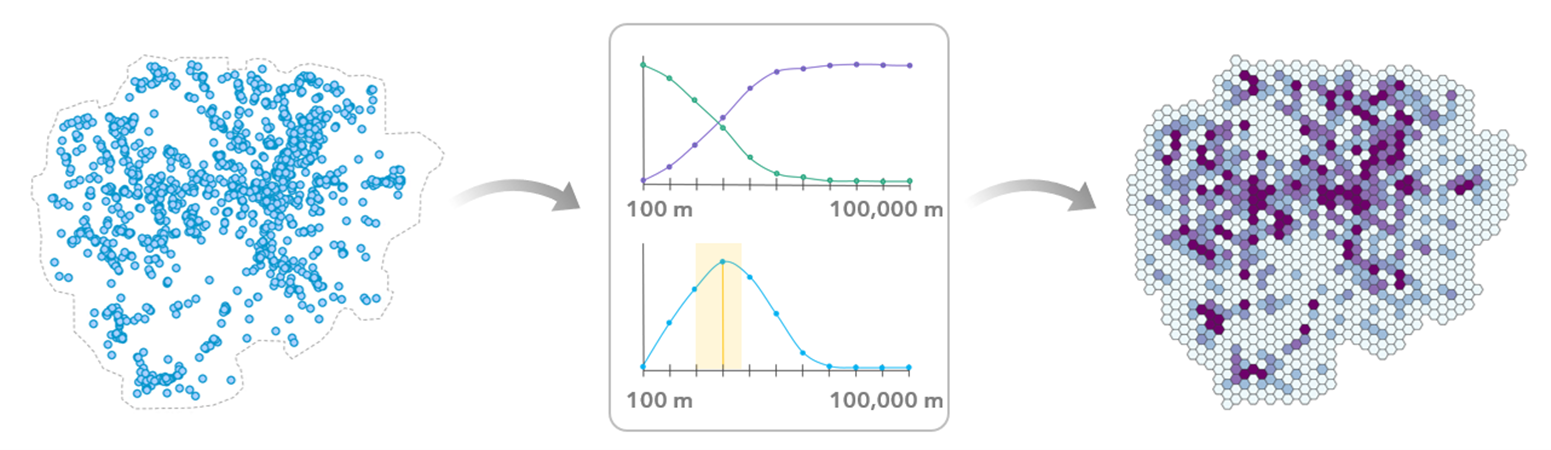
The bin size with the highest Evaluation Score is selected as the output bin size. The tool also provides a confidence interval, highlighting other bin sizes with scores that aren’t significantly lower, giving you flexibility in your final choice.
Learn more about how the tool works.
Try It Out
The Evaluate Bin Sizes for Point Aggregation tool is available now in ArcGIS Pro 3.6, in the Assessing Sensitivity toolset within the Spatial Statistics toolbox. Regardless of your industry or role, this tool can help you make smarter, more informed decisions when aggregating point data.
Resources
- Evaluate Bin Sizes for Point Aggregation
- How Evaluate Bin Sizes for Point Aggregation works
- Ramos, Rafael G. 2025. “Finding an Adequate Areal Unit to Map Crime: A Spatial Data Perspective.” New Research in Crime Modeling and Mapping Using Geospatial Technologies (pp. 27-44). Cham: Springer Nature Switzerland. https://doi.org/10.1007/978-3-031-81580-5_2.



Commenting is not enabled for this article.