Streamline data is fundamental for many hydrologic analyses. From floodplain delineation to wetlands identification, an accurate representation of the streams in a map is necessary.
Streamline data can be obtained in several ways. One method is extracting streams from a digital elevation model (DEM). High‑resolution DEMs capture streams in greater detail, but they have limitations — for example, they may miss human‑made infrastructure that affects water flow. Another option is using streams from external sources, such as the United States Geological Survey (USGS) National Hydrography Dataset (NHD). These datasets are preprocessed to ensure the streams accurately represent observed water flow.
Often, hydrologic analyses combine external stream data with other raster datasets. In these cases, it is important to ensure they align, so the results reflect accurate stream locations. With the new Adjust Stream to Raster tool in ArcGIS Pro 3.6, it is possible to generate a streamline feature output that matches the elevation raster while preserving the original stream paths.
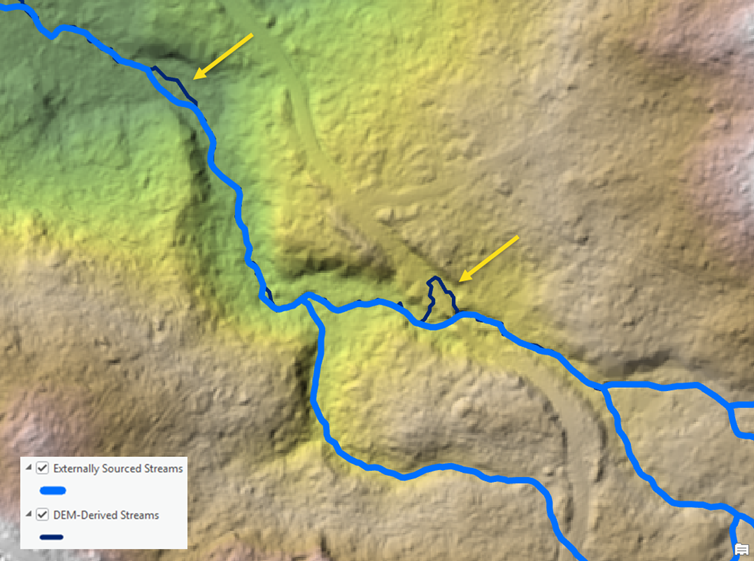
The Adjust Stream to Raster tool requires input streamline features and an input raster. The tool adjusts the streamlines to match the resolution of the input raster. Using the optional parameters, you can control the different aspects of the output. For example, you can control how the output streams will be grouped based on a field using the Group By Field optional parameter. In addition, you can specify which is the main stream when one stream splits into two channels using the Divergent Flow or Next Path Field optional parameter.
The tool also optionally creates two different raster outputs if specified. The optional outputs are a flow direction raster along the streams and a raster representation of the adjusted streamline features.
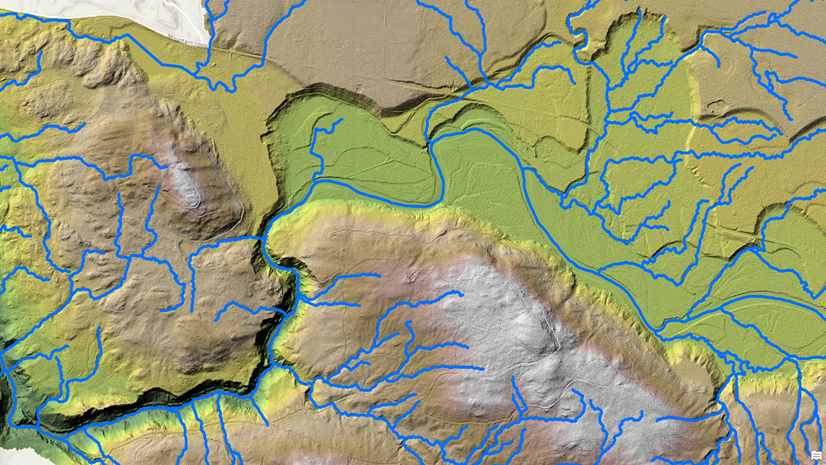
You can use the optional outputs, for example, to modify the elevation raster to ensure it captures the correct streamlines information.
When working with externally sourced stream data, take advantage of the new Adjust Stream to Raster tool to ensure your hydrologic analysis captures the most accurate streamline locations while maintaining consistency between your inputs.

Commenting is not enabled for this article.