Surfacing important and relevant information
Remember when it was fun and exciting to hear that you’ve got mail? I do, but you know what? I’m over it. I don’t want more mail. My work and personal email inboxes overfloweth with far more information than I can keep up with. Throw in a healthy helping of Teams chats and it feels like an extraordinary accomplishment to find the time to write a blog (I turned off email and Teams to write this).
Sometimes, however, there is something important in that pile of communications. Like that email from the power company that there will be a service outage at my house. That’s important because it will impact my work, getting kids ready for school, and so on and I don’t want to lose that information in a pile of irrelevant messages.
Software announcements start in ArcGIS Pro 3.6 (Q4 2025)
From listening to our customers, we know that it is a struggle to keep up with the constant changes that come with maintaining software. And while we put a lot of effort into communicating important messages, we understand that those messages often do not get to the people that need them most – you, the person using the software.
This is where software announcements come in. Starting with ArcGIS Pro 3.6 (planned to be available in early November 2025) we will post important information that may affect your work directly to you in the application. Announcements include information about upcoming software changes, deprecation notices, or critical software defects. Your computer must be connected to the internet to check for and receive announcements.
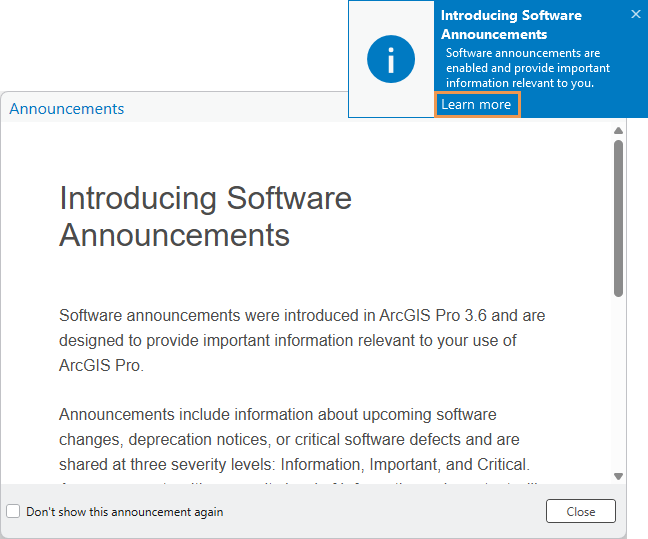
During application startup, ArcGIS Pro will check for announcements that are relevant to you. By relevant, what I mean is that we will consider your software version, the license type (like a Named User through a user type, Single Use, or Concurrent Use license), license level, version of .NET, and so on and only display announcements that are likely to impact you.
Announcements appear as toast notifications when you start the application. They may be informational, important, or critical. Informational and important announcements appear only once as a toast and then can be found in the Notifications pane; critical announcements reappear on startup until you dismiss them.
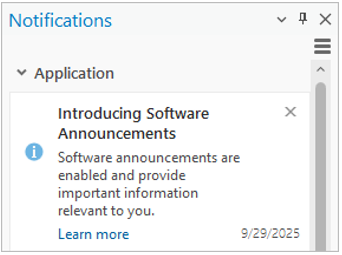
For example, if there were a critical software defect that only impacted a certain version of ArcGIS Pro, we would target a critical announcement only to users running that specific version so that they get the information while other ArcGIS Pro users who are not affected will not be distracted by irrelevant information. This announcement would display a toast notification every time the software is started until dismissed by the user.
The upcoming change to Concurrent Use license support is another example that illustrates our desire to keep software announcements relevant and not become distracting. While we have published a deprecation notice for the Concurrent Use License Type and ArcGIS License Manager and sent emails to customers with these licenses, it will be important for users still running ArcGIS Pro 3.6 with a Concurrent Use license to understand that before updating to software versions released in 2026, they’ll need to move to a supported license type.
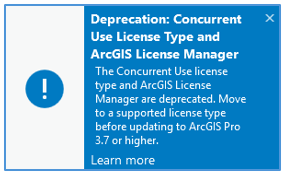
Because updating without changing license type will lead to the updated software not opening, we feel this is a critical message to get to users and we’ll do it through the new software announcements in ArcGIS Pro 3.6. The takeaway here is that users who are not running Concurrent Use licenses will not receive the announcement as it does not affect them.
Software update announcements
Certain announcements will be flagged as update-related so that when you update through the built-in updater you’ll receive a dialog about important information to know before upgrading. It may be that the new version requires a .NET update that is not present on your computer (hint: we anticipate that the Q2 2026 version of ArcGIS Pro will require .NET 10). We will not stop you from proceeding, but the design is to provide the information you need to make the right decision about whether you’re ready to upgrade or not. You can proceed, or you may want to double-check those requirements and save the time of having to roll back because it turns out you’ll need the IT department to update the .NET version on your machine and they have a long backlog of work.
Control announcement notifications
As stated above, announcements are context sensitive to the client and will be minimized so that only information that is relevant to you will be displayed.
You can control announcement behavior through User Interface options:
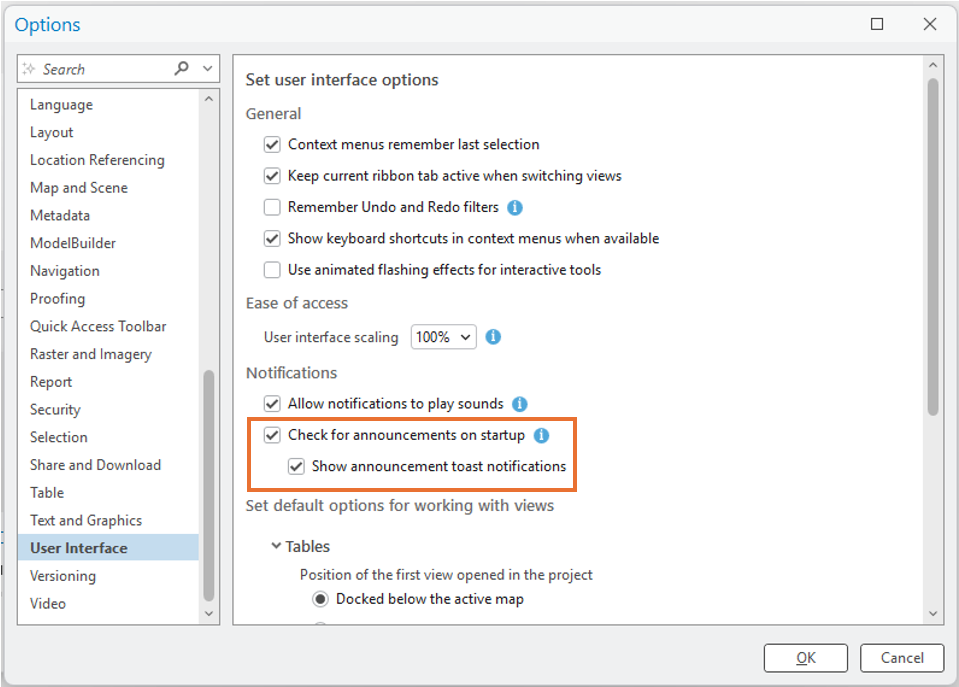
For organizations that have network restrictions or administrators who want to control the information their ArcGIS Pro users are receiving, software announcements can be disabled through a registry key or application settings.
To block all announcements, browse to the registry key HKEY_LOCAL_MACHINE\SOFTWARE\ESRI\ArcGISPro\Settings, create a DWORD value named DisableAnnouncements, and set the value to 1.
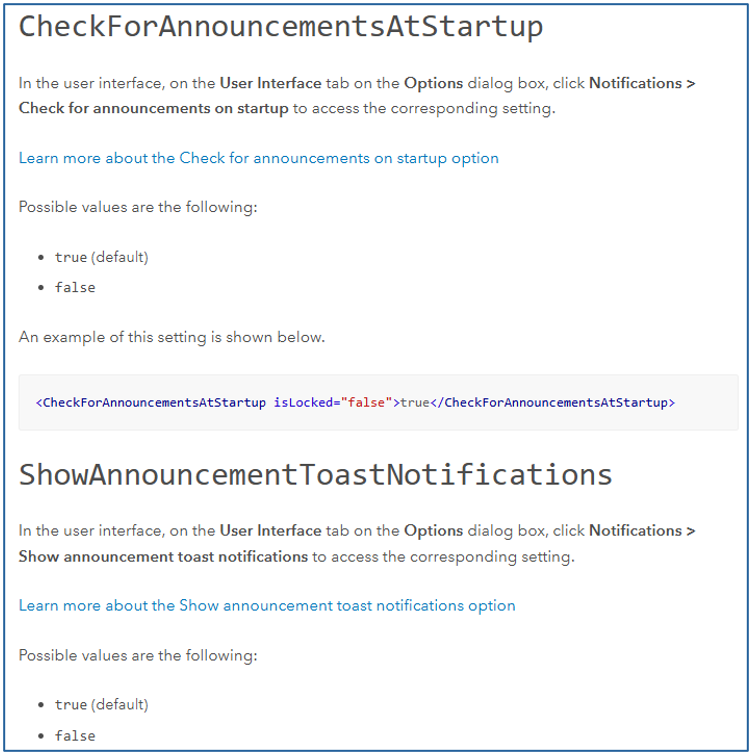
If you have already deployed a Pro.settingsConfig file that your organization’s users are pointing to, modify the file as needed by setting the CheckForAnnouncementsAtStartup and/or ShowAnnouncementToastNotifications (these settings are available with ArcGIS Pro 3.6 and higher) values as appropriate for your organization.
Summary
Software announcements open a new communication channel designed to convey important and relevant information to users directly in the application. Our goal is to get the right information to the right people at the right time so that you have what you need to be successful with the software and continue your important work.

Article Discussion: