Underpinning many of the tools in the Spatial Statistics toolbox are Spatial Weights Matrices—we call them SWMs for short. They’re used everywhere from Hotspot Analysis, Cluster and Outlier Analysis, Build Balanced Zones, Spatial Autoregression and much more.
A SWM is how we quantify Tobler’s First Law of Geography which says:
“everything is related to everything else, but near things are more related to distance things.”
A SWM determines which features are considered neighbors and just how much “influence” they exert on each other.
ArcGIS Pro 3.6 brings an entirely revamped Generate Spatial Weights Matrix tool. While you may not have ever used the tool directly, some of the changes in this release will be felt everywhere in the Spatial Statistics toolbox.
Enhancements at a glance:
- Contiguity algorithm is upwards of 200x faster than ArcGIS Pro 3.5 and prior
- Customizable spatial weights matrices
- We’ve introduced a Higher Order Contiguity neighborhood type.
- Weight neighbors based on Length of Shared Border
- Model distance decay with kernel-based weights
Contiguity just got a lot faster
We rebuilt the contiguity algorithm from the ground up. Working with the core geoprocessing team, they’ve release a new tool Pairwise Polygon Neighbors which now powers our contiguity algorithm.
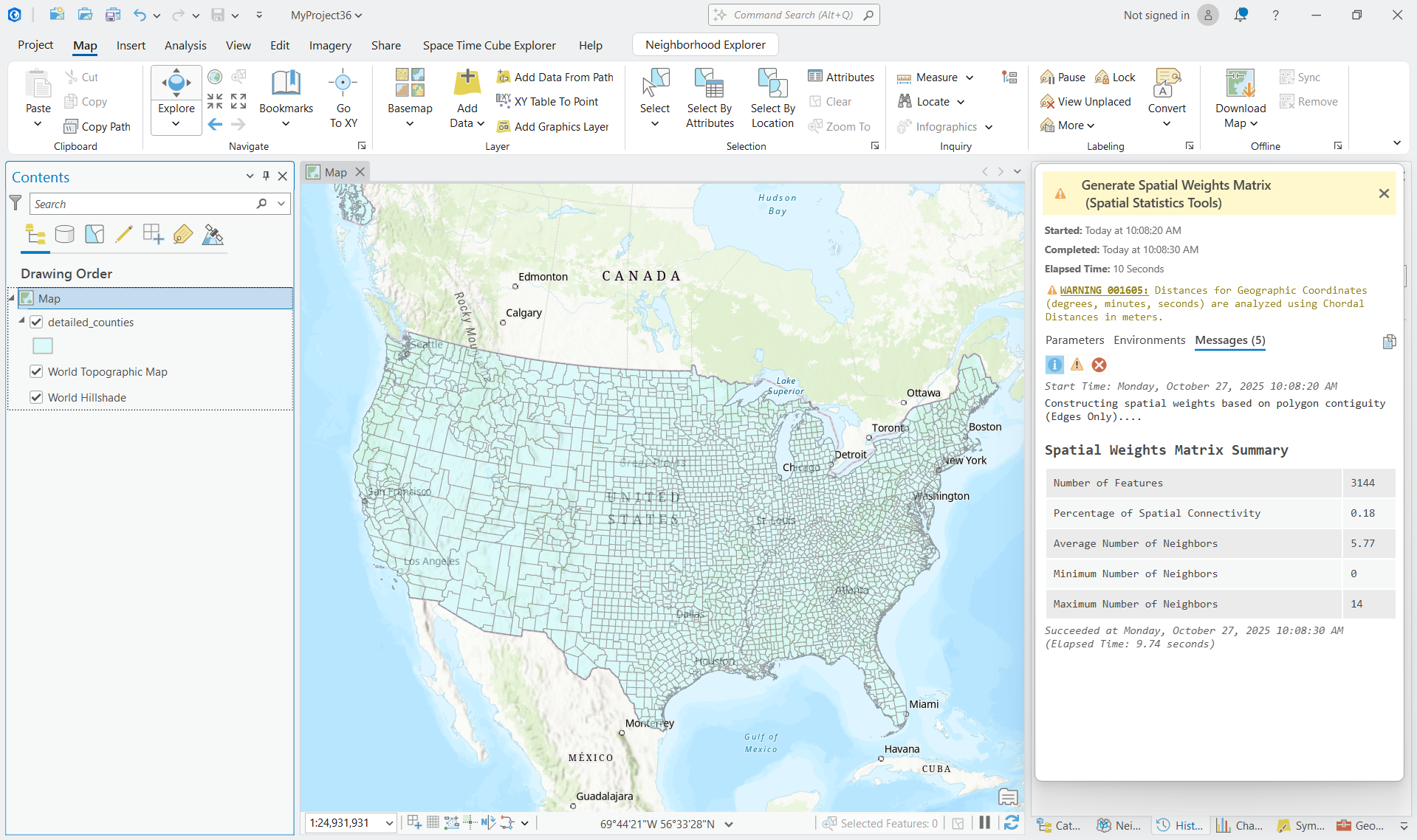
The performance gains are substantial. Running contiguity on detailed US counties used to take about 4 minutes. It now finishes in roughly 10 seconds! 240 times faster for that dataset. Your mileage will vary depending on your data, but the improvement should be noticeable whenever you use contiguity in Hot Spot Analysis, Cluster and Outlier Analysis, or any other Spatial Statistics tool. The speed increase will be most noticeable for complex polygons with many vertices.
Customizable Spatial Weights Matrices
A spatial weights matrix is made by making two decisions which can be paraphrased with the following questions:
- How do we find our neighbors in physical space?
- How much do they influence each other?
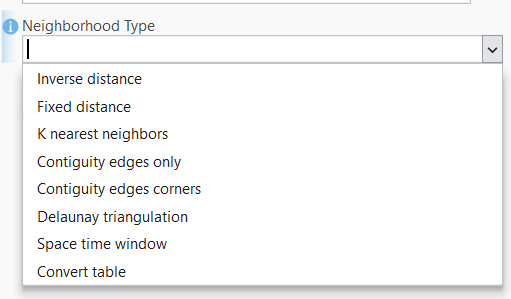
In ArcGIS Pro 3.4 we shipped the Neighborhood Explorer experience, which gives users the ability to create new SWMs by specifying the neighborhood type and weighting scheme separately. We’ve embraced the customizability that this provides in this release of Generate Spatial Weights Matrix.
Higher Order Contiguity
When using polygon data, the most intuitive way to identify neighbors is by identifying adjacent polygons. Polygons that touch each other are considered to be contiguous.
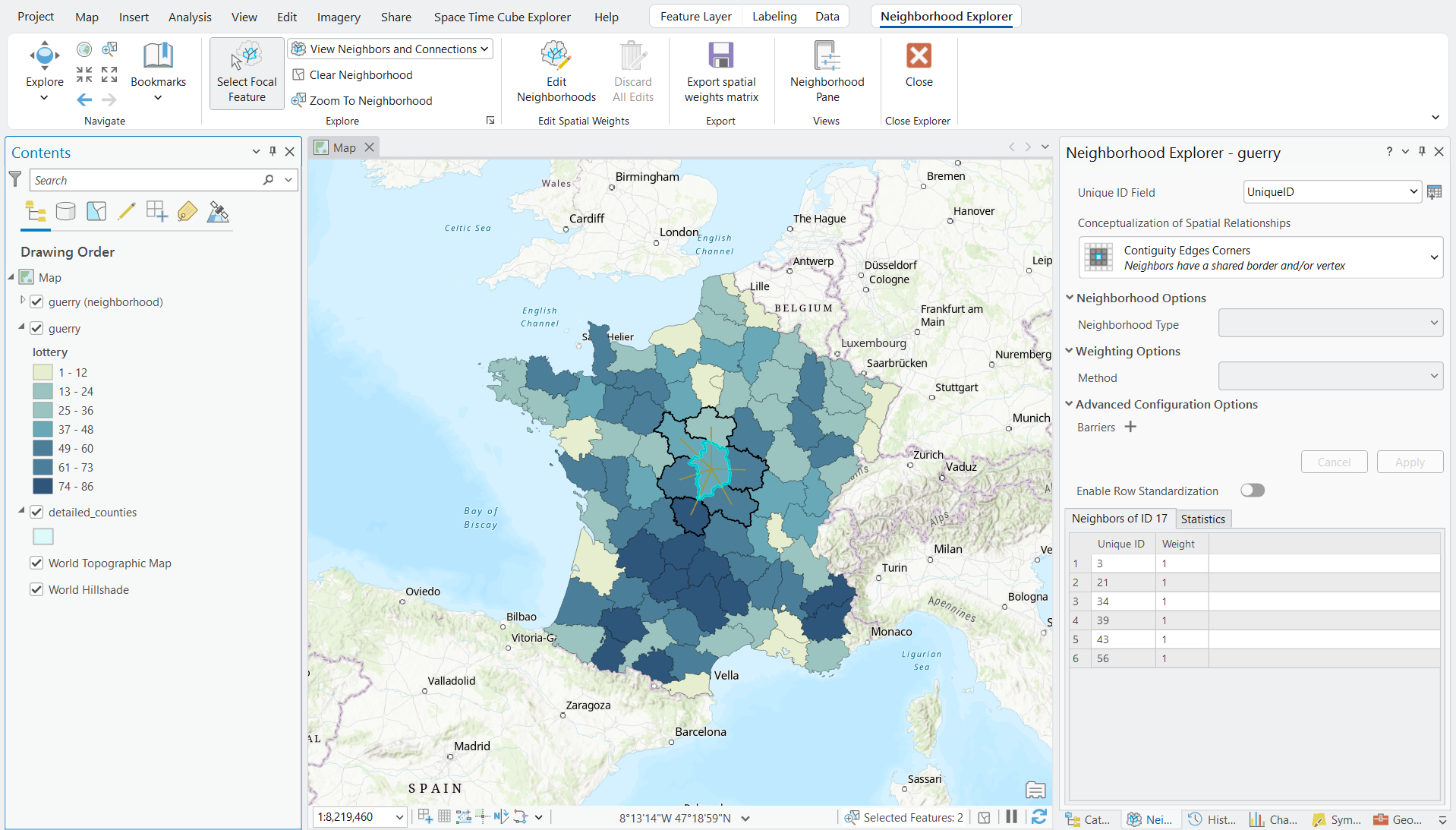
Often, though, the immediate neighbors don’t always capture the full extent of spatial relationships. In some use cases, such as epidemiology, neighborhoods should include the neighbors of a feature’s immediate neighbors. This is what higher order contiguity is used for.
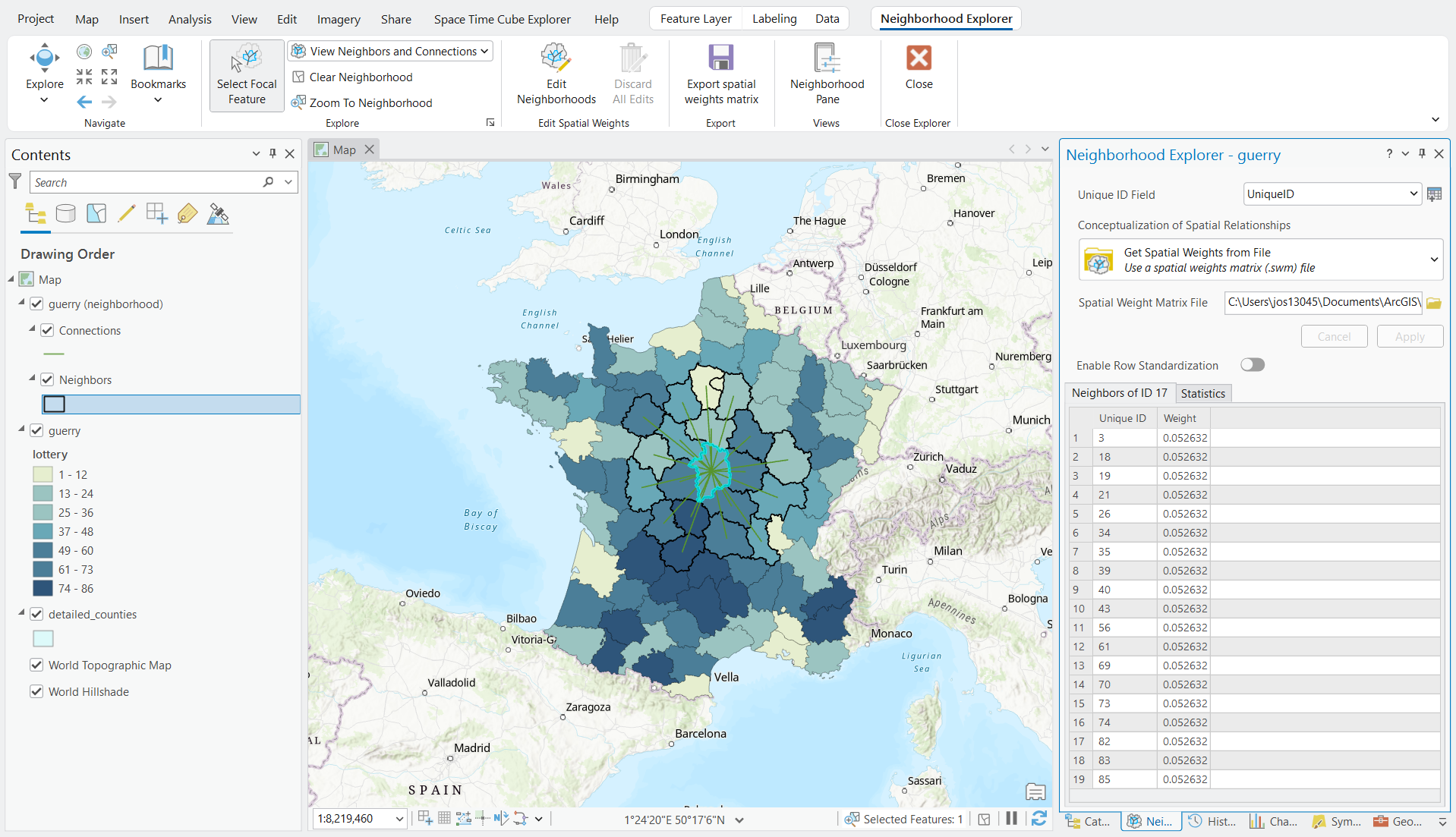
The order indicates the degree of neighbors. First order is the immediate neighbors. Then second order would include the neighbors of those neighbors and so on.
Kernel Weights
We’ve added kernel functions for calculating weights: Gaussian, Epanechnikov, Quartic, and Triangular. Each kernel creates a different distance-decay relationship. Gaussian weights decay smoothly along a bell curve. Triangular weights have constant, steep decay. Epanechnikov starts slow and drops off sharply. The kernel you choose affects how much influence distant neighbors have on your focal feature, which changes your results.
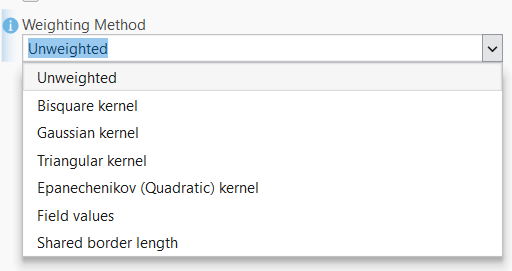
Our newer tools such as Bivariate Spatial Association enable you to choose a kernel weight. However, with this new enhancement you can create a SWM and provide it to any tool that may not have kernel weighting options.
Get Started
The enhancements to Generate Spatial Weights Matrix give you full control over how spatial relationships are defined in your analysis. Build custom SWMs with neighborhood types and weighting schemes that aren’t available in other tools, then reuse that same SWM across the entire Spatial Statistics toolbox. Whether you’re running Hot Spot Analysis, Cluster and Outlier Analysis, or any other spatial statistics tool, you can now ensure they’re all using the exact spatial relationship structure your analysis requires.

Article Discussion: