One of the highlights of attending Esri User Conferences is meeting users and colleagues from around the world and learning about the important work they do with ArcGIS software. In this blog, I’m proud to include my co-author Álvaro Gutiérrez from Esri Spain, who will help share some new ways to use AI with unstructured text data in ArcGIS.
The ArcGIS Living Atlas of the World contains nearly 100 pretrained AI models that help you to easily get started with using geospatial AI (GeoAI) to extract features and information from your data.
As part of this larger set of pretrained models, we’ve added several new deep learning packages (DLPK) that allow you to seamlessly integrate open-source, pretrained AI models from Hugging Face Hub directly into your ArcGIS workflows.
What is Hugging Face Hub?
The Hugging Face Hub is a platform where the global AI community shares and collaborates in their machine learning workflows. It acts as a central repository and collaboration space for the AI Community, hosting over 2 million state-of-the-art, community contributed AI models for a variety of computer vision, natural language processing, audio, tabular, and multimodal tasks.
Hugging Face Deep Learning Packages
The ArcGIS Living Atlas hosts 12 deep learning packages for the different tasks that you can perform with Hugging Face Hub models—6 for text analysis tasks and 6 for imagery tasks.
Text
- HF Entity Recognition
- HF Text Classification
- HF Text Question Answering
- HF Text Summarization
- HF Text Translation
- HF Zero-Shot Text Classification
Imagery
- HF Image Inpainting
- HF Object Classification
- HF Object Detection
- HF Pixel Classification
- HF Visual Question Answering
- HF Zero-Shot Classification
In this blog, we’ll walk through two separate workflows that leverage this seamless integration between Hugging Face Hub and ArcGIS for text analysis, demonstrating the use of natural language processing in GIS.
Text Classification: Sentiment Analysis of Public Surveys
The first example is from Álvaro Gutiérrez of Esri Spain, who presented the following workflow at the Esri European Developer & Technology Summit in Frankfurt, Germany in November 2025.
To better understand the type of challenge this workflow is designed to address, it is useful to start with a situation that is common to many large cities: Urban waste management often generates a substantial volume of citizen feedback related to service quality, cleanliness, or operational issues across different neighbourhoods.
Many local administrations provide digital channels that allow residents to report issues, submit complaints, or share suggestions regarding municipal services. These inputs are frequently georeferenced and include open text fields where citizens describe their concerns in natural language, resulting in large amounts of unstructured but highly valuable information and data.
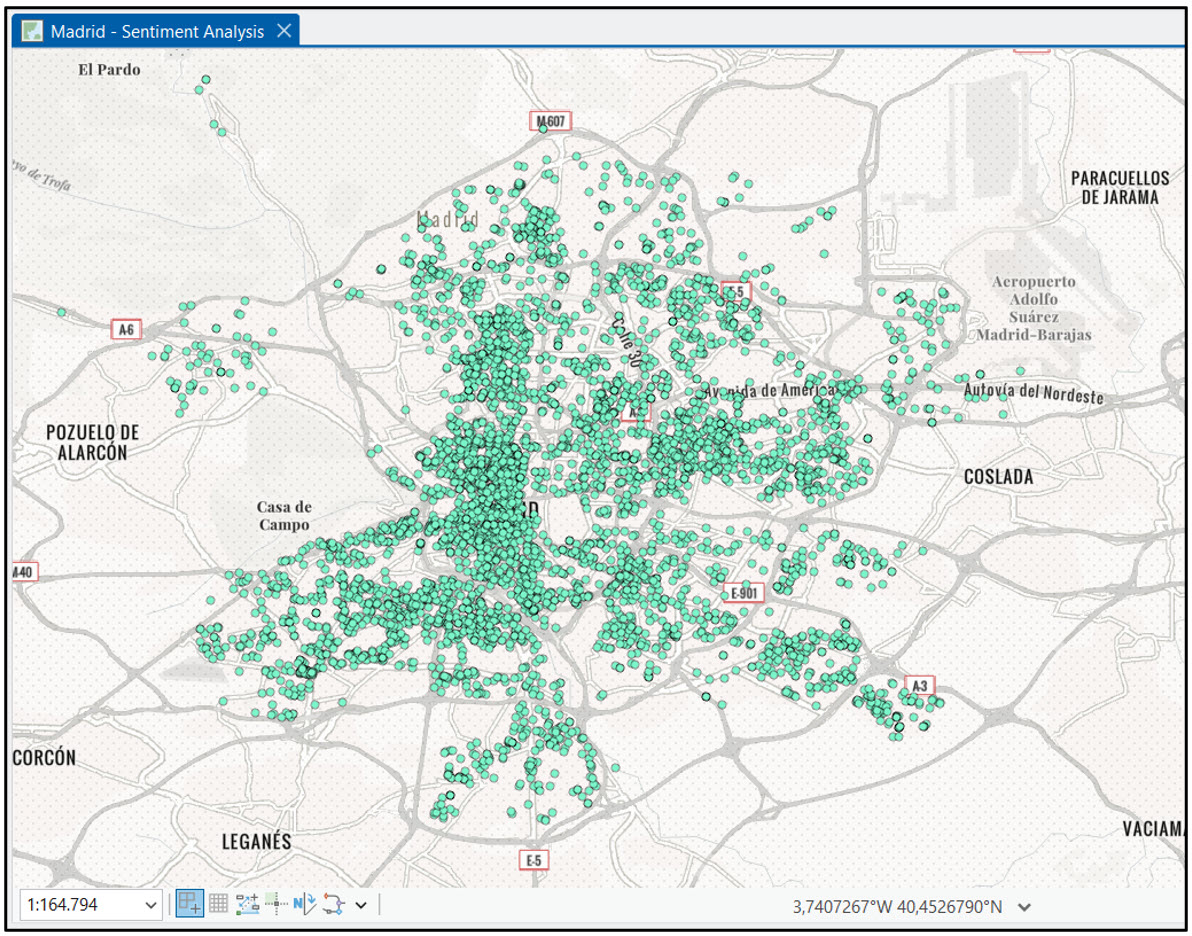
In this context, Madrid (Spain) serves as a representative example. The City Council provides a public survey to submit suggestions and complaints about municipal services, including the waste management service. This submitted information is georeferenced and contains a field for the submitter to describe their suggestion or complaint in natural language.
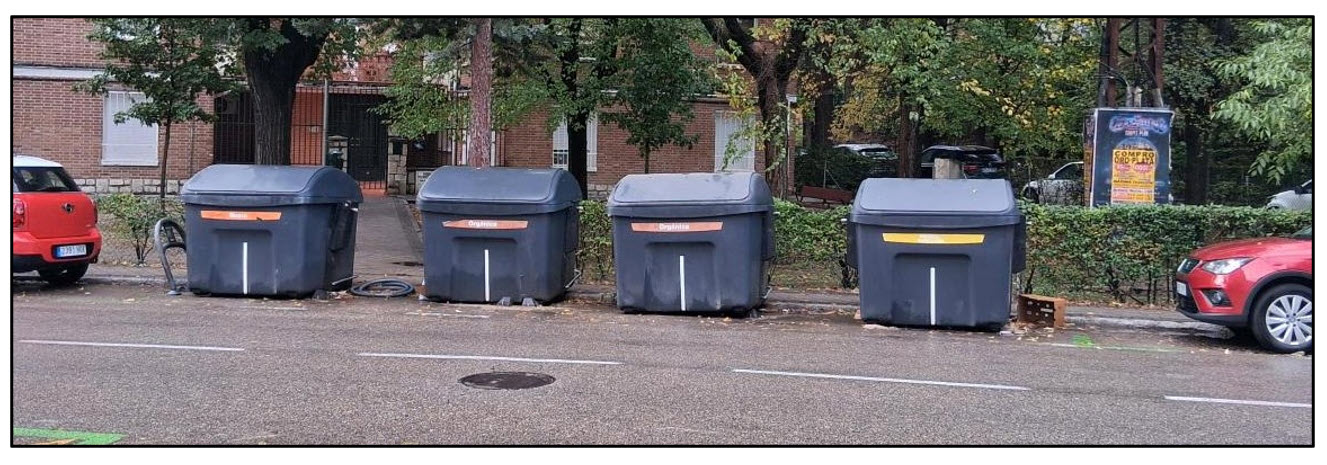
The goal here is to use AI to analyse the sentiment of these survey submissions to see which ones may be negative, and, if possible, use this information with spatial analysis techniques to identify inefficiencies in the waste management system.
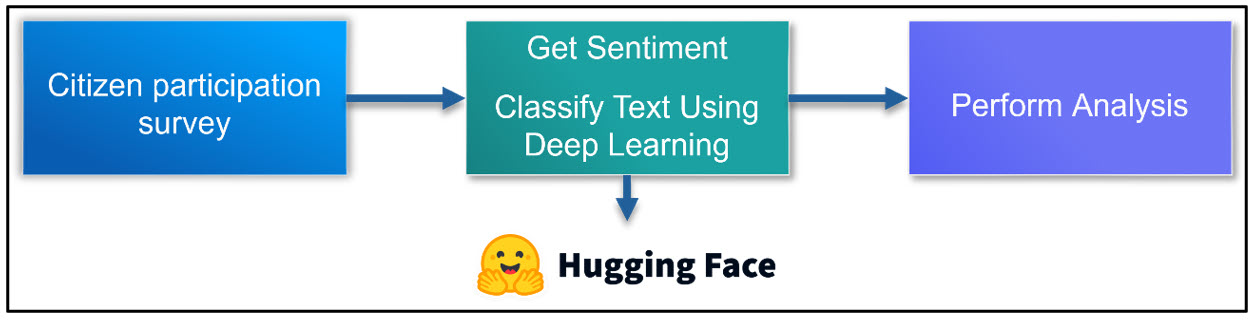
In this case, we’ll use Hugging Face Hub to download the distilbert-base-multilingual-cased-toxicity pretrained model from Citizen Lab.
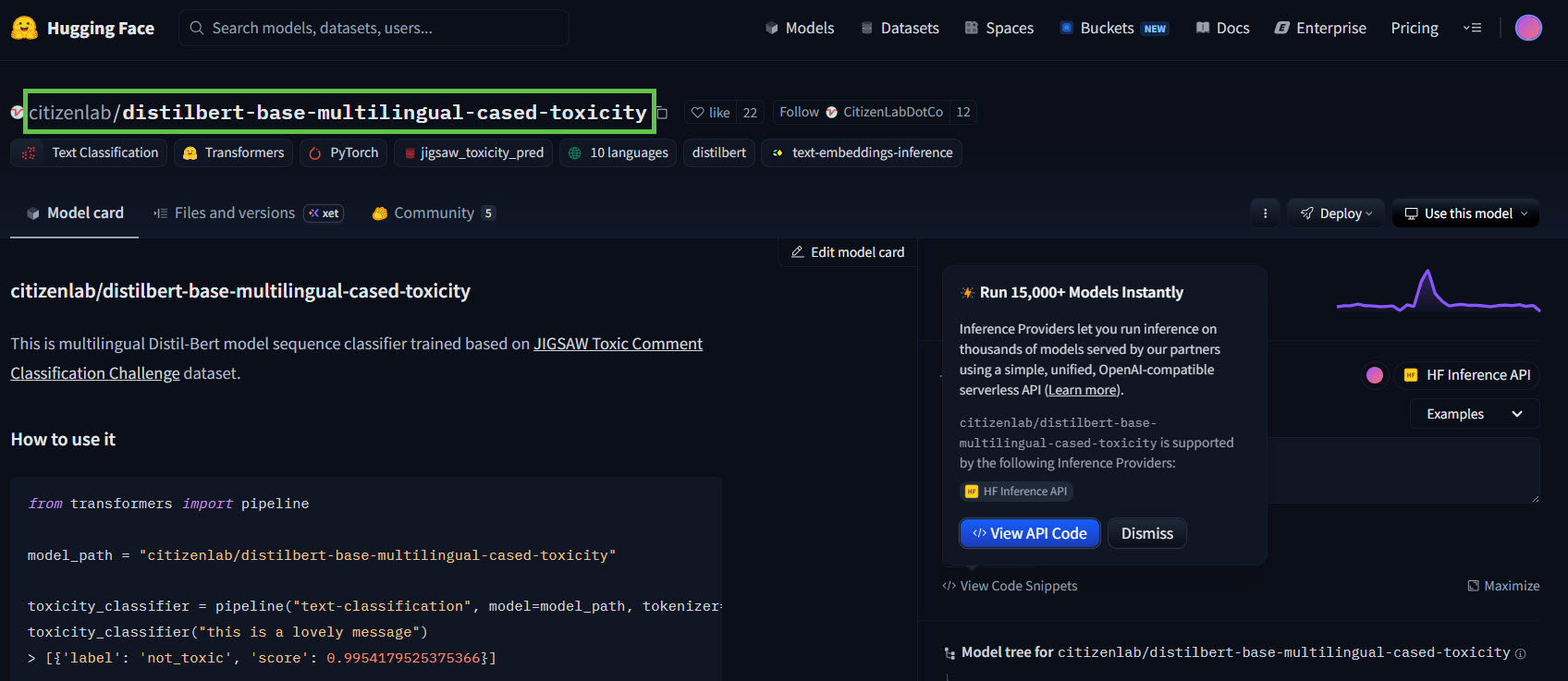
- This is a pretrained text classification model based on the DistilBERT architecture, a lighter, faster variant of BERT. It uses the “multilingual-cased” model as its base, meaning it supports multiple languages and preserves case. This is vital, because all of the survey submissions are in Spanish!
- It has been fine-tuned for a toxicity classification task: i.e., given an input sentence, it predicts whether it’s “toxic” or “not_toxic”. In this case, a “toxic” comment is one that is rude, offensive, or otherwise disrespectful.
- The training data comes from the Jigsaw Toxic Comment Classification Challenge dataset (via Kaggle) which contains labelled comments (toxic vs not).
Because sentiment analysis is a text classification task, we’ll choose the HF Text Classification pretrained model.
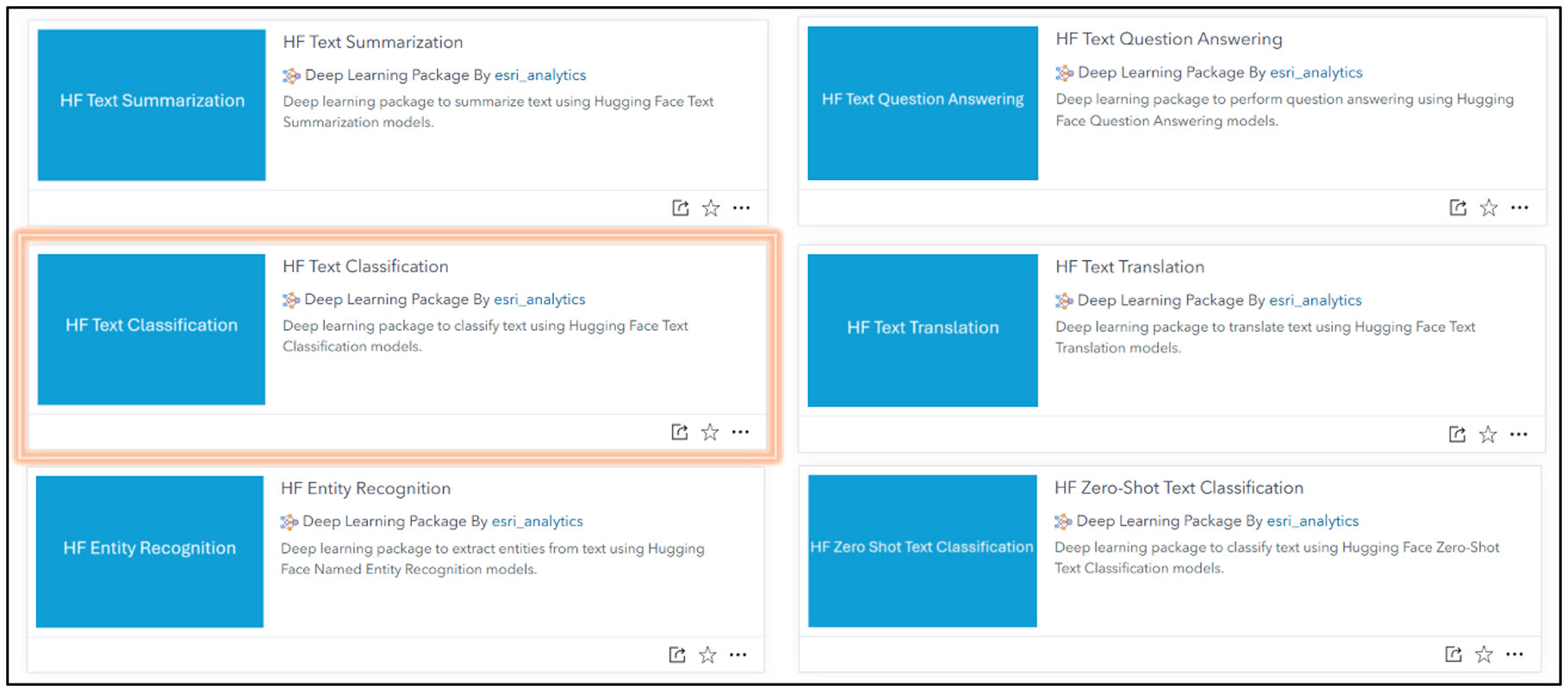
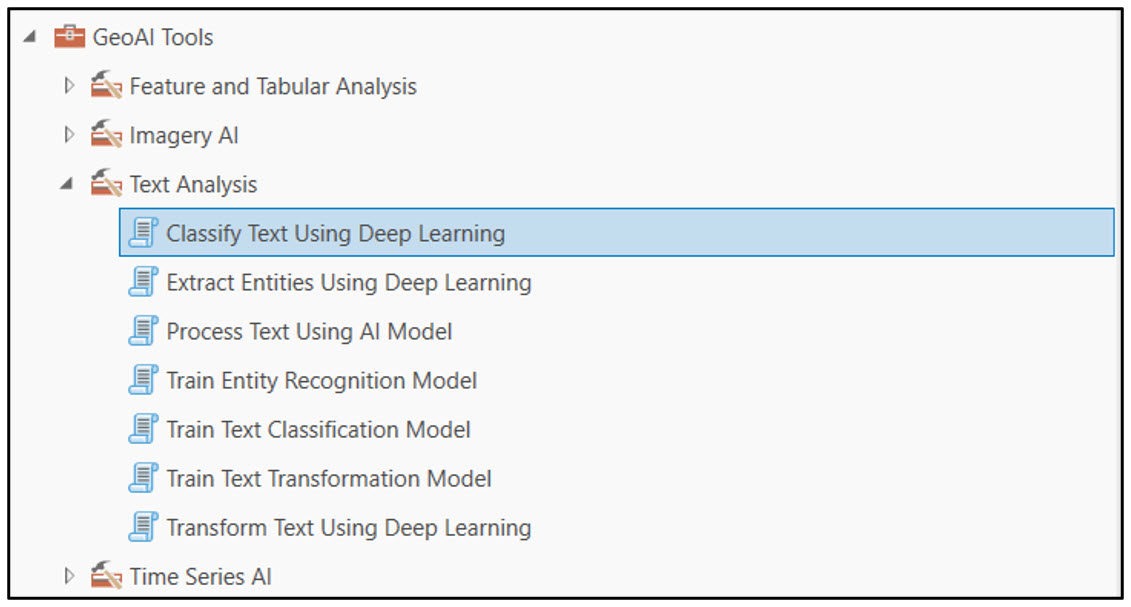
Once we have downloaded this model as a deep learning package, we’ll open the Classify Text Using Deep Learning tool in ArcGIS Pro’s GeoAI toolbox.
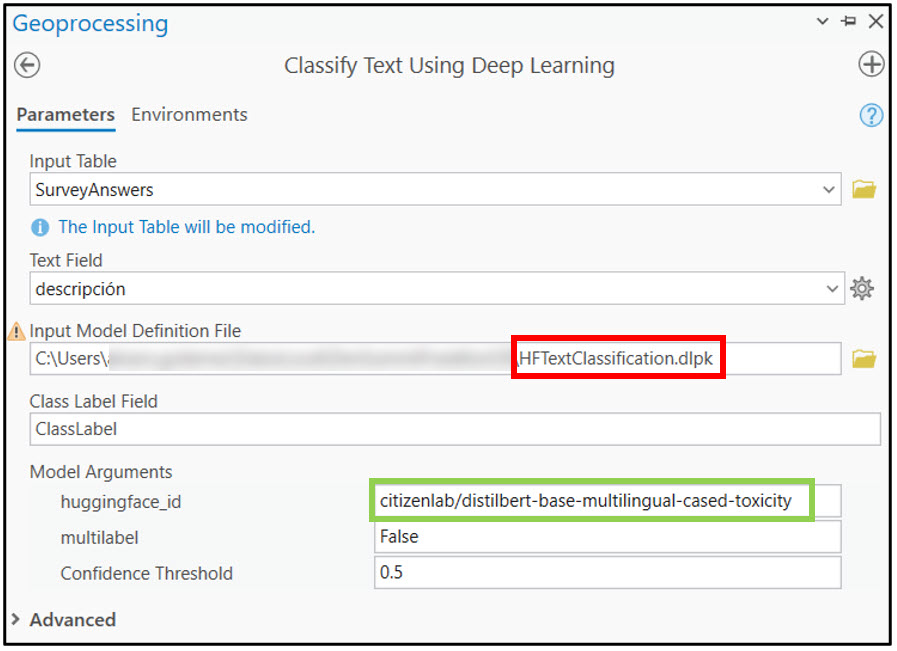
First, we pass in the “SurveyAnswers” table, which contains all of the survey data submitted to the Madrid City Council. We then select “descripción” as the Text Field, which is the column that stores the text description we want to classify as “toxic” or “non-toxic”.
In the Input Model Definition File parameter, we point to the Hugging Face Text Classification DLPK that we downloaded from the Living Atlas. Last, we specify the ID of the Hugging Face model, which can be found on each Model Card in the Hugging Face Hub.
Running the tool produces an output table with two new fields: “ToxicityLabel” and “prediction_confidence”. The “ToxicityLabel” field contains the classification of the survey submission description as “toxic” or “non-toxic”.
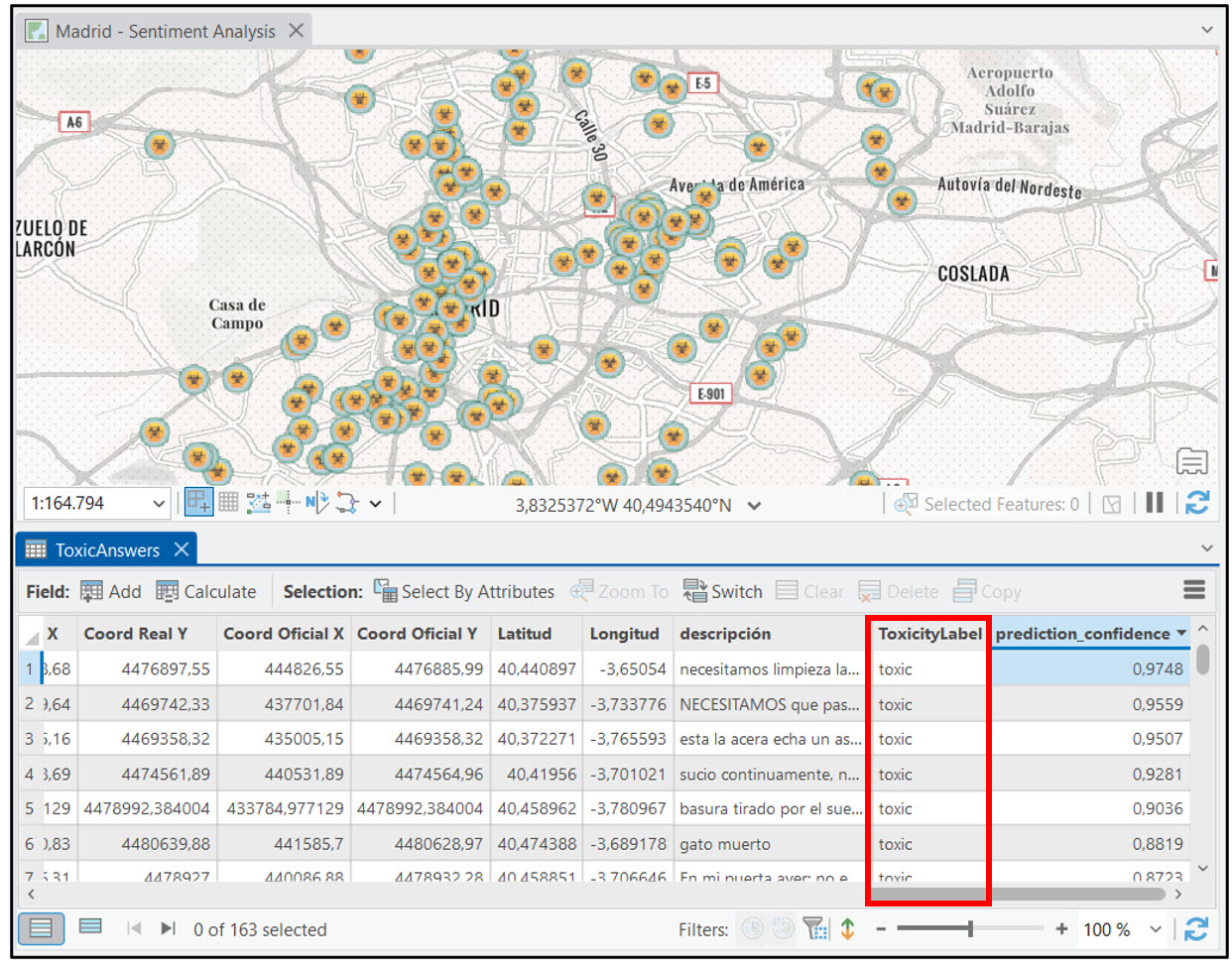
Because our output table also has location information (“Latitud”, “Longitud”), we can map the results of the survey and symbolize it to show survey results that were classified as “toxic”. At that point, the spatial analysis possibilities are endless. For example, we can perform a Kernel Density analysis or Density-based Clustering to get an understanding of where the highest concentrations of waste management-related survey responses were located in Madrid.
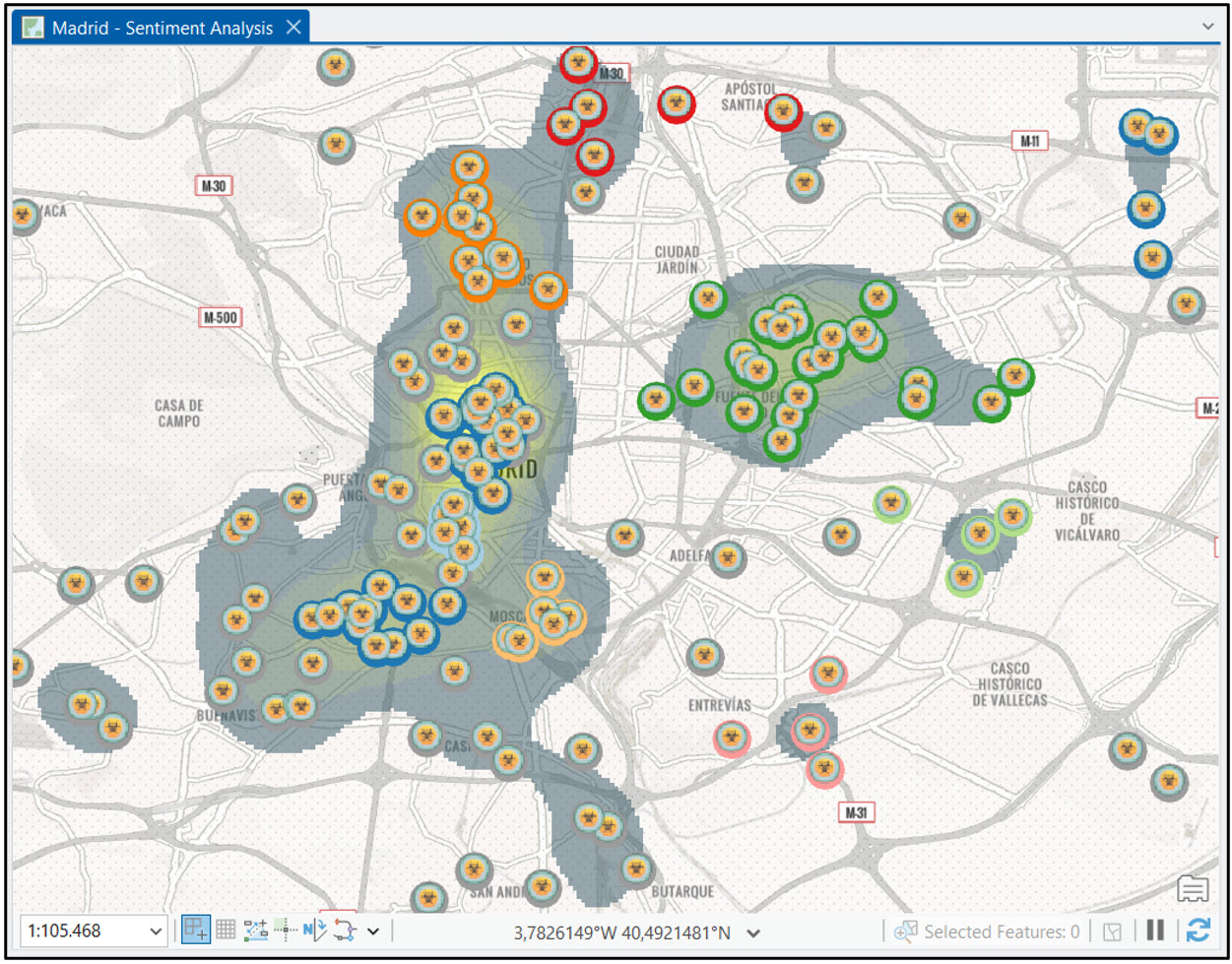
Our analysis highlights several areas where the waste management service can be optimized to better meet residents’ needs. Complementing this, the results of the text classification process show that most survey respondents generally maintain a positive and cooperative attitude toward municipal services!
Text Translation: Language Translation from Latvian to English
The next workflow was inspired by a customer conversation at the Esri European Developer & Technology Summit in November 2025. Their question was simple:
“Can I use GeoAI tools to translate a column in my dataset from Latvian to English?”
The answer is yes, Hugging Face to the rescue!
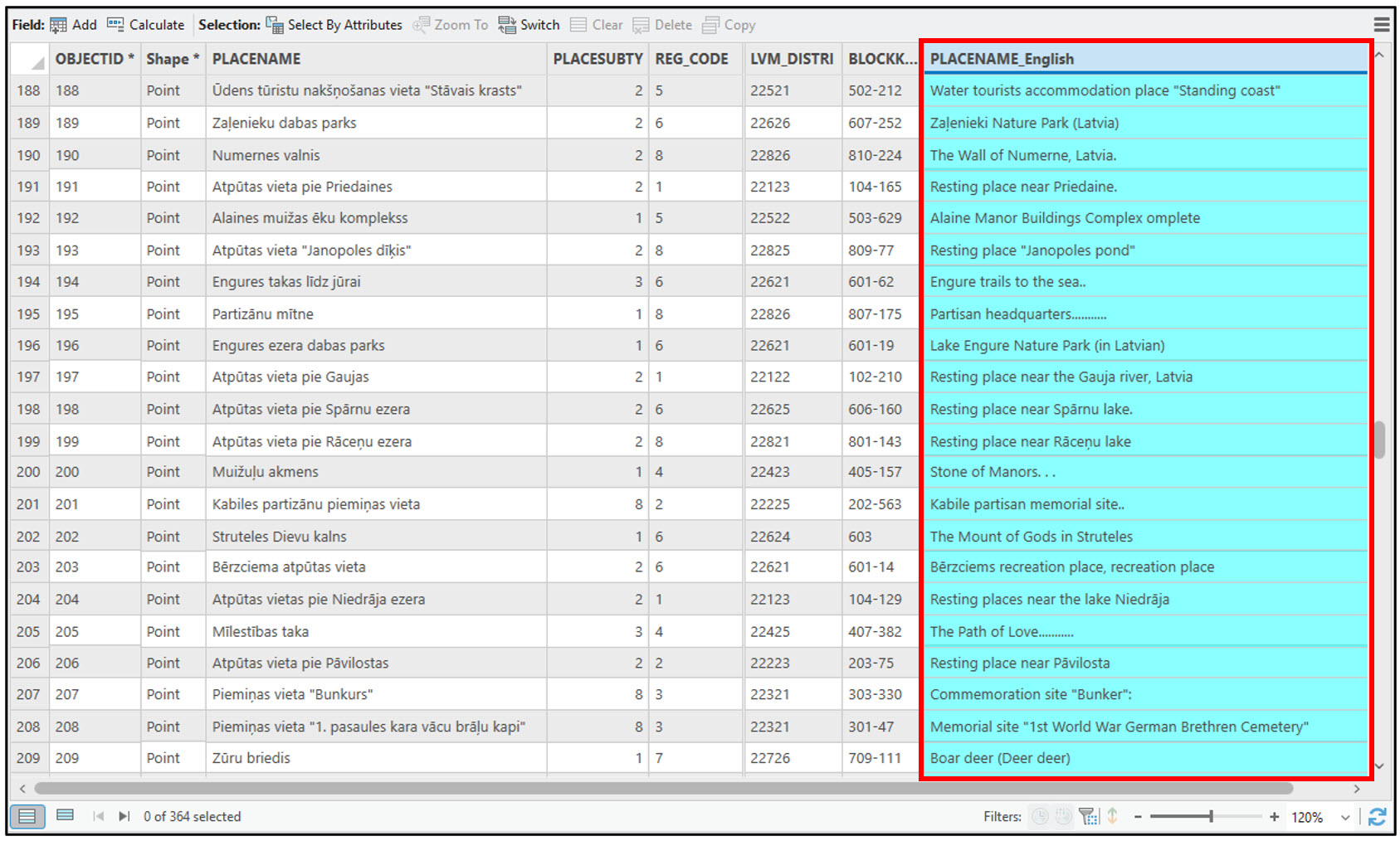
In this simple example, we have a point feature class of about 360 locations in Latvia. The “PLACENAME” field contains unstructured text data in Latvian.
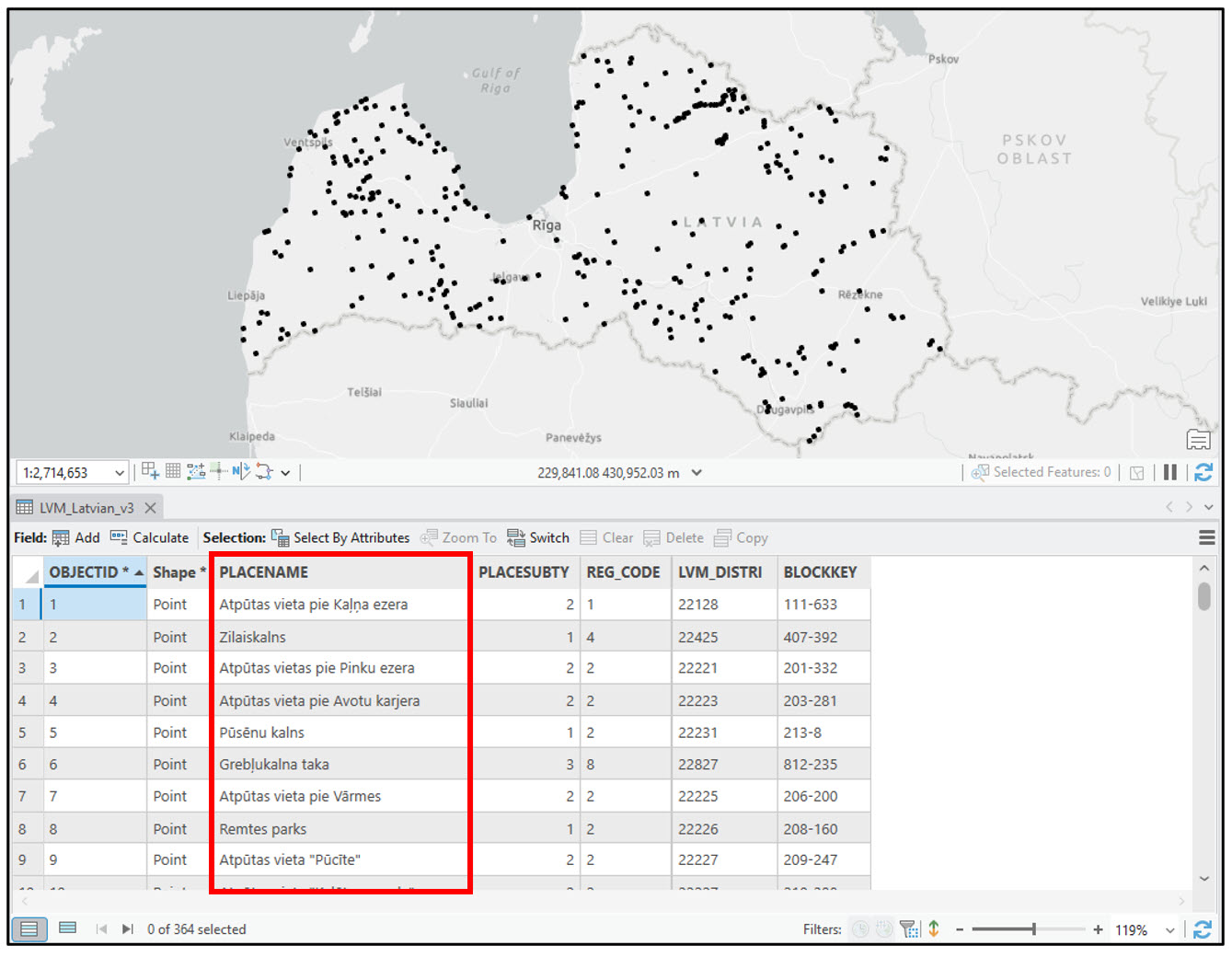
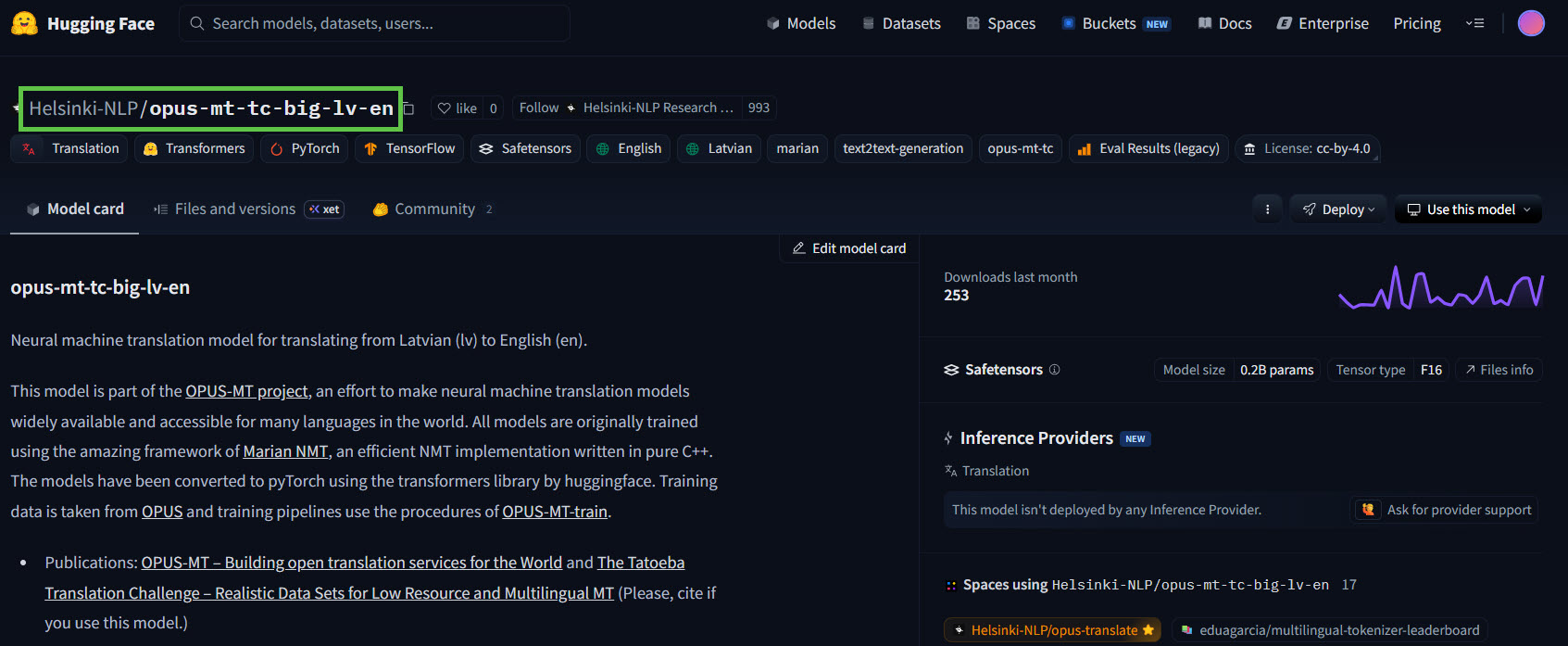
To translate this field to English, we’ll download the HF Text Translation deep learning package from the Living Atlas. This model allows you to easily connect to the rich ecosystem of Hugging Face models for text translation tasks. Fortunately for us, there is a research group at the University of Helsinki who has developed and shared Helsinki-NLP/opus-mt-tc-big-lv-en, a machine translation model specifically trained to translate text from Latvian to English.
After downloading the DLPK, we’ll open the Transform Text Using Deep Learning tool in ArcGIS Pro.
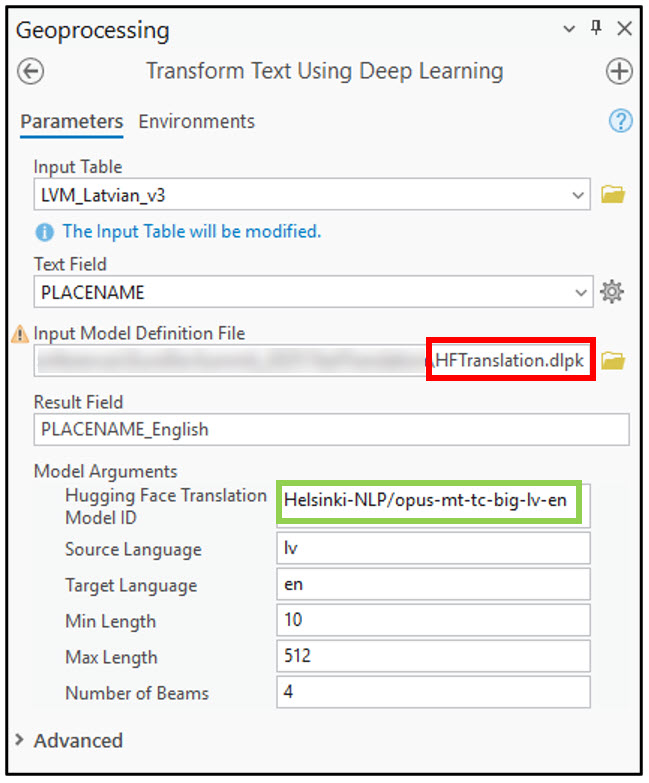
We’ll first pass in our input table containing the point locations in Latvia, then specify “PLACENAME” as the Text Field to be translated. Next, we point to the HF Text Translation DLPK as the Input Model Definition File. Under Model Arguments, we’ll paste the ID of the Hugging Face model we want to use. Last, we’ll specify “lv” (Latvian) as the Source Language, “en” (English) as the Target Language, then run the tool.
In less than 1 minute, we have a new field added to our table with an English translation of over 360 point locations. This was so much easier and faster than manually copying and pasting each row into a text translator, then copying and pasting the results back into the attribute table!
Conclusion
This blog highlighted the use of two pretrained AI models that seamlessly integrate Hugging Face Hub models with ArcGIS for text classification and text translation use cases. Be sure to check out the other Hugging Face models available on the Living Atlas for text analysis problems including entity extraction, text summarization, and question/answering!

Article Discussion: