For decades, the International Civil Aviation Organization (ICAO) Annex 14 Obstacle Limitation Surfaces (OLS) have served as the foundation for maintaining an obstacle free airspace around runways, helping ensure that aircraft can take off and land safely in a wide range of operating environments. These surfaces represent the areas surrounding runways and taxiways that must remain free from intruding objects. To efficiently model, analyze, and visualize these critical airspace surfaces, Geographic Information Systems (GIS) empowers aviation professionals supporting safe airport operations with advanced GIS capabilities.
ArcGIS Aviation Airports enables airports and civil aviation authorities to safeguard their aerodromes with advanced tools and allow for better understanding of the airport environment with the following:
- Quickly create 3D obstacle surfaces
- Analyze any potential penetrations
- Visualize obstacles and surfaces in 2D and 3D
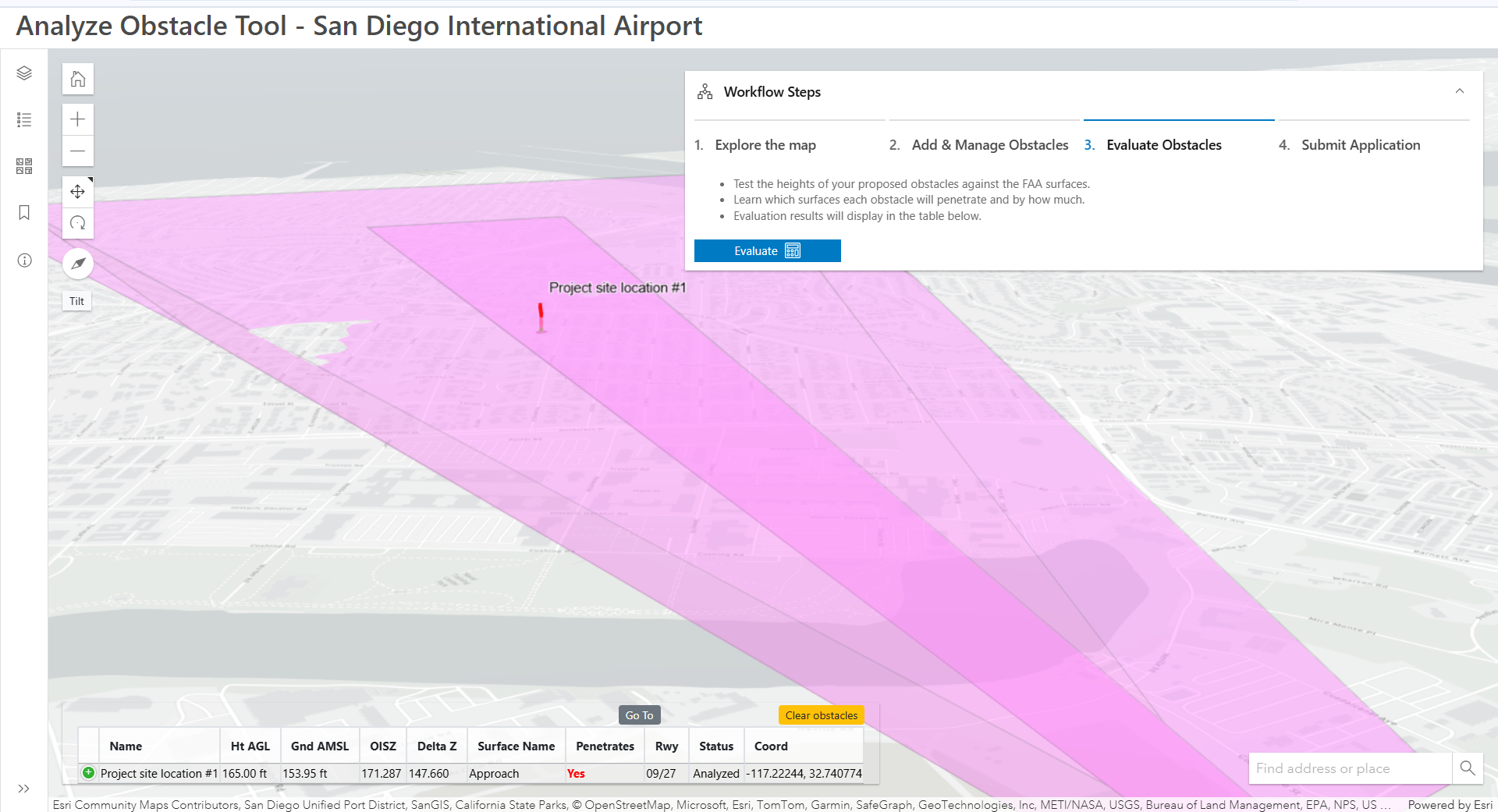
The evolution of the aviation landscape has accelerated at an exponential rate recently due to the significantly improved performance characteristics of modern aircraft, including steeper climb gradients and more precise navigation capabilities enabled by advanced avionics. These changes have prompted ICAO to modernize the long-standing OLS framework to better reflect real-world aircraft performance and the operational diversity of today’s airspace.
In its latest amendment to Annex 14 which will become applicable in 2030, ICAO has restructured the traditional OLS into two distinct surface systems:
- Obstacle Free Surfaces (OFS): These are the critical surfaces, such as approach, take-off climb, and transitional surfaces that are designed to ensure that obstacles do not penetrate the areas essential to safe flight operations.
- Obstacle Evaluation Surfaces (OES): These new surfaces introduce a more flexible, risk-based approach to obstacle management. Penetration of an OES does not automatically render an obstacle unacceptable, instead it triggers an aeronautical study to determine if mitigation or procedural adjustments can maintain safety.
Esri introduced initial support for the new OFS and OES models in 2024 in anticipation of ICAO’s changes. This proactive step allows early adopters and regulators to begin testing the new capability well before the official ratification of the new OLS framework.
With the formal adoption of Amendment 18 in August of 2025, ArcGIS Aviation users can begin evaluating these new OES and OFS surfaces as part of their obstacle evaluation workflows and aeronautical studies alongside the traditional OLS as they transition to the new framework.
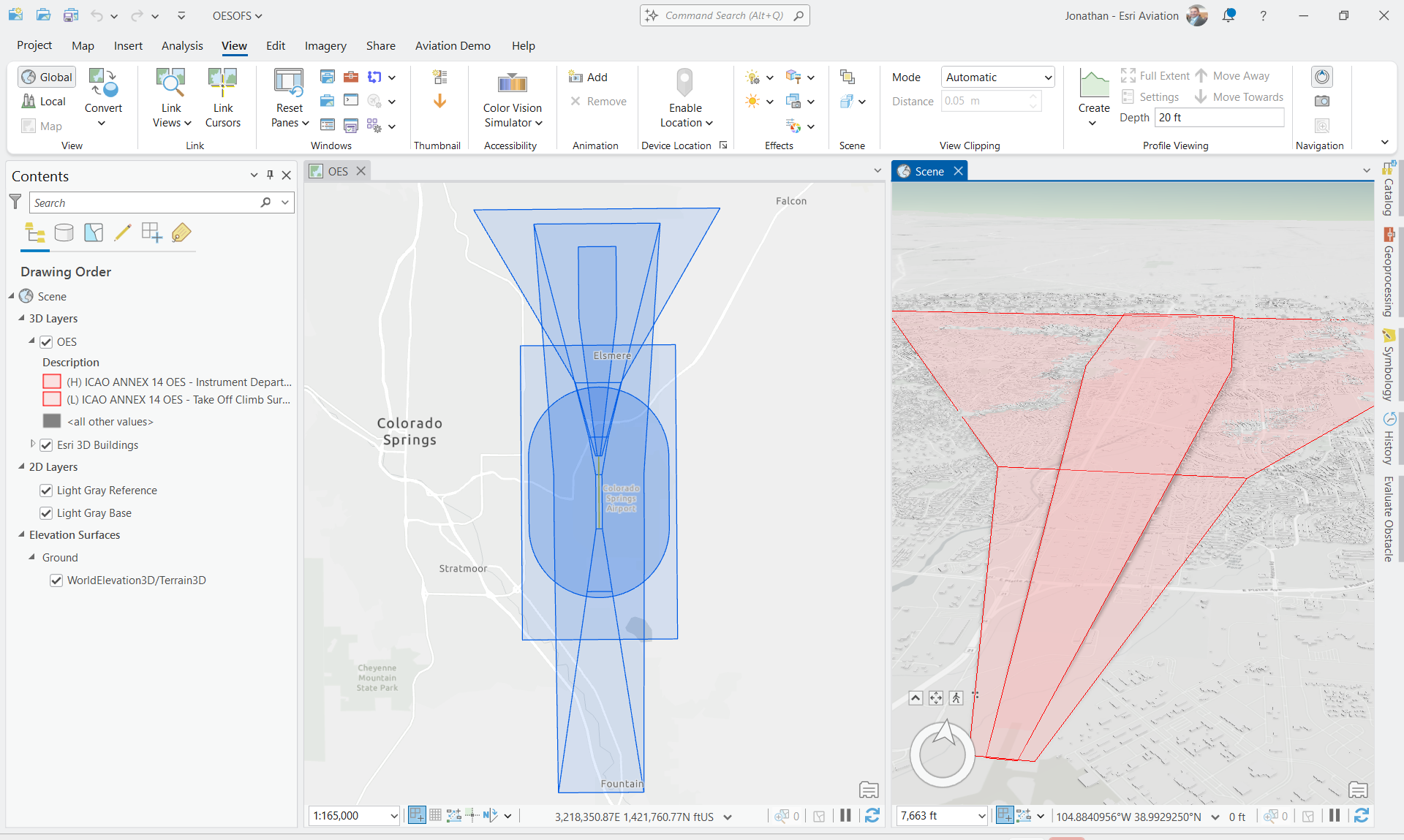
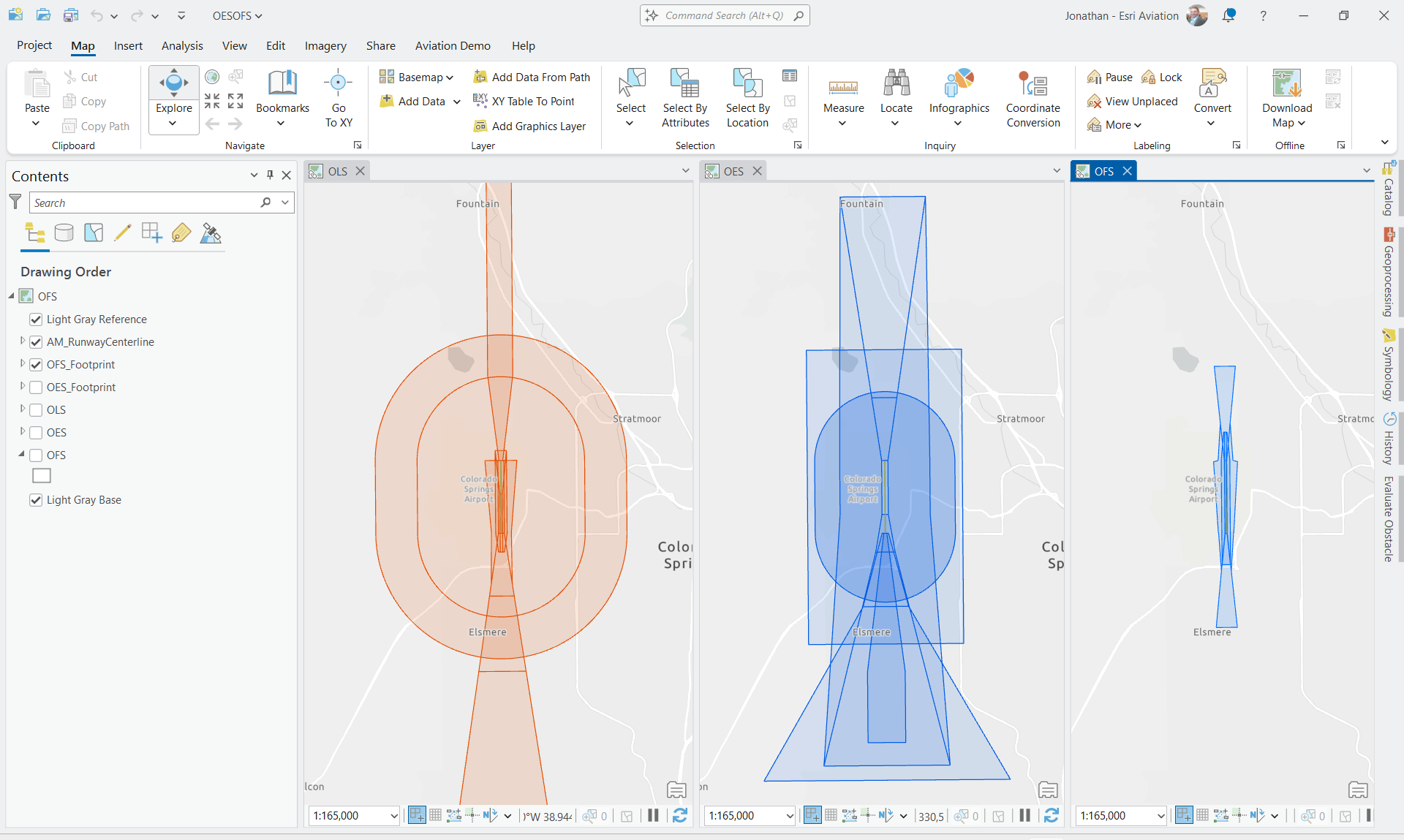
ArcGIS Aviation is prepared to support this transition by providing the tools, analytics, and spatial intelligence needed to implement ICAO’s new surfaces with confidence and precision. With ArcGIS Aviation Airports, aviation authorities and airports are empowered to model, analyze, and visualize airspace volumes and understand their relationship to existing and planned structures to ensure safe and efficient airport operations.
Please share your feedback and experiences in the ArcGIS Aviation Community. For more information about ArcGIS Aviation Airports, visit the product page.

Article Discussion: