ArcGIS Solutions helps you make the most of your GIS by providing purpose-driven, industry-specific configurations of ArcGIS.
Protected areas protect biodiversity, preserve cultural and natural heritage, and create places people can explore and connect with the land.
Today, teams are asked to do more with less. They manage growing visitation, environmental change, and increasing expectations for transparency across vast areas where connectivity can be intermittent.
In many organizations, the challenge is not a lack of effort. It is a lack of connected, trusted information. Patrol activity ends up in paper notes or spreadsheets. Observations are hard to share beyond radio calls. Authoritative boundaries and zones get updated in one place but not another. When leadership, partners, or donors ask, “What happened, where, and what did we do about it?” reporting becomes a scramble.
The Protected Area Management solution connects field sightings, operational dashboards, repeatable analysis, and authoritative data in one role-based system. This helps organizations monitor operations, streamline analysis and reporting, and improve patrol coordination.
To see how it works in practice, follow a single patrol day through four common roles: Editor, Ranger, Manager, and Analyst.
Keep boundaries and operational context authoritative
Start with the authoritative data that defines the protected area.
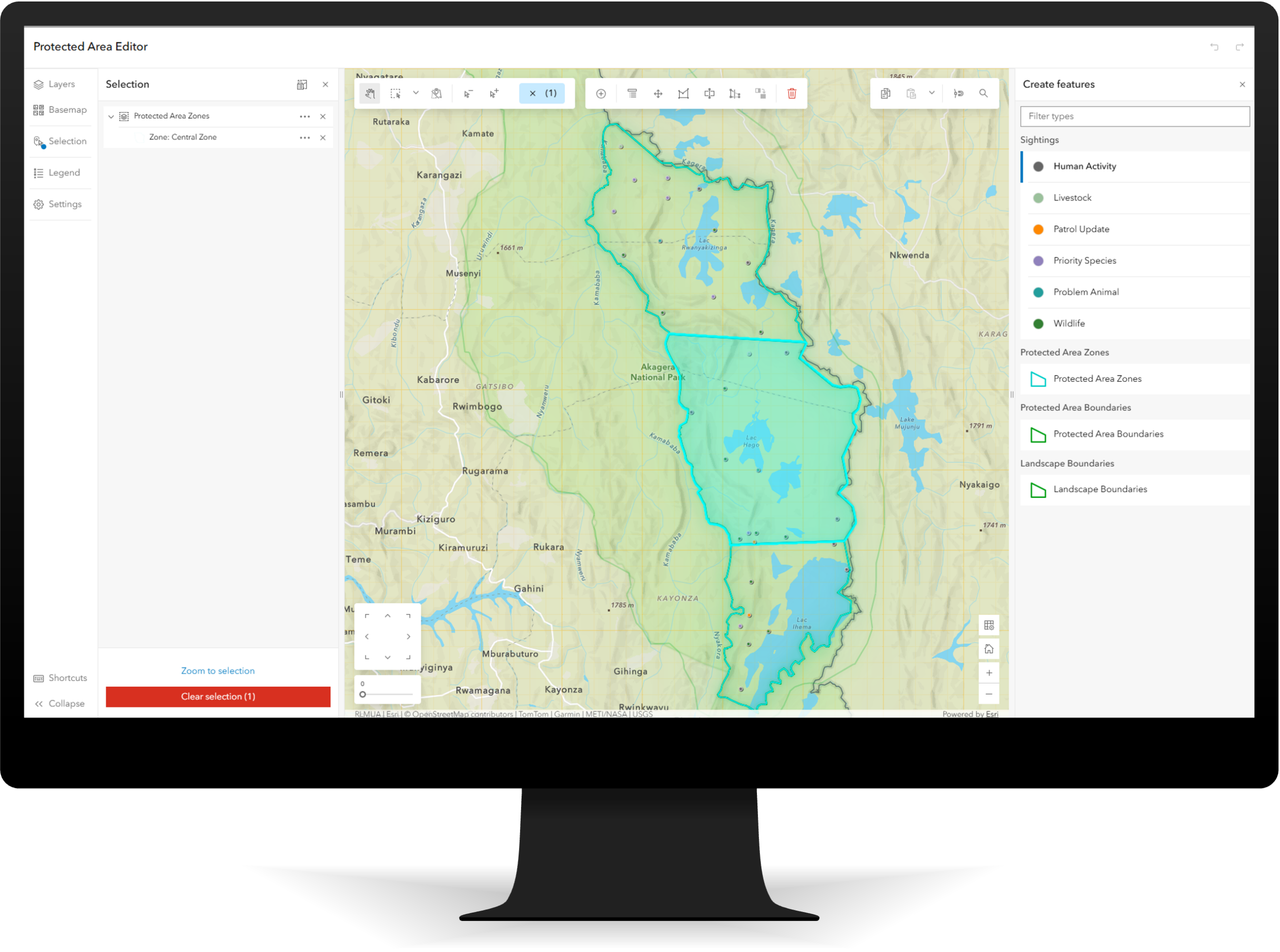
Editors and data stewards use the Protected Area Editor app to maintain boundaries, management zones, infrastructure, and access points.
A guided, map-based workflow helps staff update features, validate changes, and keep data consistent without needing specialized GIS expertise. Updates are immediately available to downstream apps and dashboards, so everyone works from the same map.
Capture observations as they happen
Next, rangers capture patrol activity and sightings as they happen.
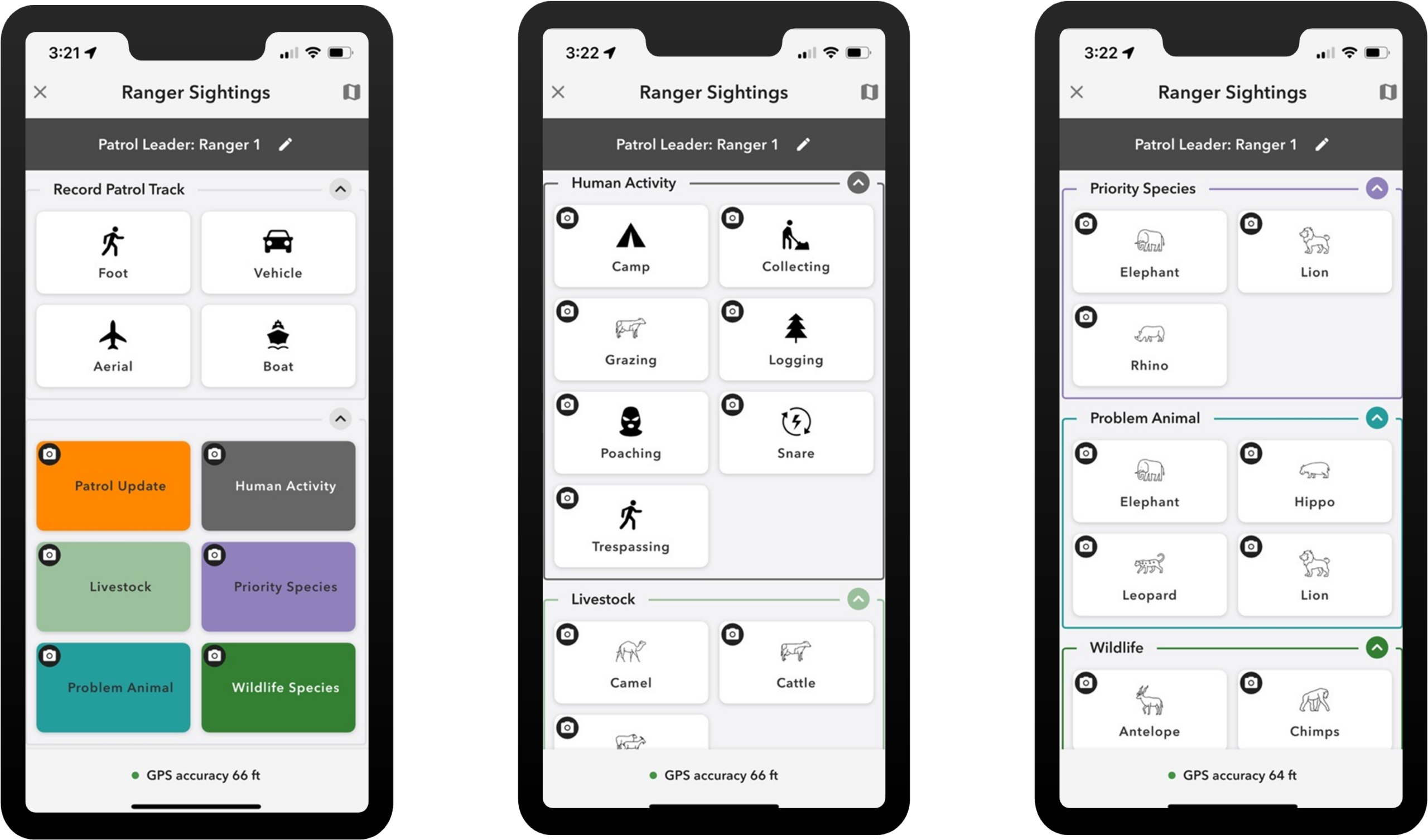
Rangers and enforcement staff use the Ranger Sightings ArcGIS QuickCapture project to log patrol updates and sightings while on the move.
With a few taps, they can start tracking their location, record patrol updates, and capture sightings with optional photos.
Maintain real-time awareness and coordinate response
Back at the office, managers need a shared operational picture.
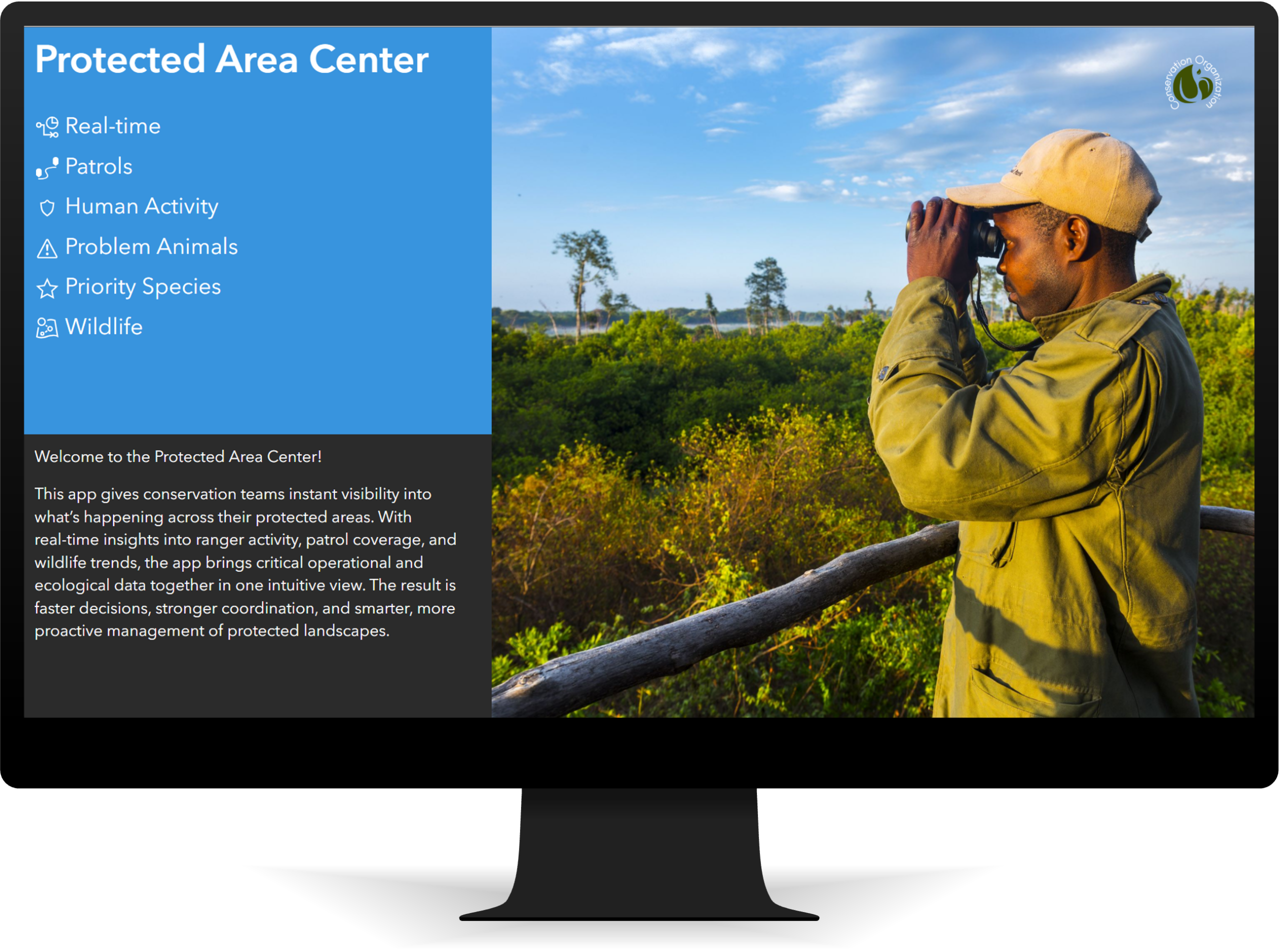
The Protected Area Center app brings patrols, sightings, and key indicators into one live view, so staff can monitor coverage, spot where follow‑up is needed, and coordinate response.
Instead of waiting for reports, teams can filter to what matters today and quickly identify gaps or hotspots that need attention.
Turn activity into repeatable insight and reporting
Analysts turn activity into insight and reporting.
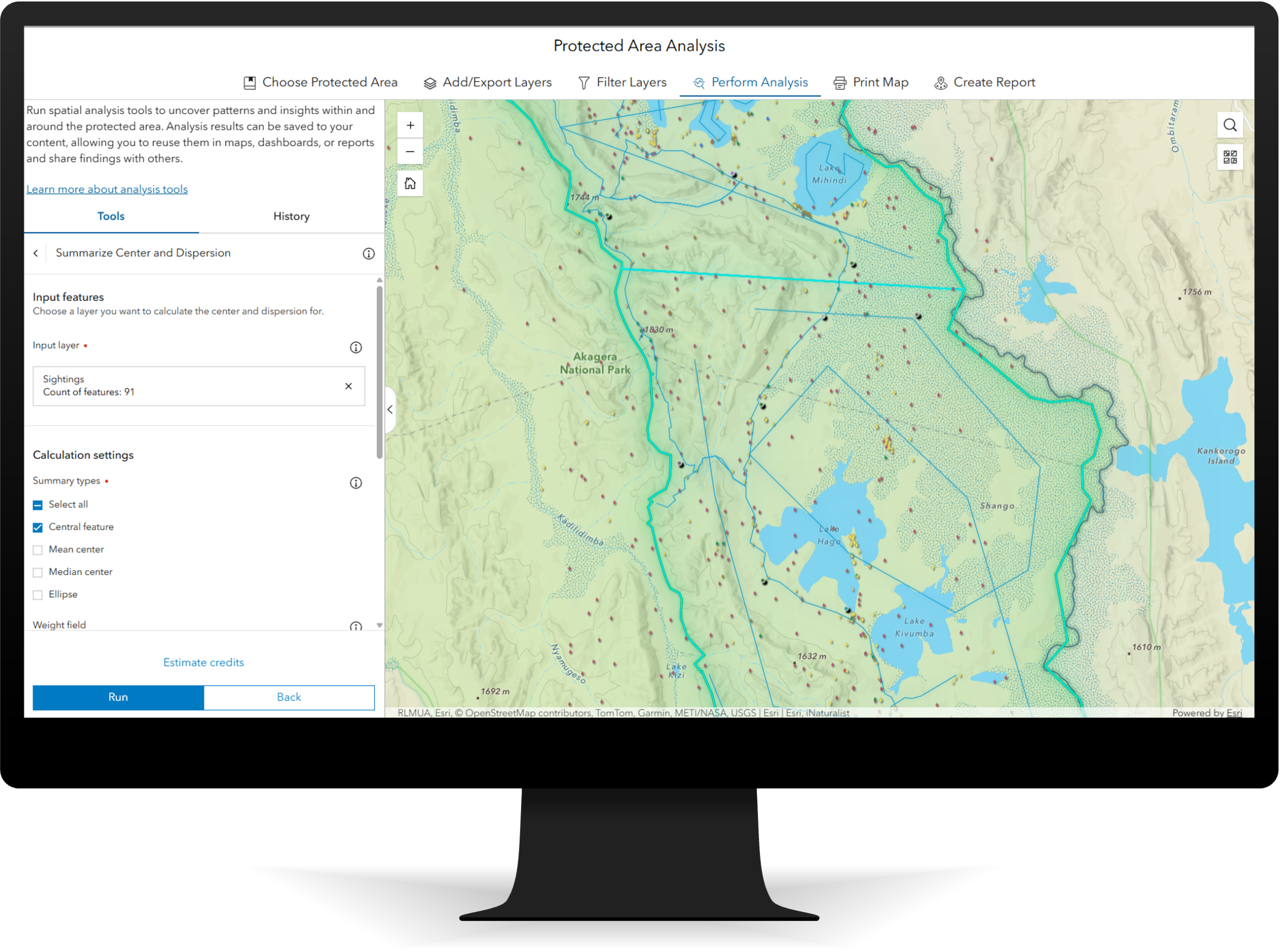
The Protected Area Analysis app helps teams identify coverage gaps, hotspots, and trends to support planning and reporting.
Teams can focus on an area, filter by timeframe, observation type, or species, run analysis, and export results for reports.
Why it matters
The Protected Area Management solution connects the full loop from authoritative data to field observations to operational awareness and analysis, so teams can operate smarter, act faster, and make decisions with confidence.
Learn more
For more information about the Protected Area Management solution, check out the following resources:
- Learn how to deploy, configure, and use the solution.
- View a demo video of the solution.
- Explore the ArcGIS Solutions gallery.
- Learn more about ArcGIS Solutions.

Commenting is not enabled for this article.