ArcGIS Solutions helps you make the most of your GIS by providing purpose-driven, industry-specific configurations of ArcGIS.
Whether preparing for training exercises or a mobilization, military organizations require timely and accurate information about equipment accountability, readiness, and maintenance.
Despite its critical nature, this information is often managed across multiple systems, spreadsheets, and paper-based processes. This fragmented approach limits visibility and negatively affects overall unit readiness.
Esri’s Resource Management solution helps organizations address these challenges by providing tools to maintain equipment accountability, monitor readiness, and improve logistics visibility across units. The November 2026 release expands these capabilities, allowing supply specialists to conduct resource inventories in the field and giving leaders greater visibility into resource status, readiness trends, and maintenance activities.
Manage resources in the field
Military organizations are routinely tasked with maintaining accountability of equipment distributed across multiple units, facilities, and geographic locations. Keeping accurate, up-to-date information about equipment location, accountability, and operational condition across these locations can be challenging. Resource Management helps personnel inventory and track unit resources, assess equipment readiness, and document maintenance information from the field.
Inventory resources
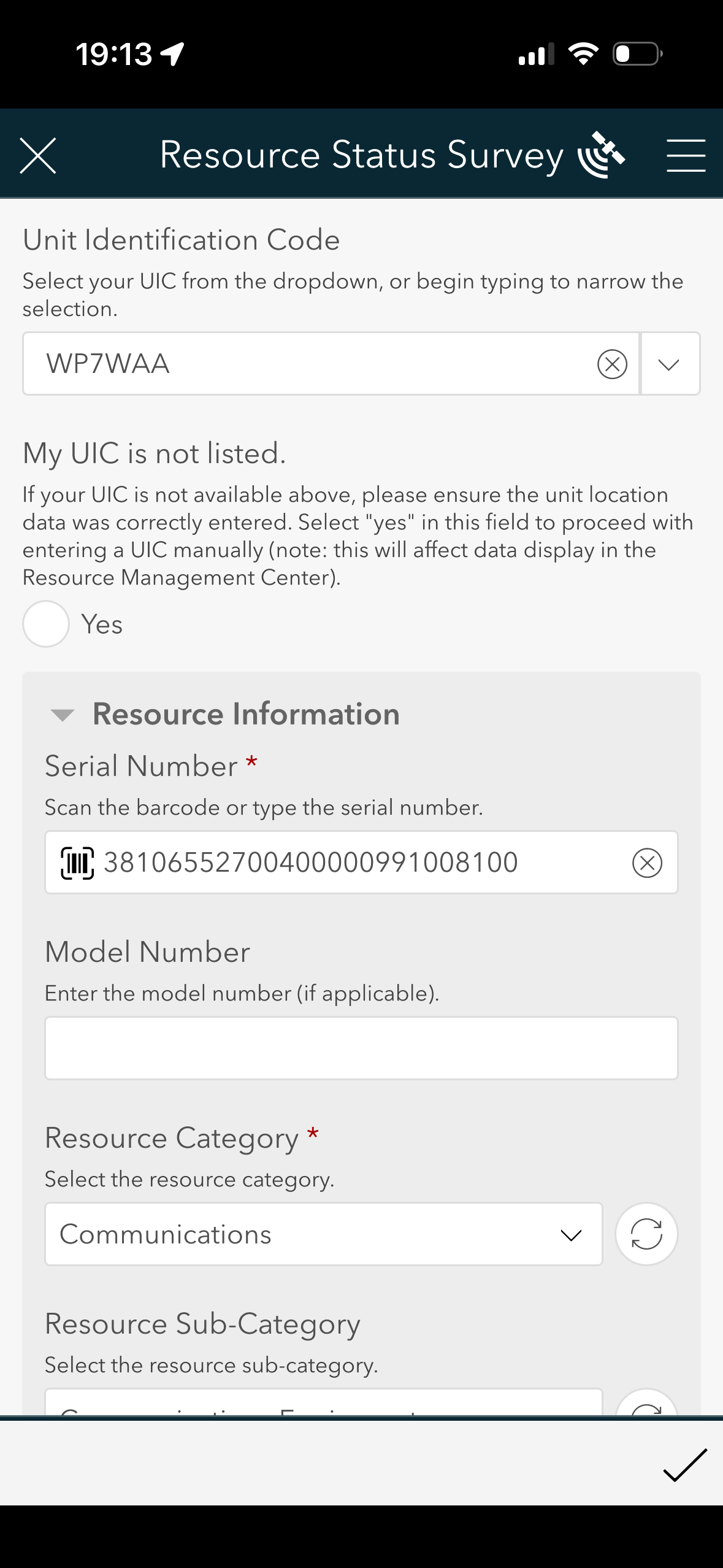
To inventory your unit’s communications equipment, start by using the solution’s Unit Staging Center app to map your unit’s location and record information such as your company, battalion, and unit identification code. Then, use the Resource Status Survey form on your mobile device to collect equipment information in the field. Scan a device’s barcode, select attributes such as category and type, and add a brief item description.
Assess resource readiness
Maintaining equipment accountability is only part of the readiness picture. You also need to know whether resources are operational and if they require maintenance. After recording the basic characteristics of the communications device, you can document its operational and maintenance status, enter a scheduled maintenance date, and upload a completed 5988-E form when available.
If the communications device is working as expected but scheduled for maintenance, you can document that it is fully mission capable (FMC) and select the upcoming maintenance date.
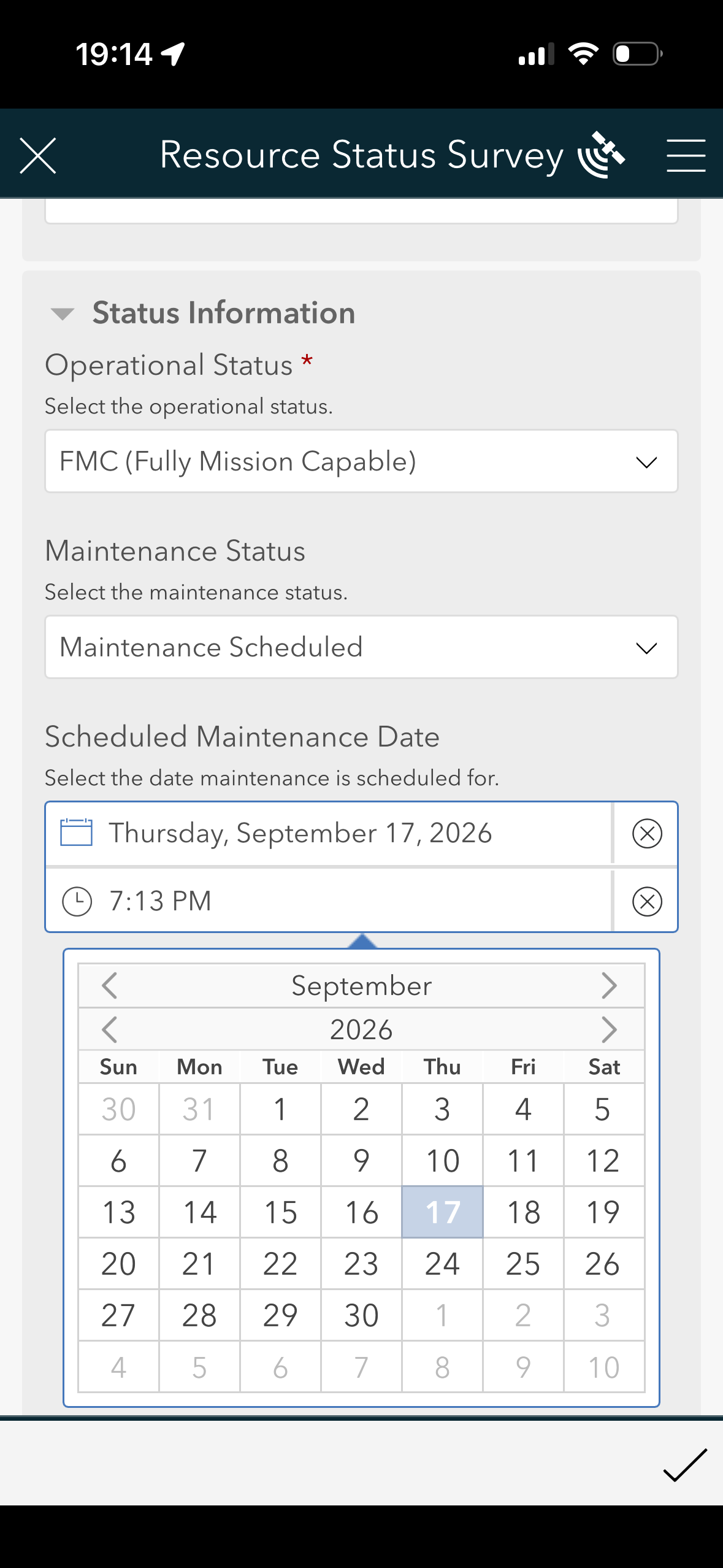
Capturing this information as part of the field inventory gives leaders a more complete picture of resource readiness and maintenance needs.
Monitor logistics readiness
After supply personnel submit equipment reports, leadership can use the Resource Management Center app to monitor equipment status, identify shortages, evaluate readiness trends, and maintain visibility into resource availability across the organization.
For example, a brigade commander can use the Current Readiness tab to review assets reported by subordinate units. They can see total assets and their operational statuses, review recently updated resources, and filter the data to investigate assets that are not fully mission capable.
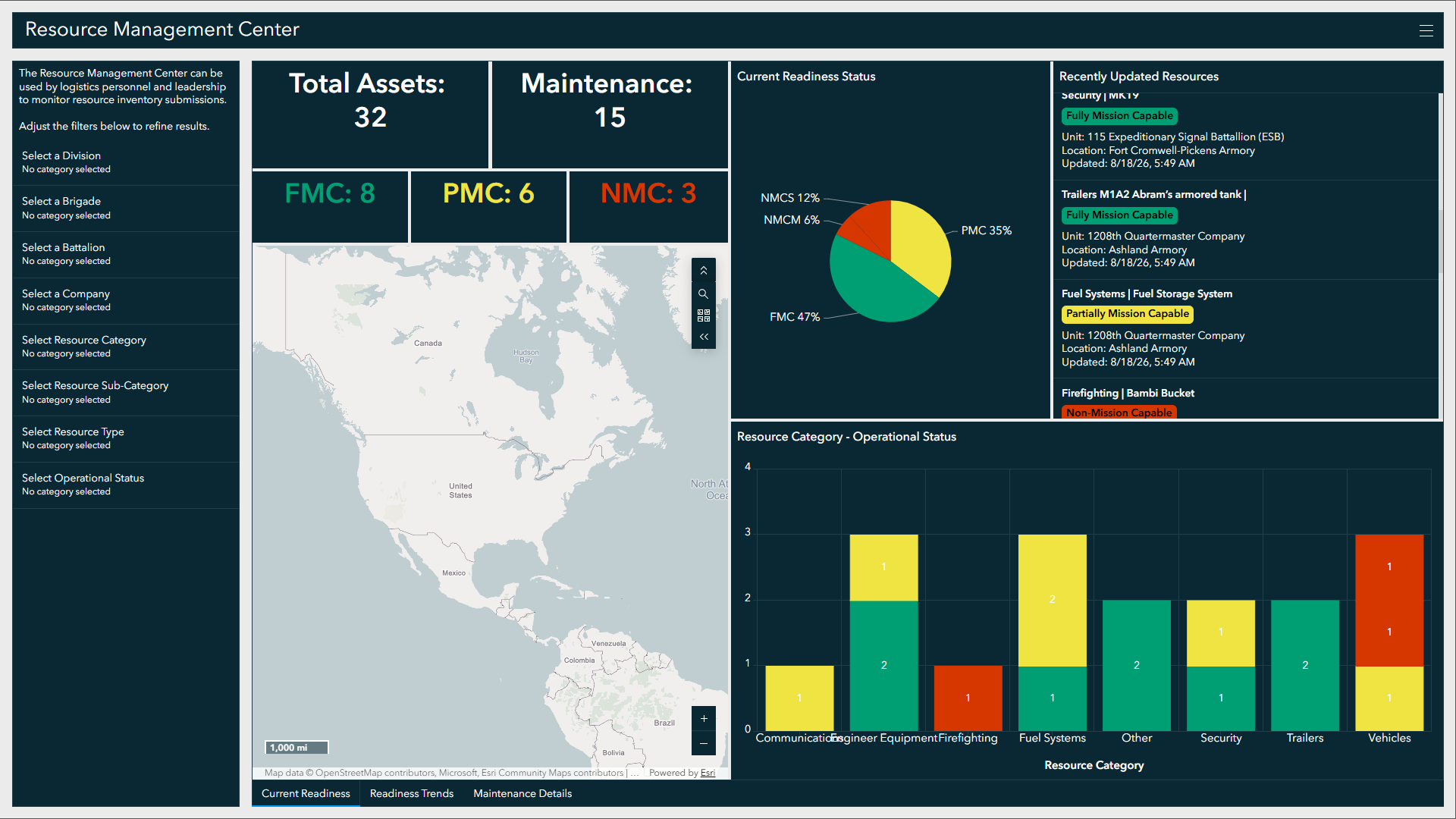
Leadership can use the Readiness Trends tab to monitor operational readiness over time and the Maintenance Details tab to review current maintenance activities.
Improved visibility into resource status and operational readiness helps leaders assess capability gaps, understand resource availability, and make informed sustainment decisions that support training, operations, and future mission requirements.
Learn more
For more information about the Resource Management solution, check out the following resources:
- Learn how to deploy, configure, and use the solution.
- View a demo video.
- Discover related solutions: Civil Support, Incident Awareness and Assessment, Operations Management.
- Learn more about ArcGIS Solutions.

Article Discussion: