ArcGIS Solutions helps you make the most of your GIS by providing purpose-driven, industry-specific configurations of ArcGIS.
The vibrant community of Thornton, Colorado, sits roughly 10 miles north of Denver. It’s also one of Colorado’s fastest growing communities, managing a steady stream of active construction sites, inspections, and regulatory reporting requirements. In fact, at any given time, the city is tracking inspections across 85–90 active construction sites, each with its own compliance requirements, timelines, and documentation needs.
The city’s stormwater team conducts hundreds of construction inspections each year, alongside illicit discharge investigations and other stormwater activities, all of which must stand up to regulatory review and potential audits. In that environment, having high-quality data isn’t optional; photos, locations, findings, and reports all need to tell a clear, defensible story. Meeting those demands consistently requires a system that makes data reliable, accessible, and defensible from the start.
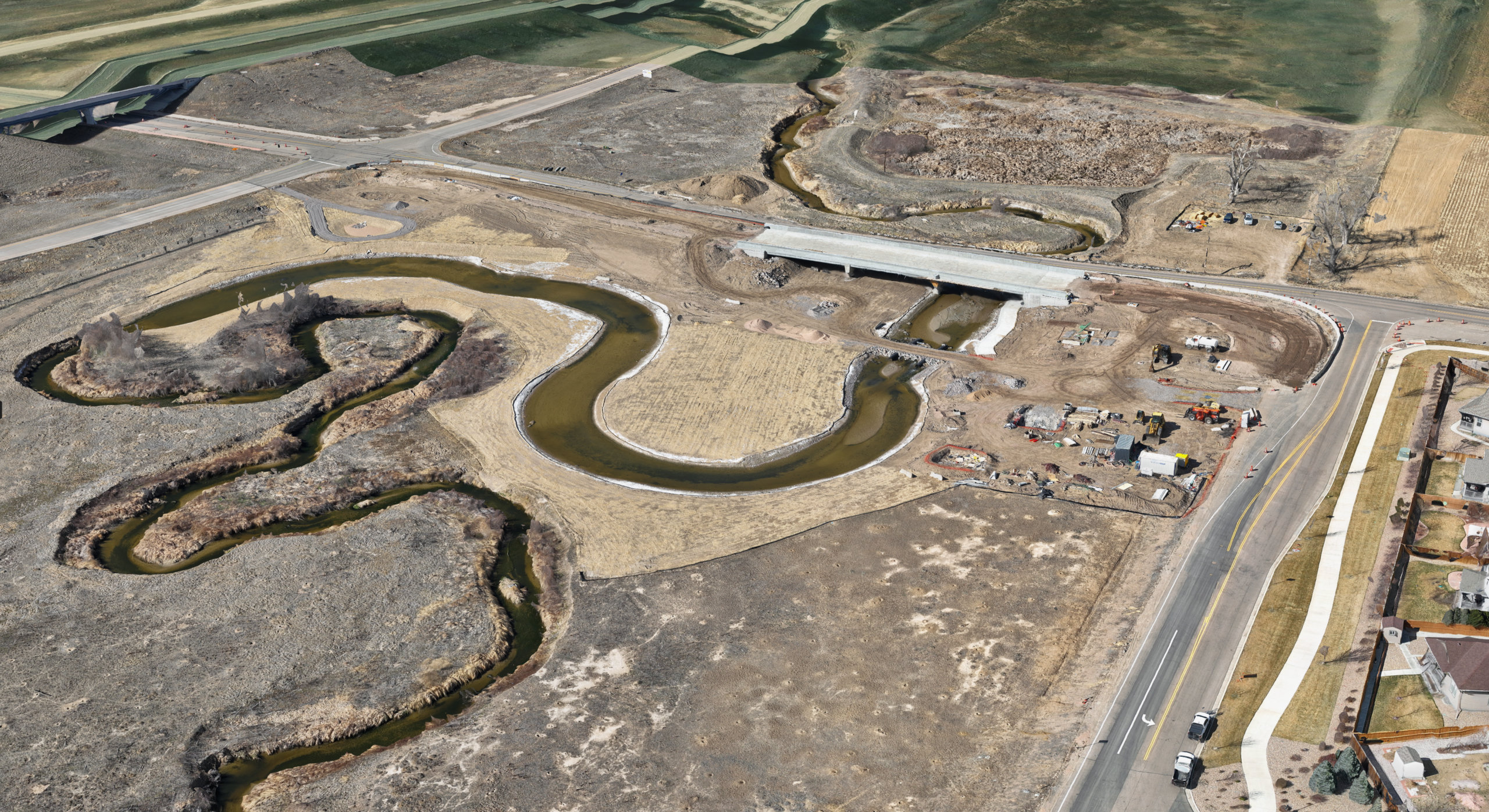
Esri’s Stormwater Construction Activity Management solution was designed to help local governments like Thornton improve their stormwater inspection processes by offering a single, mapcentric system that enables teams to see what was inspected, when and where it occurred, and what actions are required, all in one place. The amazing work that Thornton has done is a perfect example of the solution in action.
Growing complexity
“The sheer volume of data we collect is huge,” says Keith Bisbe, the city’s Stormwater Coordinator. “Last year alone, we had around 630 construction inspections. When you add in other aspects of the program such as illicit discharge detection and elimination and maintenance and installation of permanent water-quality facilities, we’re probably close to 1,000 inspections a year.”
Before adopting the Stormwater Construction Activity Management solution, the city relied on software that was difficult to customize and slow to change. The system relied on multiple, disconnected forms and offered limited mapping capabilities, with no support for geotagged photos or site polygons. As a result, inspectors struggled with cumbersome paper-based workflows that required manual tallying and were prone to human error.
These challenges didn’t stop at the office; they were even more pronounced in the field. “Some of the feedback we were getting was, ‘Can you drop a point right where I’m taking a picture?’” says Sterling Loetz, the city’s stormwater GIS analyst. “That functionality wasn’t there, and it was limiting.” Without reliable spatial context, inspectors had fewer tools to accurately capture conditions in the field or confidently reconstruct inspections later.
The shift
Over time, these constraints affected both efficiency and data quality, prompting the city to search for a more flexible, mapcentric system. Fortunately, the City of Thornton already had an ArcGIS subscription and was familiar with ArcGIS Solutions.
“When we first looked at the Stormwater Construction Activity Management solution, what stood out was the ability to bring everything together—dashboards, inspections, photos—all in one place,” says Loetz. “That was the kicker for us.”
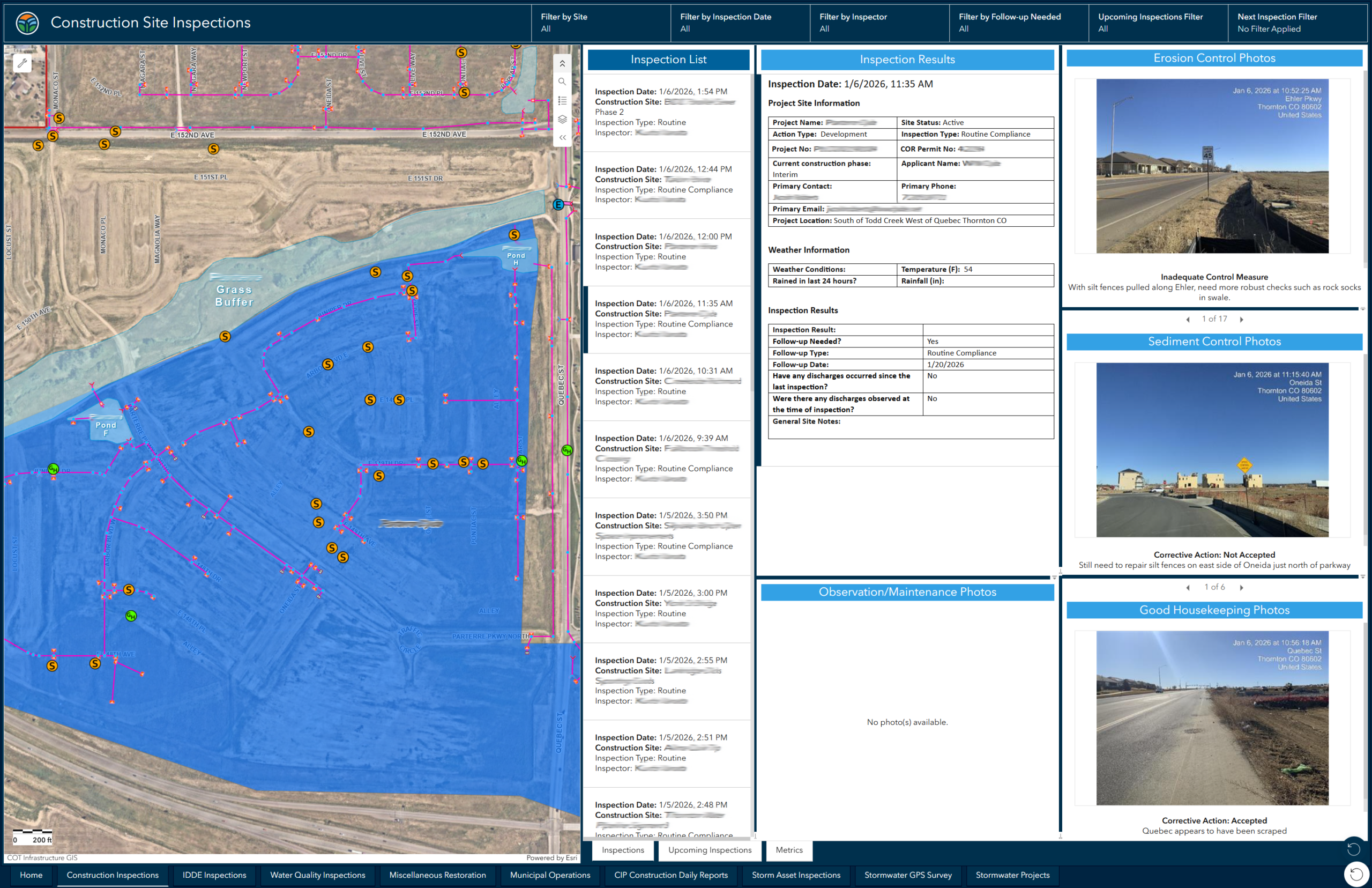
Adopting the solution gave inspectors a clearer, more spatially accurate way to capture conditions in the field, which in turn allowed the city to expand the solution beyond construction. The city’s GIS team now uses the solution to manage inspections across a wide range of stormwater activities, from active construction sites to illicit discharge incidents to municipal operations.
Inspectors in the field use tablets to access a dedicated field map, which allows them to drop geopoints directly where issues are observed and attach geotagged photos to document conditions on-site. According to Loetz, this capability has made a meaningful difference. “Having those geopoint locations with every photo taken is something we realized we truly needed. Data quality had suffered before, and this fixed that.”
Clear visibility
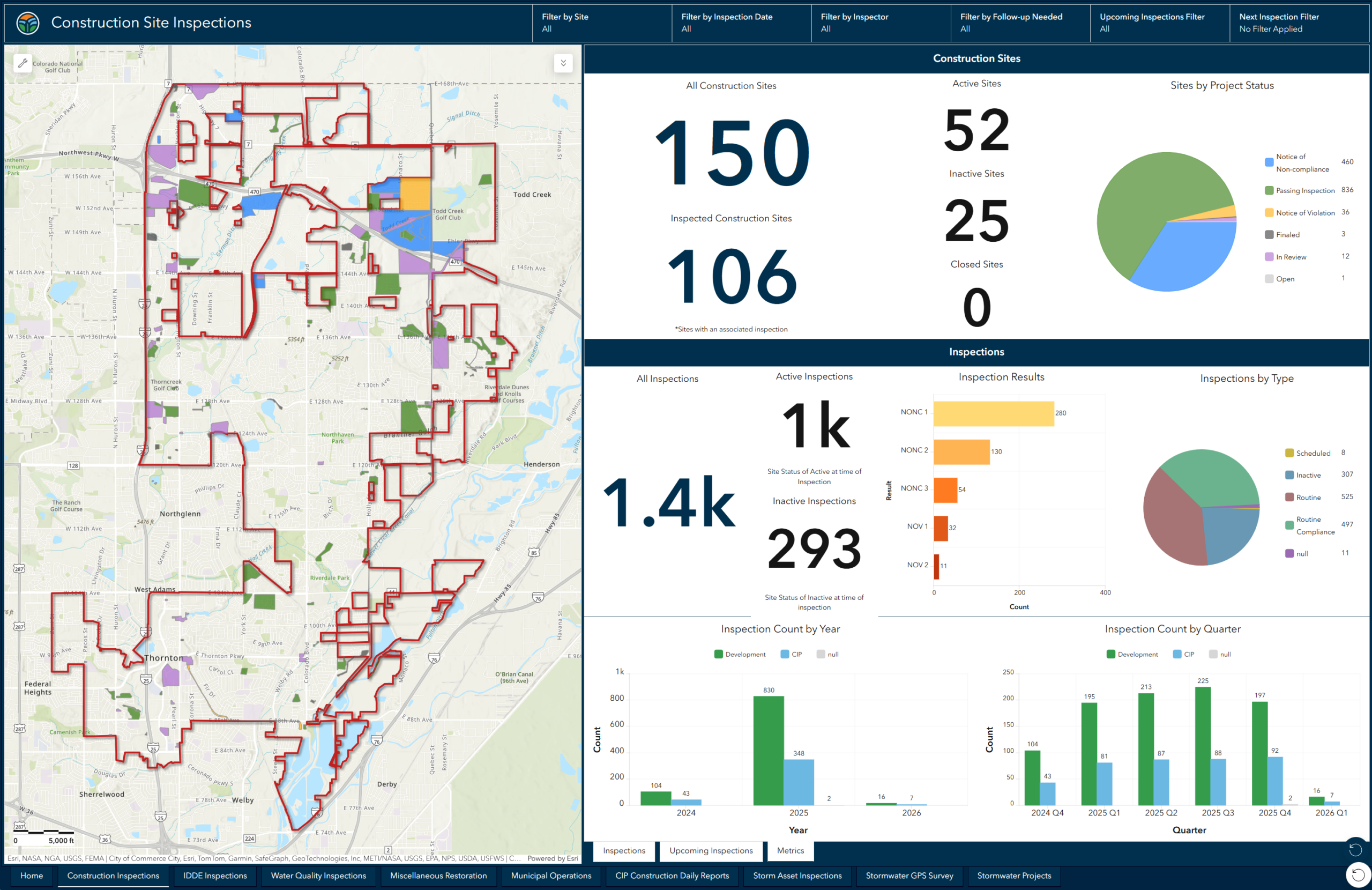
The city’s GIS team customized solution dashboards to allow them to filter and report on inspection data in real time. Now, staff can quickly extract specific data, such as the number of compliance inspections for a specific inspector, site, or time period. This easy access to inspection information helps the team manage workload, track overdue inspections, and visualize site polygons and findings.
The organizational benefits of this are massive. It enables us to be far more structured, efficient, and confident in the data we’re using.
Beyond day‑to‑day operations, these dashboards are critical to supporting the city’s Municipal Separate Storm Sewer System (MS4) Permit reporting requirements. Because the city conducts hundreds of inspections each year, the team relies on dashboards to efficiently break down large volumes of inspection data into reportable metrics. Bisbe explains that dashboards make it possible to answer detailed compliance questions quickly, allowing staff to filter inspection data by site, inspector, or reporting period rather than manually counting records. This capability helps the city respond to audits, maintain confidence in data accuracy, and stay organized as reporting demands grow.
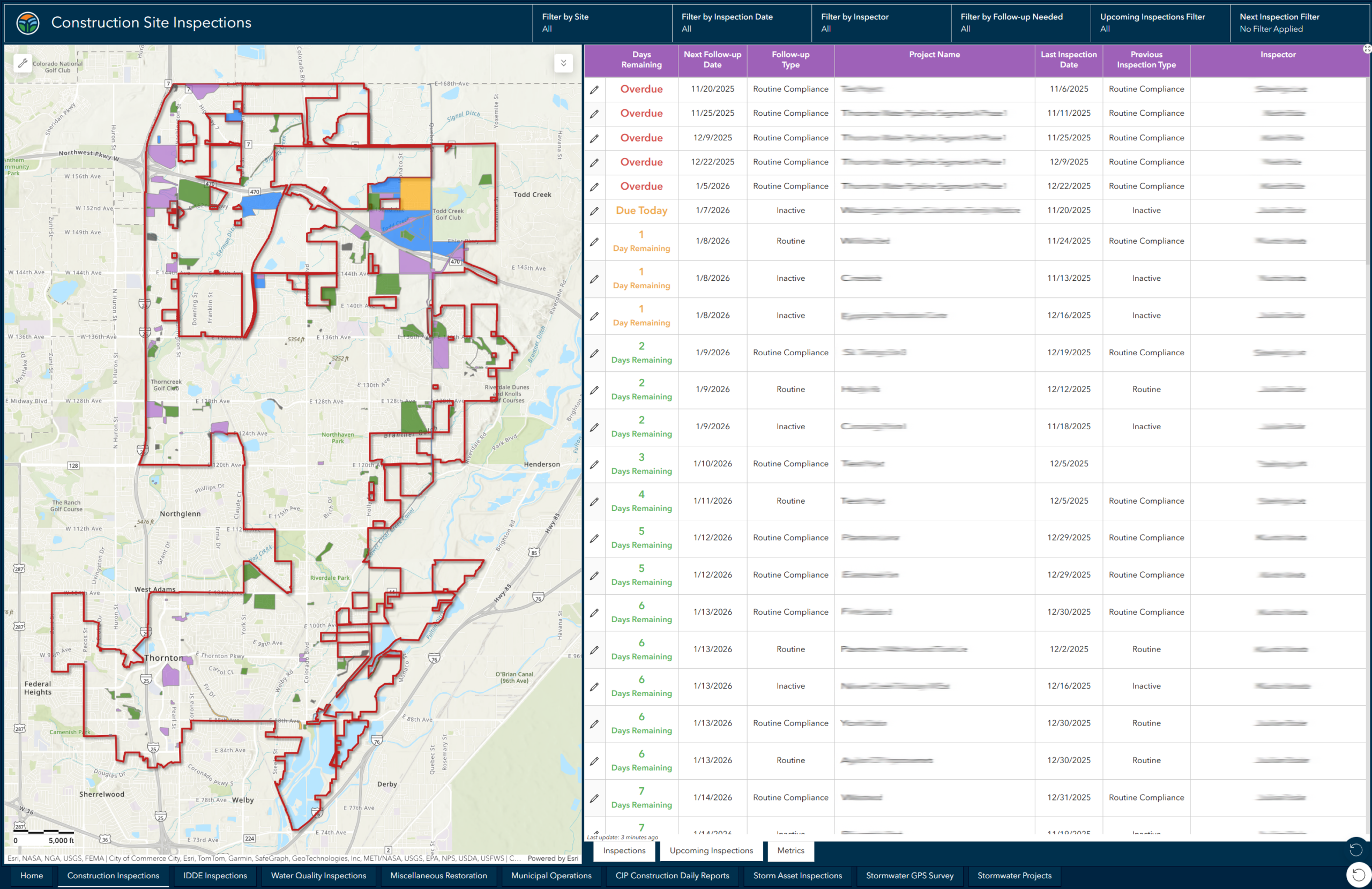
Thornton’s experience highlights a challenge that many growing communities face: managing an increasing volume of inspections while meeting higher expectations for accuracy, transparency, and accountability. By using the Stormwater Construction Activity Management solution to help centralize inspections, data, and reporting, the city has gained clearer visibility into its work and greater confidence in the data behind every decision.
For cities navigating similar growth and regulatory pressures, Thornton’s success with the solution shows how a more connected approach to stormwater inspections can support better coordination, stronger reporting, and long‑term readiness.
Learn more
For more information about the Stormwater Construction Activity Management solution, check out the following resources:
- Learn how to deploy, configure, and use the solution.
- View a demo video.
- Learn more about ArcGIS Solutions.


Commenting is not enabled for this article.