
ArcGIS Velocity ingests and analyzes streaming, sensor, and asset data in real time, enabling organizations to monitor operations, detect incidents, and act immediately. Ingest data from nearly any source as feeds, and analyze every event as it happens to detect incidents, automatically trigger alerts, and publish to build maps and dashboards. Tracking assets such as vehicles and fleets for a current view on operations, analyzing personnel movement to ensure safety, and monitoring changing conditions for more informed decisions are just a few of the benefits you can gain from your sensor and asset data using Velocity.
ArcGIS Velocity is updated regularly, below are several highlights of the February 2026 release:
Feeds
- Access real-time live global flight data by connecting with ADS-B Exchange API using the ADS-B Exchange feed.
- Ingest automatic identification system (AIS) data to provide real-time visibility into global maritime vessel movement by connecting to Kpler using the Kpler feed.
Analytic
- Create a hosted feature layer directly from the Layers page in Velocity without having to create or run a real-time or big data analytic.
Output
- Ensure Trimble work orders are created accurately from the start by using the two new optional parameters; Work Order Entity Type and Work Order Entity UID available in the Trimble Unity Maintain output. These two new parameters can be used in a pair or in conjunction with the Work Order Template.
General
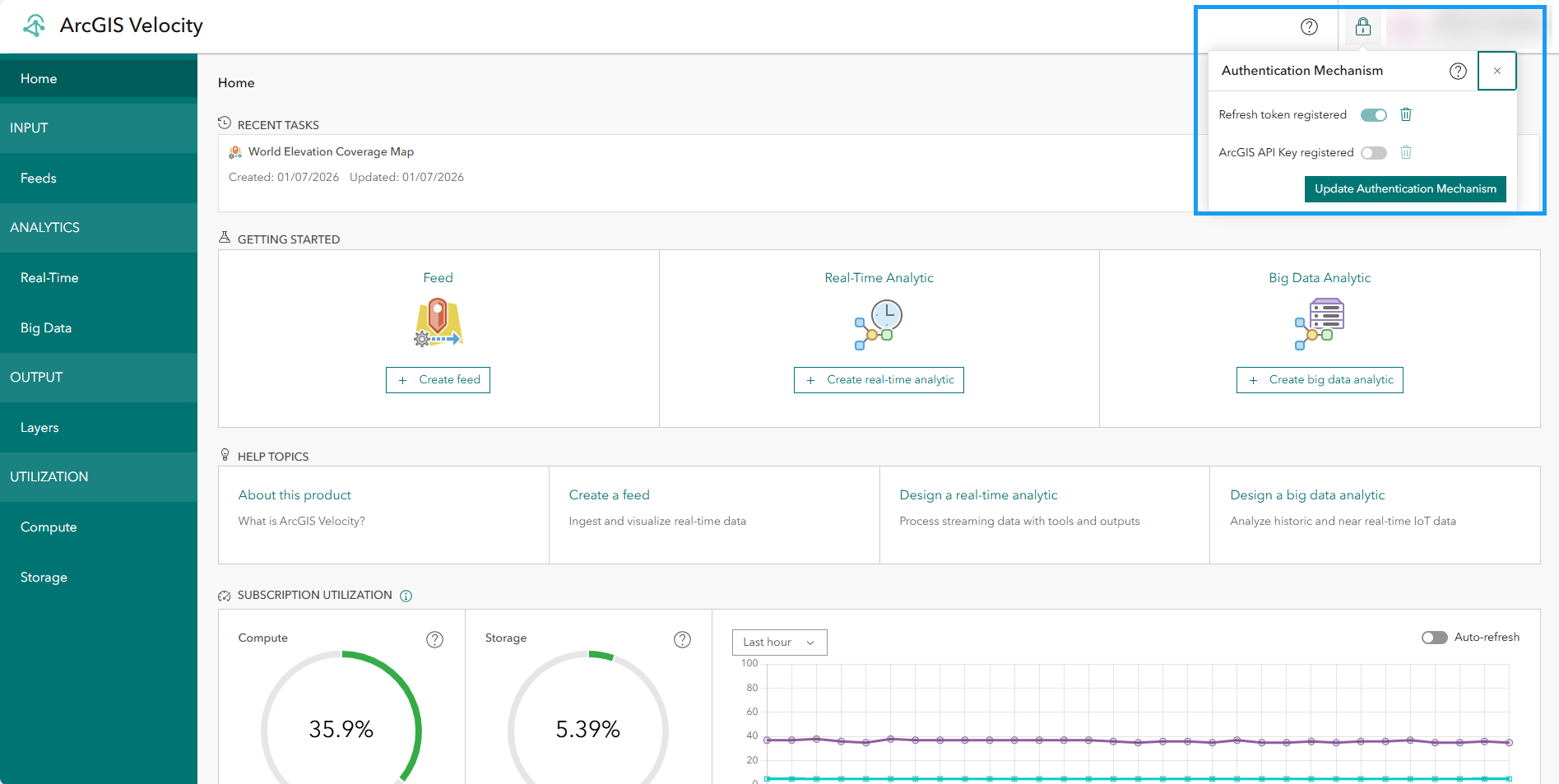
- Ensure feed and analytics in Velocity run for longer period of time by using the combination of the new ArcGIS API key authentication mechanism in combination with the existing refresh token authentication.
- Notice improvements in overall quality, reliability, and accessibility. Explore other enhancements and bug fixes in this release with a complete list of what’s new.
Now, let us take a deeper dive into each of these and other new capabilities and enhancements in this release!
Feeds
ADS-B Exchange
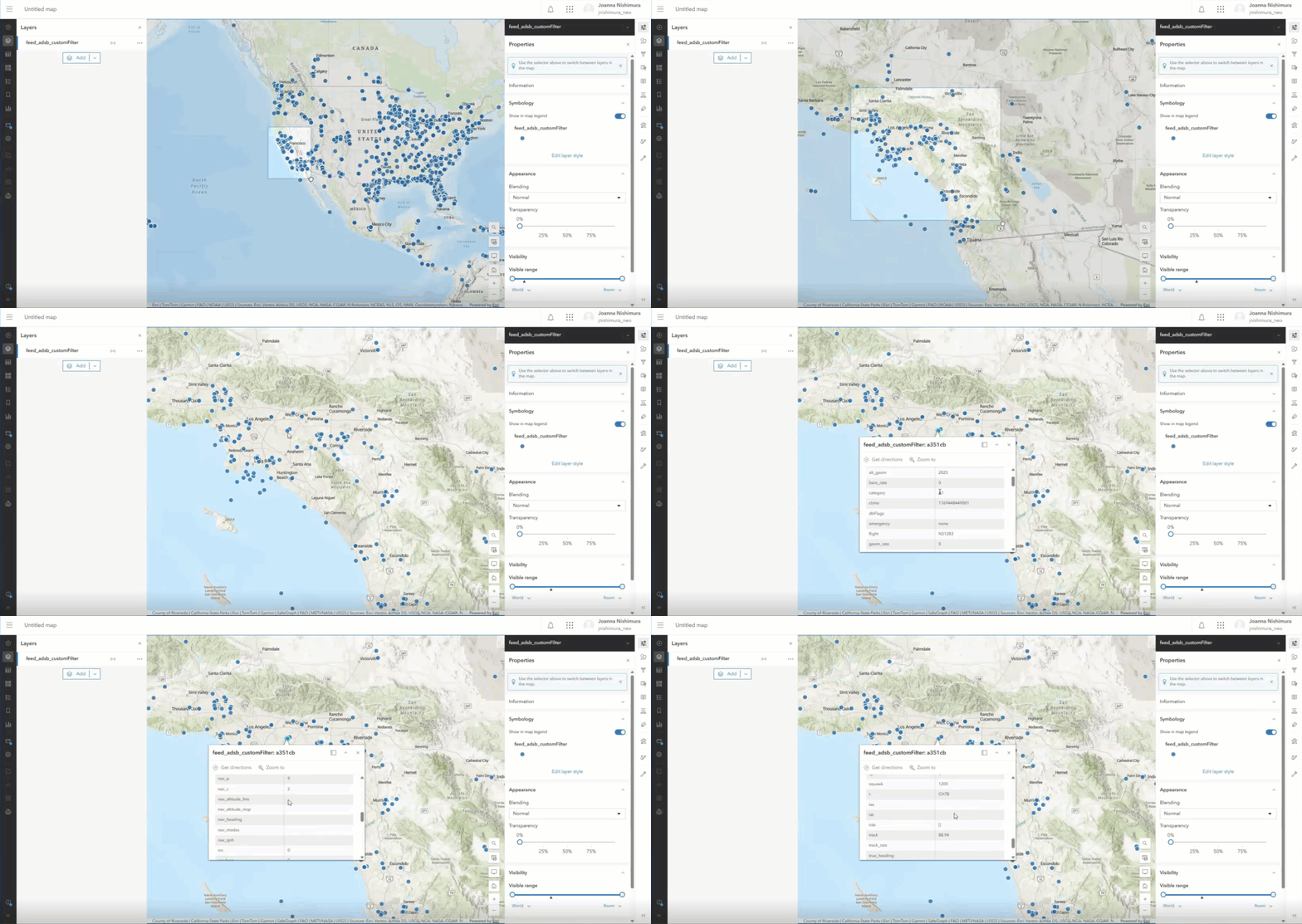
The new ADS-B Exchange feed enables the ingestion of unfiltered real-time aircraft tracking data from a global network of aviation enthusiasts and sensors. This integration supports enhanced situational awareness for airspace monitoring, flight tracking, and airport operations. Users can visualize aircraft positions, analyze air traffic patterns, and integrate aviation data into workflows for transportation, emergency response, and logistics planning. This feed requires credentials from ADS-B, which are available for purchase directly through ADS-B Exchange.
Kpler
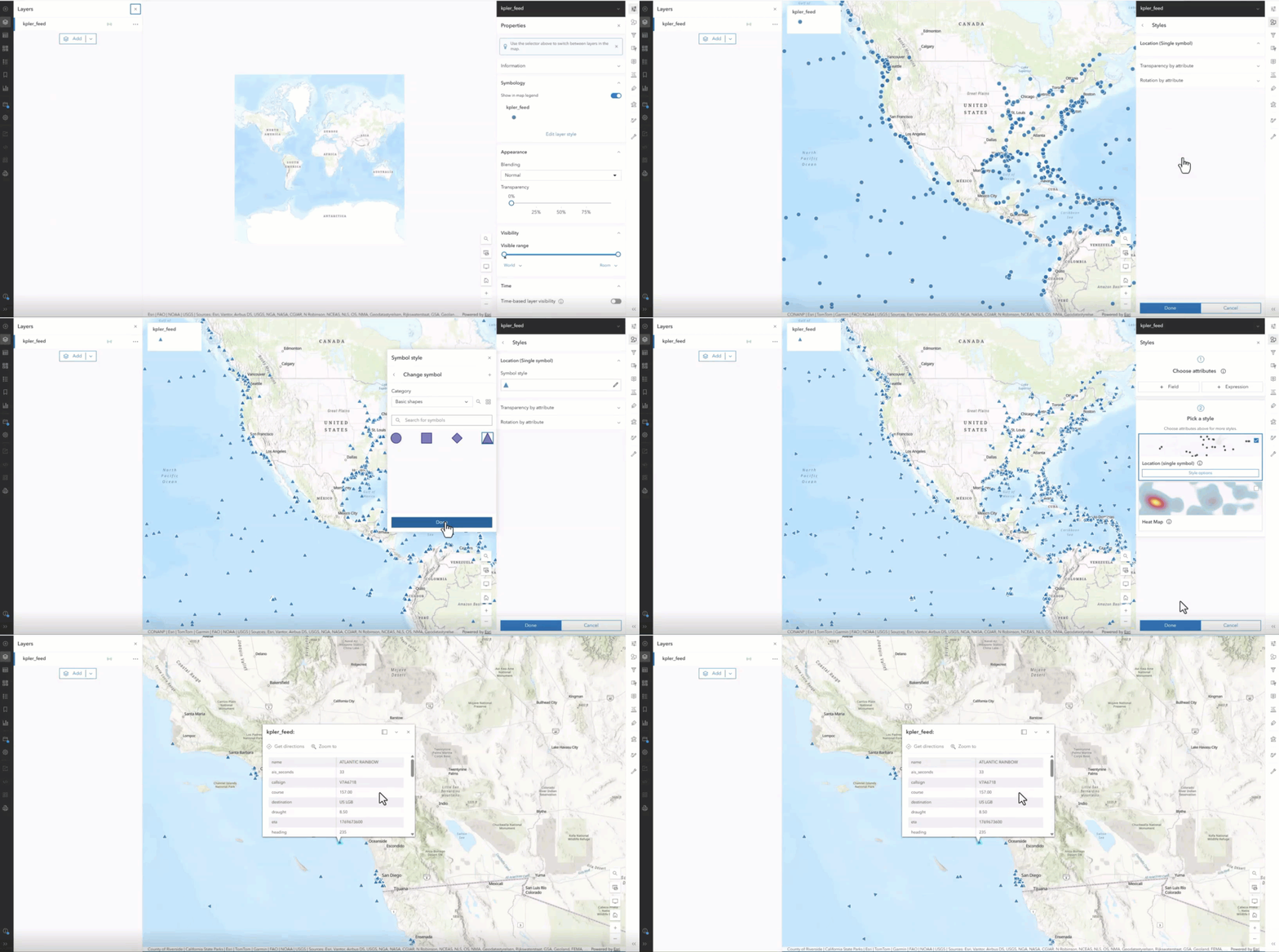
The new Kpler feed provides a way to ingest automatic identification system (AIS) data from Kpler into Velocity. AIS data from Kpler provides real-time visibility into global maritime vessel movements, helping organizations make more informed decisions across logistics, supply chain management, and maritime operations. By ingesting the Kpler AIS feed, you can track vessel locations, analyze traffic patterns, and improve situational awareness.
This level of insight is valuable for national government agencies (including defense and civilian), state and local governments managing port activity, commercial organizations overseeing supply chain operations, shipping companies and cruise lines, and natural resources sectors. The feed requires credentials to Kpler, which can be purchased through Kpler.
Analytic
Create hosted feature layer
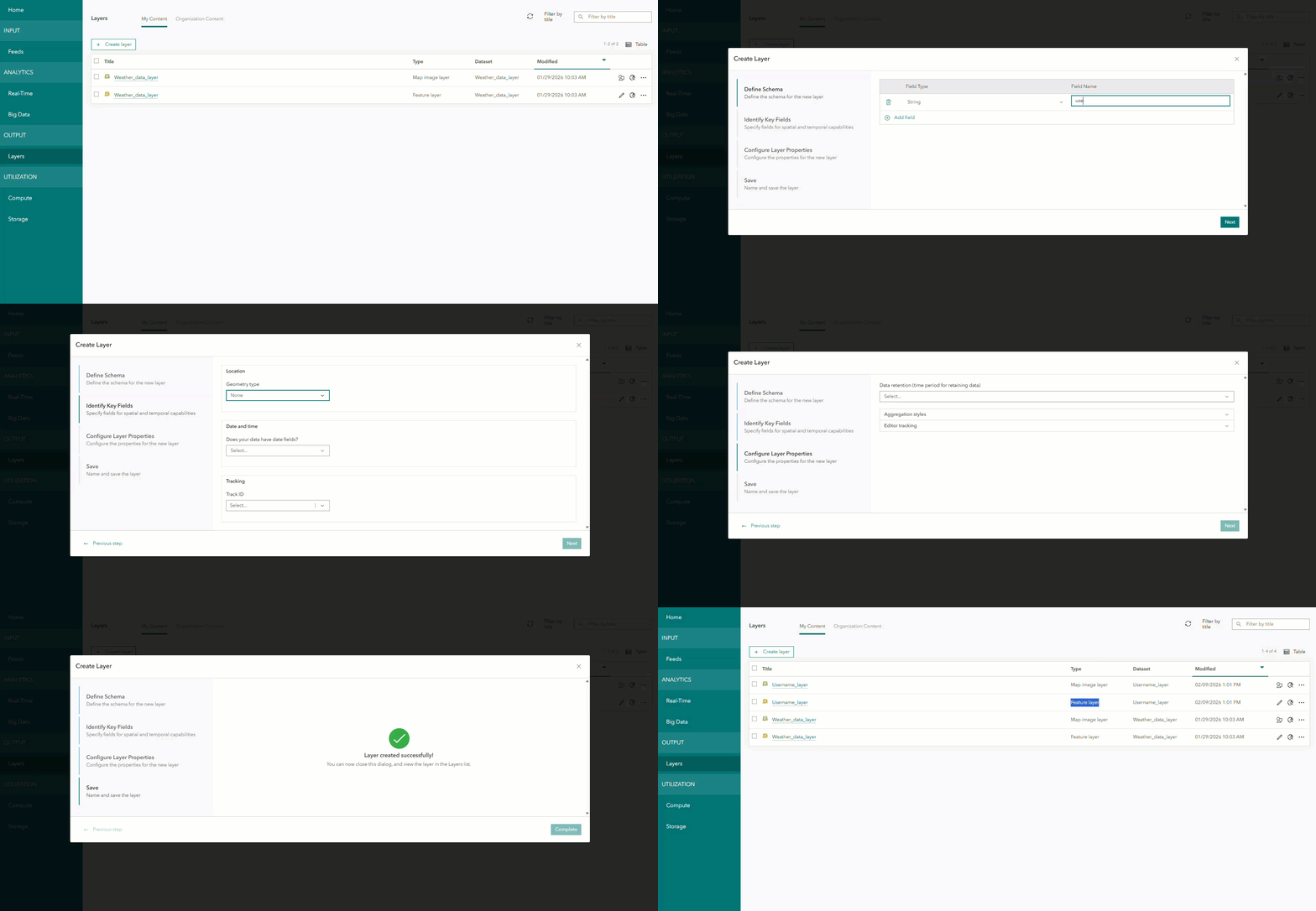
You can now create a hosted feature layer from the Layers page in Velocity without needing to run a Real-Time or Big Data Analytic. Once a layer is created, both a feature layer and accompanying map image layer become available for use in Velocity and over the REST API. Each feature layer includes a defined schema, which can also be used by any incoming feeds that match the schema. You can also write data to this layer from your analytics by adding it as an existing feature layer. This capability is helpful for ArcGIS Solutions as well as workflows that are being established in Velocity programmatically via the API.
Output
Trimble Unity
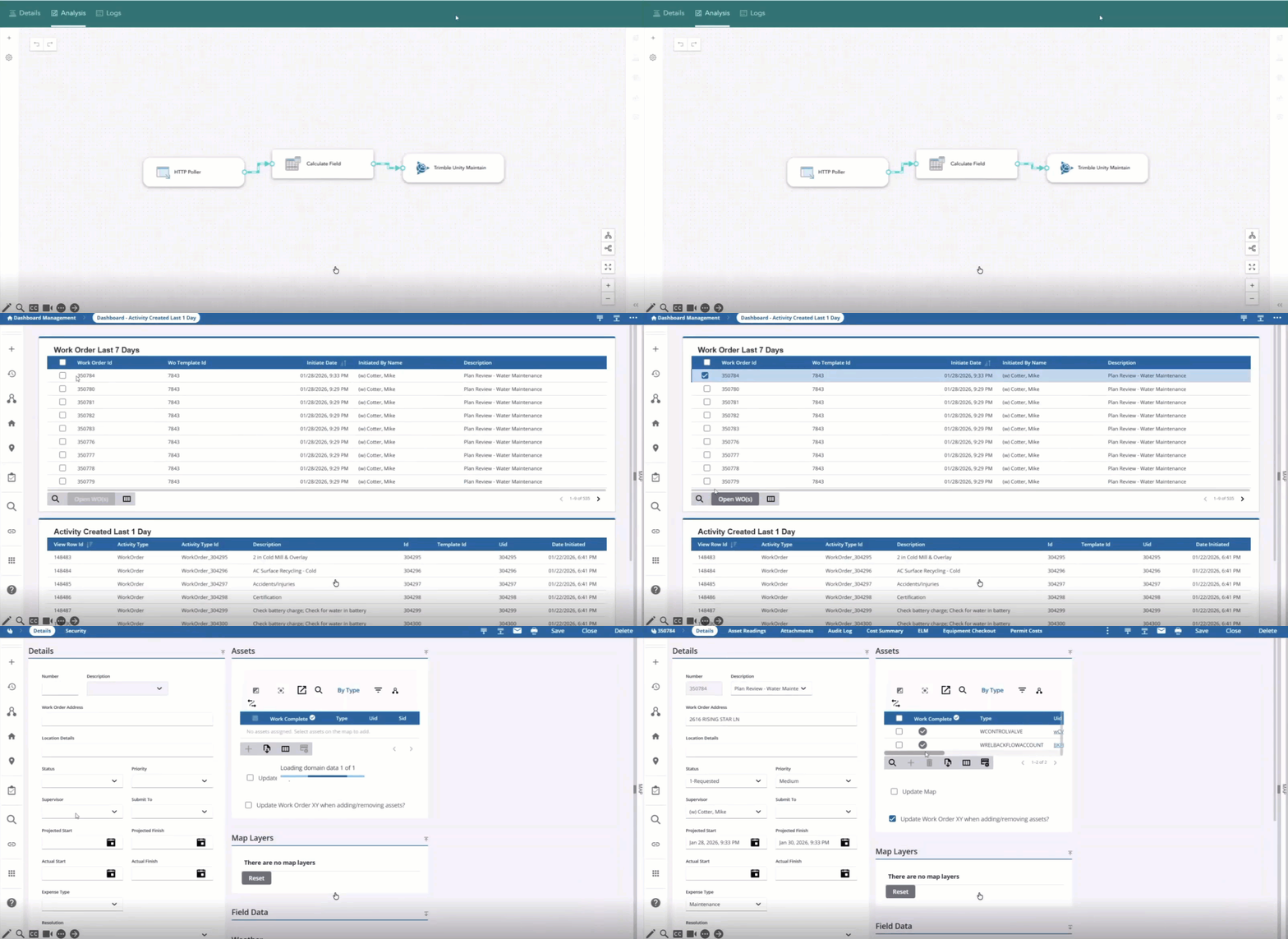
More flexibility has been added to the Trimble Unity Maintain output. Two new optional parameters, Work Order Entity Type and Work Order Entity UID, have been added to the Create Work Order operation. You can either provide these two parameters together or include them alongside a Work Order Template ID for more specific control.
With this update, you can specify the entity directly at the time of creation by including both the Work Order Entity Type and Work Order Entity UID with your template. This helps minimize the need to create and manage multiple templates for different entities and helps streamline your integrations. It also ensures that each work order is linked to the correct entity right from the start.
Previously, you either had to maintain separate templates or update the entity after the work order was created. Now, you can use a single template for all scenarios. The integration simply passes the appropriate entity type and UID, creating the work order correctly. This output requires access to Trimble Unity, which is available for purchase through Trimble.
General
ArcGIS API key authentication mechanism
Velocity requires access to ArcGIS Online to create and run items like feeds and analytics, execute processes like feed from feature layer, or write data to output feature layers. To make this connection secure and reliable, Velocity authenticates using either a refresh token or an ArcGIS API key, rather than storing a username and password.
ArcGIS API keys provide longer-lived access, with expiration periods ranging from one day to one year. You can define the expiration value of the ArcGIS API key when it is created. On the other hand, refresh tokens are shorter-lived and expire after two weeks by default. Velocity automatically requests and renews refresh tokens as they near expiration.
You can register both an ArcGIS API key and a refresh token with Velocity. When both are available, Velocity prioritizes the ArcGIS API key over the refresh token. If an ArcGIS API key expires or becomes invalidated, Velocity attempts to switch to the refresh token to create and run items. This dual authentication mechanism enhances reliability, security, and flexibility for organizations working with feeds, analytics, and output feature layers in Velocity. For more information, refer to the following:
- The ArcGIS API key authentication mechanism
- Frequently asked questions about the ArcGIS API key
- Troubleshooting ArcGIS API key
Questions and feedback
Do you have questions or feature requests for ArcGIS Velocity? Be sure to post your questions and product ideas on the ArcGIS Velocity place in the Esri Community.


Article Discussion: