ArcGIS Velocity is the real-time extension for ArcGIS Online, enabling organizations to ingest, visualize, analyze, and act on data from sensors and asset tracks. It also enables processing of high-volume historical data to gain insights into patterns, trends, and anomalies. Tracking assets such as vehicles and fleets for a current view on operations, analyzing personnel movement to ensure safety, and monitoring changing conditions for more informed decisions are just a few of the benefits you can gain from your sensor and Internet of Things (IoT) data using Velocity.
ArcGIS Velocity is updated regularly, below are several highlights of the November 2025 release:
Feeds
- Access real-time firefighting telemetry by connecting to the TracPlus Cloud using the TracPlus feed.
- Connect to DTN‘s real-time and forecast feature layer services to receive hyperlocal and industry-specific weather data with the DTN Weather feed type.
- Receive real-time location data for vehicles and assets to monitor their status and movement using the Motive AVL feed.
- Integrating the Team Awareness Kit (Client) feed into Velocity allows users to receive events from the TAK server.
Analytics
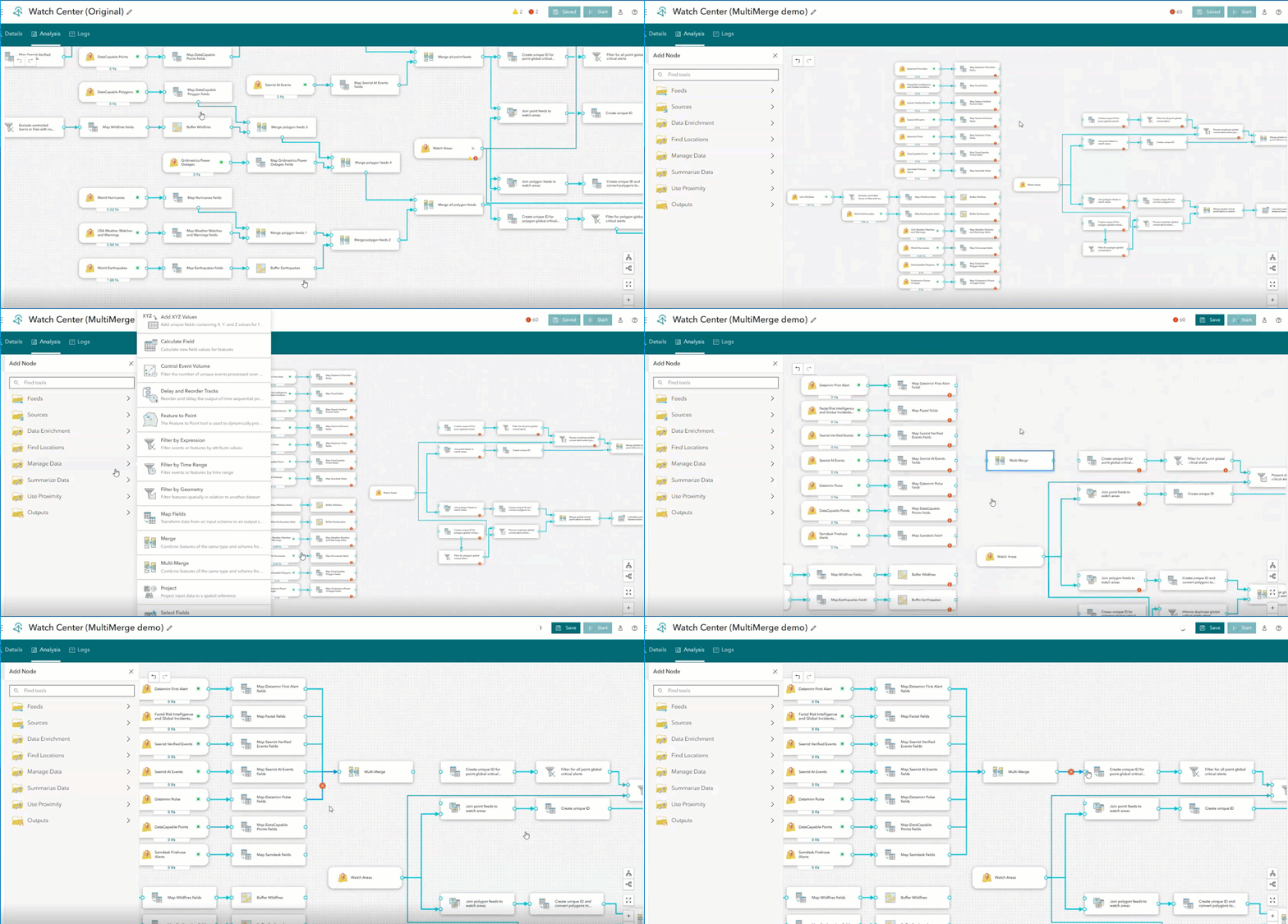
- Combine two to ten input pipelines with matching feature geometry types into a single schema using the Multi-Merge tool.
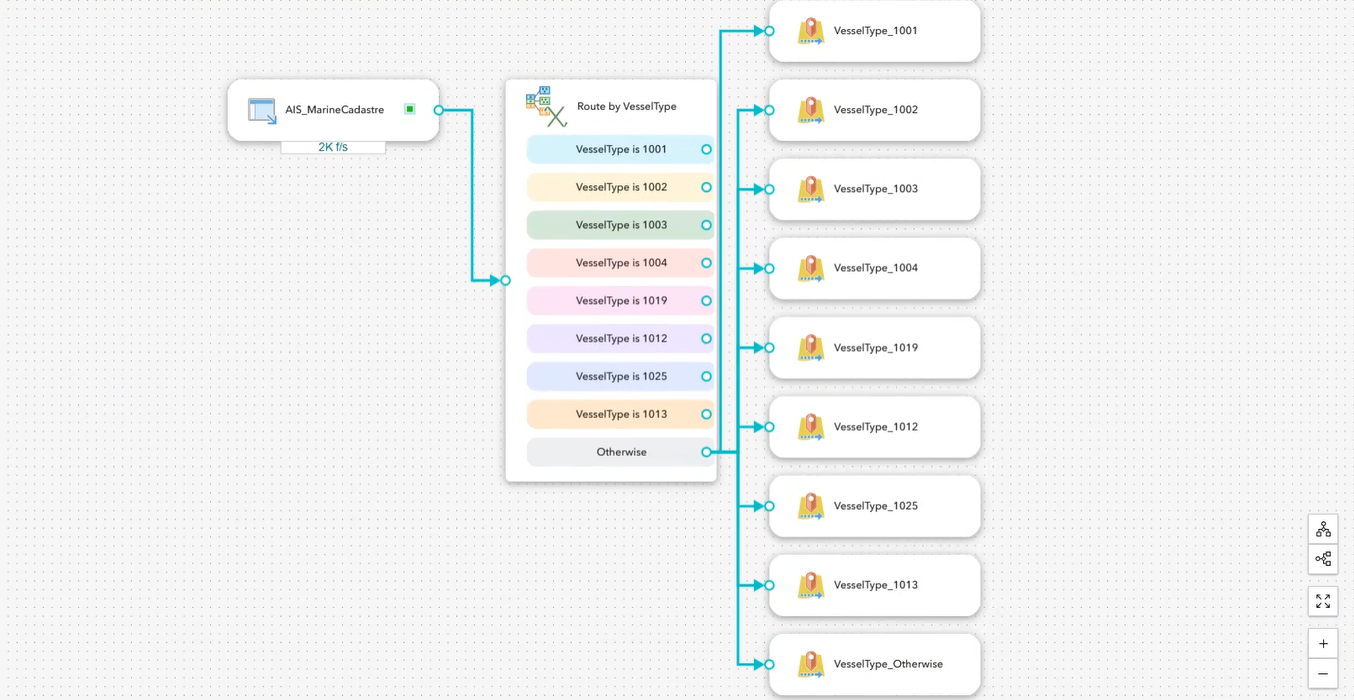
- Evaluate records using ArcGIS Arcade Expressions and route each record to multiple destinations based on defined conditions using the Route by Expression tool.
General
- Explore the other enhancements and bug fixes in this release with a complete list of what’s new.
Now, let us take a deeper dive into each of these and other new capabilities and enhancements in this release!
New Feeds
TracPlus
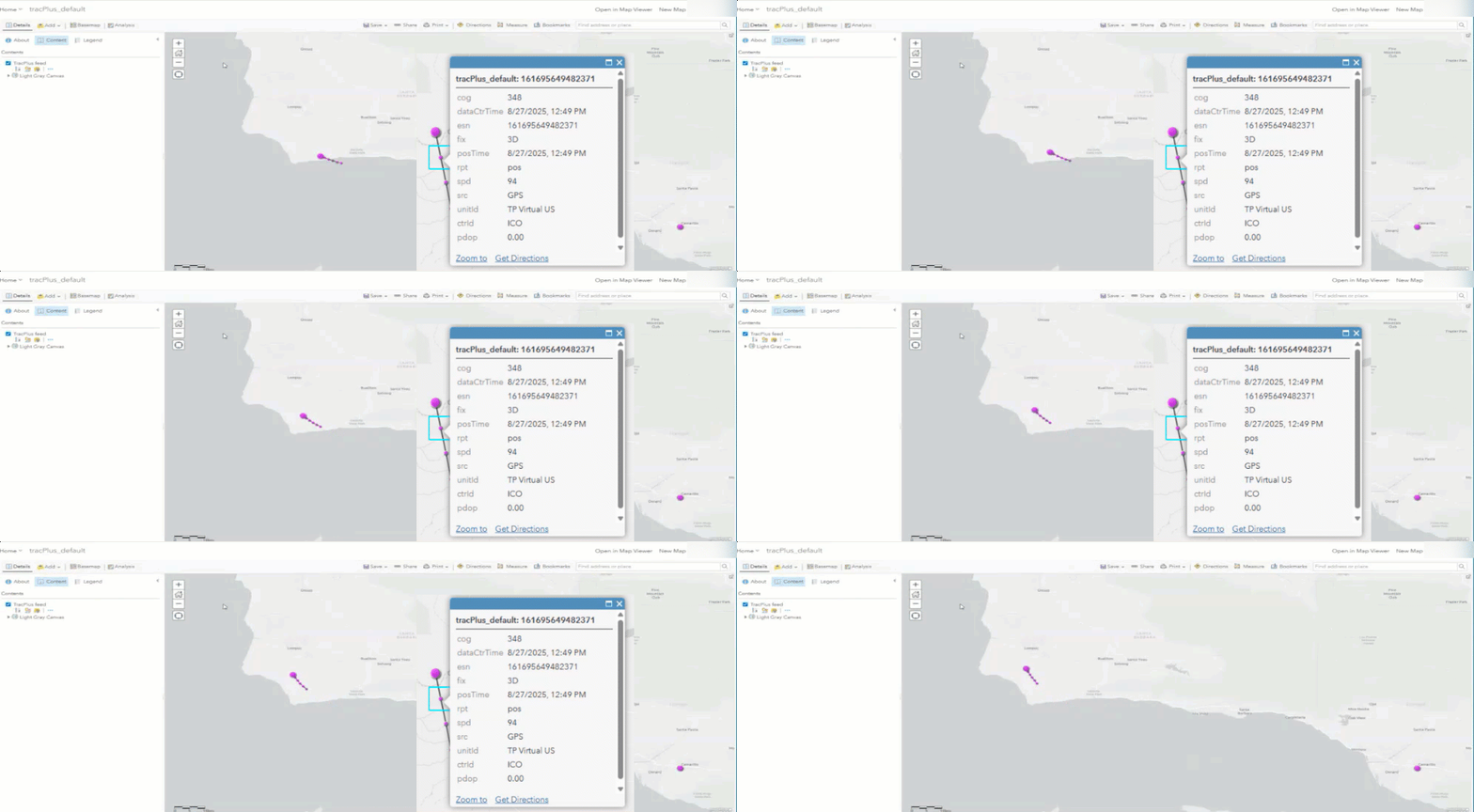
TracPlus feed allows for the integration of real-time firefighting telemetry data into ArcGIS Velocity. TracPlus provides global situational awareness by consolidating live position, status, and messaging data from a wide range of devices and platforms into a single source to enhance mission coordination, and operational safety. Within Velocity, this real-time geospatial data can be visualized, analyzed, and displayed on dashboards to inform tactical decisions. TracPlus is designed to support global wildfire and wildland firefighting solutions and emergency response efforts, by leveraging real-time data from remote or high-risk environments. Setting up the feed is straightforward, but you’ll need an active TracPlus subscription.
DTN Weather
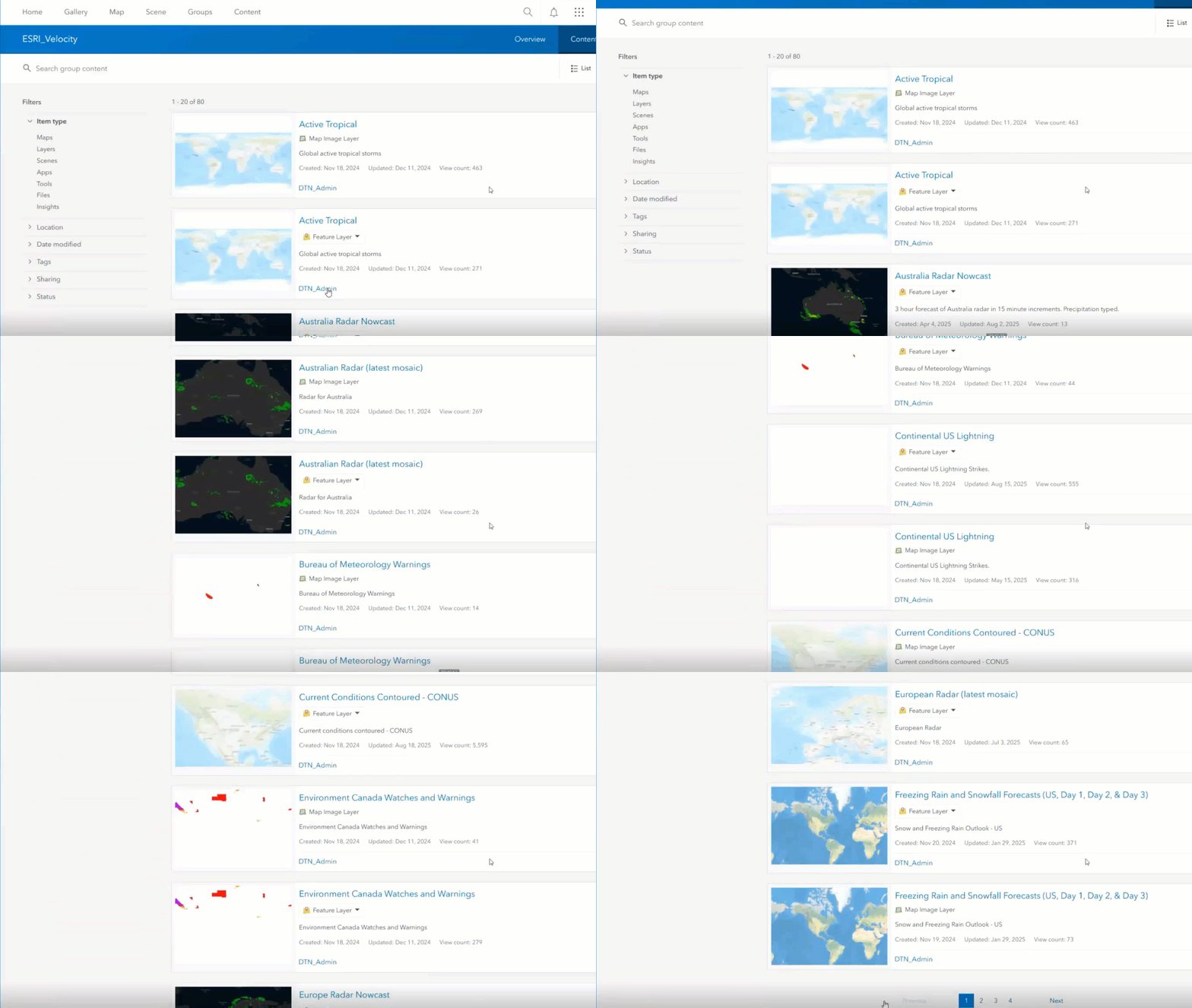
The DTN Weather feed integration with ArcGIS Velocity enables ingestion of high-resolution weather data into real-time analytic workflows. DTN leverages global radar, satellite, observational, historical, and forecast data feeds, enhancing them with proprietary algorithms to deliver advanced environmental data, real-time monitoring, and forecasting that enable renewable energy stakeholders to optimize site selection, improve efficiency, and effectively manage weather risks. This feed will be most relevant in sectors like utilities, aviation, transportation, and emergency management to prepare and act on dynamic weather insights with precision and speed. DTN maintains an enterprise portal for ArcGIS, so you must have an active DTN ArcGIS account. A unique group is created for each customer account along with credentials. Velocity uses your DTN ArcGIS account credentials to automatically display the specific layers available to you within your assigned group, ensuring you have secure access to all the relevant information.
TAK Client (Beta)
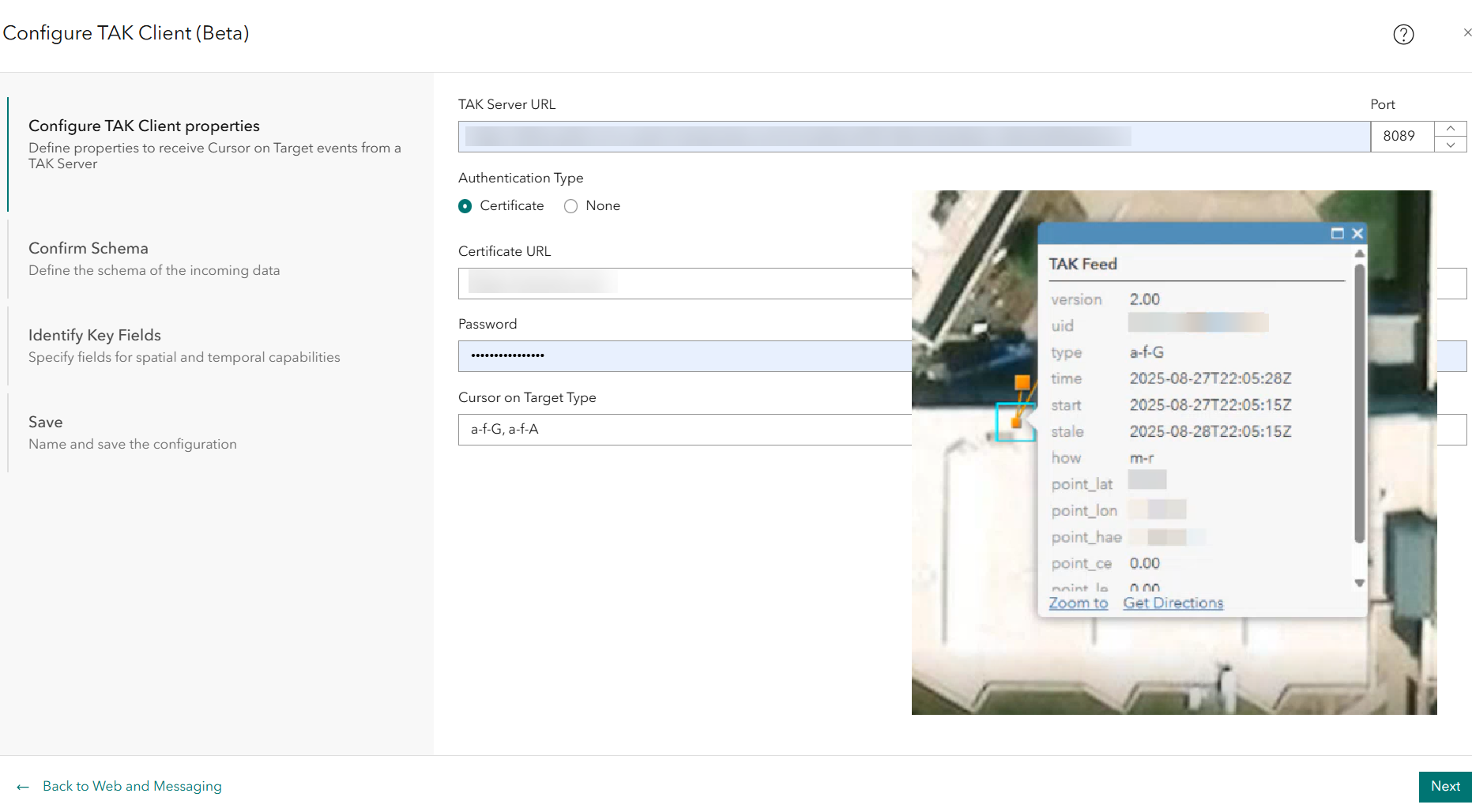
The TAK Client (Team Awareness Kit) feed integration into ArcGIS Velocity enables you to ingest real-time Cursor on Target (CoT) data for analysis, visualization, and alerting. TAK is commonly used by military, law enforcement, and emergency responders to provide common operating pictures (COP) and improve teamwork and safety. A COP is a display of relevant information across organizations and locations, allowing you to make accurate and informed decisions based on situational awareness — such as team member locations, shared map points, and alerts.
Motive AVL
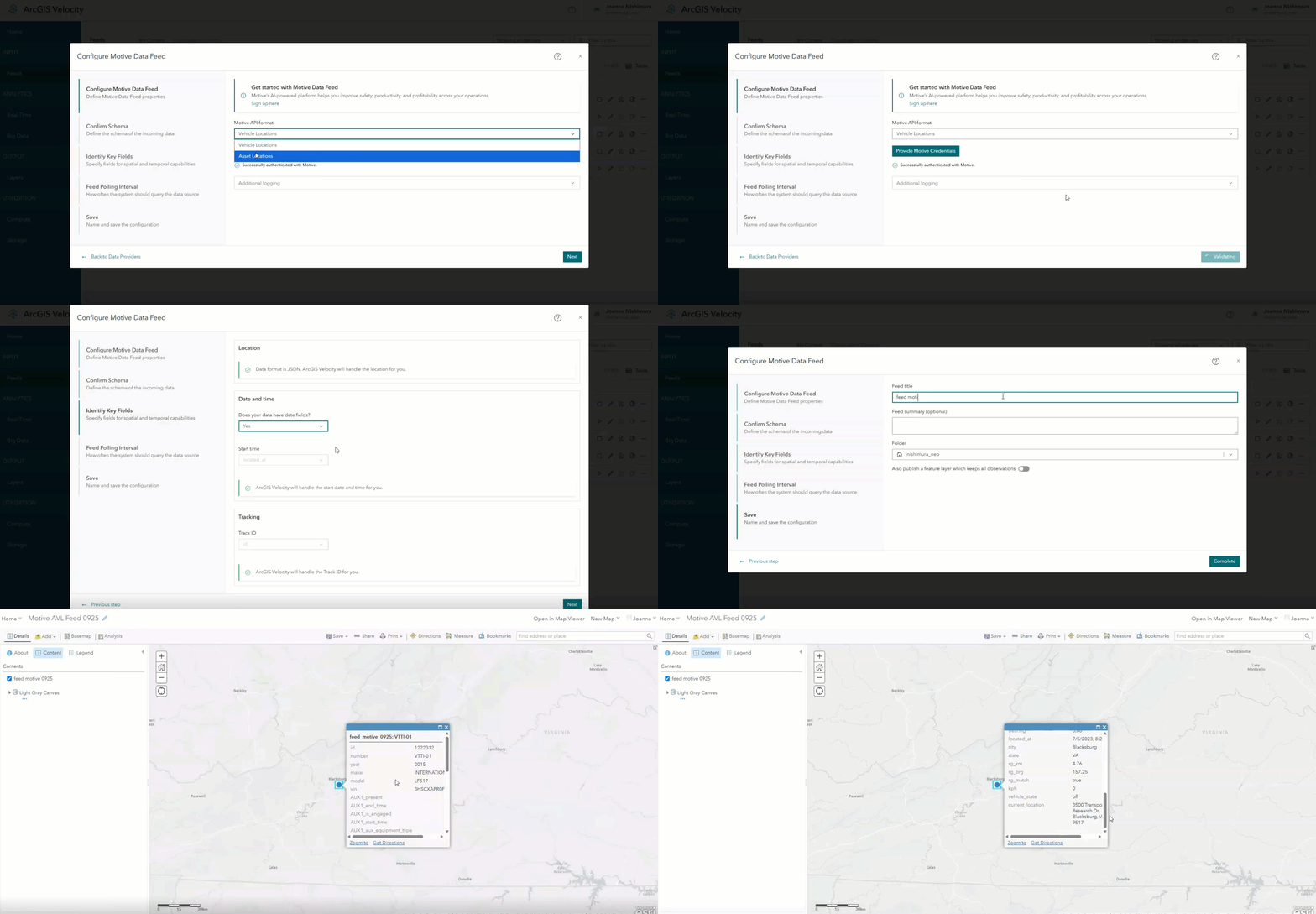
The integration of Motive automatic vehicle location (AVL) data into ArcGIS Velocity enables customers to visualize, analyze, and act on vehicle and asset locations and telemetry information. By connecting to Motive’s AVL data, Velocity users gain access to real-time visualization and spatial analysis to enhance safety, productivity, and profitability across operations like fleet management, equipment monitoring, and workforce management. Adding Motive’s AI-powered data to Velocity supports operational efficiency in sectors such as transportation, logistics, and field services.
New Real-Time Analytic tools
Multi-Merge
The Multi-Merge tool enables users to consolidate multiple input layers into a single output layer. It expands upon the capability of the existing Merge tool. Multi-Merge combines two to ten input layers with identical feature geometry types (tabular, points, lines, or polygons) with at least one corresponding field name and type into a single schema. Frequently, users have numerous similar feeds, such as separate AVL feeds, and seek to merge them for more efficient visualization and analysis. Previously, combining these feeds often resulted in complex workflows involving using multiple Merge tools, which are limited to only two input layers, to consolidate related feeds into a desired output layer. The introduction of the Multi-Merge analytic tool allows users to construct streamlined and simplified analytics.
Route by Expressions
The Route by Expressions tool allows Velocity users to evaluate incoming event records against one or more ArcGIS Arcade expressions and direct each record to the appropriate output path based on specified conditions. If an input feed contains multiple types of records – like sensor readings, location positions, and status – users may require different processing downstream. This tool allows users to configure conditional if-else logic to branch the data. It is a powerful way to simplify analytic workflows to separate mixed data streams into purpose-specific channels without duplication.


Article Discussion: