ArcGIS CityEngine 2026.1 is here, with updates that make it easier to design streets, create detailed buildings, automate repetitive work, and share your work. This means it’s finally time to visit My Esri and upgrade!
Imperial units
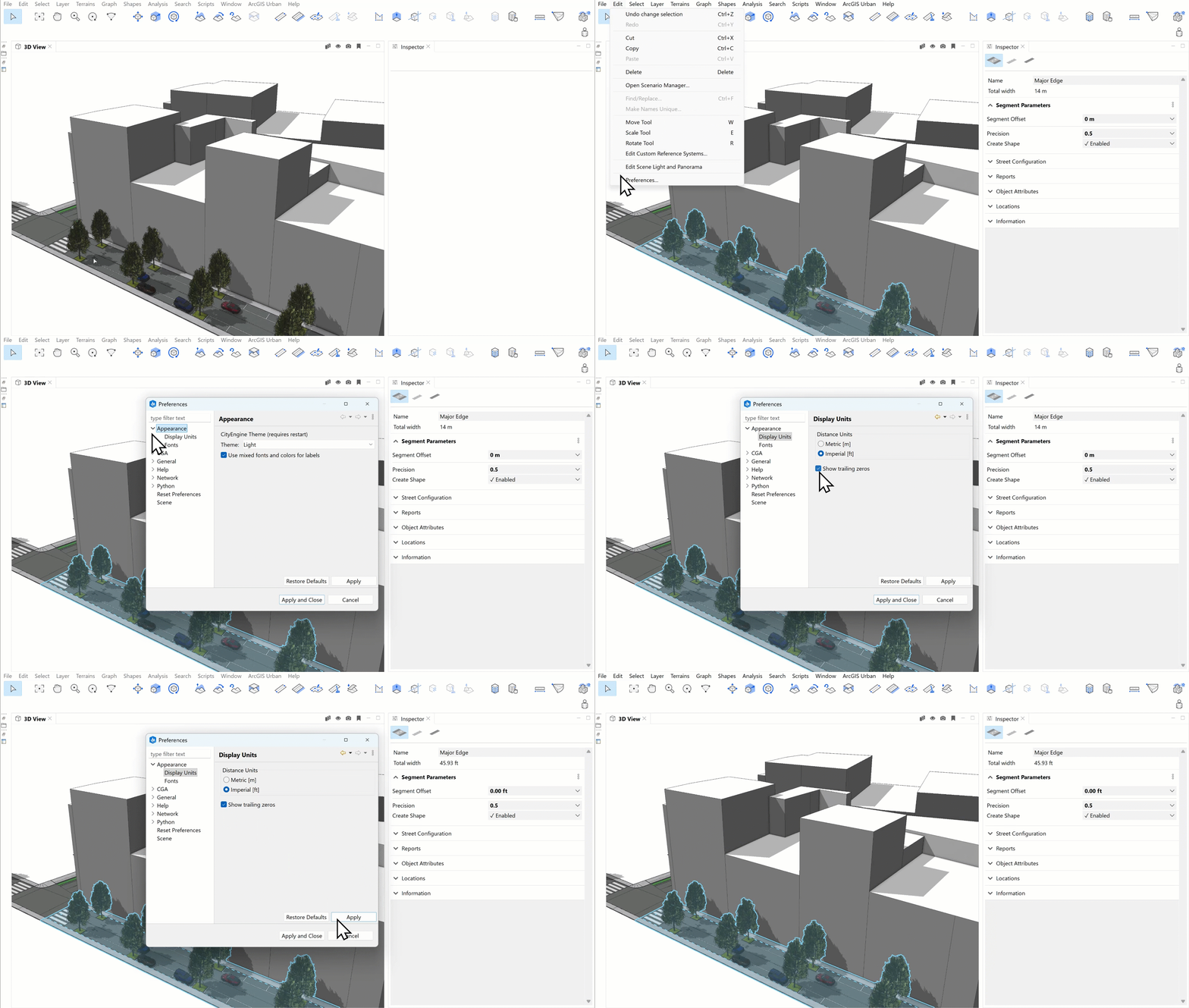
Work in the units that suit your project by easily switching between metric and imperial units in the UI while actively building and editing your 3D content.
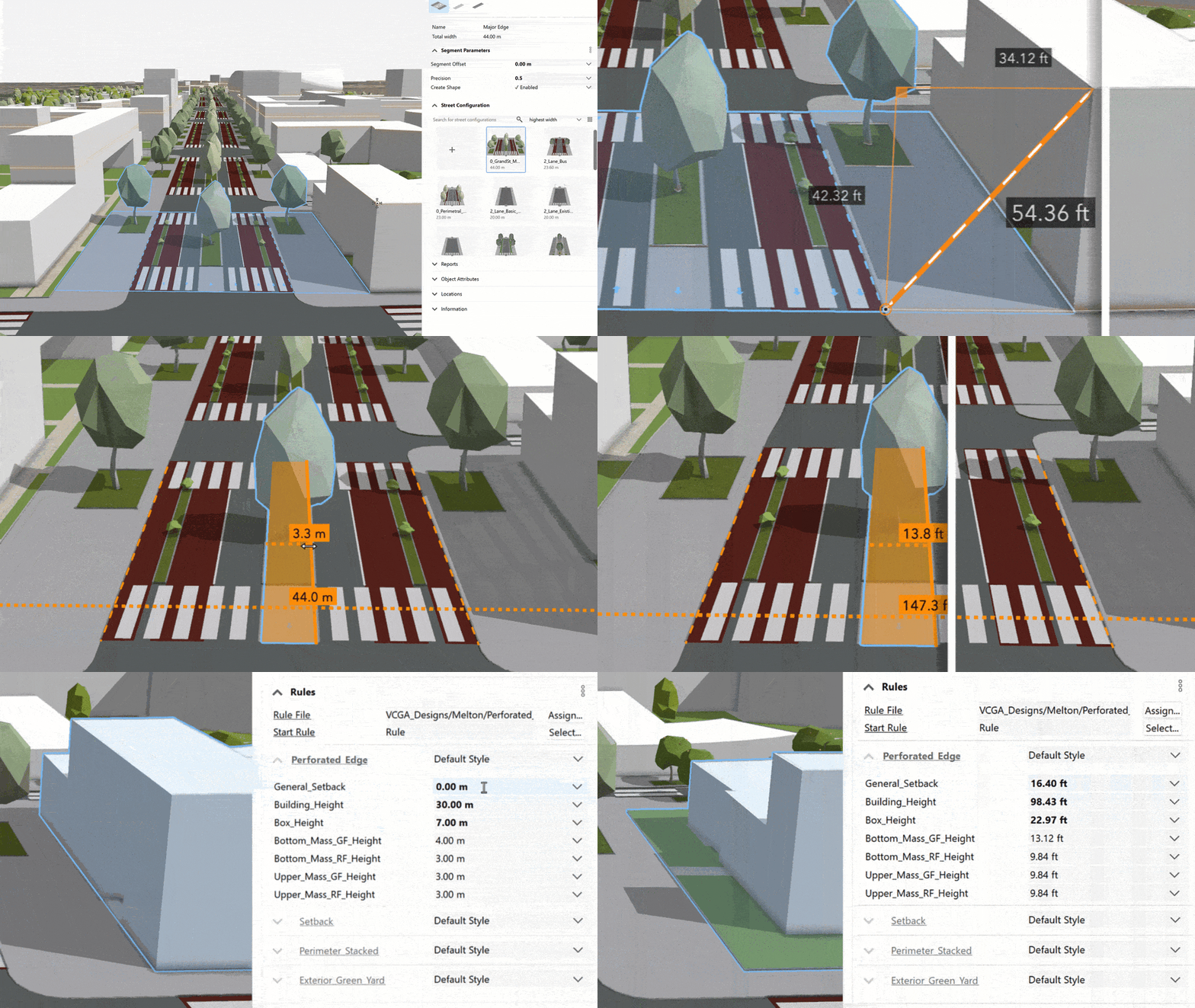
Unit support currently focuses on the CityEngine UI, accessible in the Display Unit preferences.
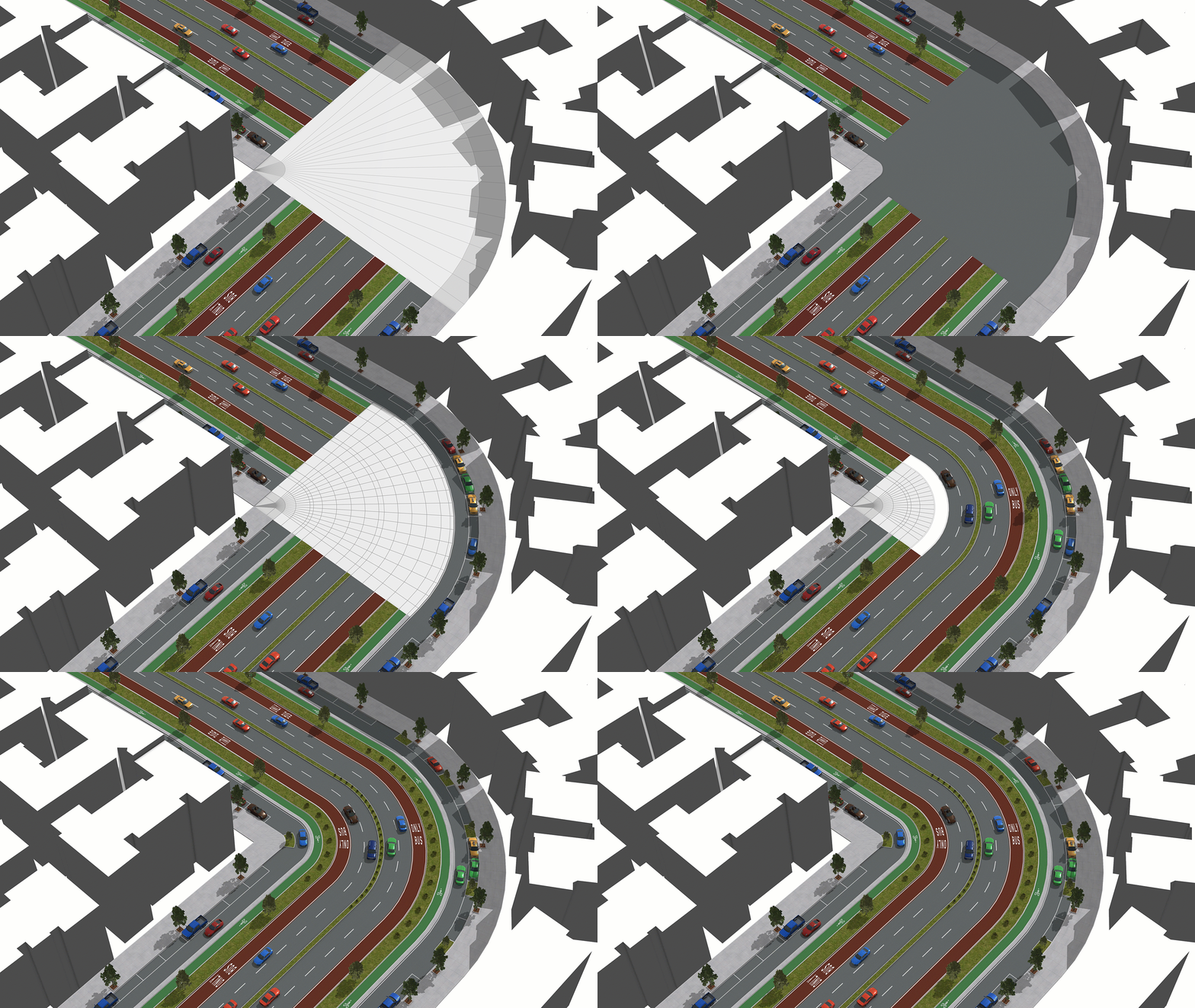
Street visualization – Lanes on joints
Get even more control over how lanes, joints, sidewalks, and intersections come together to create detailed and consistent street designs. When two street segments have matching lane counts, joints can now preserve the lane structure by generating individual lane shapes. These shapes provide attributes consistent with street segments, making it easier to apply CGA rules across your street network.
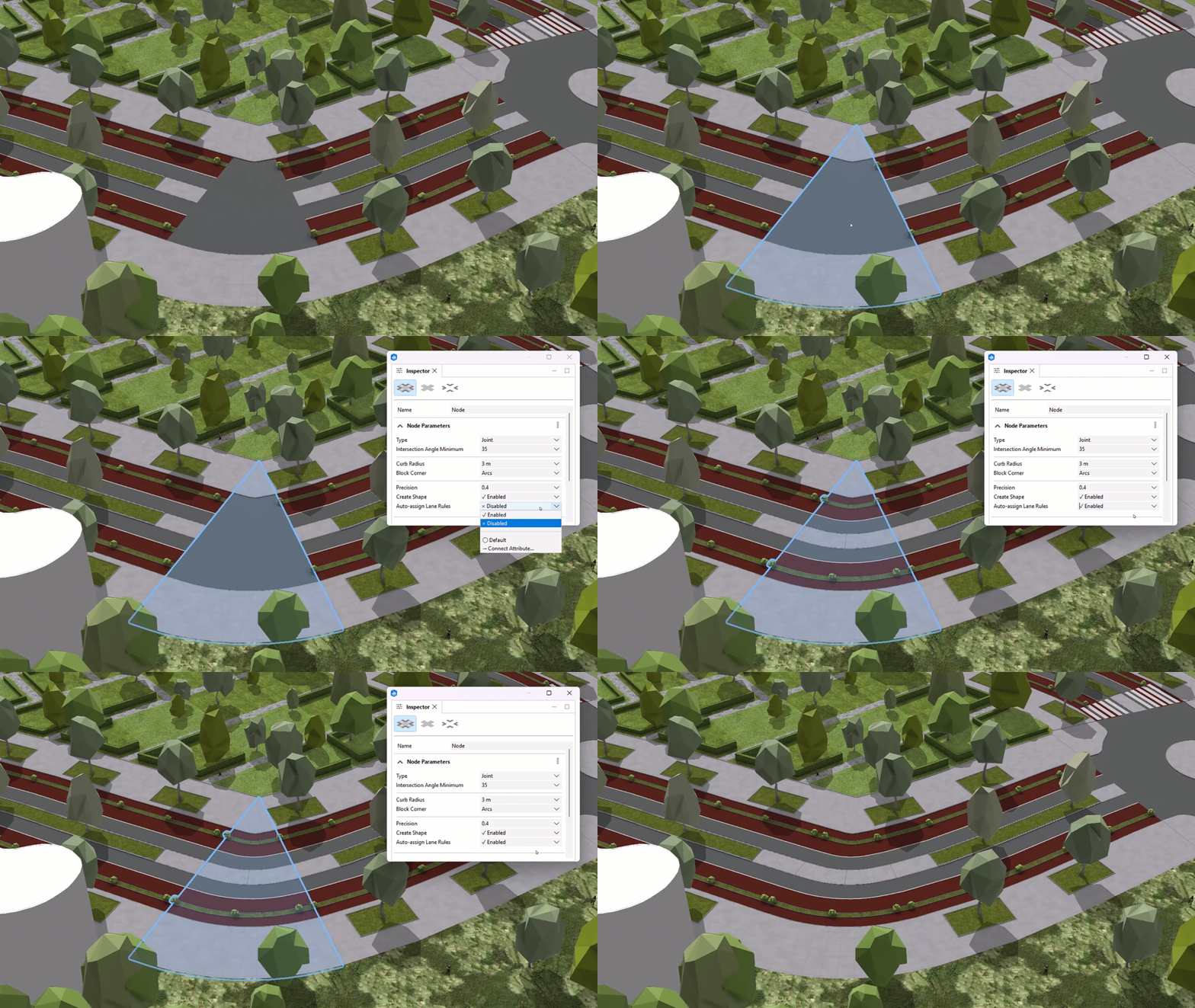
You can also have a joint automatically inherit attributes and CGA rules from a reference segment. Once enabled, the joint matches the reference segment’s style and stays in sync as you make changes to the segment.
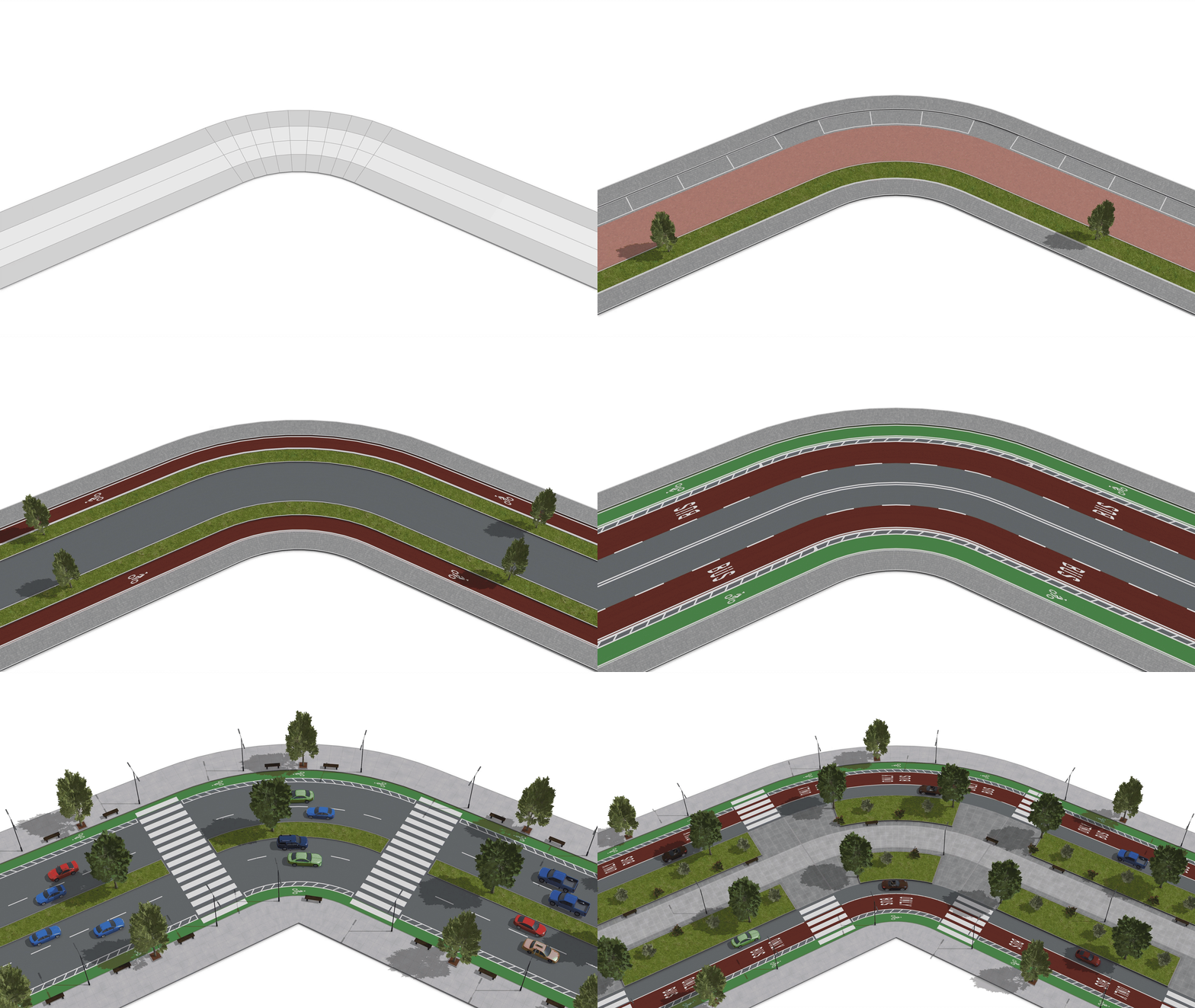
CGA improvements
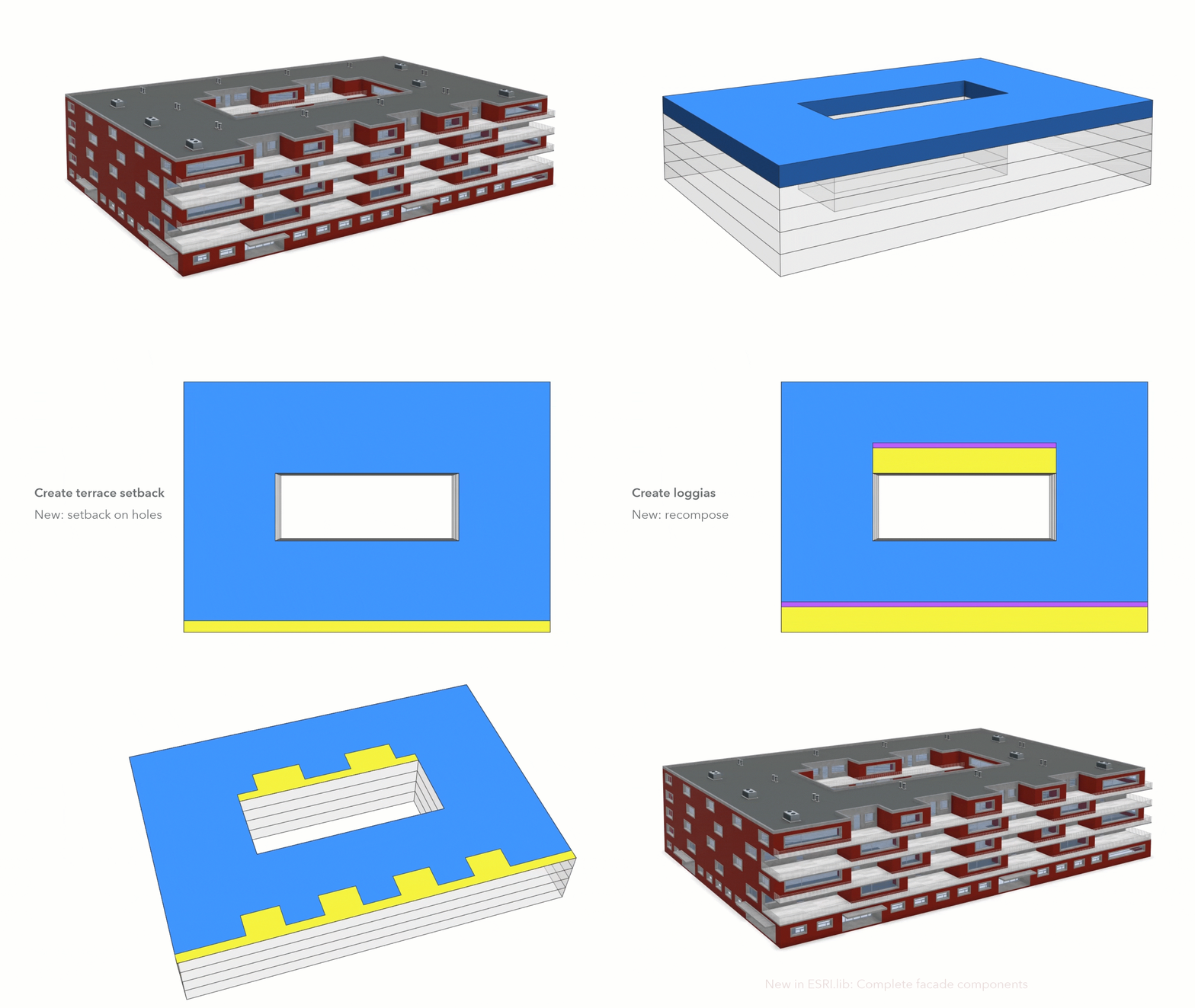
New CGA capabilities give you more options for creating complex building footprints and architectural forms. Setbacks now support holes, allowing you to apply setbacks to interior edges for designs such as courtyard balconies and loggias. You can also use Recompose with setbacks to combine shapes into continuous forms and explore more advanced footprint configurations. This release also improves CGA compiler performance to support faster rule development and iteration.
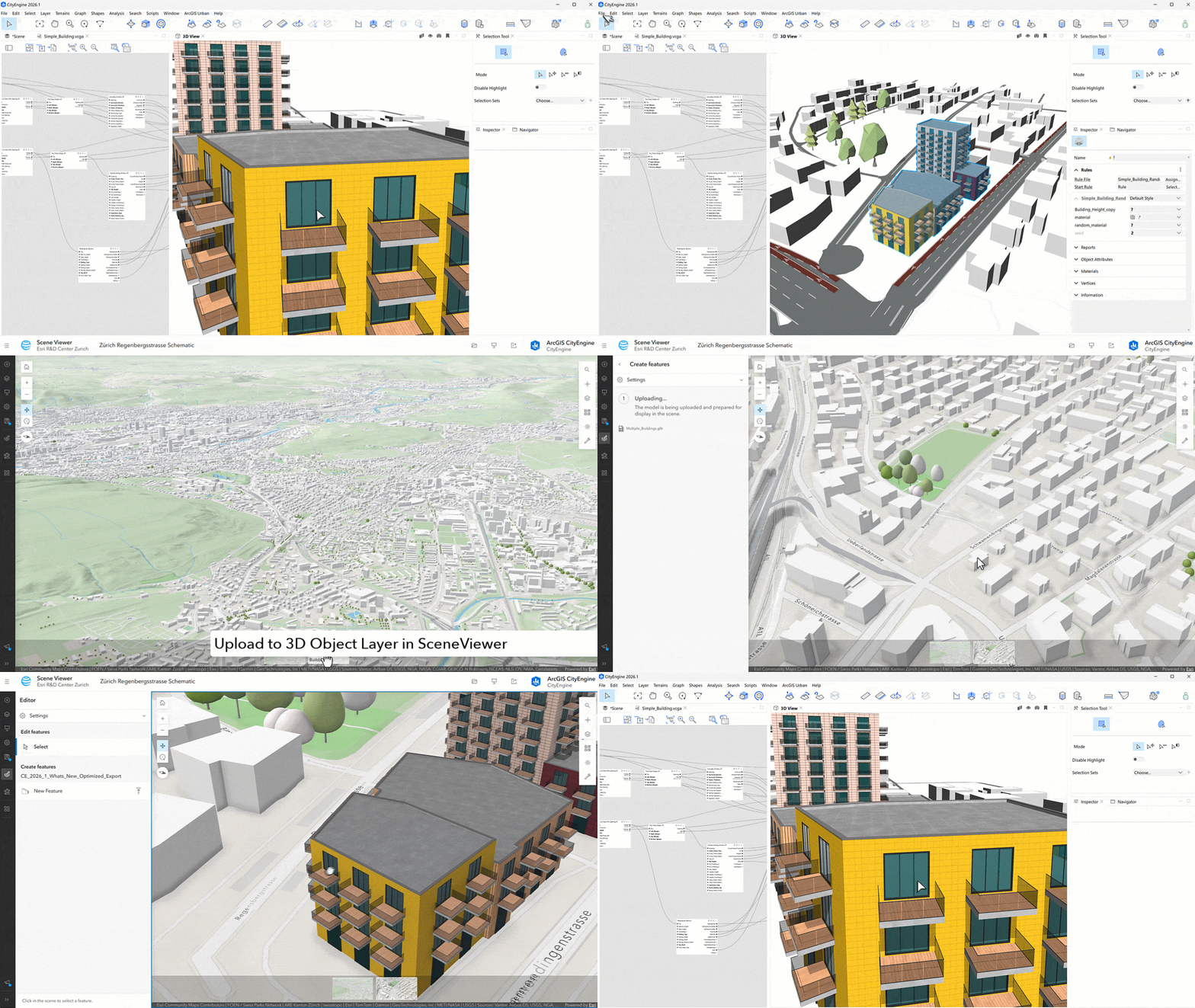
Optimized exporters for bringing (V)CGA models to the platform
Bring your CityEngine models into the ArcGIS platform with optimized glTF, SLPK, and FileGDB exporters. Texture transformations are now baked into texture coordinates for correct texture tiling, while optimized instanced primitives improve rendering performance in ArcGIS Scene Viewer. These improvements make it easier to move from procedural design in CityEngine to visualization and sharing across ArcGIS.
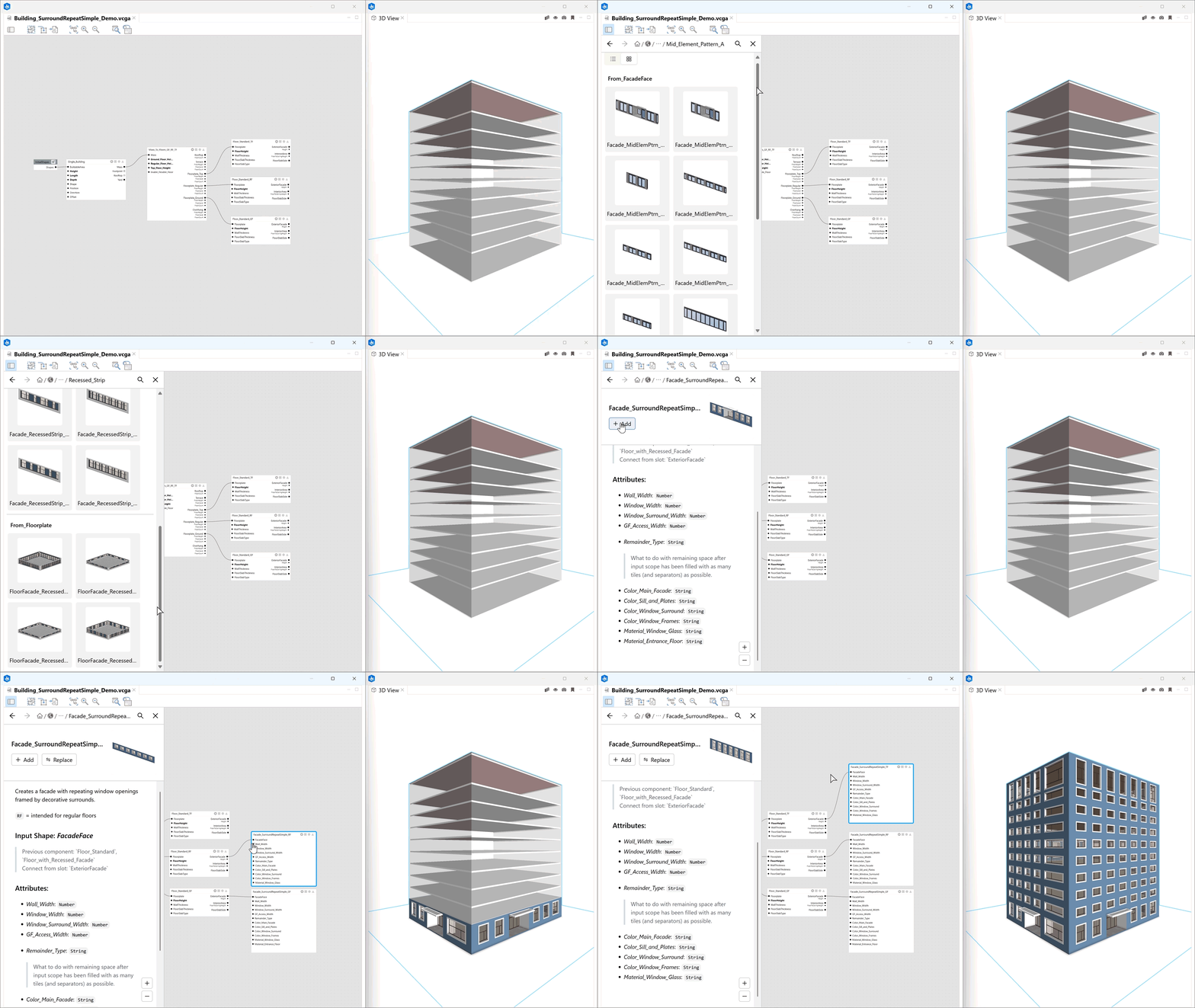
Visual CGA
Out-of-the-box facades
Add architectural detail while keeping your focus on the urban design scale. New facade elements in Esri.lib provide ready-to-use compositions of windows, balconies, shading and other architectural details. Choose from curtain wall, punched window, and ribbon window facade types, with coordinated options for ground, regular, and top floors and different building dimensions.
Shading Elements
New shading elements add even more variety with awnings, blinds, shutters, louvers, and slats to quickly customize facade designs.
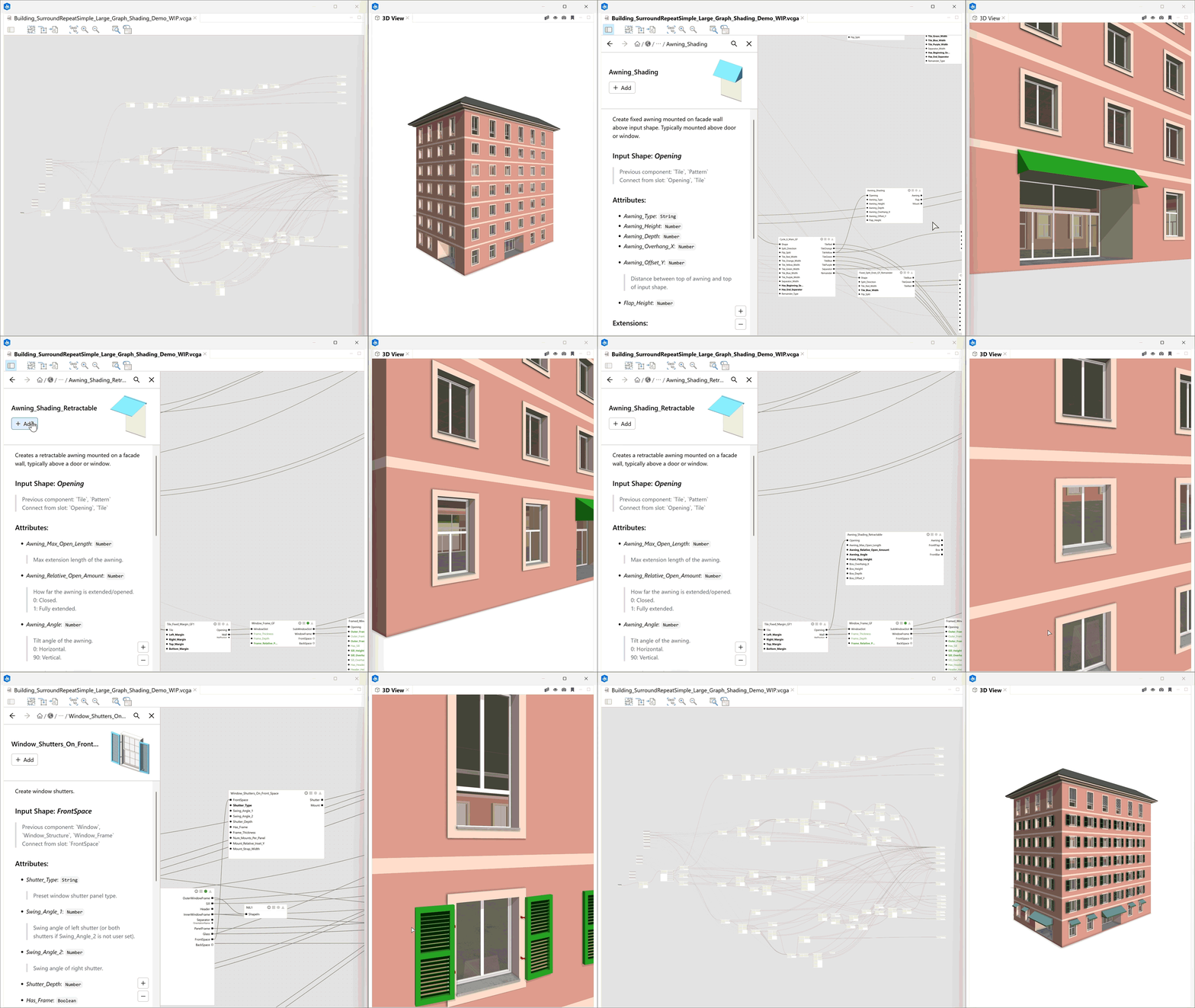
Also, with the new space use component, it is now possible to assign space use types to individual floors. This information can be used in reports to calculate space use metrics and GFA breakdowns.
Improvements for Python 3
CityEngine 2026.1 expands the possibilities for workflow automation and deploying your own custom tools with Python. Three new command-line arguments support unattended batch jobs. The Python 3 API can now check whether the installed cityengine package is compatible with your CityEngine version and connect to one of multiple running CityEngine instances. Additional updates let you create a console for the active editor, update the cityengine package directly from Python preferences, and use UTF-8 in the console and editor. Together, these updates provide a stronger foundation for automation, scripting, and future AI-assisted workflows.
PKI authentication for ArcGIS Enterprise portals
CityEngine now supports Public Key Infrastructure (PKI) authentication for appropriately configured ArcGIS Enterprise portals. Choose to remember your certificate when signing in and retrieve your CityEngine license from a PKI-enabled Enterprise portal. This supports CityEngine workflows in secured environments with limited internet access.
New tutorials and examples
Ready to put these features to work? Access examples and tutorials from within CityEngine by going to Help > Download tutorials and examples.
- Example: VCGA Playground – explore the new Esri.lib shading components and new facade configurations in this updated example
- Tutorial 4: Import Streets – step through workflows for importing and editing street data
- Tutorial 10b: Python Scripting – Working with Streets – automate street editing workflows
- Example: Python 04 Scene Editing Tools – speed up repetitive scene editing workflows using these new tools and get started using instructions in this blog: Custom productivity tools for ArcGIS CityEngine using the Python API.
- Example: Complete Streets – check out this updated example for the latest Complete Streets rule by David Wasserman which includes lane-rule support.
Documentation
As always we were sure to update the help documentation, particularly the node shapes section about workin with lanes on joint nodes.
To dive a bit deeper into what this release offers, see our release video, What’s New docs and the Release notes for more information.

Commenting is not enabled for this article.