The latest release of ArcGIS Drone2Map is here—and it’s packed with powerful new features and enhancements to take your drone mapping workflows even further. In this blog, we’re highlighting some of the most exciting updates. For the full list of improvements, check out our help documentation.
Gaussian Splat layers provide realistic 3D visualization
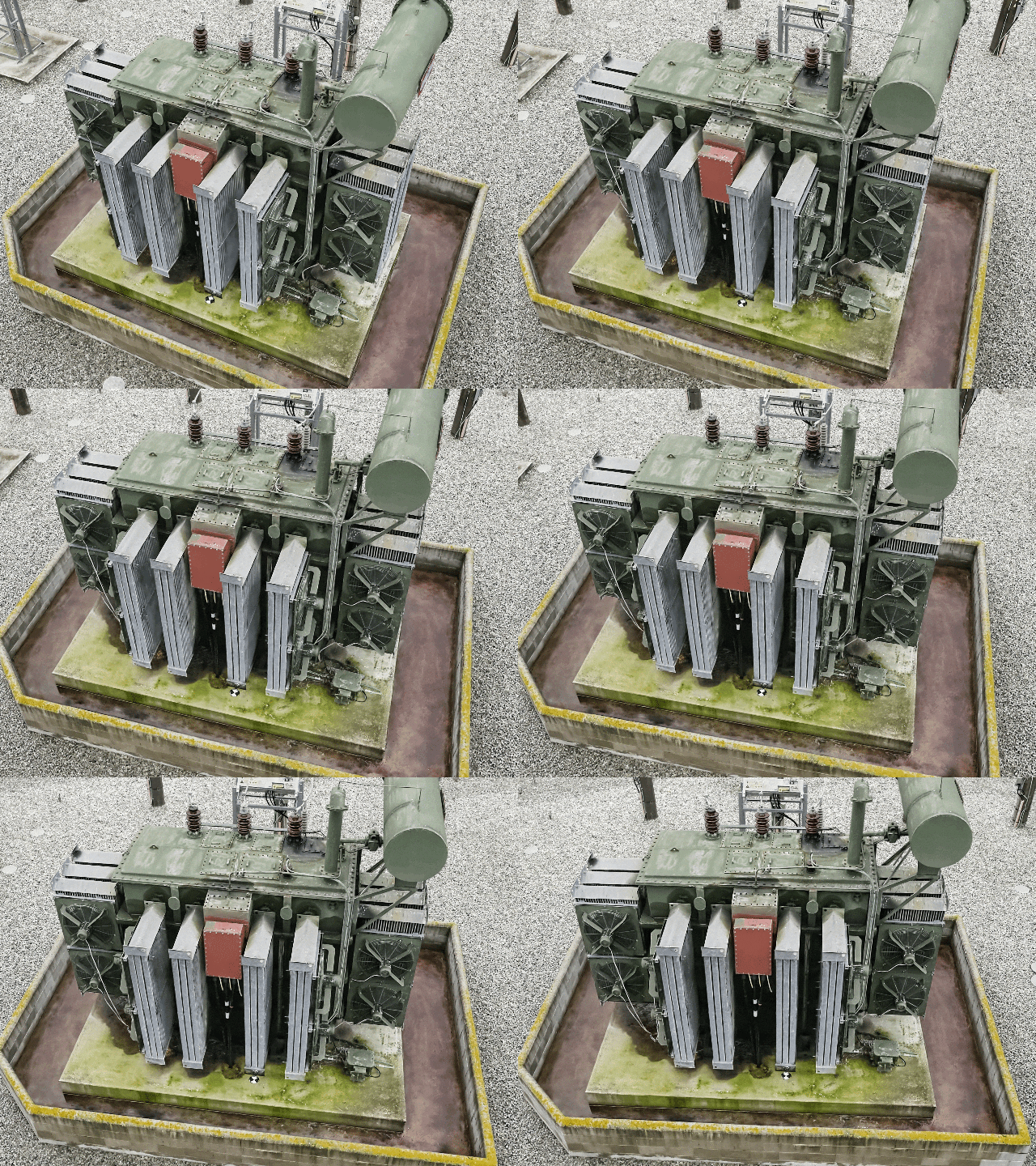
Drone2Map now supports Gaussian Splats, a new 3D layer that brings highly realistic detail to your 3D maps, such as the following:
- Utilities and telecom teams can see cables and pipes more clearly to improve planning and maintenance.
- Transportation agencies can inspect bridges, railways, and roads in lifelike detail.
- Natural resource teams can identify vegetation and terrain down to the species level.
- Urban planners can showcase immersive cityscapes with reflections and transparency that shift as the viewer moves—ideal for public engagement and collaboration.
These layers offer new possibilities for many other industries as well, helping teams visualize complex environments with greater clarity and context.
Automatic detection and linking of control point markers
ArcGIS Drone2Map now uses deep learning libraries to automatically detect supported control point markers within input imagery and link them across multiple source images. This eliminates the manual linking step, saving valuable time. This is especially helpful when working with large datasets or under tight delivery timelines. By streamlining this critical part of the workflow, you can more easily achieve high-accuracy outputs with less effort.
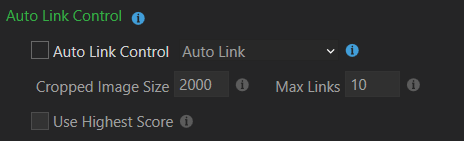
There are two ways to accomplish this:
Auto Link—Automatically links control points across images but does not include them in the adjustment. This option allows you to review and edit links manually before rerunning the adjustment process.
Auto Link and Adjust—Automatically links control points and incorporates them directly into the adjustment. This is ideal when marker detection is reliable, enabling linking, adjustment, and product creation in a single processing run.
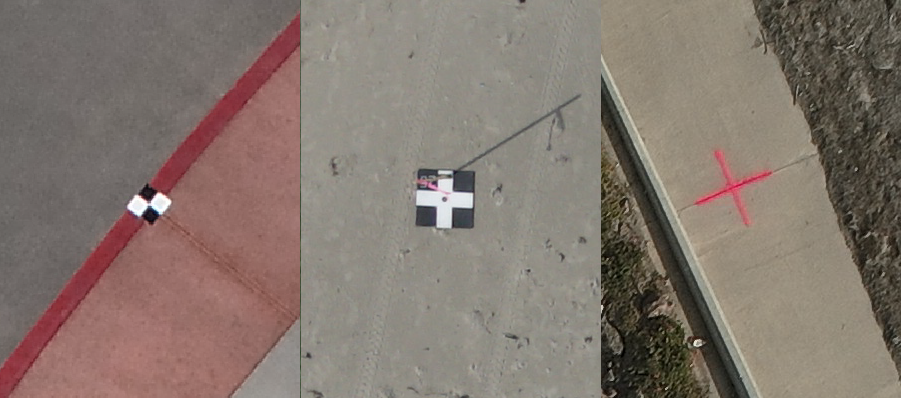
To learn more about the types of supported control markers, see Auto link control.
Improved complete True Orthos of critical areas
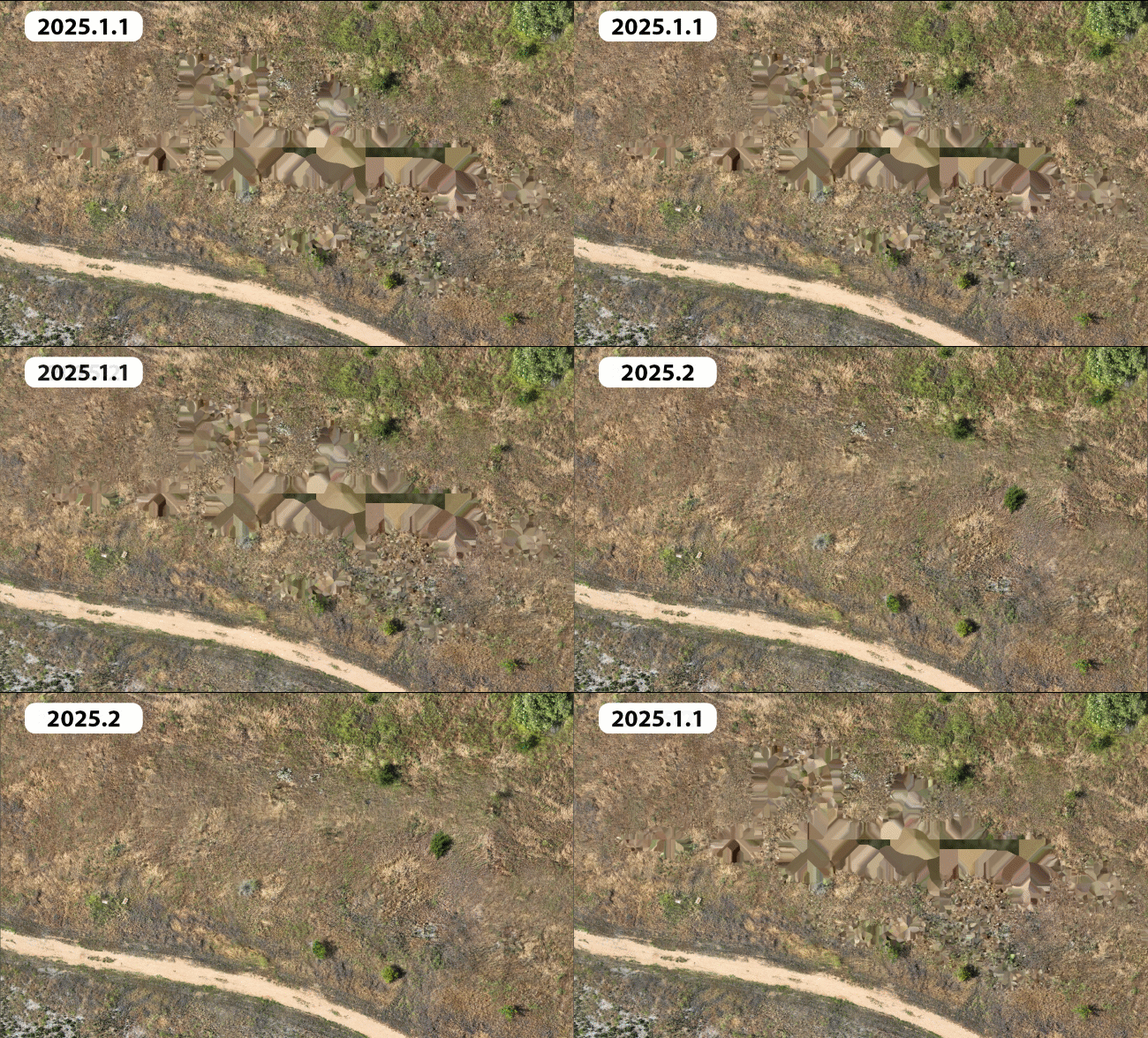
Whether monitoring environmental change or planning community development, the latest enhancements to True Ortho generation in ArcGIS Drone2Map generate more complete results over challenging areas such as tree canopy or featureless portions of a site. This ensures that critical areas are visually complete and greatly reduces the occurrence of gaps or artifacts which means fewer blind spots, uninterrupted workflows, and more reliable analysis across users’ projects.
Efficient tile-based output with virtual raster tile (VRT) support
To enhance usability and performance in large projects, ArcGIS Drone2Map now offers the ability to create virtual raster tile (.vrt) files along with the individual tiles generated during processing. A VRT is a text file that references individual raster tiles, organizing them into a seamless virtual mosaic without the need to generate a single large output raster.
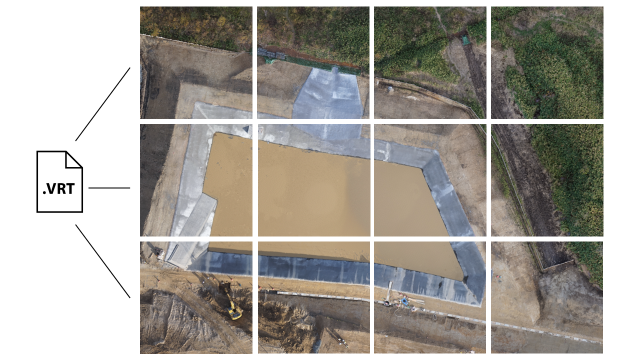
Because the VRT format is supported by ArcGIS and many third-party platforms, it enables broader compatibility and faster workflows. This means users can skip creating large TIFF files and instead use VRTs to efficiently visualize and share mosaics.
One-click publishing for complete 3D scenes
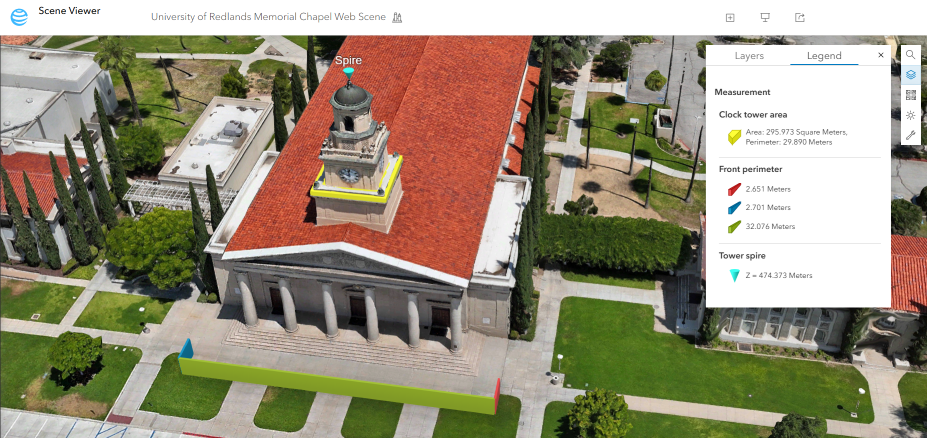
Drone2Map now enables the publishing of complete 3D web scenes, including point clouds and meshes, directly to ArcGIS Online and ArcGIS Enterprise in a single step. This eliminates the need to manually compile layers after upload and mirrors the simplicity of 2D web map sharing. The streamlined publishing process saves time and effort, making it easier to share rich content.
Automatically apply real-time kinematic (RTK) settings and flag inaccurate drone metadata
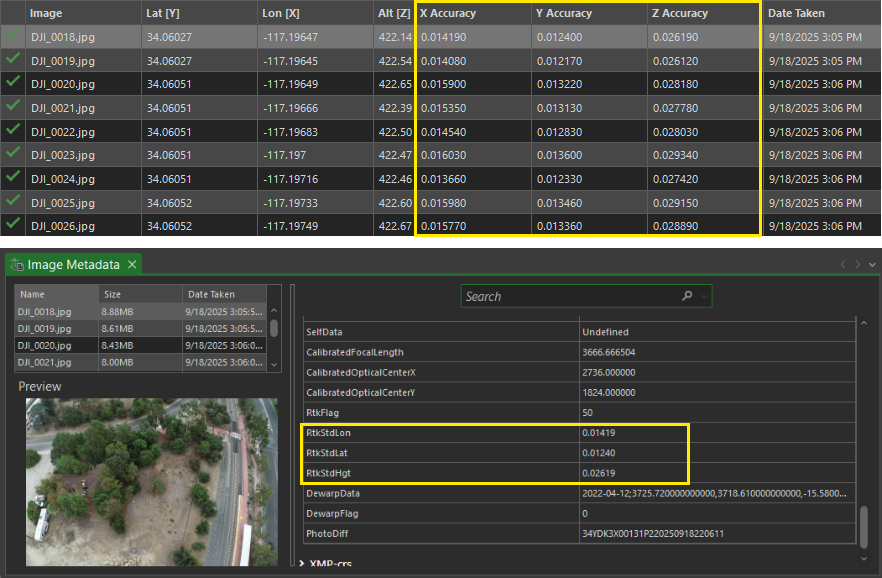
Drone2Map now automatically detects and uses high-accuracy GPS accuracy metadata embedded in drone imagery. By reading horizontal and vertical accuracy values directly from image metadata (EXIF/XMP), Drone2Map automatically sets optimal accuracy parameters, eliminating the need for manual adjustments.
Drone2Map supports the following accuracy metadata tags:
• rtk_std_lon
• rtk_std_lat
• rtk_std_hgt
• GPSXYAccuracy
• GPSZAccuracy
This new feature also helps identify images with missing or low-quality accuracy data, ensuring consistency and reliability across datasets. If inaccurate values are found, they can be updated with corrected accuracy values using the Set GPS Source window import tab either by manually entering a value or importing a new table.
3D correction features for mesh editing
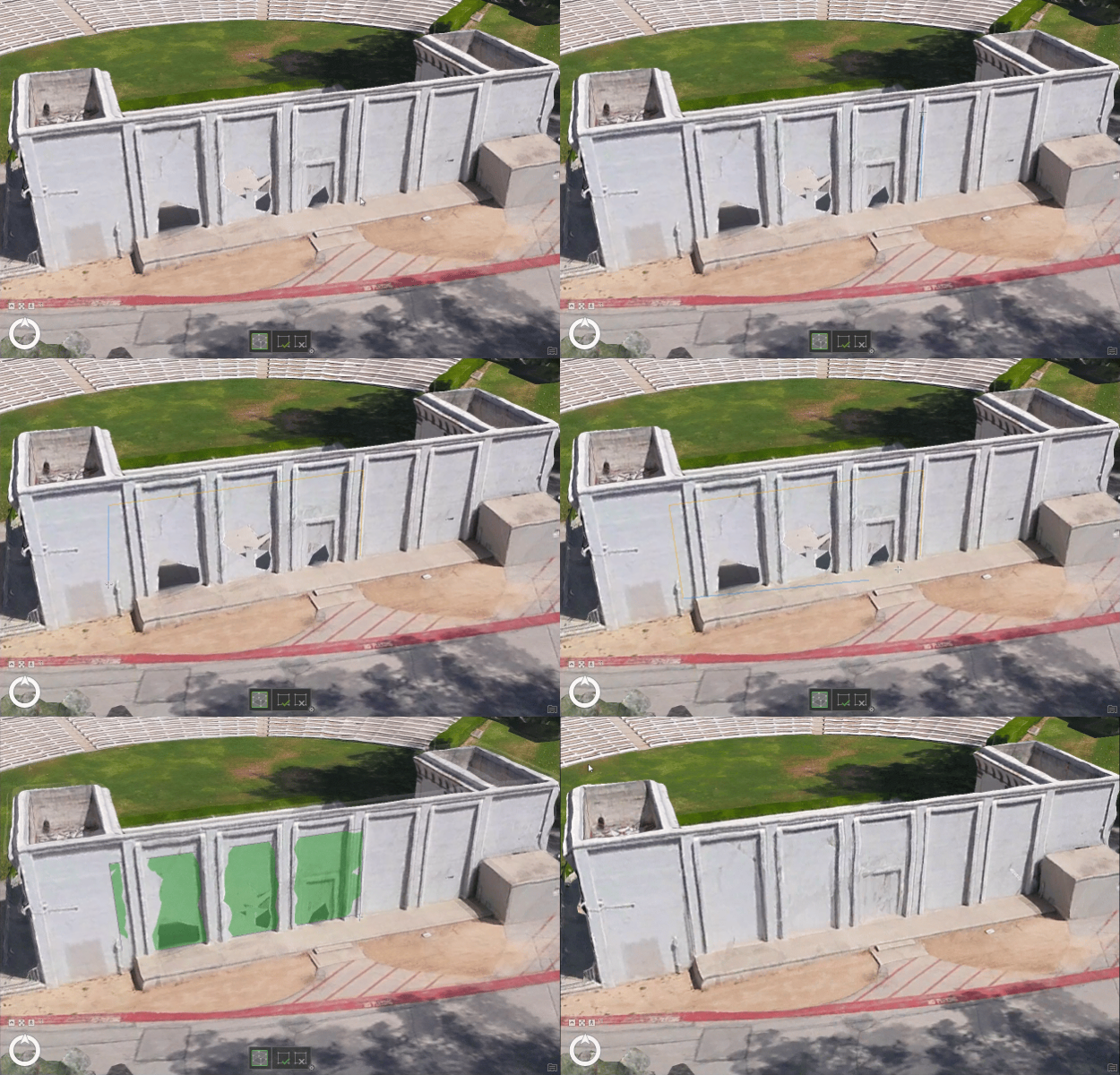
Mesh editing capabilities have been expanded, allowing users to correct vertical mesh faces and resolve anomalies directly within the application. Correction feature tools now include a new in-app editing capability for 3D geometry, providing the ability to enhance 3D Mesh product quality directly within Drone2Map. These tools make it easy to fix common issues in meshes—such as gaps on reflective surfaces or incomplete building facades caused by limited image overlap or viewing angles. With 3D correction features, users can produce cleaner, more complete 3D renderings ready to share with stakeholders or the public.
Save time with selective tile reprocessing for geospatial refinement
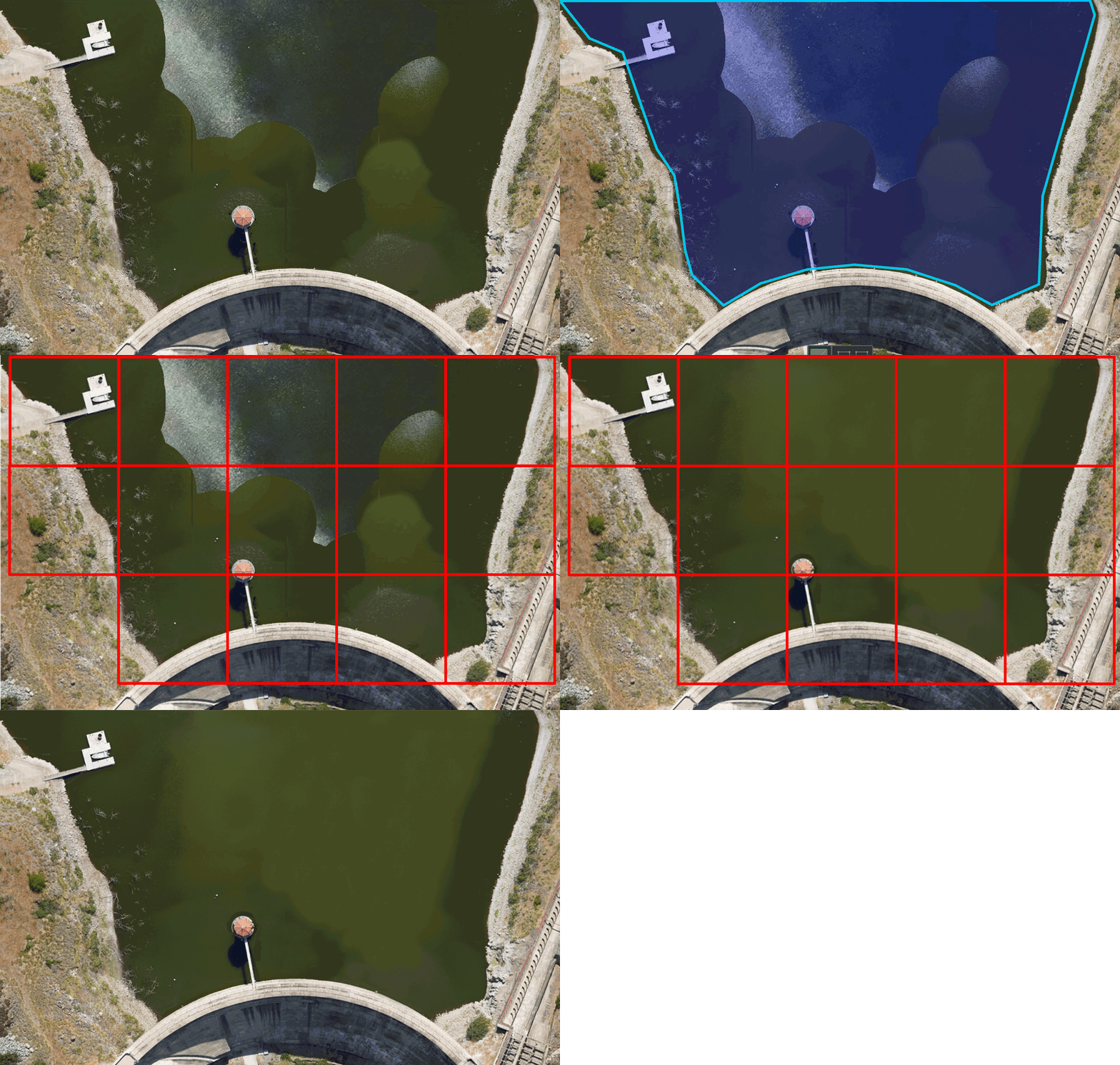
Drone2Map now supports intelligent tile-based reprocessing, enabling updates to specific areas of products—such as true orthos, digital surface models (DSMs), and point clouds—without reprocessing the entire project. When waterbody masks or correction features are applied, Drone2Map automatically identifies only the affected tiles and reprocesses them. This approach saves significant time and disk space, making it especially valuable for large projects and workflows that require rapid iteration and precise corrections.
Check out our help documentation for a full list of enhancements. Stay connected with our Esri Community group and join the conversation on enhancements coming in the future.

Article Discussion: