ArcGIS Experience Builder allows you to create unique web experiences using flexible layouts, content, and widgets that interact with 2D and 3D data. This includes ready-to-use widgets designed to make managing and analyzing imagery data simpler.
When creating a customized web or app, it’s essential to provide visual context through imagery data. Dynamic imagery layers created as an image collection include image metadata that offers valuable context, such as the location and time the image was taken, enabling you to gain more targeted insights. The imagery-centric widgets in Experience Builder facilitate this exploration in various ways:
- Supports search and discover of imagery data through filtering by attributes
- Helps to more easily manage large collections of raster data as mosaics
- Enables you to automate image analysis with consistent repeatable workflows, one click processing, and templates
- Allows you to have immersive experiences with imagery captured from any angle—including oblique, bubble, street-side, inspection, and 360-degree images—in a 2D map or 3D scene
What Imagery-centric Widgets are Available in ArcGIS Experience Builder?
There are four key widgets available that work with tiled imagery layers and dynamic imagery layers to support app design requirements with greater efficiency. These widgets are Processing Templates, the Image Display Order, the Image Collection Explorer, and the Oriented Imagery Viewer.
Let’s dive deeper into the purpose and functionality of each one:
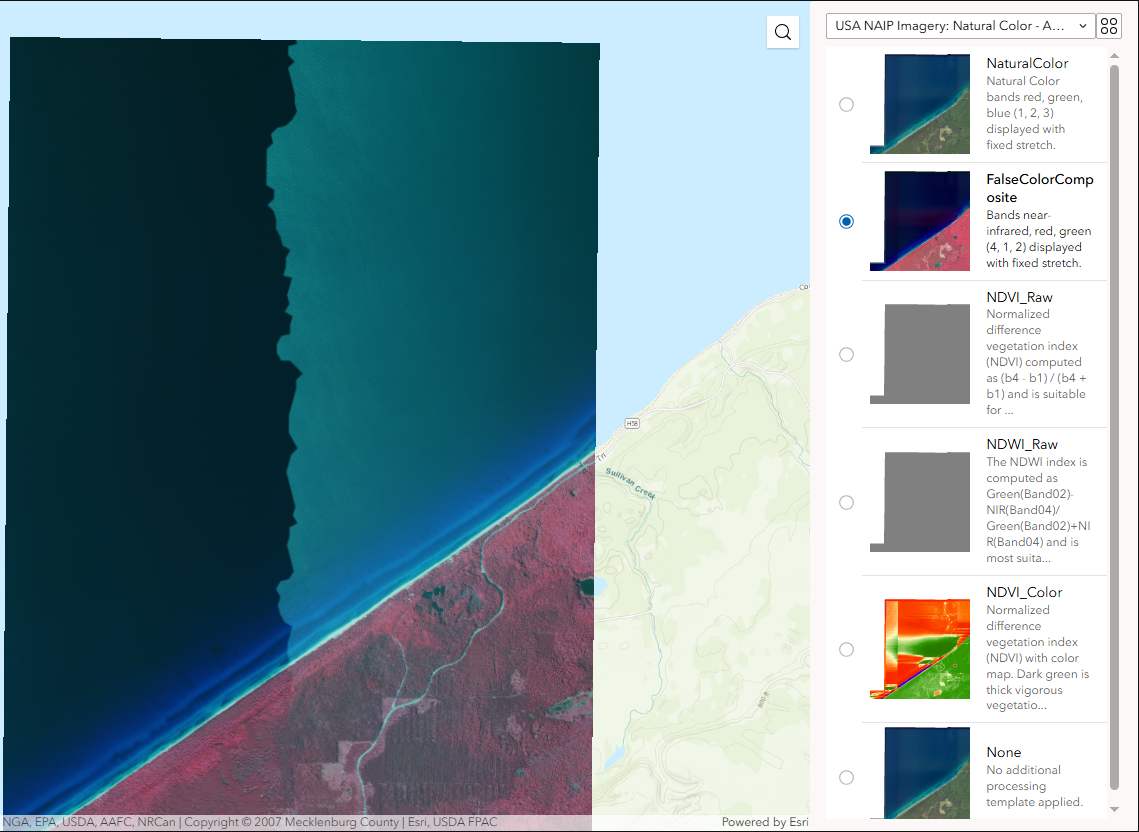
The Processing Templates widget applies raster function templates to imagery layers to automate analysis workflows. These reusable templates contain one or more chained raster functions and can be created in ArcGIS Pro or ArcGIS Online using the Raster Function Editor. The widget enables you to dynamically transform imagery displays, detect changes between images over time, or apply multiple raster functions in a single operation. For example, you can use the same template to measure terrain burn severity each time new images are collected after forest fires, eliminating the need to recreate the process.
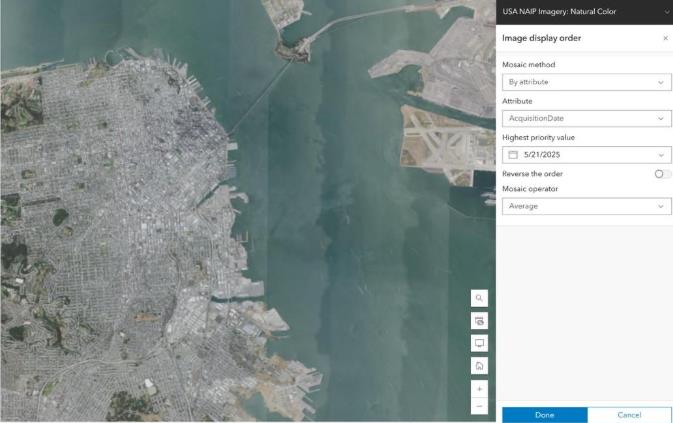
The Image Display Order widget controls how overlapping images are mosaicked and displayed. When images overlap, the widget uses mosaic methods to sort them and mosaic operators to display them dynamically. You can specify how overlapping areas are handled—such as by averaging pixel values—and define the order in which images are displayed based on attributes like acquisition date or cloud cover. This ultimately simplifies managing large raster collections and enables temporal analysis for applications like environmental monitoring and urban planning.
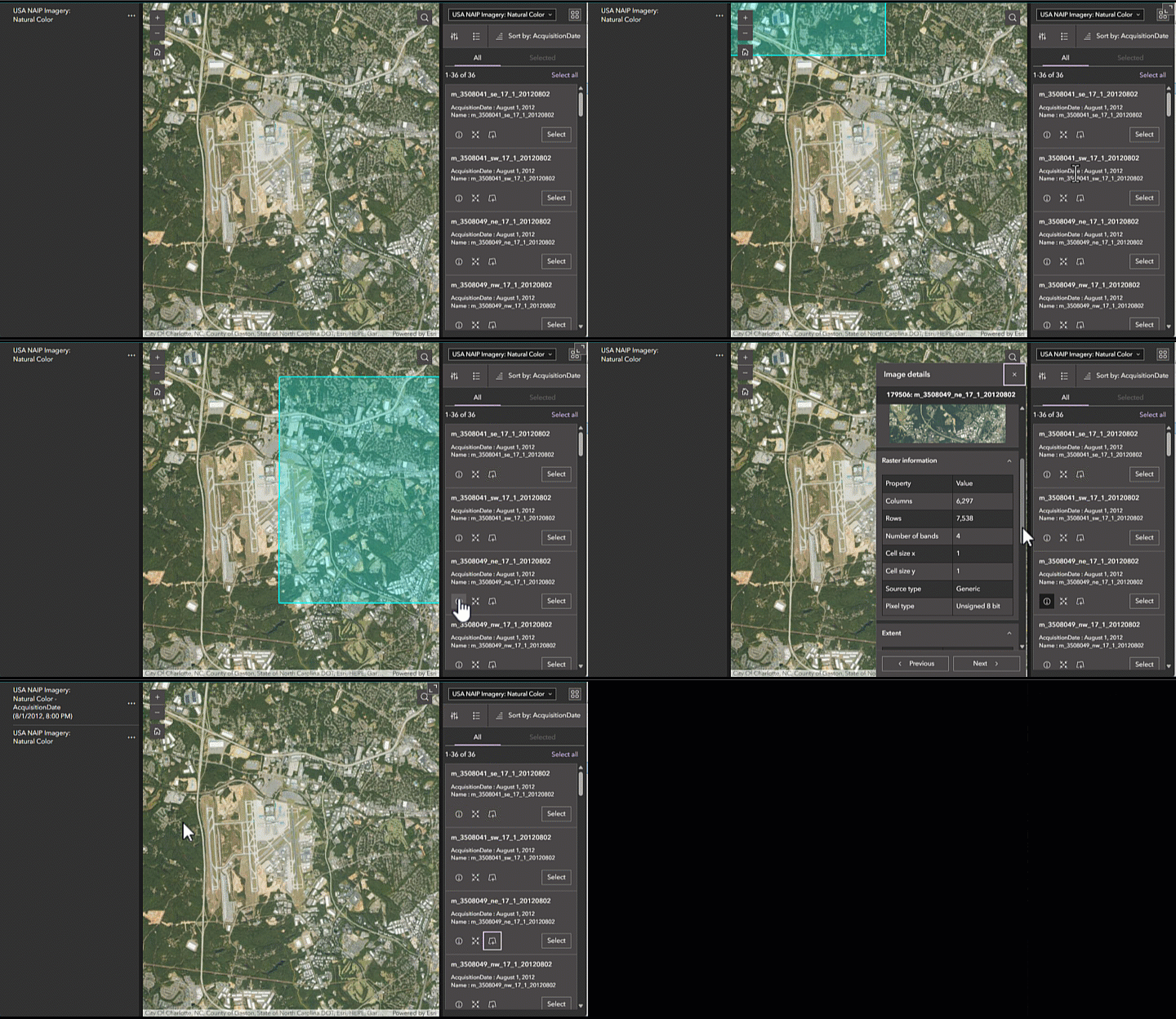
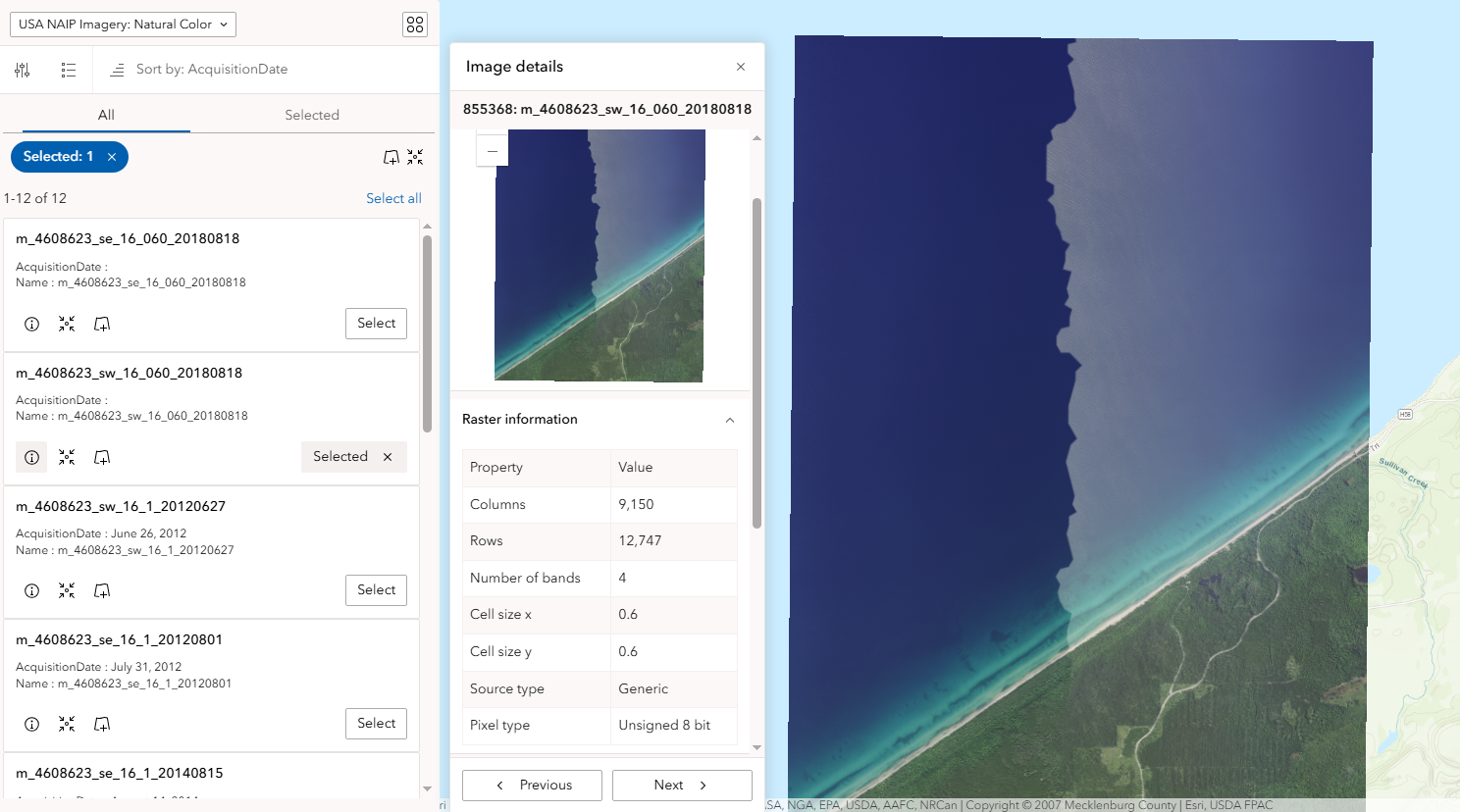
The Image Collection Explorer widget allows you to view all of the individual images in an image collection from a dynamic imagery layer. You can view the image metadata and filter by area of interest or attributes like acquisition date and cloud cover to find a specific image and then create new imagery layers from your selection. Subsequently, this allows you to find more targeted imagery data and get the insights you need faster.
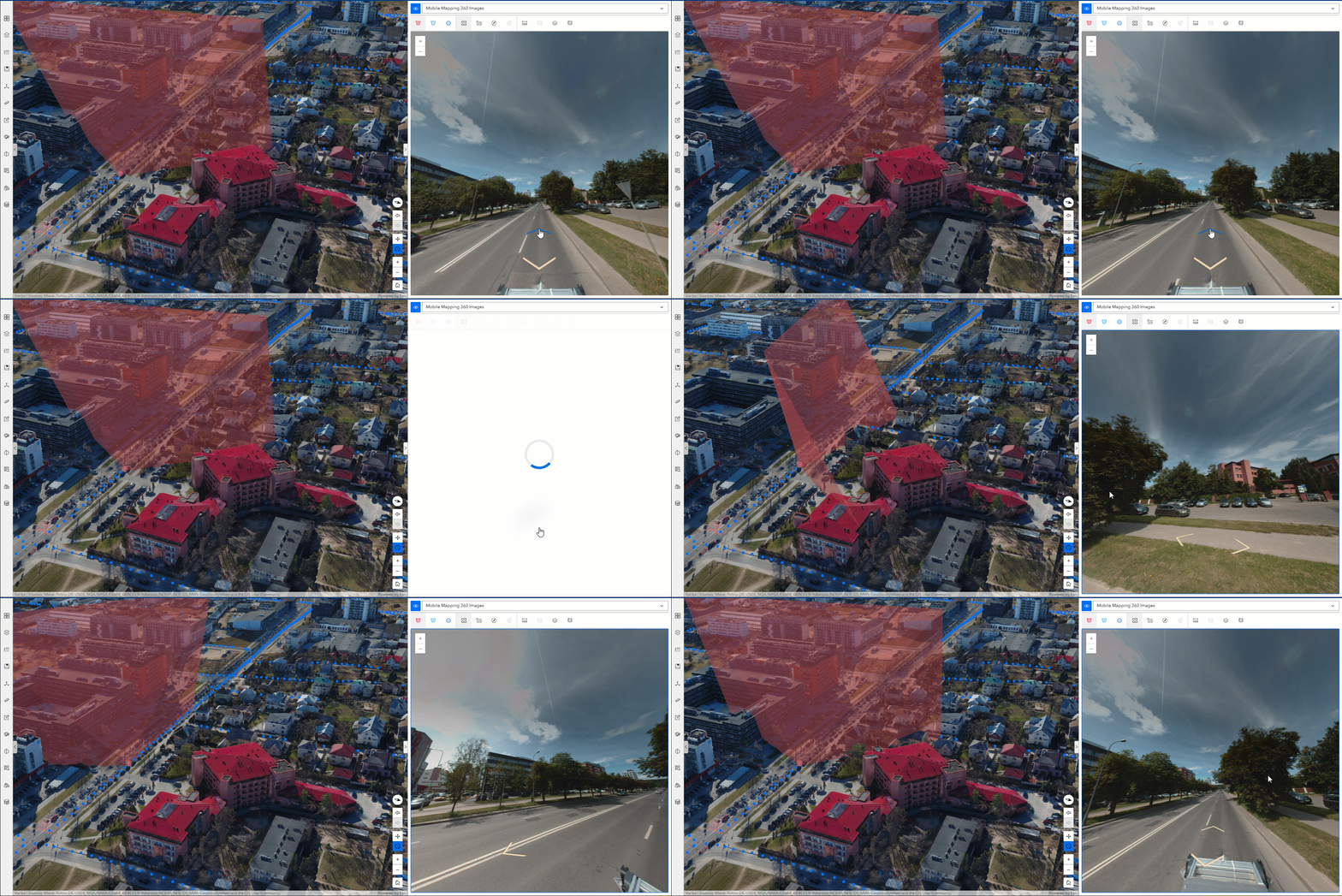
The Oriented Imagery Viewer widget is a powerful tool that allows you to interact with and visualize imagery taken from any angle, including oblique, street-side, inspection, and 360-degree images, in both 2D maps and 3D scenes. The widget offers a variety of navigational and measurement tools to enhance your insights and has several practical applications. For example, you can review asset inventory photos taken by field workers at construction sites to ensure proper documentation. The widget also enables assessment of property damage from street-side photos after natural disasters and creation of immersive 360-degree virtual facility tours.
What Imagery-centric Widgets are Retiring or Migrating from ArcGIS Web AppBuilder to ArcGIS Experience Builder?
ArcGIS Web AppBuilder, which has been a go-to platform for creating custom web applications with a variety of helpful imagery-centric widgets, is now retiring and migrating much of its functionality to ArcGIS Experience Builder. This transition is driven by the modernization of Esri’s web technologies over the past few years. ArcGIS Experience Builder is built on the latest web mapping technology which offers optimized performance and a broader suite of capabilities.
Here are some important changes to note regarding imagery functionality:
- Image Measurement Widget, which is used to take accurate distances of objects in imagery, is no longer available as a standalone widget. However, this feature is now integrated into the Map Viewer in ArcGIS Online, ArcGIS Excalibur, and the Oriented Imagery Viewer.
- Oblique Viewer has been renamed and enhanced to be the Oriented Imagery Viewer widget.
- Many developers have leveraged a set of custom widgets designed to work with image services, known as Web AppBuilder for Image Services (WABIS). These custom widgets are being gradually integrated into Experience Builder. While they are still available, they are currently not supported by Esri. This means that developers may need to adapt their applications to use the new, supported widgets in Experience Builder.
By moving to ArcGIS Experience Builder, you gain access to a more modern and efficient platform that can handle a wide range of imagery tasks, from basic visualization to advanced analysis, all within a more integrated and user-friendly environment. See the Functionality Matrix between Web AppBuilder and Experience Builder to learn more.
How to Start Leveraging Imagery in ArcGIS Experience Builder
ArcGIS Experience Builder stands out as a user-friendly platform for crafting unique and visually rich web experiences, including leveraging dynamic imagery layers. By providing intuitive tools that simplify everything from managing vast raster datasets and automating complex analysis to enabling immersive 3D experiences, it empowers users to add visual context and derive deeper insights from their imagery data. With a migration path for key imagery capabilities from ArcGIS Web AppBuilder and a continuously evolving suite of dedicated widgets, Experience Builder ensures that you are well-equipped to explore and interact with imagery.
Learn how to started with ArcGIS Experience Builder to leverage the imagery-centric widgets and give this tutorial a try for hands-on experience.

Article Discussion: