ArcGIS Field Maps is a powerful mobile app solution that streamlines field workflows for exploring maps, collecting and updating authoritative data, and sharing where mobile workers have gone, all within a single location-aware mobile app. Released in November 2020, Field Maps is Esri’s premier, map-centric mobile solution for smartphone and tablet devices.
We have many exciting new development initiatives underway for 2022 and we’ve updated our early access and beta apps to expose some new functionality that will be coming this summer.
Sign into the Early Access Program and start using our beta apps today! Here is a preview of what’s available now.
Geofencing
Field Maps now supports adding geofences to your maps so that mobile users can be warned when entering dangerous or restricted areas, provided critical information when approaching a building, tracked only when on company property, and much more. Whether you represent a utility company, a local government, or a forestry business, we have you covered with these new geofencing capabilities.
Geofencing is powered by the new ArcGIS Geotriggers capability. Geotriggers monitor user-defined conditions on a mobile device in real-time that result in actions on a mobile application.
Geofences can be added to any web map using the Field Maps web app. While the map is open in the Field Maps mobile app, actions will be triggered as the device enters or exits geofences. Geofences work in the foreground or background of the device and online or offline.
Field Maps supports two types of actions:
- Location alert – Location alert actions send location-based messages to the mobile user in the form of local notifications.
- Location tracking – Location tracking actions automatically start or stop recording locations based on the mobile user’s location. To use location tracking actions, location tracking must be enabled for your organization and your mobile users must have a location tracking license.
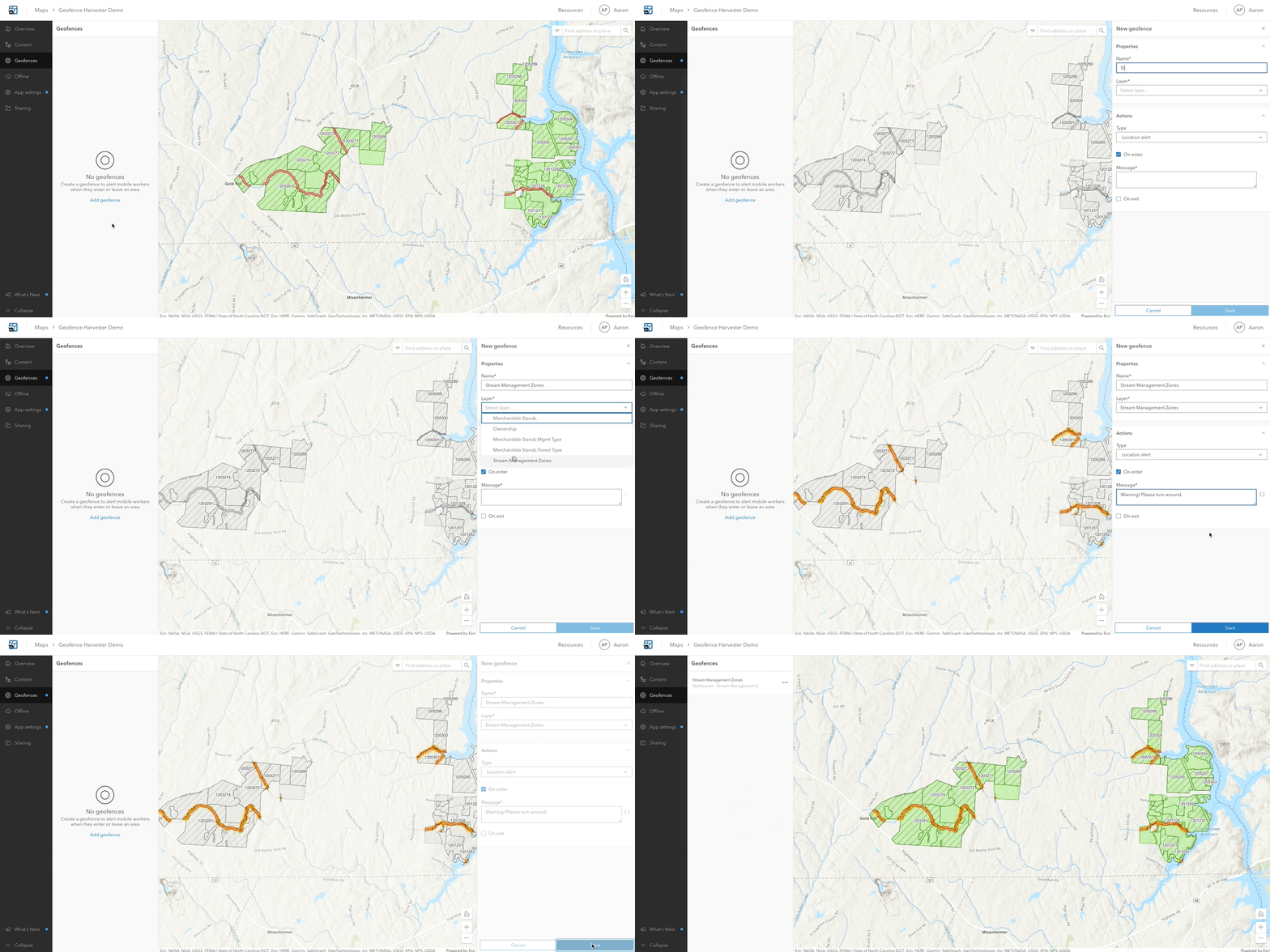
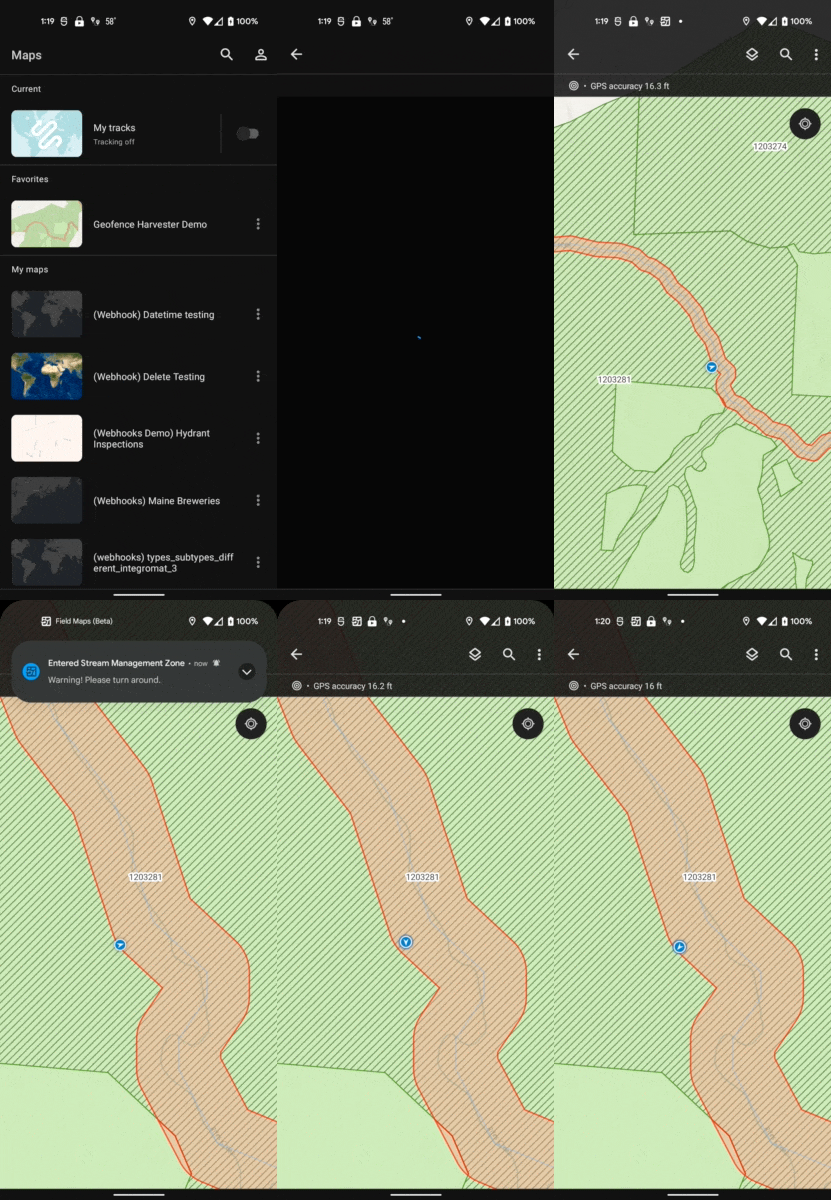
When a map with geofences is opened in Field Maps, the mobile user will need to authorize the use of location alerts or location tracking. As the user enters or exits geofences, notifications are displayed.
We are planning to release additional early access capabilities later this month. Stay tuned.


Will Geotriggers be opened up to ‘trigger’ more actions? Such as definition queries maybe?
For example; the user can only edit a feature if it is within a boundary polygon and so are they?
Most likely additional actions will be available over time. Enabling or disabling collection/editing is probably going to be the next one we tackle. It’d be great to get specific requirements. Feel free to send me an email with more info.
Good afternoon, what is the procedure to recommend and suggest important features inthe use of ArcGIS Field Maps in Agriculture?
Agree with this!
A great feature of ArcGIS Field Maps has to be to restrict the recording and editing of data if you are not near or on the object to be edited, in this way it is guaranteed that the collaborator arrives at the place and thus guarantees the veracity of the data.
An application for use in the filed should not lack this feature, much more so if it comes from ESRI.
I hope they can add it to what is related to geofences