Reporter Instant App continues to evolve to help organizations collect higher-quality reports while making the reporting experience faster and easier for the public. This June release introduces two enhancements designed to streamline data collection and improve reporting workflows: AI-powered text extraction (beta) and a sorting option. Let’s take a closer look at what’s new.
AI-Powered Text Extraction
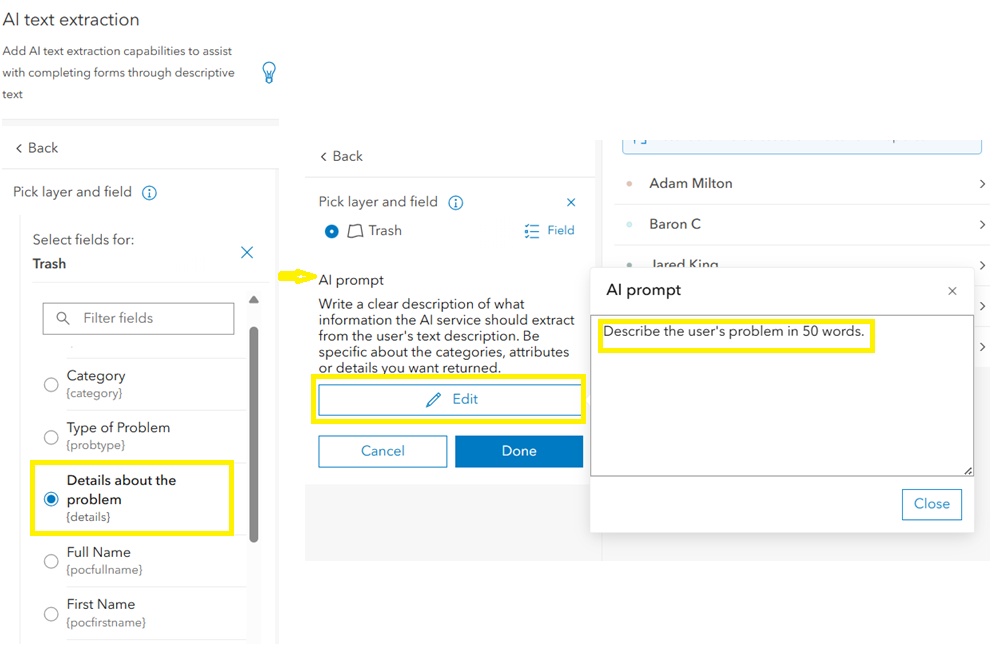
The new AI text extraction capability makes it easier for users to submit reports using a text description. Reporter uses the AI text analysis service to analyze the submitted text and automatically populate configured form fields, reducing manual data entry and helping users complete reports more efficiently.
Note: While AI-powered text extraction is in beta, the feature is currently available only to signed-in users.
Configuration
App authors can enable AI text extraction in the Reporter configuration by choosing Reporter > AI text extraction. During setup, authors select the fields for each layer and provide an AI prompt for each configured field. In addition, app authors can toggle Capture address to extract address information from the user’s text and create a feature at that location on the map.
Launched App Experience
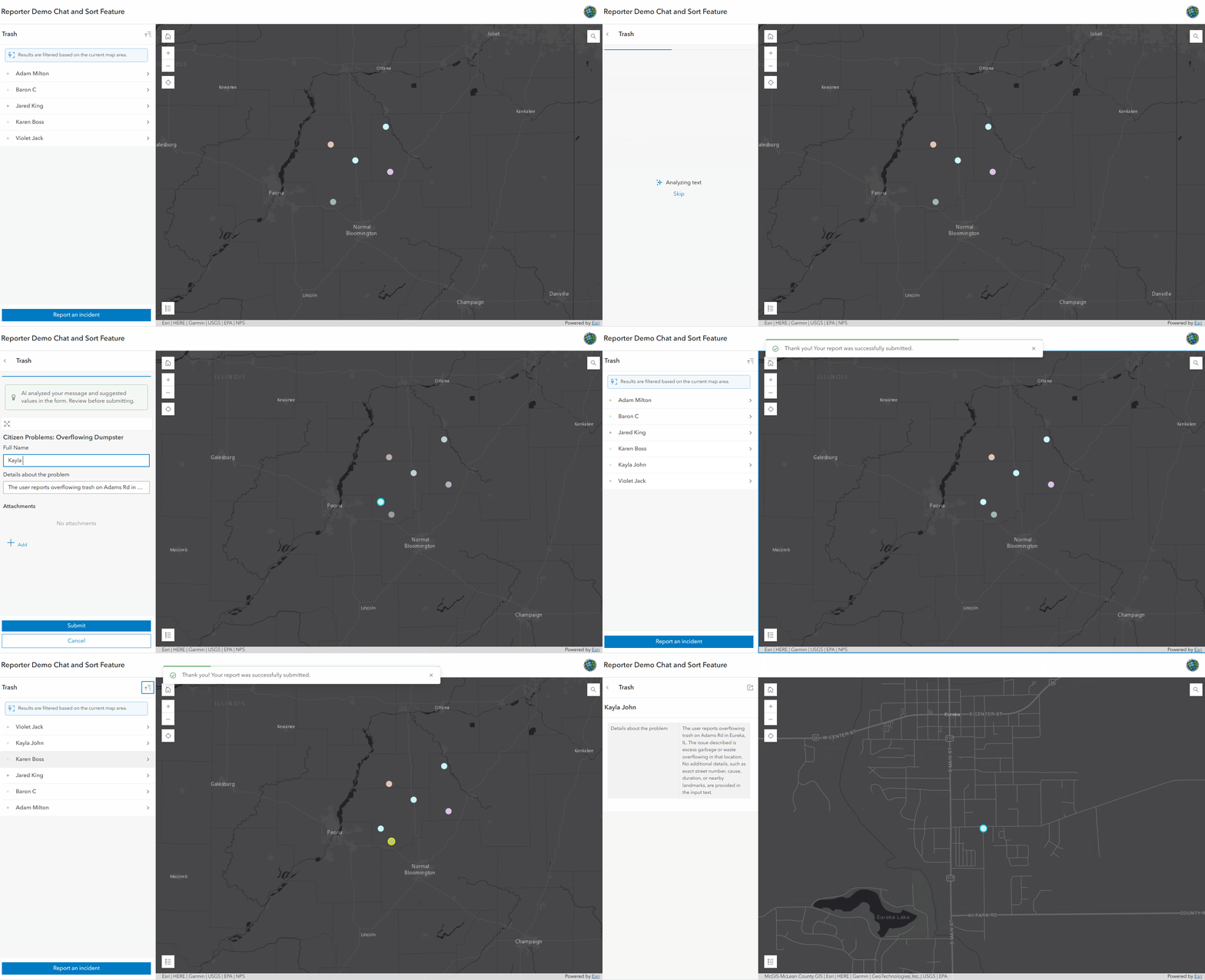
Users choose Report an incident > Use a description button. Enter a descriptive text along with an address, if desired. If capture address is enabled, it creates a feature at that location. Otherwise, users must provide a location. After selecting Next, Reporter analyzes the submitted text using AI. If a feature template is enabled, users can select the appropriate template and create a feature if needed. Users can review and edit the generated values, complete any remaining fields, and submit the report.
Sort Features Alphabetically
Based on user feedback, Reporter now includes a new sorting method that allows features to be displayed alphabetically. This makes it easier for users to locate and select the desired feature, especially when working with large lists.
Configuration
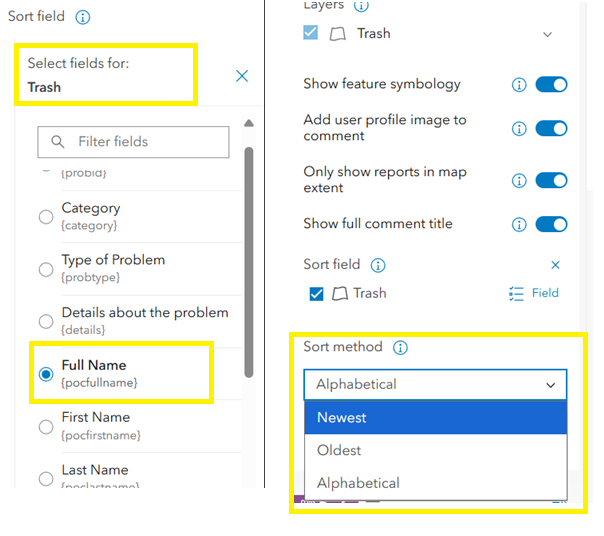
App authors can configure sorting by selecting a Sort Field and changing the default Sort method to Alphabetical. Reporter uses the selected field to sort features alphabetically.
Launched App Experience
When users view the feature list, features are displayed alphabetically based on the configured sort field. Users can also change the sort order at runtime and choose other available sorting options, such as Reverse Alphabetical, to better suit their needs.
We hope these enhancements help you create more intuitive reporting workflows and improve the quality of the information collected through Reporter Instant App. As always, we welcome your feedback.

Article Discussion: