The Reporter Instant App continues to improve based on your feedback with every release. Each update aims to make configuration simpler and enhance how users experience the app in real-world workflows. Now, let’s look at a few key changes in the configuration panel and see how they impact the overall user experience.
Sign-in Capability
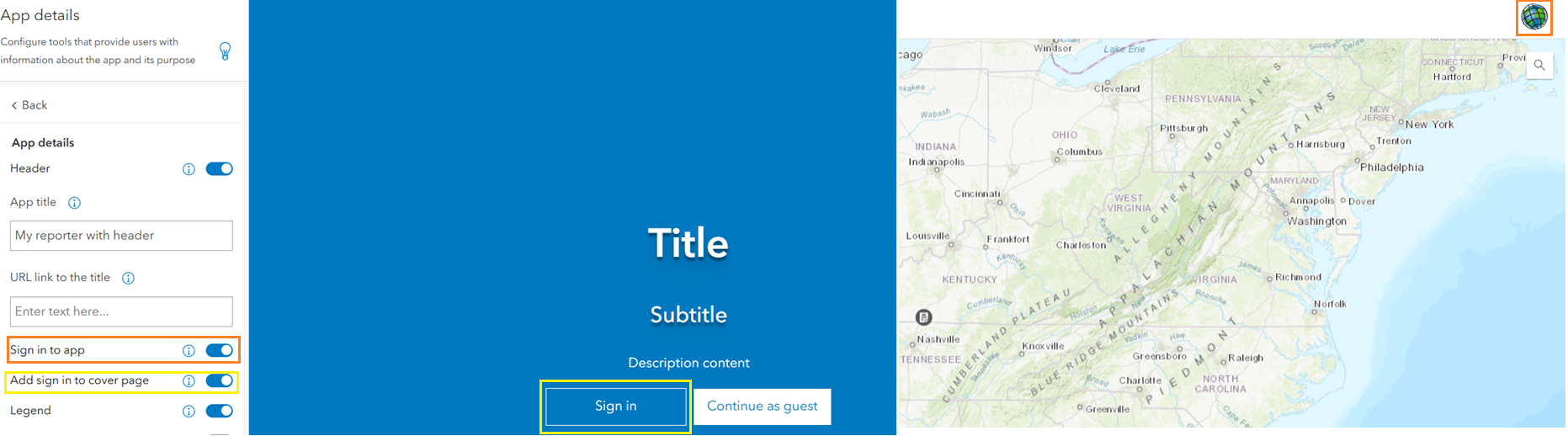
The About tab has been updated to include new options for managing sign-in behavior. One of the most requested enhancements is the ability to turn off the sign-in capability. App authors can now access and manage sign-in directly from the configuration panel under About > App Details > Sign in to app. The option is enabled by default.
When this option is toggled off, it removes the Sign in button from the top-right corner of the app. As part of this update, the Enable Sign in setting that previously appeared in the Cover Page section has been moved to the About tab. A new toggle parameter, Add sign in to cover page, has been introduced. This toggle is off by default, and app authors must enable the Cover Page to display the Sign in option there.
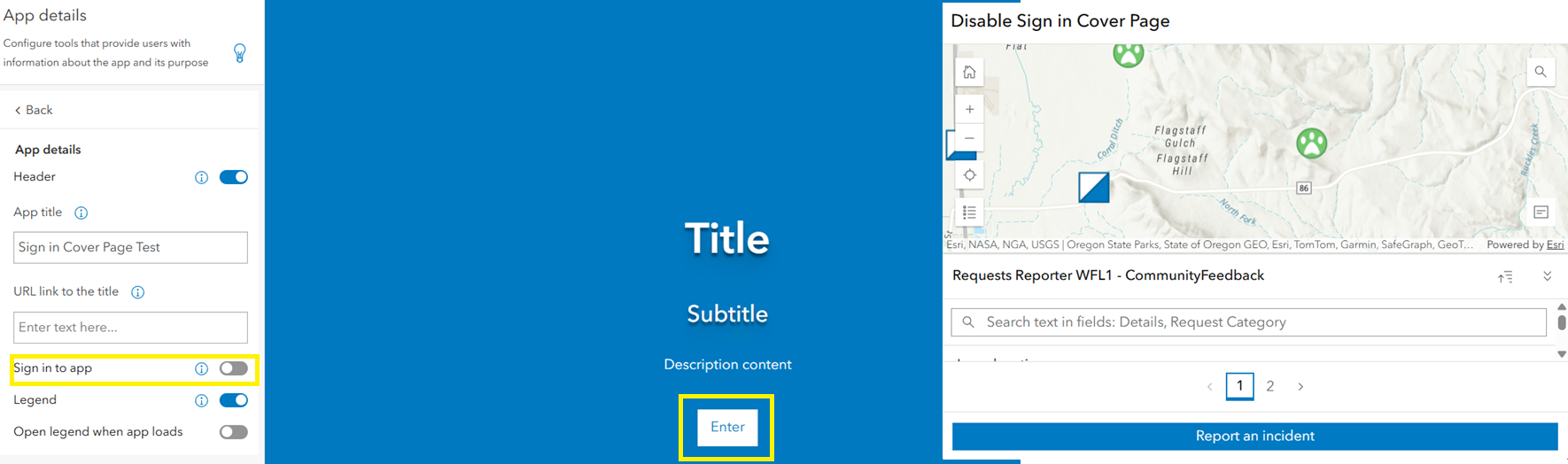
If the Add sign-in to cover page toggle is turned off, the cover page will display only the Enter button (configurable text). For apps configured prior to this release, the Sign in and Guest options will no longer appear. Users can access the app by selecting Enter.
Since the My reports section depends on signed-in users, it will no longer appear when sign-in is disabled. However, this update does not affect the ability to display profile images when commenting on reports. Commenting continues to work as before, preserving visual consistency and user context.
Language Switcher on the Cover Page
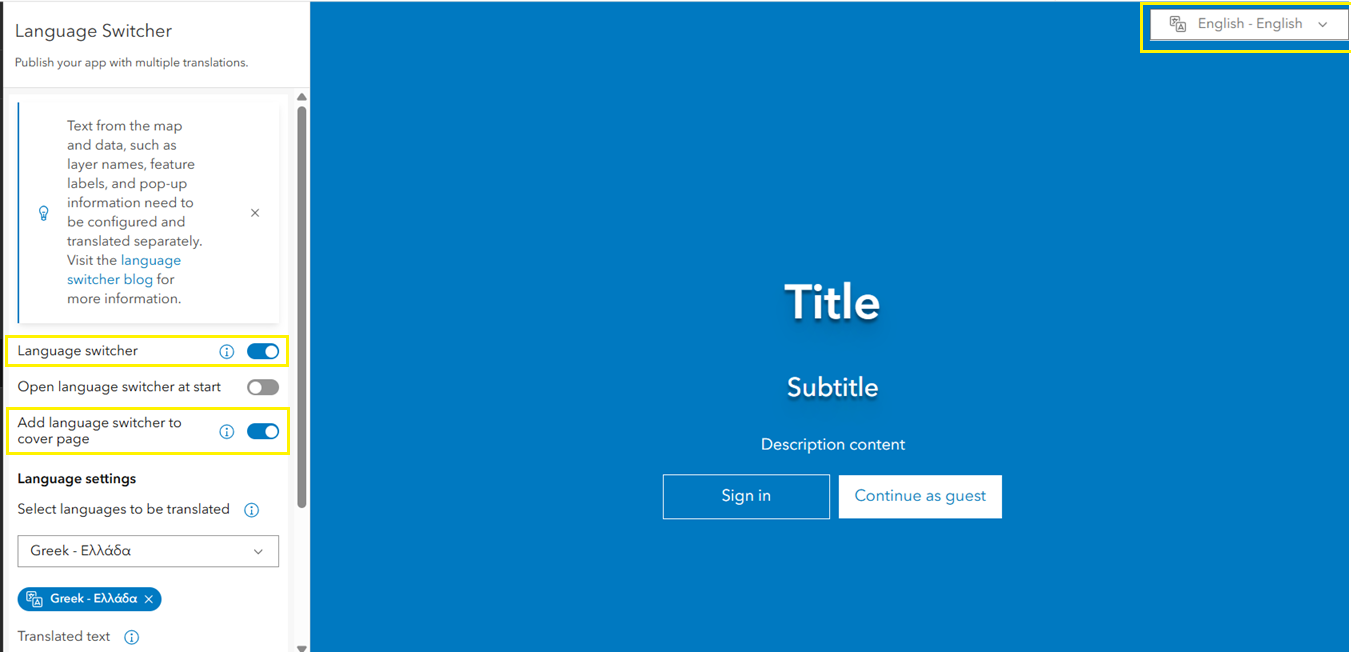
Another interesting enhancement is the ability to display a Language Switcher on the cover page. This helps organizations with a multilingual user base by allowing users to switch languages right from the start, on the cover page itself.
To configure this, first enable the Language switcher in the configuration panel. Once enabled, you’ll see additional options available in the Language Switcher tab, such as Add language switcher to cover page. If this option is not configured, users can still access the Language Switcher within the app after it loads.
Give Reporter Instant App a try if you haven’t already or reconfigure your existing app to explore the new options. If you have any questions or feedback, feel free to reach out.

Article Discussion: