You can customize your Streetmap Premium network dataset’s travel modes to accurately model your vehicles and suit your analysis needs, but what happens when you update Streetmap Premium?
New versions of Streetmap Premium are released several times a year to incorporate changes to road networks. Previously, when you updated your Streetmap Premium data, you had to recreate your custom travel modes manually using the network dataset’s property pages. With new geoprocessing tools in ArcGIS Pro 3.7, you can do this automatically using new geoprocessing tools.
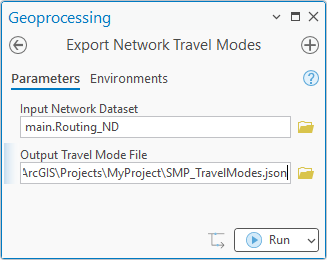
The Export Network Travel Modes tool exports a network dataset’s travel modes to a .json file. The Replace Network Travel Modes tool replaces a network dataset’s travel modes with travel modes defined in a .json file. Use these tools together to transfer travel modes from one version of a network dataset to another.
When updating Streetmap Premium, do the following:
- Use Export Network Travel Modes to save your existing Streetmap Premium network dataset’s customized travel modes to a file.
- Update to the latest Streetmap Premium data version.
- Use Replace Network Travel Modes to apply your customized travel modes to the new network.
These new tools save time and effort and reduce the potential for mistakes. They were added to streamline a common workflow based on customer requests. If you have ideas for streamlining additional workflows, speak to your Esri representative, log an enhancement request through Esri Support, or leave a post on the ArcGIS Ideas site.

Article Discussion: