We’re pleased to announce that the January 2026 Beta of ArcGIS Survey123 is now ready for you to download, explore, and test with your workflows. This is a major milestone in our next generation effort: the Survey123 Field app and Survey123 Connect have been rebuilt from the ground up, giving us the chance to modernize the experience while focusing on the features you rely on most. There are also several important improvements to the Survey123 Web Designer that are now available for you to try as part of the beta test.
This is your opportunity to explore what’s new, test early features, and help shape the future of Survey123.
Why Your Feedback Matters
The next-generation Survey123 Field app and Survey123 Connect have been completely rebuilt from the ground up. While some features from the 3.x version are still on the way, we’ve focused on delivering the most essential capabilities that field crews and survey authors rely on every day—with even more improvements planned. That’s why your participation in testing is so valuable right now. Put the beta to work in your real-world workflows, let us know what works well and where you encounter challenges, and help us shape the future of this next-generation Survey123.
Join the beta!
What’s New in the January Beta?
Tabular Repeat Appearance – Try it for yourself
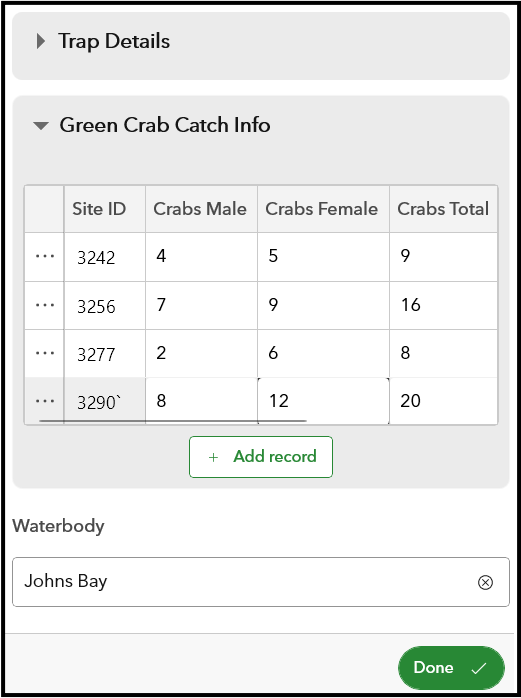
One of the most-requested features from Survey123 users is finally here: tabular repeats. Instead of flipping through long, nested repeat sections, you can now work with related records in a clean, spreadsheet‑like table that’s fast to scan and easy to edit. When you need more detail, simply open a row in full form view
Why you’ll love it:
- Quickly navigate large sets of related records
- Improve data accuracy by spotting inconsistencies
- Efficiently switch between table and form views
This is the first opportunity to test this feature in both the Survey123 Field app and Survey123 Connect, and we’re eager to hear how it fits into your workflows.
Bluetooth GNSS Receiver Support in Next Generation
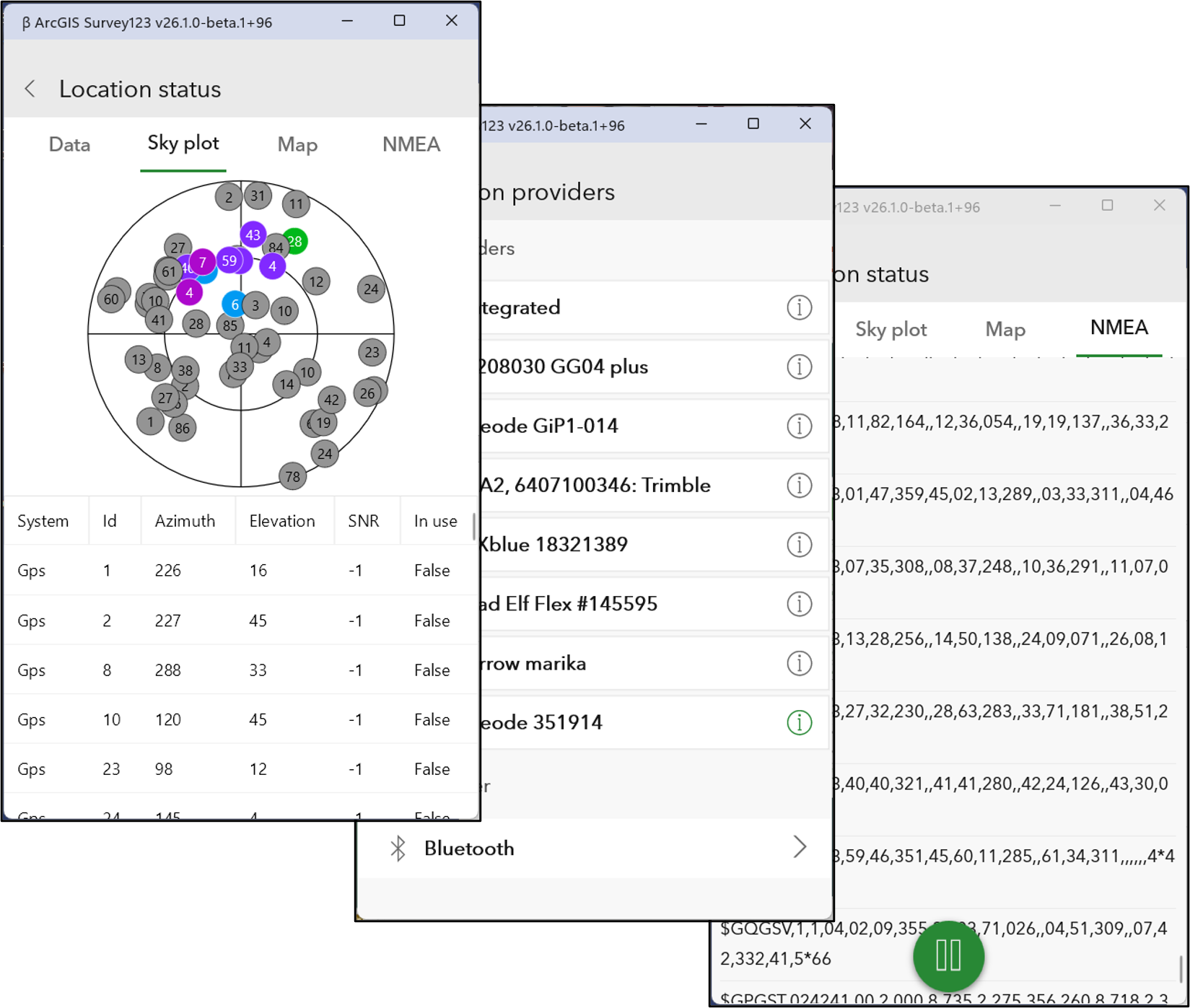
External GNSS support plays a vital role for many Survey123 3.x users who depend on high-accuracy positioning to support essential workflows across engineering, utilities, conservation, and general inspections.
The January beta includes direct Bluetooth connectivity for GNSS receivers, enabling integration with devices from leading providers such as Trimble, EOS, Leica, Juniper, Bad Elf, Eos Arrow, Geneq, Emlid, and others. These Bluetooth GNSS receivers can now serve as alternatives to the built-in mobile GNSS/GPS provider, offering greater flexibility and precision in the field.
We have additional advanced GNSS features planned for future releases. Your feedback on this initial phase will be invaluable in shaping our ongoing development roadmap.
Republish Surveys with Added Fields and Repeats
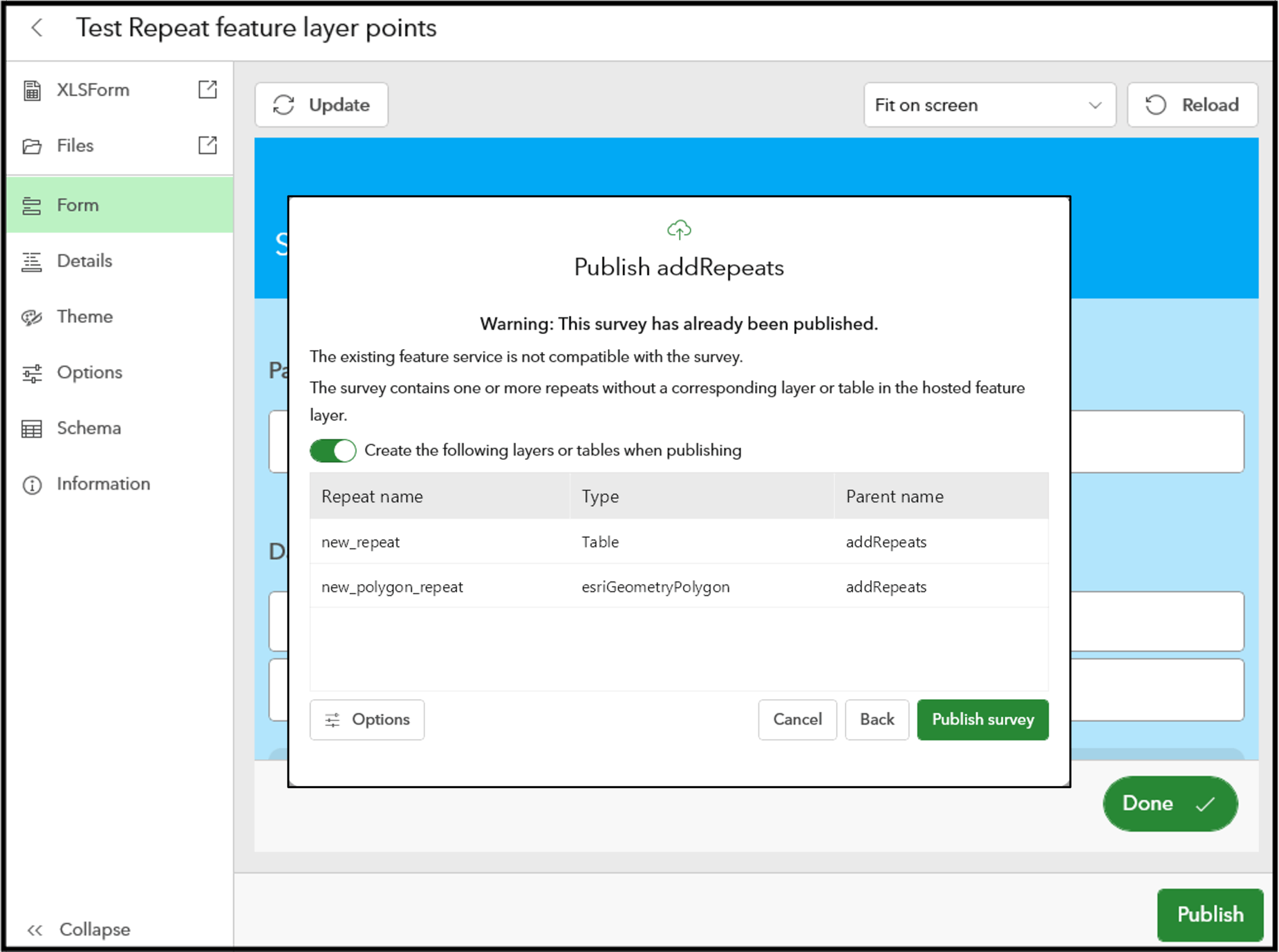
If you’ve ever had to modify a survey in the middle of a project, you know how disruptive it can be. We’ve introduced improvements in this beta to make the process much smoother and more efficient. Now, you can republish surveys from Connect—even when adding new fields or repeat sections—without needing to recreate the feature service. This means your existing data remains intact, allowing you to adapt your survey as project requirements evolve.
You may also notice that Survey123 Connect features a redesigned, modern interface that makes it easier and faster to find the tools and functions you need.
New in the Beta Survey123 Web Designer
The January beta brings several enhancements that significantly expand what you can build directly in the browser.
Author Repeat Questions in the Web Designer
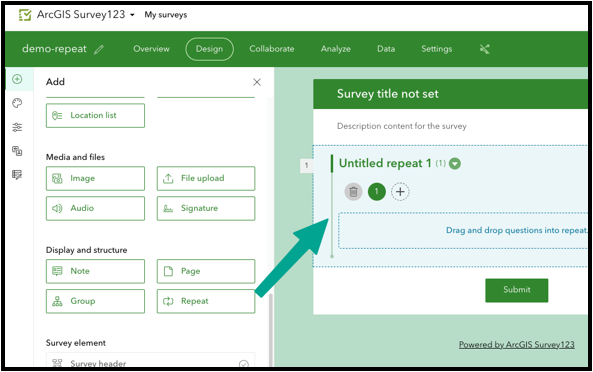
Repeats are essential for modeling “one‑to‑many” data—multiple assets at a site, checkpoints along a route, or members of a household. Until now, building them meant usuing an XLSForm in Connect. That changes with this release. The web designer beta now supports repeat questions as a native, drag‑and‑drop element.
You can:
- Add repeat sections from the Add panel
- Drag them anywhere in your form, nest any questions inside the repeat
- Perform calculations across repeats (count, sum, min, max, record index)
- More…
This is a big step forward for browser‑based authoring.
New Calculation Modes
The web designer now includes four calculation modes that give authors precise control over when calculations execute:
- auto (default) – calculates unless user‑modified
- manual – calculates only when the user presses Calculate answer
- always – recalculates whenever referenced values change
- whenEmpty – calculates until a nonempty value exists
These modes help you avoid unwanted recalculation and build more predictable survey behavior.
Configure Which Apps Can Submit the Survey
A new setting under Settings → Distribution → Submission apps allow authors to explicitly control if a survey can but used by the Survey123 Web app, Field app, or both. This helps reduce clutter in the field app and prevents accidental submissions from the wrong environment.
Add Feature Layer Webhooks
Feature layer webhooks are a secure and scalable webhook pattern used across ArcGIS. Unlike current Survey123 webhooks, feature layer webhooks trigger from the server side. You can now add them directly by navigating to Survey123 Beta Website → Settings → Webhooks → Add Webhook
How to Join the Beta
Ready to explore the future of Survey123? Join the beta program today and experience the next generation firsthand.
Your feedback is essential — each of these features was shaped by user input. Share your thoughts and issues in the Survey123 Beta Website forums to influence what’s coming next.
Moving Forward
Stay tuned for more updates on the 2026 roadmap for Survey123, as well as the upcoming first production release of the next-generation Survey123. Get ready to experience the future of data collection with ArcGIS Survey123!

Commenting is not enabled for this article.