This release of ArcGIS Maps SDK for Unreal Engine brings visualization of massive point cloud datasets with fast, efficient display and data-driven styling, a new convenient identify API for getting feature attributes from user interaction, and greater control over the appearance of building scene layers. These enhancements unlock new workflows and help developers create richer, more interactive 3D experiences with real-world geospatial data.
Visualize massive point clouds
The new Point Cloud Layer in our Unreal Engine Maps SDK provides high-performance visualization of massive 3D point cloud datasets in your Unreal levels. Point cloud data typically comes from Lidar (light detection and ranging) surveys, an optical remote-sensing technique that uses laser light to densely sample the surface of natural and urban environments, interior spaces, and even individual objects, and produces highly accurate x,y,z measurements. Lidar survey devices come in various forms, often mounted on aircraft, helicopters, or vehicles for large-scale surveys, and now present on many modern smart phones.
Because point cloud datasets contain millions of points, to visualize them effectively we create optimized Hierarchical Level of Detail (HLOD) based point cloud scene layers using the Create Point Cloud Scene Layer Content geoprocessing tool in ArcGIS Pro. This tool takes input point cloud data in LAS format, a common, open, binary format designed for sharing Lidar point cloud data (and the compressed, optimized LAS format). During the creation of point cloud scene layer content using ArcGIS Pro, you choose the data attributes that will be imported. These attributes include information about each point, such as the intensity, color, and classification code, which can be used to style point cloud scene layer data.
As with all layers in our Unreal Engine Maps SDK, point cloud layers can be streamed from services when your apps are connected to a network, or from on-device scene layer packages when your apps are offline. In this release, point cloud scene layer styling is determined by the publisher of the data – you cannot define or override the styling using the API. We plan to introduce APIs to style point cloud scene layers in the future.

Identify attribute information for features in 3D object scene layers
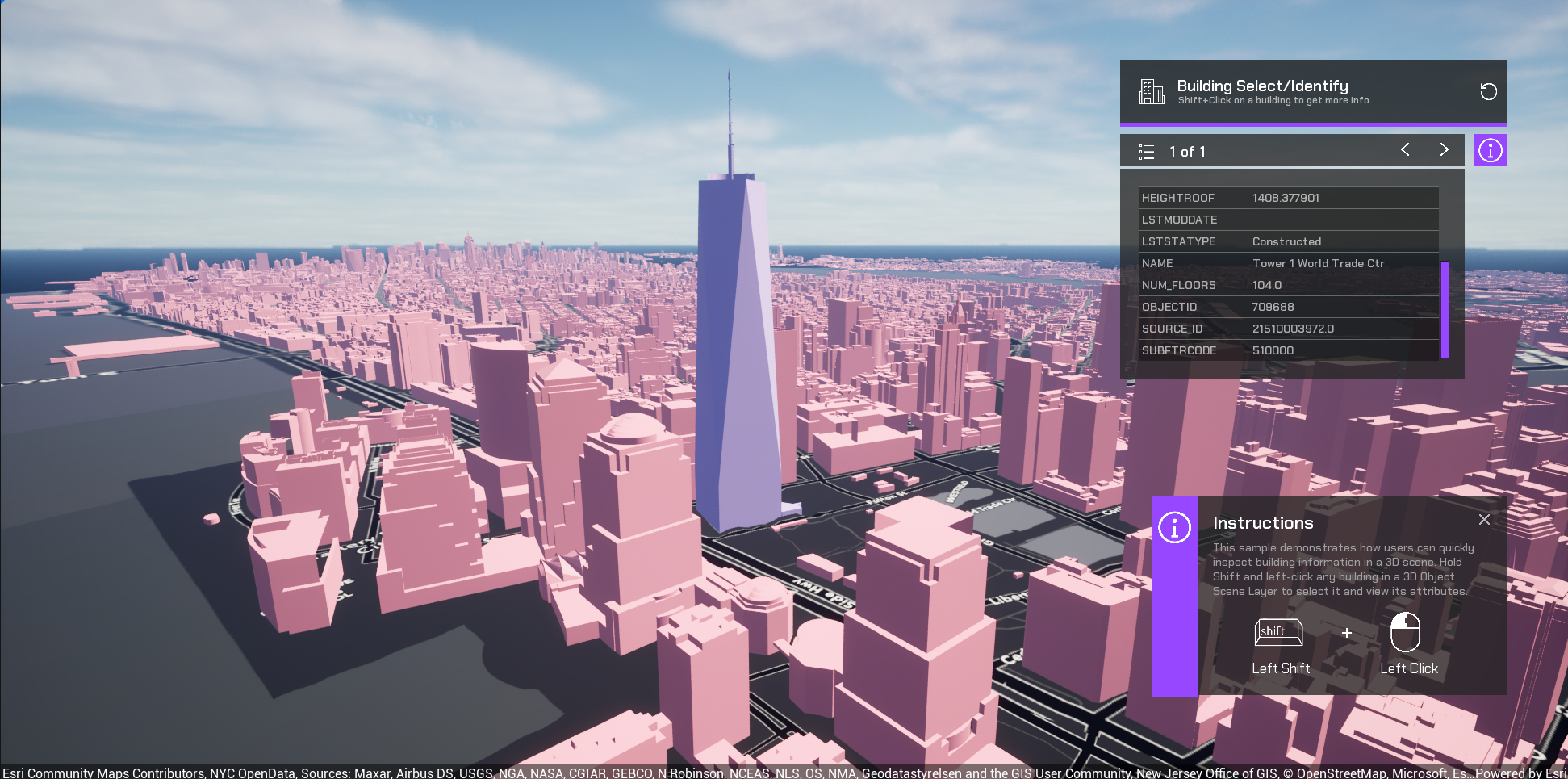
Two new identify methods on the ArcGISView class provide convenient APIs to get attribute information for features in 3D object scene layers (also known as feature metadata in Unreal Engine). The ArcGISView.IdentifyLayerAsync operation makes an asynchronous identify call on a specified layer, while the ArcGISView.IdentifyLayersAsync operation makes an asynchronous identify call on all 3D object scene layers in the map. These methods make it easier to implement end-user workflows that involve capturing the user interaction with the scene to get the feature attributes at a location. The input parameters for both methods include a start or origin point and an end or target point, usually the user camera location and the point they tap on the scene. These new APIs streamline development, avoiding the need for more complex raycast operations, and help you build better end-user experiences for data exploration, and richer more interactive apps.
Identify operations often form the foundation of larger workflows where the user needs to navigate to identified items, view attributes, and/or visually highlight an identified feature. Developers can implement a highlight effect by changing the shader for the feature returned from an identify operation. Other common developer workflows include comparing feature attributes, labeling features, or querying other business systems for related information to be displayed in the UI. An upcoming sample in the Unreal Engine Maps SDK Samples GitHub repo will demonstrate how to call the identify operation and display the attributes of a returned feature. The sample will also demonstrate an approach to highlight a returned feature for easy visual indication. We plan to introduce an API that supports highlighting returned features in the future.
Apply custom materials to building scene layers
Custom materials can now be applied to building scene layers, completing support for custom materials on all layer types within the SDK that are rendered with surfaces. The addition of the MaterialReference property on the Building Scene Layer class enables you to change the rendering, using materials to highlight specific aspects of the data or customize layer appearance. Building scene layers support filtering to toggle the visibility of different levels, construction phases, disciplines, and categories within a building, enabling the visualization of the custom materials based on various criteria. One common use case for applying custom materials to layers is to support visibility analysis in which areas visible to an observer are assigned one color and areas not visible to the observer are assigned a contrasting color. The addition of custom materials for building scene layers means this type of visibility analysis can be applied to all layers in the scene, for example where you have used mesh modifications and spatial filters to combine integrated mesh scene layers, 3D object scene layers, and building scene layers within a single scene.
Download and get started
To learn more about ArcGIS Maps SDK for Unreal Engine and download the latest version, visit the Esri Developer website. For more details about the enhancements, deprecations, resolved issues, and known issues in this release, refer to the Release Notes. If you’re new to developing with our SDK, the Get started page provides helpful resources to kick-start your journey.



Article Discussion: